

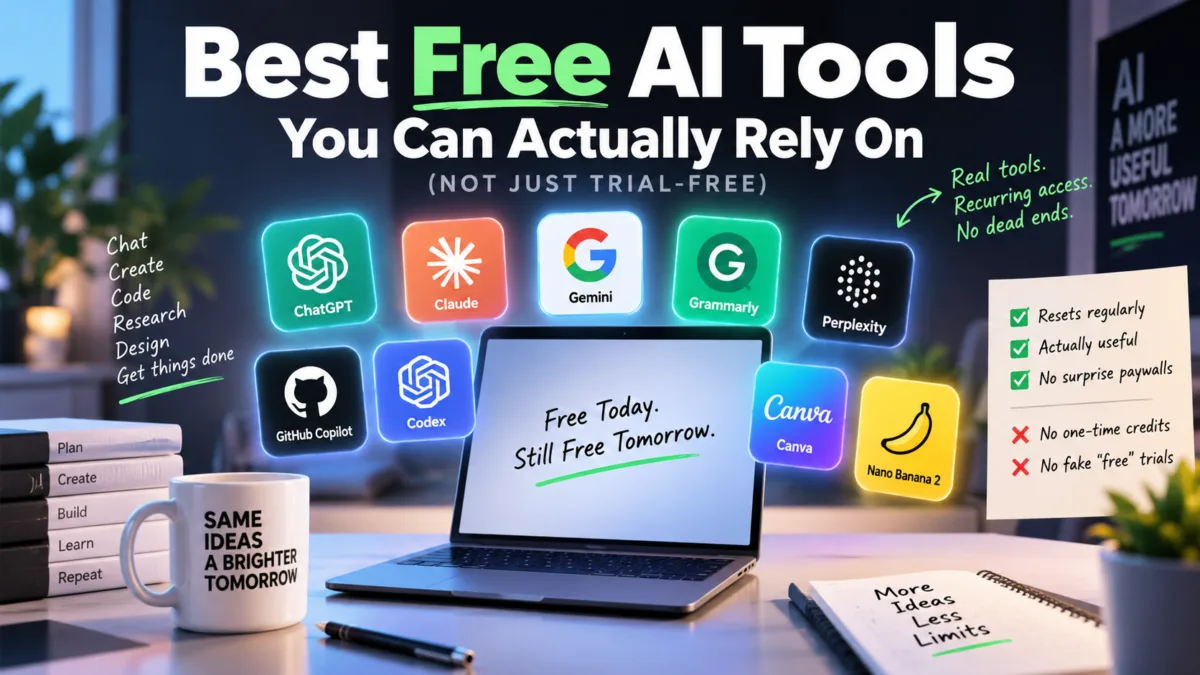
Half of U.S. adults now use AI chatbots — up from just a third in 2024 — and Pew Research’s 2026 survey shows what most of that usage actually looks like: it’s not people building elaborate workflows or generating viral art. 42% use AI to search for information, and 38% of employed adults use it for everyday work tasks. Everything else — creating images (24%), fun and entertainment (25%), diet and fitness info (20%), medical questions (20%) — trails well behind. In other words, most people using AI aren’t power users chasing the newest model. They’re asking questions, drafting emails, and getting quick answers — which makes free access the thing that actually matters to most people, far more than which tool has the flashiest paid feature.
There’s a specific kind of frustration that comes from finding a “free AI tool,” building a small habit around it — checking a fact, drafting a note, editing a photo — and then hitting a wall a few days later: a locked-out screen, a “your free credits are used up” message, or an upgrade prompt where a useful feature used to be.
And that’s where many “top free AI tools” lists miss an important distinction.
Some tools have a free allowance that comes back — daily, monthly, or through a rolling usage window.
Others give you a one-time bucket of credits that never comes back. You can use the product for free, but once those credits are gone, the free experience is effectively over.
This article focuses on the first group.
If a tool’s free allocation doesn’t renew, it doesn’t qualify for the main list — no matter how impressive the product is.
Methodology: Last checked September 2026. I cross-checked the major claims against company pricing pages and help documentation where available. I only included tools whose free access is designed to remain available over time. Where a company doesn’t publish an exact usage number, I’ve deliberately avoided inventing one.
Table of Contents
Also Read : AI Performance Tab in Bing Webmaster Tools: What It Is & Why It Matters for SEO in 2026
Which free AI tool for which task?
Most people aren’t using AI to explore every model’s edge cases. Pew Research Center’s 2026 survey found that searching for information and work-related tasks are among the most common reasons people use AI chatbots. So rather than asking which AI is “best” overall, it’s more useful to match the tool to the job.
For everyday questions and writing, start with ChatGPT. If you want one general-purpose assistant and don’t want to think about message limits, ChatGPT’s current free tier is unusually attractive — everyday text chats are unlimited.
For long, nuanced conversations and structured reasoning, try Claude. Anthropic has put considerable emphasis on reasoning and long-form problem solving, making Claude a strong choice for multi-step questions, analysis, and tasks where you want the answer explained clearly. Its free allowance replenishes through a rolling usage window rather than a one-time bucket. I wouldn’t call it universally better than ChatGPT or Gemini, though — the differences can depend heavily on the task.
For travel planning and anything tied to Google’s ecosystem, Gemini is hard to ignore. Its integration with Maps, Flights, and Hotels gives it a practical advantage for trip planning specifically — it can pull in current information about flights, hotels, and routes rather than relying only on what the model already knows. More broadly, Gemini makes sense if you already spend much of your time inside Google’s other products.
For grammar and writing correction specifically, Grammarly is one of the safest choices here. If your main need is proofreading rather than a full chatbot, you don’t have to burn through an AI trial just to keep checking your writing — the core function is unlimited, permanently.
For research and cited search, Perplexity is worth having on hand. You get an answer accompanied by sources without needing to subscribe just to perform ordinary searches.
For coding, GitHub Copilot’s free plan is unusually easy to reason about. 2,000 completions and 50 chat requests a month, renewing on a fixed schedule — no ambiguity about what you’re getting.
For image generation and editing, test ChatGPT and Google’s Nano Banana 2 side by side. Neither is a universal winner. Google’s Nano Banana family is particularly strong for editing and character consistency, while ChatGPT’s image tools can be surprisingly capable with detailed instructions, text inside images, and specific visual changes. Try both with the kind of images you actually make before assuming one is better.
For design and broader visual content, Canva is particularly useful if you already create social graphics, presentations, or thumbnails — its free AI allowance is limited, but importantly, it renews every month rather than draining once.
For medical questions, don’t choose an AI simply because it has a dedicated health feature. ChatGPT Health is a substantial investment from OpenAI, developed with feedback from more than 260 physicians across 60 countries. But the first independent safety evaluation tells a more complicated story: a study published February 23, 2026 in Nature Medicine by researchers at Mount Sinai’s Icahn School of Medicine found the tool under-triaged 51.6% of cases that physicians agreed required emergency care — in some instances correctly identifying warning signs in its explanation while still advising the patient to wait.
It’s worth noting the study itself has drawn some pushback: a follow-up critique from Macquarie University researchers argued the test’s forced-choice format doesn’t fully reflect how people actually use the chatbot in practice, which may overstate the real-world failure rate. Either way, the safest takeaway is the same: don’t treat any free AI chatbot as a substitute for professional medical advice, particularly when symptoms could be urgent.
These recommendations aren’t meant to declare a permanent winner. AI products change quickly, and your results can vary depending on the exact task, model, and prompt. If you regularly use AI for a particular job, it’s worth testing two or three tools side by side rather than relying on a generic “best AI” ranking.
Also Read : Google Gemini Windows Desktop App : I Installed It and Tested Everything — Here’s What I Found
Quick comparison Top Free AI Tools
| Tool | What you get free | How the allowance works | Verdict |
|---|---|---|---|
| ChatGPT | Unlimited everyday text chats with GPT-5.6 Luna | No main text-chat cap; separate limits for tools | ✅ Recurring free access |
| Claude | Free access to Claude with usage limits | Rolling usage window | ✅ Recurring free access |
| Gemini | Free Gemini access and selected Google AI features | Gemini usage limits refresh every 5 hours; image generation has a daily quota | ✅ Recurring free access |
| Grammarly | Unlimited core grammar checking + 100 AI prompts | AI prompts reset monthly | ✅ Recurring free access |
| Perplexity | Unlimited standard search + limited Pro Search | Pro Search allowance resets daily | ✅ Recurring free access |
| GitHub Copilot | 2,000 completions + 50 chat requests | Monthly allowance | ✅ Recurring free access |
| Codex | Included with ChatGPT Free | Usage limits depend on plan/task | ✅ Recurring free access |
| Canva | Free AI allowance | Shared monthly AI allowance | ✅ Recurring free access |
| Nano Banana 2 | Free image generation through Google’s AI products | Daily image quota | ✅ Recurring free access |
| Runway | 125 credits | One-time allocation | ❌ Doesn’t qualify |
| Writesonic | Trial/free access may be available depending on current offer | Not a recurring free allowance | ❌ Doesn’t qualify |
| DeepSeek | Free consumer chat, no published cap | Fair-use throttling only, no depleting bucket | ✅ Recurring free access |
| NotebookLM / Gemini Notebook | 100 notebooks, 50 sources/notebook, daily chat & overview caps | Resets every 24 hours (system changing Sept 2026) | ✅ Recurring, but numbers in flux |
| Google Antigravity | Multi-model access (Gemini 3.1 Pro, Claude Sonnet/Opus 4.6, GPT-OSS 120B) | Quota refreshes ~5hrs/weekly | ⚠️ Passes today — public preview, paid tier coming |
What counts as genuinely free?
For this article, I’m using a fairly strict definition.
A tool qualifies if you can keep returning to its free tier after you’ve used your current allowance.
That could mean:
- a daily allowance that refreshes
- a monthly allowance that renews
- a rolling usage window
- or genuinely unlimited access to a particular feature
It does not mean:
- 125 credits once
- a seven-day trial
- $5 of promotional credits
- a free account that stops working after the initial allocation is gone
In other words, I’m not asking “Can I use it without paying today?”
I’m asking:
“Can I still use it for free next month?”
That’s a much more useful question if you’re thinking about building a real workflow around an AI tool.
AI chat and writing assistants
ChatGPT
ChatGPT made one of the biggest changes to its free tier in 2026.
Free users now get unlimited everyday text chats with GPT-5.6 Luna, subject to abuse-prevention safeguards. OpenAI describes Luna as the default model for Free users, while GPT-5.6 Sol is available on eligible paid plans.
The important word here is everyday text chats.
It doesn’t mean everything inside ChatGPT is unlimited. File uploads, image generation, voice, data analysis and other tools have separate limits, and those limits can reset independently.
For ordinary questions, brainstorming, writing, summarizing and everyday research, however, the free text-chat experience is considerably more generous than it used to be.
Why it qualifies: the core text-chat access isn’t a one-time credit bucket.
Also Read : ChatGPT Free vs Go vs Plus vs Pro vs Business: Which Plan Should You Choose in 2026?
Claude
Claude takes a different approach.
Anthropic doesn’t publish a simple fixed number of messages that every Free user gets. Instead, free usage operates within a rolling usage window, so your access becomes available again over time rather than permanently disappearing after a fixed number of messages.
The amount you can use can vary depending on factors such as message length, model usage and current demand.
That makes Claude a good example of why a “free limit” doesn’t necessarily mean a trial.
You might hit a usage message today, but that isn’t the same thing as permanently exhausting your free account.
Why it qualifies: the free allowance is designed to replenish rather than disappear permanently.
Also read : Claude AI Pricing in India: How It Compares to ChatGPT and Gemini (July 2026)
Gemini
Google Gemini is one of the clearest examples of a free AI service with a recurring usage model, although Google’s system is more complicated than a simple daily message counter.
Google currently describes Gemini Apps as using compute-based usage limits. The amount you can use depends on factors including the model and features you’re using, the complexity of your prompts and the length of your conversation. For users without a Google AI plan, Google lists access as having standard limits. Those limits refresh every five hours, although Google also applies a weekly limit.
That means you can hit a usage limit without permanently losing access to Gemini. You wait for the limit to refresh and continue using the free tier.
The exact limits can change, and Google says they may be adjusted based on capacity and availability. That’s why I wouldn’t put a fixed number of prompts per day into this article unless Google explicitly publishes that number for the specific model or feature.
Why it qualifies: Gemini’s free usage is designed around recurring limits rather than a one-time credit allocation.
Grammarly
Grammarly is probably the clearest example in this entire list of what “free means free” can look like.
Its core grammar, spelling and writing assistance remains available on the Free plan without a trial clock.
On top of that, Free users receive 100 generative AI prompts per month for AI-powered rewriting and suggestions.
That allowance refills rather than disappearing permanently.
This makes Grammarly particularly useful if your needs are modest. If you mainly want grammar correction, spelling help and occasional rewriting, you don’t have to worry about burning through a one-time AI trial.
Why it qualifies: core writing assistance remains available, while the AI prompt allowance renews monthly.
Perplexity
Perplexity is particularly interesting because its free plan separates ordinary search from its deeper research features.
Free users can continue using standard search, while the more advanced Pro Search capability has a limited daily allowance.
Perplexity’s own documentation has shown different figures for Pro Search at different points, so I don’t think it’s responsible to present one number as permanently fixed. Its current plan documentation lists a limited daily allocation, while other help documentation has shown different figures.
The important part is the mechanism: the Pro Search allowance comes back rather than becoming permanently exhausted.
So even after you’ve used the deeper search allowance, the basic search experience remains available.
Why it qualifies: you don’t permanently lose access to search after using the higher-tier free allowance.
DeepSeek is one of the more unusual entries on this list because its free access doesn’t really have a “reset” mechanism at all — there’s simply no published cap to hit. The consumer web chat and mobile app are free, with DeepSeek’s own materials describing only fair-use throttling during periods of heavy demand, not a message ceiling that empties and refills. Worth being precise about scope here: this applies to the consumer chat interface only. DeepSeek’s developer API is a completely separate, paid, per-token product — don’t confuse free chat access with free API access if you’re building something.
Why it qualifies: there’s no bucket to deplete in the first place — access simply continues, subject to fair-use limits during peak load.
AI coding assistants
GitHub Copilot
GitHub Copilot has one of the easiest free plans to quantify.
Copilot Free currently includes:
- 2,000 code completions per month
- 50 chat requests per month
GitHub explicitly describes those as limits for Copilot Free.
The important part for this article is that the allowance is monthly, rather than a one-time promotional credit allocation.
Once the monthly allowance is used, you wait for the next cycle rather than having to abandon the free account.
GitHub also makes clear that Copilot Free users receive access to selected models through automatic model selection.
Why it qualifies: the core free completion and chat allowance renews monthly.
Codex
Codex is also available to ChatGPT Free users.
The important difference from Copilot is that OpenAI doesn’t present the Free allowance as a simple “2,000 completions per month” style number.
Codex usage depends on the plan and the type and complexity of the coding work you’re doing.
That makes it harder to put a precise number into a comparison table without creating false precision.
But the important distinction remains: Codex isn’t simply a one-time bucket of credits that disappears after your first experiment.
If you’re already using ChatGPT Free and need occasional coding assistance, Codex is worth trying before signing up for a separate coding subscription.
Why it qualifies: Free users have recurring plan-based access rather than a one-time promotional allocation.
Google Antigravity
It is worth knowing about, but it comes with a bigger asterisk than anything else on this list. It’s Google’s agent-first coding IDE, and its free tier is unusually generous on paper — full access to a genuinely strong lineup of models (Gemini 3.1 Pro, Claude Sonnet 4.6, Claude Opus 4.6, and GPT-OSS 120B) with quotas that refresh on a recurring basis rather than a one-time credit pool. The catch: Antigravity is explicitly labeled a public preview, and Google has been upfront that a permanent paid tier is coming, without committing to when free access might shrink or end.
That makes it different in kind from GitHub Copilot’s free tier, which is a stable, published part of GitHub’s actual pricing page. Antigravity’s free access technically passes this article’s “does it come back” test today — but unlike everything else on this list, there’s no guarantee that test will still return the same answer in a few months.
Why it qualifies (for now): recurring quota refreshes rather than a depleting bucket — but treat this one as the least stable inclusion on the list, given its preview status.
Best Free AI image generation and editing
Canva
Canva is an especially useful example because its AI system is more complicated than a simple “X credits per day” model.
Canva’s current Free plan provides a shared monthly AI allowance. The allowance is used across Canva’s AI tools, and different tools consume different amounts depending on their AI tier and the complexity of the task.
Canva currently describes the Free allowance as up to 200 uses of Standard AI tools or up to 20 uses of Premium AI tools, assuming you use one category rather than mixing tools. More complex tasks can consume more of the allowance, so the actual number of uses varies.
The allowance resets monthly.
That’s important because Canva’s AI system should not be described as a daily credit allowance.
It is also worth remembering that Canva’s Free plan doesn’t provide access to every AI tier. Ultra AI tools remain unavailable to Free users.
Why it qualifies: the free AI allowance returns every month instead of being a one-time trial.
ChatGPT image generation
ChatGPT’s text-chat allowance and image-generation allowance are separate.
Free users can create images in ChatGPT, but OpenAI says image generation has its own usage limit separate from ordinary text conversations. When that limit is reached, you have to wait until the image allowance becomes available again.
OpenAI does not currently publish a simple permanent number such as “three images per day” that I would feel comfortable putting into this article.
That’s intentional here.
You may find articles online claiming an exact daily image count, but if the official documentation doesn’t guarantee that number, I’d rather not turn an unofficial estimate into a hard fact.
The useful takeaway is simply this:
ChatGPT’s free image generation is limited, but it is recurring rather than a one-time promotional credit pool.
Why it qualifies: the image allowance becomes available again after the applicable limit resets.
Nano Banana 2
Google’s Nano Banana 2 is currently available to free Gemini users for image generation and editing. Google describes Nano Banana 2 as the image model used when Gemini is set to Flash or Pro, while Nano Banana 2 Lite is used with Flash-Lite.
For Free users, image generation with Nano Banana 2 comes with a daily quota rather than a one-time allocation. Google doesn’t promise that the quota will remain at one fixed number forever, so I wouldn’t quote a permanent “X images per day” figure in this article. The important point is that the quota refreshes rather than disappearing after your first batch of images.
There is also an important distinction between Nano Banana 2 and Nano Banana Pro. Nano Banana Pro is available to Google AI subscribers, while Free users can use Nano Banana 2. If you reach your daily Nano Banana 2 image quota, Google says you can’t redo additional images with Nano Banana Pro at that point.
Why it qualifies: Free users receive recurring access to Nano Banana 2 rather than a one-time image-generation credit pool.
AI tools for learning
Khanmigo
Khanmigo is worth mentioning, but with an important qualification: it isn’t universally free to every student.
Access can depend on circumstances such as participation through a school or district program, homeschooling arrangements, or other eligibility requirements.
That makes it different from something like ChatGPT Free or Grammarly Free, where essentially anyone can create a free account and use the free tier.
For that reason, I wouldn’t classify Khanmigo as one of the strongest examples of a universally available free AI tool.
If you’re eligible for Khanmigo through Khan Academy’s supported access programs, however, it can be a particularly interesting AI tutoring option because it is designed around guided learning rather than simply giving students answers.
Verdict: Useful free access for eligible users, but not a universal free tier, so it isn’t central to this list.
AI research and study tools
Google’s NotebookLM
(in the process of being rebranded to “Gemini Notebook”) is a source-grounded research assistant — you feed it documents, PDFs, or links, and it answers questions strictly from that material rather than general web knowledge, which makes it useful for studying a specific textbook or building notes from your own sources. The free tier includes a genuinely useful allowance — up to 100 notebooks, 50 sources per notebook, and daily caps on chat questions and audio/video overviews that reset every 24 hours. Worth flagging before you rely on exact numbers here, though: Google announced it’s shifting NotebookLM away from these simple daily caps toward a more complex compute-based usage model starting September 2, 2026 — right around when this article was last checked — so the specific daily figures are likely to shift in the near term even though the recurring-free structure itself isn’t going away.
Why it qualifies: daily allowances that reset, not a one-time credit pool — though the exact numbers are actively changing as this is published.
What didn’t make this list, and why
The exclusion list is just as important as the recommendations.
A tool can be excellent and still fail my definition of “free.”
Runway
Runway’s Free plan is a perfect example.
It currently provides 125 credits as a one-time allocation. Those credits don’t expire, but they also don’t renew or refresh once you’ve used them. Runway explicitly describes the Free plan as a way to explore its AI models before committing to a paid plan.
That means you can legitimately say Runway has a free plan.
But you can’t honestly describe it as a free allowance that you can keep using indefinitely.
Once those 125 credits are gone, the free allocation is gone.
Verdict: Excellent for trying Runway. Doesn’t pass this article’s recurring-free test.
Writesonic
Writesonic is another example of why older “best free AI tools” lists can become outdated quickly.
Its pricing and product positioning have changed substantially, particularly as the company has moved further toward AI search visibility and related business tools.
Rather than relying on an old article that still describes an older free tier, check the company’s current pricing page before treating Writesonic as a permanently free tool.
For this article, I’m not counting a trial or promotional access as a recurring free plan.
Verdict: Doesn’t meet the recurring-free definition used here.
Why this distinction actually matters
Look at what separates the tools that passed this test from the ones that didn’t.
The important difference isn’t necessarily how generous the free plan is today.
It’s whether the free access comes back.
A tool that gives you 100 credits once might be more generous on day one than a tool that gives you a small monthly allowance.
But if you’re building a workflow around that tool, the second option is often more useful.
The recurring-free model also appears frequently among products backed by larger ecosystems. Google, OpenAI, Anthropic and GitHub can use free access as a way to introduce people to much larger platforms. Grammarly takes a different approach, using a mature freemium model where the basic writing product remains useful without requiring a subscription.
That doesn’t mean smaller AI companies can’t maintain generous free plans.
It simply means you shouldn’t assume that a free credit allocation will last forever.
And the tools that fail this test aren’t necessarily bad products.
Runway is a powerful AI video platform. Writesonic offers useful AI search and marketing products.
They simply don’t meet this article’s definition of a free AI tool you can keep returning to without eventually paying.
So before building a real workflow around any “free AI tool,” ask one simple question:
Does the free allowance come back, or does it just run out?
That question can save you a surprising amount of frustration.
A note on staying current
Everything above was checked against current product and help documentation in September 2026.
Free AI plans change quickly. Companies add limits, remove features, introduce new models and sometimes completely restructure their pricing.
Even when a company publishes an exact number today, that doesn’t guarantee the same number six months from now.
So treat this article as a snapshot of the free AI landscape in September 2026, not a permanent promise.
If an AI tool is important to your work, it’s worth checking the company’s current pricing or help page occasionally.
The most useful thing to remember isn’t any individual number.
It’s the test behind this list:
A genuinely useful free AI tool is one where the free access comes back.

Ayush Singhal is the founder and chief editor of TechMitra.in — a tech hub dedicated to simplifying gadgets, AI tools, and smart innovations for everyday users. With over 15 years of business experience, a Bachelor of Computer Applications (BCA) degree, and 5 years of hands-on experience running an electronics retail shop, Ayush brings real-world gadget knowledge and a genuine passion for emerging technology.
At TechMitra, he covers everything from AI breakthroughs and gadget reviews to app guides, mobile tips, and digital how-tos. His goal is simple — to make tech easy, useful, and enjoyable for everyone. When he’s not testing the latest devices or exploring AI trends, Ayush spends his time crafting tutorials that help readers make smarter digital choices.
📍 Based in Lucknow, India
💡 Focus Areas: Tech News • AI Tools • Gadgets • Digital How-Tos
📧 Contact: Get in touch →
🔗 Full Bio: https://techmitra.in/about-us/