

By Ayush Singhal | Updated 2 November 2026
Choosing the right AI subscription in India is becoming increasingly difficult. ChatGPT offers multiple subscription tiers, Google Gemini bundles AI features with cloud storage, Microsoft integrates Copilot into its Microsoft 365 plans, while Claude, Grok and Perplexity offer their own premium subscriptions.
But which AI subscription offers the best value for money?
This AI Plans Comparison tool brings subscription plans from six popular AI platforms together in one place. You can explore their Indian pricing, compare features, check usage limits and select up to three plans for a side-by-side comparison.
Prices are displayed in Indian rupees wherever official Indian pricing is available. For subscriptions without available Indian pricing, the original foreign currency is displayed instead.
Whether you are a student, blogger, developer, researcher or business owner, this tool helps you understand the differences before spending money on an AI subscription.
Show every plan as a table
AI plans and prices at a glance
Prices are in INR unless a plan says USD. GST treatment differs by plan, so read the note under each price. Data updated: 2026-11-02.
ChatGPT plans and prices
| Plan | Monthly | Yearly | Best for | Price notes | Last verified |
|---|---|---|---|---|---|
| Free | Free | — | Trying out ChatGPT | 2026-10-20 | |
| Go | ₹399 | — | Longer conversations on a budget | Includes 18% GST. Some Indian accounts show a promotional discount; check Settings > Billing. | 2026-10-20 |
| Plus | ₹1,999 | — | Advanced work and productivity | Includes 18% GST. | 2026-10-20 |
| Pro 100 | ₹10,699 | — | Research and coding, all-day use | Includes 18% GST. | 2026-10-20 |
| Pro 200 | ₹19,900 | — | Heavy daily Pro use | Includes 18% GST. | 2026-10-20 |
| Pro 500 | ₹52,900 | — | Maximum usage | Includes 18% GST. | 2026-10-20 |
| Business Standard | ₹2,250 | ₹21,600 | Teams of 2 to 200 for everyday work | Per user, excludes GST. Yearly price is billed annually at ₹1,800 per user per month. | 2026-10-20 |
| Business Premium | ₹11,250 | ₹1,08,000 | Team members who hit Standard limits | Per user, excludes GST. Yearly price is billed annually at ₹9,000 per user per month. | 2026-10-20 |
Official pricing: ChatGPT
Google Gemini plans and prices
| Plan | Monthly | Yearly | Best for | Price notes | Last verified |
|---|---|---|---|---|---|
| Free | Free | — | Trying Gemini with a Google account | 2026-10-31 | |
| AI Plus 400 GB | ₹399 | ₹4,000 | Everyday AI use with extra storage | Price includes all taxes (no GST added at checkout). New subscribers: ₹100/month for the first 3 months, or ₹3,000 for the first year on yearly billing (then ₹4,000). | 2026-10-31 |
| AI Plus 2 TB | ₹650 | ₹6,500 | Plus features with much more storage | Price includes all taxes (no GST added at checkout). New subscribers: ₹320/month for the first 6 months, or ₹5,199 for the first year on yearly billing (then ₹6,500). | 2026-10-31 |
| AI Pro 5 TB | ₹1,950 | ₹19,500 | Serious research and content work; the cheapest plan with Gemini 4 Argon | Price includes all taxes (no GST added at checkout). New subscribers: ₹489/month for the first 3 months. Yearly billing is ₹19,500 with no intro offer. | 2026-10-31 |
| AI Pro 10 TB | ₹3,250 | — | Pro features with double the storage | Price includes all taxes (no GST added at checkout). Monthly billing only. | 2026-10-31 |
| AI Ultra 5x | ₹6,500 | — | Heavy users who hit Pro limits | Price includes all taxes (no GST added at checkout). Monthly billing only. | 2026-10-31 |
| AI Ultra 20x | ₹19,500 | — | Professionals needing the highest limits | Price includes all taxes (no GST added at checkout). Monthly billing only. | 2026-10-31 |
Official pricing: Google Gemini
Claude plans and prices
| Plan | Monthly | Yearly | Best for | Price notes | Last verified |
|---|---|---|---|---|---|
| Free | Free | — | Trying Claude | 2026-11-01 | |
| Pro | ₹2,399 | ₹23,999 | Research, coding and organizing work | Includes GST. Yearly billing is ₹2,000/month (₹23,999 billed annually), saving 17%. | 2026-11-01 |
| Max and Ultra (from) | ₹11,999 | — | Heavy use of Claude Code and long-running tasks | Includes GST. Starting price, billed monthly. Pricing for the higher Max and Ultra tiers is not shown here. | 2026-11-01 |
| Team Standard seat | ₹2,999 | ₹28,788 | Teams of 2 to 150 | Includes GST. ₹2,999/month billed monthly, or ₹2,399/month billed annually. | 2026-11-01 |
| Team Premium seat | ₹14,999 | ₹1,43,988 | Team members who hit Standard limits | Includes GST. ₹14,999/month billed monthly, or ₹11,999/month billed annually. | 2026-11-01 |
| Enterprise | $20 per seat/month + usage | — | Organisations of 20+ users needing admin and compliance controls | Priced at $20 per seat per month plus tax (billed annually), plus usage at API rates. | 2026-11-01 |
Official pricing: Claude
Microsoft Copilot plans and prices
| Plan | Monthly | Yearly | Best for | Price notes | Last verified |
|---|---|---|---|---|---|
| Free | Free | — | Trying Copilot before paying | 2026-11-01 | |
| Microsoft 365 Personal | ₹689 | ₹6,899 | One person using Office and Copilot | Includes GST. Yearly billing saves ₹1,369 compared with 12 monthly payments. | 2026-11-01 |
| Microsoft 365 Family | ₹819 | ₹8,199 | Households that need Office and shared storage | Includes GST. Yearly billing saves ₹1,629 compared with 12 monthly payments. | 2026-11-01 |
| Microsoft 365 Premium | ₹1,999 | ₹19,999 | Heavier AI use: research, analysis and documents | Includes GST. Yearly billing saves ₹3,989 compared with 12 monthly payments. | 2026-11-01 |
| Microsoft 365 Pro | ₹9,999 | — | Highest Copilot usage and storage | Includes GST. Monthly billing only. Listed on Microsoft's India pricing page but missing from the Copilot app upgrade screen on 1 Nov 2026. | 2026-11-01 |
| Business Standard with Copilot | ₹1,955 | ₹23,460 | Organisations needing Office, email and Copilot | Per user per month on annual billing; GST extra. | 2026-11-01 |
| Business Premium with Copilot | ₹2,660 | ₹31,920 | Organisations needing stronger security and device management | Per user per month on annual billing; GST extra. | 2026-11-01 |
Official pricing: Microsoft Copilot
Perplexity plans and prices
| Plan | Monthly | Yearly | Best for | Price notes | Last verified |
|---|---|---|---|---|---|
| Free | Free | — | Trying Perplexity | 2026-11-01 | |
| Pro | $17 USD | — | Advanced answers and top AI models | Shown per month, billed yearly, in US dollars. The page rounds to whole dollars, so the exact yearly total may differ slightly. | 2026-11-01 |
| Max | $167 USD | — | Ambitious, large-scale projects | Shown per month, billed yearly, in US dollars. The page rounds to whole dollars, so the exact yearly total may differ slightly. | 2026-11-01 |
| Education Pro | $9 USD | — | Verified students and educators | Shown per month, billed yearly, in US dollars. The page rounds to whole dollars, so the exact yearly total may differ slightly. | 2026-11-01 |
| Enterprise Pro | $34 USD | — | Teams needing security and compliance | Per seat per month, billed yearly, in US dollars. The page rounds to whole dollars. | 2026-11-01 |
| Enterprise Max | $271 USD | — | Largest teams with the highest usage | Per seat per month, billed yearly, in US dollars. The page rounds to whole dollars. | 2026-11-01 |
Personal plans are for personal use only and subject to Perplexity's policies. Prices on the upgrade screen are shown in US dollars, with an equivalent in your local currency mentioned. Official pricing: Perplexity
Grok plans and prices
| Plan | Monthly | Yearly | Best for | Price notes | Last verified |
|---|---|---|---|---|---|
| Free | Free | — | Trying Grok | 2026-11-01 | |
| Plus | ₹759 | ₹7,590 | Light daily use | Excludes applicable taxes and fees. New subscribers: ₹570/month for the first 6 months (25% off), then ₹759. Yearly billing is ₹7,590 (about ₹633/month). | 2026-11-01 |
| Premium | ₹3,399 | ₹33,990 | Regular users who want the latest models | Excludes applicable taxes and fees. New subscribers: ₹1,700 for the first month (50% off), then ₹3,399. Yearly billing is ₹33,990 (about ₹2,833/month). | 2026-11-01 |
| Super | ₹11,299 | ₹1,12,990 | Heavy users | Excludes applicable taxes and fees. New subscribers: ₹5,650 for the first month (50% off), then ₹11,299. Yearly billing is ₹1,12,990 (about ₹9,416/month). | 2026-11-01 |
| Ultra | ₹22,599 | ₹2,25,990 | Maximum individual usage | Excludes applicable taxes and fees. New subscribers: ₹11,300 for the first month (50% off), then ₹22,599. Yearly billing is ₹2,25,990 (about ₹18,833/month). | 2026-11-01 |
| Teams | $30 USD | — | Teams that need shared billing and admin controls | Per user per month, starting price, shown in US dollars on Grok's public pricing page. An INR price was not visible. Excludes applicable taxes and fees. | 2026-11-01 |
| Enterprise | Custom pricing | — | Large organisations needing custom controls | Custom pricing. Contact sales. | 2026-11-01 |
Prices shown do not include applicable taxes or fees. 3rd party models in Cursor are not included. New subscriptions auto-renew until you cancel. Cancel anytime, at least 24 hours prior to renewal to avoid additional charges. Prices subject to change. Manage your subscription through the platform you subscribed on. Official pricing: Grok
Why I built this AI plans comparison tool
Most AI pricing articles answer one question: how much does a particular company charge for its subscription in India?
But readers often have another question: how does that subscription compare with plans offered by other AI companies?
Opening four or five pricing pages in different browser tabs and remembering all the prices, features and limitations is not an easy way to decide where to spend ₹400, ₹2,000 or ₹10,000 a month.
That’s why I created this AI subscription comparison tool for TechMitra. It brings the plans of six major AI platforms together, allowing you to explore their features and compare different subscriptions without visiting multiple websites.
It also focuses on Indian pricing, taxes, introductory offers and other details that international comparison websites may not explain clearly.
How to use the AI plans comparison tool
The tool has several features to help you explore and compare AI subscriptions.
1. Explore AI platforms and subscription plans
Select an AI platform from the tabs at the top of the tool. You can explore the subscription plans currently listed for:
- ChatGPT
- Google Gemini
- Claude
- Microsoft Copilot
- Perplexity
- Grok
Each plan displays its price, intended use, main features and available usage information.
2. Find plans by task or price
You can use the optional filters to explore subscriptions based on your requirements.
For example, you can find plans suitable for:
- Writing and content creation
- Coding and software development
- Research and information gathering
- Students and learning
- Office and productivity work
- Creative tasks
- Team requirements
You can also sort plans by monthly price to identify lower-cost or higher-priced subscriptions.
Task recommendations are intended to help you shortlist suitable plans. They are not independent performance rankings.
3. Compare up to three AI subscriptions
This is one of the most useful features of the tool.
Select any plan using its Compare option. You can choose plans from different AI platforms and compare up to three subscriptions simultaneously.
For example, you can select:
- ChatGPT Plus
- Google AI Pro
- Claude Pro
The comparison table displays their prices, models, usage limits, context windows, storage, file uploads, image and video capabilities and other features side by side.
A comparison bar keeps your selected plans together, even when you switch between AI platform tabs.
On mobile devices, the comparison table can be scrolled horizontally, making it easier to examine different features.
4. Calculate the cost of multiple AI subscriptions
Apart from comparing individual plans, the tool also includes an independent AI subscription stack calculator.
You can select multiple subscriptions and calculate their combined monthly and yearly expenses.
For example, if you use ChatGPT Plus, Google AI Pro and Claude Pro together, add all three subscriptions to the calculator to see how much you spend on AI tools.
Unlike the comparison feature, the subscription calculator does not have a three-plan selection limit.
It displays Indian rupee and US dollar totals separately. It does not automatically convert foreign currency prices into rupees.
When a company offers an official annual subscription price, the calculator uses that amount. If only monthly pricing is available, it displays an estimated annual expense based on 12 monthly payments, clearly distinguishing it from an official annual subscription.
What does the comparison table include?
The comparison tool covers several important aspects of each AI subscription.
| Comparison feature | What it tells you |
|---|---|
| Subscription price | Monthly and yearly costs |
| Best for | Intended users and use cases |
| Usage limits | Available usage allowances |
| AI models | Models included in the plan |
| Context window | Amount of information a model can process |
| Storage | Included cloud storage, where applicable |
| File uploads | Document and file upload capabilities |
| Image and video | Available creative features |
| Other features | Additional subscription benefits |
| Last verified | Date the plan information was checked |
| Official source | Link to the provider’s pricing information |
The comparison table displays relevant rows based on the information available for the selected subscriptions. It avoids filling the table with unnecessary empty rows.
One important distinction is the difference between Not listed and Not included.
- Not listed: The information has not been confirmed or is unavailable in our comparison data.
- Not included: The plan has been marked as not offering that particular feature based on the information verified for the comparison.
These terms help you understand whether a feature is genuinely unavailable or simply has not been confirmed.
What makes this AI plans comparison useful in India?
Subscription pricing can vary significantly between countries. Some AI companies offer dedicated Indian pricing, while others display prices in US dollars or provide region-specific billing.
The comparison tool follows a simple pricing policy: it displays official Indian prices in rupees wherever available. When Indian pricing is unavailable, it displays the original foreign currency rather than presenting an estimated conversion as an official price.
GST and additional charges
Taxes are another important consideration when comparing AI subscriptions.
Some companies include applicable taxes in their displayed personal subscription prices, while others may charge additional taxes or fees depending on the subscription and billing location.
For example, Grok’s pricing information may specify that applicable taxes and fees are additional.
The tool includes pricing notes wherever relevant so that you can understand the billing conditions before subscribing.
Introductory offers and regular prices
Some AI companies offer discounted introductory subscriptions for the first month or a limited promotional period.
However, the regular subscription price may be higher after the promotional period ends.
The comparison tool focuses on regular subscription pricing and displays relevant promotional or billing information in the price notes where available.
This makes it easier to understand what you may actually pay after an introductory offer expires.
Why are some Perplexity and Grok plans displayed in USD?
Not every AI company provides a clearly displayed Indian subscription price for every plan.
For example, Perplexity’s upgrade screen may display subscription prices in US dollars while mentioning local currency availability at checkout.
Some Grok subscriptions may also have different displayed prices depending on the pricing page and account region.
The tool uses the pricing information verified for each plan. It does not automatically convert dollar prices into Indian rupees because exchange rates, card fees and applicable taxes can affect the final amount.
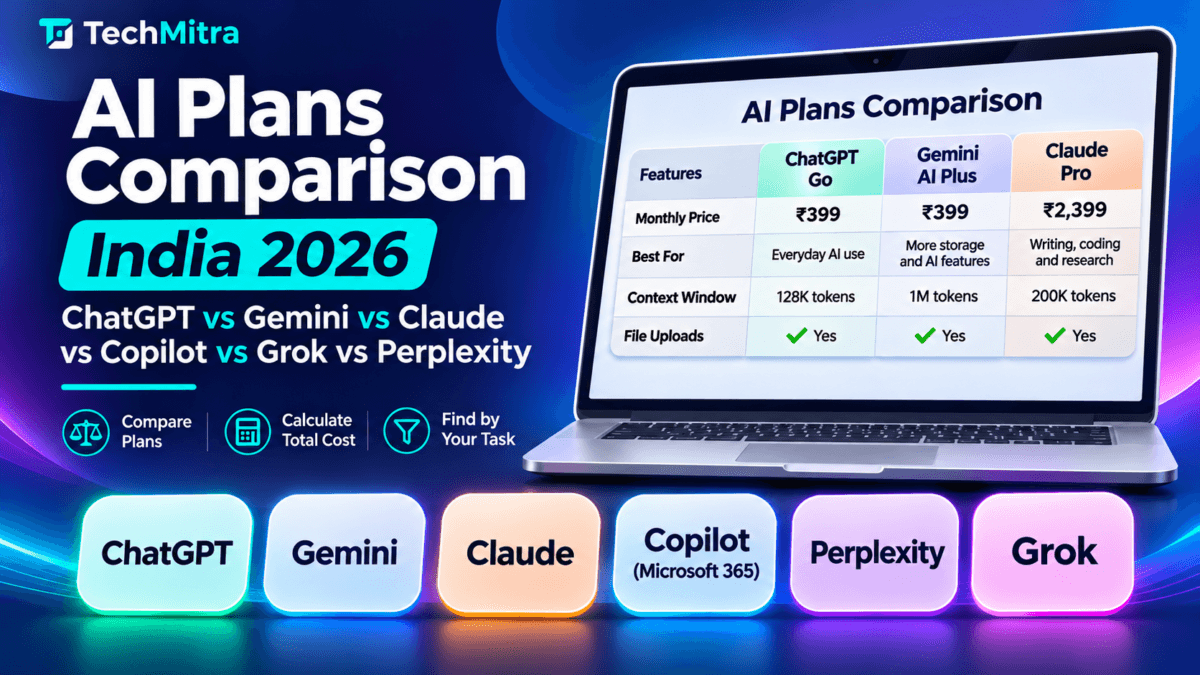
A quick example: Comparing three popular AI subscriptions
Consider three subscription options available to Indian users:
| AI subscription | Monthly price |
|---|---|
| ChatGPT Go | ₹399 |
| Google AI Plus (400 GB) | ₹399 |
| Claude Pro | ₹2,399 |
At first glance, ChatGPT Go and Google AI Plus appear to offer similar pricing.
However, their features and benefits are different. ChatGPT Go focuses on providing expanded access to ChatGPT capabilities, while Google AI Plus combines Gemini features with additional cloud storage and other Google benefits.
Claude Pro is considerably more expensive and targets users who need additional access to Claude’s AI capabilities, including coding, writing and research workflows.
Annual billing can also change the overall cost. For example, Claude Pro’s annual price of ₹23,999 works out to a saving of ₹4,789, or approximately 17%, compared with twelve monthly payments of ₹2,399.
These figures were correct when I last checked the respective plans. That’s why each subscription in the comparison tool includes its own verification date.
How I keep the AI subscription pricing data updated
AI subscription plans change frequently. Companies introduce new plans, modify usage limits, change prices and add features.
Even one outdated price can make a comparison tool misleading.
To maintain accuracy, all subscription information is stored in a separate data file. This allows me to update prices, features, usage limits and verification dates without changing the plugin’s code.
Each plan also includes a link to the relevant official pricing source wherever available.
When a company changes its subscription details, I update the corresponding information and upload the revised data.
The tool then uses the updated information across its plan cards, comparison tables and pricing listings.
If you notice a price or feature that no longer matches the provider’s official information, please let me know through the TechMitra contact page so I can review and update it.
What this AI comparison tool cannot tell you
Although the tool makes it easier to compare subscription prices and features, it cannot answer every question about an AI plan.
For example, it cannot guarantee the exact number of messages you can send before reaching a usage limit. Many companies use dynamic limits that depend on the selected model, demand and other factors.
It also does not declare one AI platform the overall winner.
The best subscription depends on how you use AI. A blogger may prioritise writing and research, a developer may need coding capabilities, while a student may prefer an affordable plan with useful learning features.
Use the comparison tool to shortlist suitable subscriptions, then check the provider’s official pricing page before purchasing.
For more detailed information, you can also read my individual AI subscription guides:
- ChatGPT Free vs Go vs Plus vs Pro: Which Plan Is Right for You?
- Google Gemini Price in India
- Microsoft 365 Plans and Pricing in India
Frequently asked questions
Is the Comparison AI subscription plans tool free to use?
Yes. The tool is free to use. You do not need to create an account, register or install anything to compare AI subscription plans.
Can I compare ChatGPT, Gemini and Claude plans together?
Yes. You can select subscriptions from different AI platforms and compare up to three plans simultaneously.
Can I calculate the cost of more than three AI subscriptions?
Yes. The subscription stack calculator is independent of the comparison feature and allows you to select more than three subscriptions to calculate your combined expenses.
Are all subscription prices displayed in Indian rupees?
Prices are displayed in INR wherever official Indian pricing is available. When Indian pricing is unavailable, the original currency, such as USD, is displayed instead. The tool does not automatically convert foreign currency prices into rupees.
Do the displayed subscription prices include GST?
It depends on the company and subscription. The pricing notes provide relevant tax and billing information wherever available. Check the provider’s checkout page for the final payable amount.
Does the tool show official annual subscription prices?
Yes, when an annual price is available in the verified data. If a plan only offers monthly pricing, the calculator can estimate yearly spending by multiplying the monthly price by 12. It clearly distinguishes this estimate from an official annual subscription.
How frequently is the AI subscription information updated?
The information is updated when subscription providers change their prices, features or usage limits. Each plan includes an individual last-verified date. You should also check the official pricing source before subscribing.
Which AI platforms are included?
The current comparison includes ChatGPT, Google Gemini, Claude, Microsoft Copilot, Perplexity and Grok. Additional platforms may be added in the future.
Which AI subscription is best for students, bloggers or developers?
There is no single best subscription for everyone. Students may prioritise affordability and learning features, bloggers may need writing and research capabilities, and developers may prefer stronger coding assistance. Use the task filters and comparison feature to identify suitable plans for your requirements.
Prices, features and usage limits can change. Always check the provider’s official subscription page before purchasing.

Ayush Singhal is the founder and chief editor of TechMitra.in — a tech hub dedicated to simplifying gadgets, AI tools, and smart innovations for everyday users. With over 15 years of business experience, a Bachelor of Computer Applications (BCA) degree, and 5 years of hands-on experience running an electronics retail shop, Ayush brings real-world gadget knowledge and a genuine passion for emerging technology.
At TechMitra, he covers everything from AI breakthroughs and gadget reviews to app guides, mobile tips, and digital how-tos. His goal is simple — to make tech easy, useful, and enjoyable for everyone. When he’s not testing the latest devices or exploring AI trends, Ayush spends his time crafting tutorials that help readers make smarter digital choices.
📍 Based in Lucknow, India
💡 Focus Areas: Tech News • AI Tools • Gadgets • Digital How-Tos
📧 Contact: Get in touch →
🔗 Full Bio: https://techmitra.in/about-us/