

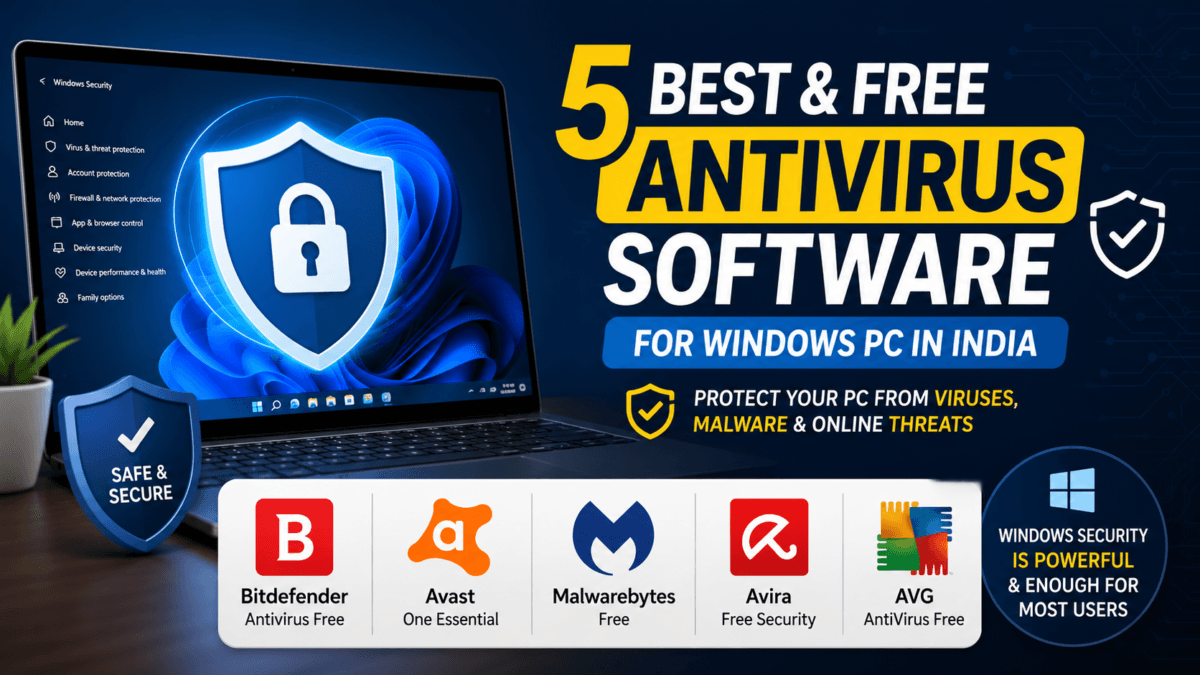
Choosing the right antivirus can feel overwhelming, especially when every second website is trying to sell you a premium subscription. The good news? In 2026, you have solid options — and some of them cost absolutely nothing.
In this guide, we break down the 5 best and free antivirus software trusted by Indian users, explain who should use them (and who probably doesn’t need them), and give you an honest take on whether Windows Security — the built-in protection on every Windows PC — is actually enough for everyday use.
Let’s get into it.
Table of Contents
Also Read : Why Security Updates Are Critical for Your Smartphone in 2026
🛡️ But First: Do You Really Need a Third-Party Antivirus?
Before jumping into the list, here’s something most antivirus review sites won’t tell you straight: for a large number of Indian users, Windows Security alone is genuinely sufficient.
Windows Security (formerly known as Windows Defender) has come a long way. It’s no longer the weak, easy-to-bypass tool it was in the Windows 7 era. In fact, in AV-TEST’s February 2026 evaluation, Microsoft Defender received a perfect score of 6/6 across protection, performance, and usability — a test involving over 11,000 malware samples. AV-Comparatives’ March 2026 Real-World Protection Test also awarded it the Advanced+ certification, with a 98.5% malware block rate.
Windows Security is enough if you:
- Use Windows 10 or Windows 11 (and keep it updated)
- Mainly browse trusted websites and don’t download pirated software
- Are careful with email attachments and links
- Have a low-spec or older PC where installing another antivirus would further slow things down
Have an older or low-spec laptop: I personally handle part of my daily digital workspace on a 9-year-old laptop. Running third-party free antiviruses on older hardware usually causes massive background processing lag. Switching entirely to Windows Security keeps the machine completely snappy while updating silently every day.
For budget PCs — which are extremely common in India — running a third-party antivirus on top of Windows Security can actually reduce system performance without adding much extra protection. Windows Security runs quietly in the background, uses minimal resources, and doesn’t throw annoying pop-ups trying to upsell you a premium plan.
But Windows Security has real gaps too:
- Its phishing protection works best only in the Microsoft Edge browser — not Chrome or Firefox, which most Indians use
- Offline detection drops noticeably if your PC isn’t connected to the internet
- No built-in VPN, password manager, or dark web monitoring
- Weak at detecting PUPs (Potentially Unwanted Programs) — bloatware, adware, browser hijackers
So when does a third party antivirus make sense?
Third-party free antivirus tools are especially useful for:
- 🔌 Pen drive users — If you regularly share or receive data via USB drives (very common in India), Windows Security alone may miss certain infections spread this way. A secondary scanner can catch what gets passed around through offline means.
- 💻 Casual users who visit a wide variety of websites, download content from less-known sources, or aren’t sure about their browsing habits
- 🖥️ Users who want an extra layer of security without spending money
The bottom line: Windows Security + safe habits = enough for most people. But if you want extra peace of mind — especially with pen drives and file sharing — the tools below are your best free options.
The 5 Best And Free Antivirus Software for PC Indian Users (2026)
1. 🥇 Bitdefender Antivirus Free
Best Overall Free Antivirus for Windows
Bitdefender’s free version is widely regarded as the gold standard for free antivirus protection. It combines excellent malware detection with an extremely light system footprint — you barely know it’s running.
Key Features:
- Real-time threat detection and removal
- Anti-phishing protection
- Automatic, silent updates in the background
- Anti-fraud and anti-rootkit modules
Why Indian Users Love It: Bitdefender runs silently without constant notifications or upsell prompts. It’s perfect for gamers, students, and anyone doing heavy work on their PC — it won’t interrupt your session or slow things down.
Best for: Users who want top-grade protection without thinking about it.
🔗 Download: Bitdefender Free Antivirus
2. 🥈 Avast One Essential
Best Free Security Suite (More Than Just Antivirus)
Avast One Essential goes beyond basic virus scanning. It’s a full security suite — think of it as antivirus + network scanner + privacy tools, all free.
Key Features:
- Advanced malware and ransomware scanning
- Wi-Fi vulnerability checker (useful in apartments and shared connections)
- Built-in password manager
- Cross-platform support (Windows, Android, Mac)
Why Indian Users Love It: Avast has a massive user base in India, and for good reason. Its free tier is generous, the interface is beginner-friendly, and the Wi-Fi scanner is genuinely helpful for shared home connections or office networks. The Android app is also one of the best free mobile security tools available.
Best for: Users who want comprehensive protection across devices.
🔗 Download: Avast One Essential
3. 🥉 Malwarebytes Free
Best On-Demand Scanner — The “Second Opinion” Tool
Malwarebytes Free doesn’t work like a typical antivirus. It doesn’t run in the background in real-time (that’s a paid feature). Instead, it’s the best manual scanner you can run when you suspect something is wrong, or after opening a suspicious file.
Key Features:
- Deep malware, adware, and spyware scanning
- Excellent at removing existing infections other tools miss
- Lightweight — runs only when you initiate a scan
- Won’t conflict with your primary antivirus
Why Indian Users Love It: Because it doesn’t run passively, it places zero load on your system during normal use. Many tech-savvy Indians keep Malwarebytes installed alongside their primary antivirus precisely for this reason — think of it as a second-opinion doctor for your PC. Run it once a week or whenever something feels off.
Best for: Anyone who already has Windows Security or another antivirus and wants a powerful backup scanner.
🔗 Download: Malwarebytes for Windows
4. Avira Free Security
Best for Lightweight Protection with Bonus Features
Avira consistently ranks among the top performers in independent lab tests (AV-TEST and AV-Comparatives). It’s known for being extremely lightweight and offering a few useful extras even in its free tier.
Key Features:
- Real-time malware protection
- Free VPN (limited to 500MB/month)
- Software updater — keeps your installed apps patched against vulnerabilities
- Phantom VPN (basic)
Why Indian Users Love It: The software updater alone makes Avira worth installing — outdated software is one of the biggest security risks most people ignore. The free VPN is minimal but handy for occasional private browsing. System impact is very low, making it suitable for mid-range laptops and desktops.
Best for: Users on older or mid-range hardware who want real-time protection without heavy resource usage.
🔗 Download: Avira Free Security
5. AVG AntiVirus Free
Best for Web Protection and Blocking Malicious Links
AVG and Avast are owned by the same parent company (NortonLifeLock via Gen Digital), and both use essentially the same scanning engine. However, AVG stands out for its particularly strong web protection — it’s excellent at blocking malicious links, scam sites, and infected downloads before they reach your system.
Key Features:
- Real-time and on-demand malware scanning
- Web and email protection
- PC performance scan (identifies junk files, etc.)
- Link Scanner for blocking dangerous URLs
Why Indian Users Love It: With the rise of phishing scams targeting Indian users via WhatsApp links, social media, and fraudulent shopping sites, AVG’s aggressive web protection is a practical advantage. If you click on a lot of links from various sources, AVG adds a meaningful layer of safety.
Best for: Frequent internet users, online shoppers, and anyone who regularly receives links from unknown sources.
🔗 Download: AVG AntiVirus Free
Also Read : I Got a Phishing Email Pretending to Be My Hosting Provider — Here’s How I Spotted It (And How You Can Too)
Quick Comparison Table
| Antivirus | Real-Time Protection | Web Protection | Extra Features | Best For |
|---|---|---|---|---|
| Bitdefender Free | ✅ Excellent | ✅ Good | Minimal (silent & clean) | Best all-rounder |
| Avast One Essential | ✅ Excellent | ✅ Excellent | Wi-Fi scanner, Password Manager | Feature-rich suite |
| Malwarebytes Free | ❌ On-demand only | ❌ | Adware removal | Backup/second scanner |
| Avira Free Security | ✅ Good | ✅ Good | VPN (limited), Updater | Lightweight PCs |
| AVG AntiVirus Free | ✅ Good | ✅ Excellent | Link Scanner | Heavy web/link users |
Our Recommendation for Indian Users
Here’s how we’d break it down:
- If you have a modern PC (Windows 10/11) and good browsing habits → Windows Security is enough. Don’t install anything extra unless you need it.
- If you use pen drives frequently or share files offline → Install Malwarebytes Free alongside Windows Security. Run a manual scan whenever you plug in a USB from someone else.
- If you want “set it and forget it” protection → Bitdefender Free is the best choice. Install it and don’t think about it.
- If you want more features (Wi-Fi scanner, password manager) → Go with Avast One Essential.
- If you’re on an older or budget PC → Avira Free Security will give you solid protection without dragging your system down.
Also Read : How to Speed Up a Slow Windows 11 PC (Also Works on Windows 10): The Ultimate Guide
Final Thoughts
The antivirus landscape in India is changing. A few years ago, installing a third-party antivirus was a must. In 2026, Windows Security has become capable enough that millions of users genuinely don’t need anything else — as long as they keep Windows updated and practice basic internet hygiene.
That said, free third-party antiviruses like Bitdefender, Avast, and AVG still add real value for certain users — especially those sharing data via pen drives, using public Wi-Fi, or simply wanting an extra layer of comfort.
The best security tool is the one you’ll actually use and keep updated. Pick what fits your workflow, and don’t pay for what you don’t need.
Check out our comprehensive guide on the Top 10 Free and Best Email Services Indians Should Choose From…

Ayush Singhal is the founder and chief editor of TechMitra.in — a tech hub dedicated to simplifying gadgets, AI tools, and smart innovations for everyday users. With over 15 years of business experience, a Bachelor of Computer Applications (BCA) degree, and 5 years of hands-on experience running an electronics retail shop, Ayush brings real-world gadget knowledge and a genuine passion for emerging technology.
At TechMitra, he covers everything from AI breakthroughs and gadget reviews to app guides, mobile tips, and digital how-tos. His goal is simple — to make tech easy, useful, and enjoyable for everyone. When he’s not testing the latest devices or exploring AI trends, Ayush spends his time crafting tutorials that help readers make smarter digital choices.
📍 Based in Lucknow, India
💡 Focus Areas: Tech News • AI Tools • Gadgets • Digital How-Tos
📧 Contact: Get in touch →
🔗 Full Bio: https://techmitra.in/about-us/