

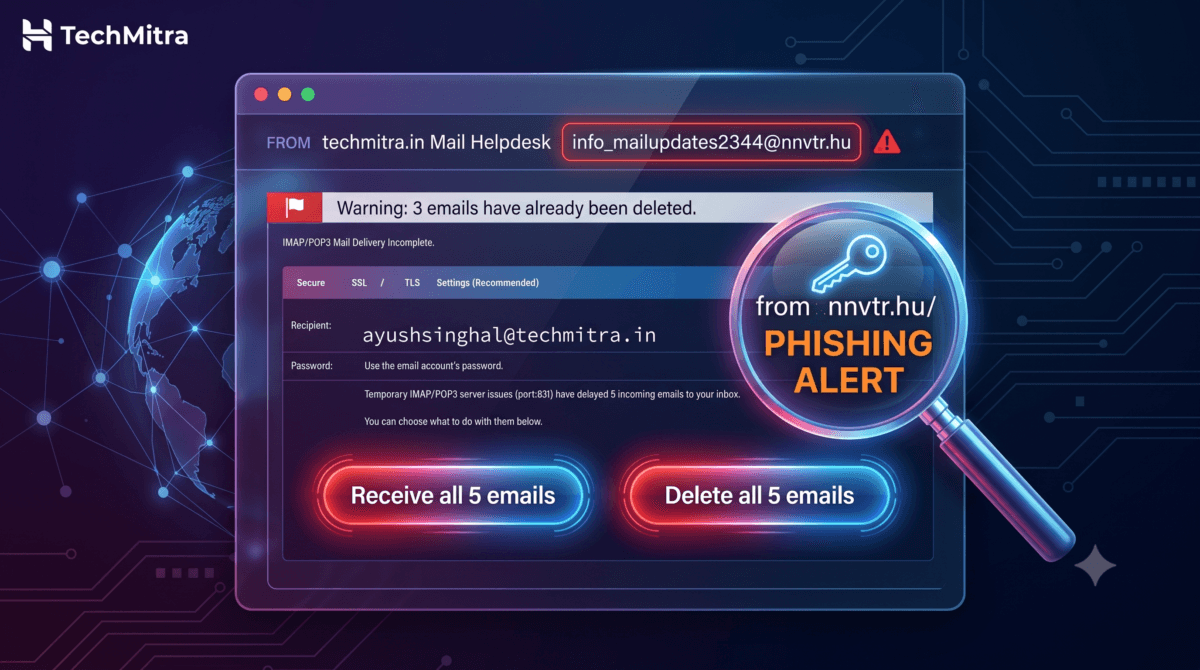
Breakdown and phishing email analysis of a fake automated mail delivery notice targeting domain owners.
A few days ago, an email landed straight in my regular inbox — not spam — with the subject line: “[my-email] Have 5 Incomplete Messages Delivery Status.” It looked urgent, official, and technical enough to make a lot of website owners panic and click without thinking.
I run TechMitra on Hostinger’s hPanel, so I know exactly how my host communicates with me. This email didn’t match that pattern at all — and within seconds I knew it was phishing email. But I want to break down exactly why, because if you manage your own website, domain email, or WordPress hosting in India, you will get this email sooner or later. It’s one of the most common phishing templates in circulation right now.
Also Read : How to Spot the Fake ‘Trademark Violation’ Email Targeting Website Advertisers
What the Email Looked Like
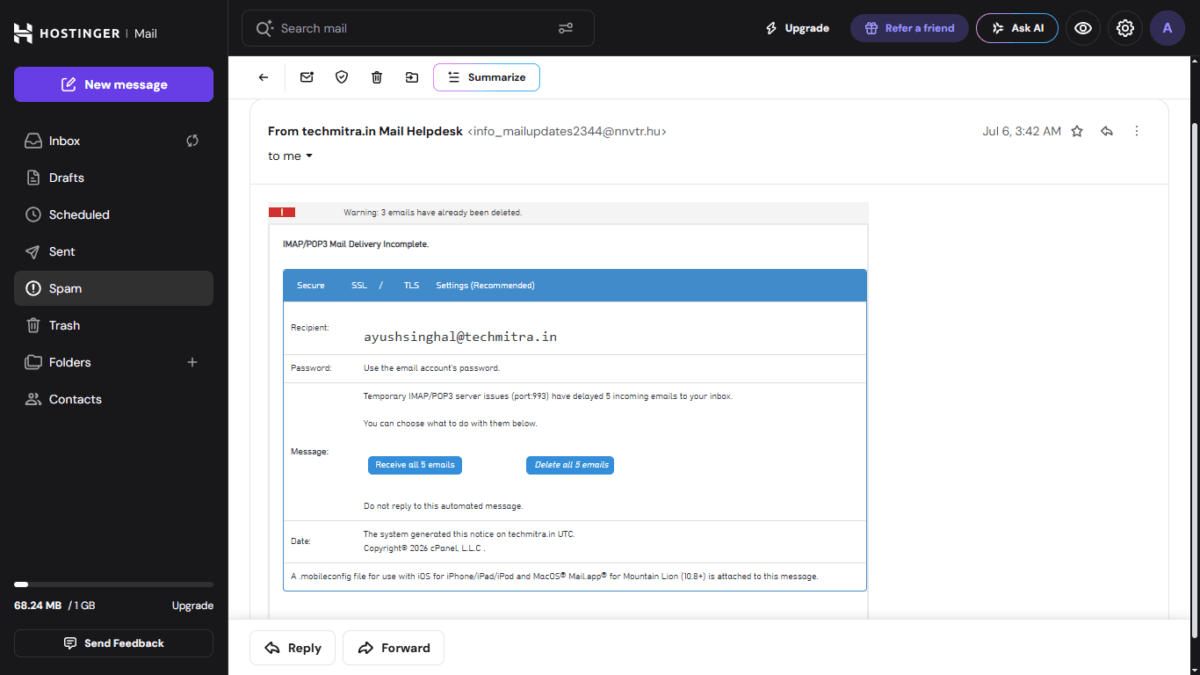
The message claimed to be from “techmitra.in Mail Helpdesk” and warned that:
- 3 of my emails had “already been deleted”
- 5 more were stuck due to a supposed IMAP/POP3 server issue on port 993
- I needed to click either “Receive all 5 emails” or “Delete all 5 emails” to resolve it
- A
.mobileconfigfile was attached “for use with iOS/iPhone/iPad and Mac Mail”
It even had a blue “Secure SSL/TLS” banner and a fake cPanel copyright line at the bottom to look legitimate.
Also Read : I Connected My Hostinger Mailbox to ChatGPT — Here’s What Actually Happened
The Giveaways — What I Checked First
1. The sender address never lies. The display name said “techmitra.in Mail Helpdesk,” but the actual email address was a random .hu (Hungarian) domain — completely unrelated to Hostinger, cPanel, or my hosting setup. This is the single fastest way to catch this scam: always check the actual sending address, not the display name.
2. Real hosting providers don’t email you like this. I’ve used Hostinger’s hPanel long enough to know their real notifications look nothing like this — no cPanel-branded “delivery incomplete” popups with Receive/Delete buttons. This entire format is fabricated to look technical to someone who manages their own hosting.
3. Manufactured urgency. “3 emails already deleted,” “act now or lose 5 more” — classic pressure tactics designed to make you click before you think.
4. The buttons are the trap. Both “Receive” and “Delete” options link to the same kind of destination: a fake login page built to steal your email password. It doesn’t matter which one you click — either choice sends you to the phishing site.
5. The attachment is the dangerous part. The .mobileconfig file is a configuration profile format used by iOS and macOS. If installed, a malicious one can quietly redirect your mail and network traffic or install rogue certificates on your device — far more damaging than just a fake login page. If you’re on an iPhone or iPad, never install a .mobileconfig file from an email you don’t 100% trust.
This Isn’t New — It’s a Recurring Template
This exact structure — “X messages incomplete, Y already deleted, click Receive or Delete” — has been circulating in various forms since at least 2023, sometimes with different numbers (5, 6, or 9 messages) or slightly different wording. It’s a known, mass-distributed phishing kit, not something targeted specifically at TechMitra or Hostinger users. That’s actually good news: once you recognize the pattern once, you’ll spot every variant of it.
What I Did
- Did not click either button
- Did not open the
.mobileconfigattachment - Marked it as spam so my inbox filters learn from it
- Wrote this article instead of just deleting it, because it landed in my primary inbox, not spam — which means Hostinger’s own filters missed it, and plenty of other site owners are likely seeing it too
Quick Checklist If You Get This Email
- Check the actual sender email address, not just the display name
- Never click “Receive” or “Delete” buttons in unexpected mail-delivery notices
- Never open
.mobileconfig,.exe, or macro-enabled attachments from unsolicited email - Log in to your hosting panel directly (type the URL yourself) to verify — never through a link in the email
- Mark it as spam/phishing so your provider’s filters improve
- Report the scammer:** Don’t just delete it. Submit a ticket directly through the Hostinger Abuse Report Page to help them block the attack vectors, and flag the malicious URL on Google’s Safe Browsing Report to protect others using Chrome or Firefox.
- If you’ve already entered credentials on a fake page: change that password immediately, and change it everywhere else you reused it
What if you already clicked and entered your password? If you fell for it, don’t panic—act quickly. **Change your email password immediately.** If you reused that same password for your hosting account, WordPress admin dashboard, or any other website, change it there too, and ensure you have Two-Factor Authentication (2FA) turned on everywhere.
If you run a WordPress site, a business email, or just manage your own hosting, treat any “urgent mail delivery” notice with default suspicion. Legitimate providers don’t ask you to choose between “Receive” or “Delete” your own email.

Ayush Singhal is the founder and chief editor of TechMitra.in — a tech hub dedicated to simplifying gadgets, AI tools, and smart innovations for everyday users. With over 15 years of business experience, a Bachelor of Computer Applications (BCA) degree, and 5 years of hands-on experience running an electronics retail shop, Ayush brings real-world gadget knowledge and a genuine passion for emerging technology.
At TechMitra, he covers everything from AI breakthroughs and gadget reviews to app guides, mobile tips, and digital how-tos. His goal is simple — to make tech easy, useful, and enjoyable for everyone. When he’s not testing the latest devices or exploring AI trends, Ayush spends his time crafting tutorials that help readers make smarter digital choices.
📍 Based in Lucknow, India
💡 Focus Areas: Tech News • AI Tools • Gadgets • Digital How-Tos
📧 Contact: Get in touch →
🔗 Full Bio: https://techmitra.in/about-us/