

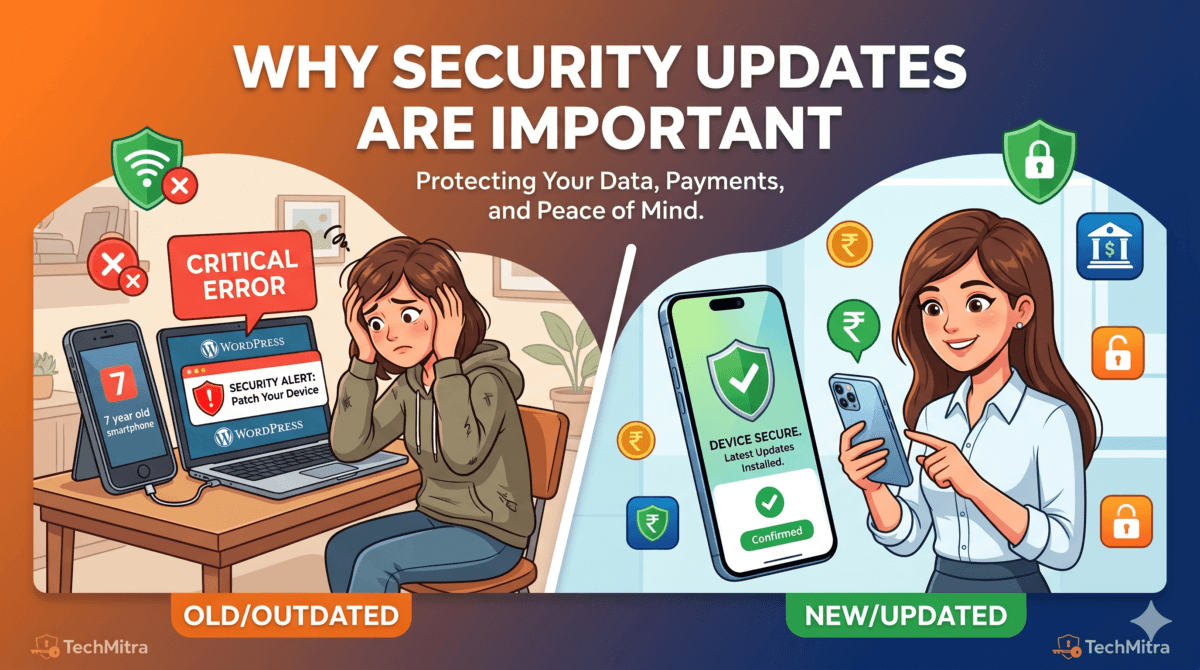
| Author’s Note: I wrote this article after noticing a dramatic spike in unauthorized login attempts on my accounts while using a seven-year-old Vivo phone — alerts that completely stopped the day I switched to the Samsung Galaxy S24 FE. That real-world experience is what drove me to dig into how smartphone security actually works. This 2026 revision adds everything that has changed since then: Samsung’s extended 7-year update commitment, new AI-driven threats targeting Indian UPI users, and updated comparisons across platforms. |
Introduction: The Invisible Armor You Keep Ignoring
Most people evaluate smartphones by camera megapixels, battery size, or display refresh rate. Rarely does anyone ask: “How long will this phone receive security updates?” Yet in 2026, that question matters more than almost any spec on the box.
Cybercrime in India reached a record high in 2025, with CERT-In reporting over 1.9 million cybersecurity incidents — many targeting mobile users through phishing, fake UPI overlays, and malware exploiting unpatched vulnerabilities. The smartphone in your pocket is also your wallet, your identity document, and your banking terminal. An outdated device is an open door.
This guide explains — in plain language — why security updates are important and non-negotiable, how leading platforms protect you at the hardware level, and what Indian users specifically need to know about protecting UPI transactions in 2026.
Table of Contents
Also Read : How to Protect Your Home Wi-Fi Network: The Ultimate Security Guide
Security Patches vs. OS Upgrades: Know the Difference
There is widespread confusion between two very different types of software updates, and that confusion causes people to skip the one that actually matters most.
Major OS Upgrades (e.g., Android 14 → 15)
- Add new features, redesign UI, and change system behaviour
- Require significant processing power and storage
- Can slow down older hardware — this is the upgrade people fear
- Typically delivered 1–2 times per year for supported devices
Monthly Security Patches
- Fix specific, known vulnerabilities in the operating system and apps
- Are lightweight — usually a few MB, not GB
- Do NOT add new features or change the look of your phone
- Do NOT slow down your device
- Are the single most important update you can install
| Key Takeaway: Skipping a major OS upgrade on an older phone is sometimes reasonable. Skipping monthly security patches on any phone is never safe. The two are completely different things. |
Without regular patches, your phone accumulates known, publicly documented vulnerabilities. Hackers actively scan for devices running older patch levels. A phone that stopped receiving updates in 2022 may have dozens of unpatched entry points — even if it looks and runs perfectly fine.
Also Read : Beginner’s Guide to Online Security: Protecting Yourself in the Digital Age
How Long Will Your Phone Actually Be Protected?
One of the most important — and most overlooked — purchasing decisions is checking a manufacturer’s update commitment before buying a phone. Here is where the major players stand as of mid-2026:
| Brand / Platform | OS Updates | Security Patches | Notes |
| Apple (iPhone 15+) | 6–7 years | 6–7 years | iPhone 12 still receiving updates in 2026 |
| Samsung (Galaxy S24+) | 7 years | 7 years | Announced Jan 2024; includes S24 FE |
| Google Pixel (8+) | 7 years | 7 years | Matches Samsung and Apple |
| OnePlus (flagship) | 4 years | 5 years | Improved significantly since 2023 |
| Xiaomi / Redmi (flagship) | 4 years | 5 years | Varies by region and model |
| Vivo / Oppo (mid-range) | 2–3 years | 3–4 years | Budget models often less |
| Realme (budget) | 2 years | 3 years | Entry models may receive fewer |
Samsung’s shift to 7-year update support (announced for the Galaxy S24 series in January 2024) was a landmark change. It means a Galaxy S24 FE bought today will receive security patches until at least 2031 — matching Apple’s long-standing reputation and making the update duration argument largely obsolete for flagship Android buyers.
Also Read : Are Your Smart Home Devices Secure? Best Safe Gadgets & Tips
Samsung Knox — Hardware Security from the Ground Up
Knox is not an app or a setting. It is a security architecture baked directly into Samsung’s chips and firmware, active from the moment the device powers on. It operates silently in the background and requires no user action.
| Knox Feature | What It Does | Why It Matters |
| Hardware Root of Trust | Validates device integrity at the chip level on every boot | Prevents tampered firmware from loading undetected |
| Secure Boot | Blocks modified or unauthorised OS versions | Stops rooted/compromised systems from starting |
| Real-Time Kernel Protection (RKP) | Monitors the OS kernel continuously for changes | Catches malware that tries to modify core system processes |
| Knox Vault | Isolated secure processor storing biometrics and encryption keys | Even if Android is compromised, your keys stay safe |
| Secure Folder | Encrypted, isolated space for apps and files | Keeps sensitive data separate from the main OS |
| Auto Threat Detection | Flags fake Wi-Fi networks and phishing overlays | Protects UPI and banking app sessions in real time |
Knox is certified by governments, banks, and enterprises worldwide — including the US Department of Defense. For everyday Indian users, its most relevant feature is real-time detection of fake payment overlays, which are increasingly used to steal UPI credentials.
Apple’s Secure Enclave — The Vault Inside Every iPhone
Apple takes a different but equally robust approach. Rather than a framework like Knox, Apple builds a physically separate processor — the Secure Enclave — inside every iPhone since the iPhone 5s. This co-processor operates independently of the main Apple Silicon chip.
- Stores Face ID and Touch ID biometric data — never sent to Apple’s servers
- Holds encryption keys for your personal data
- Remains protected even if iOS itself is compromised
- Powers iCloud Keychain end-to-end encryption
- Enables Rapid Security Response — patches delivered within hours of discovery
- Lockdown Mode (iOS 16+) for journalists, activists, and high-risk users
| Feature | Apple (iPhone) | Samsung (Knox) | Xiaomi / Vivo / Oppo |
| Dedicated Security Chip | Secure Enclave | Knox Vault | ARM TrustZone (TEE) only |
| OS Update Duration | 6–7 years | 7 years | 2–4 years (varies) |
| Hardware-Level Encryption | Yes | Yes | Software-level only |
| Real-Time Threat Monitoring | Yes (XProtect) | Yes (Knox) | Basic / Limited |
| App Store Vetting | Strict (Apple review) | Play Store dependent | Looser controls |
| Enterprise / Govt. Certified | Yes | Yes | Rare |
| Fake Overlay / UPI Protection | Strong | Strong (Knox) | Limited |
| Important Clarification: Chinese brands like Xiaomi, Vivo, and Oppo do use ARM TrustZone (TEE) at the chip level for basic secure storage. However, they do not offer user-accessible, enterprise-grade security ecosystems comparable to Knox or Secure Enclave. The gap is real — but these phones are not completely unprotected. |
New in 2026: AI-Powered Threats You Should Know About
Since the original article was published in November 2025, a new category of mobile threats has accelerated rapidly — AI-generated attacks. These are not theoretical risks; they are active in India right now.
AI-Generated Phishing
Attackers now use large language models to craft highly personalised phishing messages in flawless Hindi and English, referencing real transaction IDs and mimicking official bank communication. These messages are nearly indistinguishable from legitimate alerts.
Deepfake Voice Fraud
CERT-In documented multiple cases in 2025–26 where fraudsters used AI voice cloning to impersonate bank officers and family members, convincing victims to share UPI PINs or approve payment requests. Old phones without updated audio security frameworks are more susceptible to these call-based attacks.
Fake UPI App Overlays
Malware distributed through unofficial APK links displays a pixel-perfect fake PhonePe or Google Pay interface over the real app, recording the PIN as it is entered. Updated phones with Knox or iOS XProtect actively detect and block these overlay attacks. Unpatched phones do not.
Smishing via OTP Spoofing
In 2026, several incidents were reported where malware on outdated Android phones intercepted and forwarded OTPs without user knowledge — enabling fraudulent UPI transactions that appeared to come from the victim’s device.
| The threat landscape in 2026 is not the same as 2024. AI tools have made phishing, voice fraud, and overlay attacks dramatically more convincing and scalable. Security patches that address these new vectors are being released regularly — but only reach your phone if it is still in support. |
Also Read : How to Speed Up a Slow Windows 11 PC (Also Works on Windows 10): The Ultimate Guide
UPI Security: What Actually Protects Your Money
India has over 300 million active UPI users. Understanding how UPI security works — and where your phone fits into it — is essential.
How a UPI Transaction is Secured
- You enter your UPI PIN — verified locally on your device, never transmitted in plain text
- The app encrypts the request using device-bound keys
- The encrypted request travels to NPCI servers (RBI-regulated)
- NPCI routes to the recipient’s bank for verification
- Banks confirm and settle — the entire process is end-to-end encrypted
| Data Element | Shared With | Encrypted? | Your PIN Shared? |
| Transaction amount & time | NPCI + Banks | Yes | No |
| UPI ID (sender/receiver) | NPCI + Banks | Yes | No |
| Device fingerprint | NPCI + Banks | Yes | No |
| UPI PIN | Nobody | Stored locally only | Never transmitted |
The NPCI infrastructure is robust and well-regulated. However, the weakest point in the chain is always the device. If your phone is running outdated software, malware can record your PIN as you type it, display a fake payment screen, or silently forward your OTP — all before the secure NPCI channel even begins.
Real-World Experience: What Changed When I Upgraded
When I switched from my aging Vivo device to the Samsung Galaxy S24 FE, the change in security-related alerts was immediate and dramatic. This is not anecdotal noise — it reflects what security researchers consistently document: outdated devices leak background data through unpatched vulnerabilities, often without the user ever knowing.
The S24 FE ships with Knox pre-activated, receives monthly Samsung security patches, and is covered under Samsung’s 7-year update promise until at least 2031. The difference between running a 7-year-old unpatched device and a current device with hardware-level security is not marginal — it is the difference between a locked vault and an open window.
| If your phone stopped receiving security updates more than 12 months ago, you should consider it a security liability — regardless of how well it runs day-to-day. |
How to Check Your Phone’s Security Patch Level
You can find your current security patch date in a few taps:
Android (Samsung, Xiaomi, Vivo, etc.)
- Open Settings
- Scroll to ‘About Phone’
- Tap ‘Software Information’
- Look for ‘Android Security Patch Level’
- If the date is more than 3 months old, check for updates immediately
iPhone
- Open Settings
- Tap ‘General’
- Tap ‘Software Update’
- iOS shows available updates or confirms you are up to date
| Rule of thumb: If your patch level is more than 6 months old and no new update is available, your phone has likely reached end-of-support. It is time to consider upgrading. |
Practical Security Checklist for 2026
- Install every monthly security patch immediately — do not delay
- Download apps only from the Google Play Store or Apple App Store
- Enable Play Protect on Android and keep it active
- Use biometric locks (fingerprint or face) for all banking and UPI apps
- Never share your UPI PIN with anyone — no bank or NPCI will ever ask
- Avoid using UPI or mobile banking on public or shared Wi-Fi
- Enable two-factor authentication on your email and social accounts
- Check your security patch date monthly — set a calendar reminder
- If your phone is more than 3 years old, research its remaining support life
- Be suspicious of any voice call, SMS, or WhatsApp message asking for OTPs
Which Phone Should You Buy for Security in 2026?
If security is a priority in your next purchase decision — and it should be — here is how to think about it across budget ranges:
| Budget Range | Recommended for Security | Update Duration | Key Security Feature |
| Under ₹15,000 | Realme / Redmi (check support duration) | 2–3 years | Basic patches; check before buying |
| ₹15,000–₹30,000 | Samsung Galaxy A-series (A35, A55) | 4 years OS / 5 years patches | Knox lite built in |
| ₹30,000–₹60,000 | Samsung Galaxy S23 FE / OnePlus 12R | 4–7 years | Full Knox or strong patch history |
| ₹60,000–₹1,00,000 | Samsung Galaxy S24 FE / Pixel 8a | 7 years | Full Knox / Tensor security |
| Above ₹1,00,000 | iPhone 16 / Samsung Galaxy S25 | 7 years | Secure Enclave / Knox Vault |
Frequently Asked Questions
Q1: Do security updates really slow down my phone?
No. Monthly security patches are small code fixes — typically a few MB — and have no measurable effect on device performance. Only major Android OS version upgrades can sometimes affect older hardware.
Q2: Are Chinese phones unsafe for UPI?
Not inherently unsafe — the UPI protocol itself is encrypted regardless of device. However, phones from brands like Xiaomi, Vivo, or Oppo that have stopped receiving security patches are vulnerable to the malware and overlay attacks described in this article. Use an updated device whenever possible.
Q3: Is iPhone or Samsung safer?
Both provide genuine hardware-level protection — Apple via Secure Enclave and Samsung via Knox Vault. iPhones emphasise privacy and a closed ecosystem; Samsung emphasises enterprise-grade control and configurable security. For Indian users doing frequent UPI transactions, either flagship is an excellent choice.
Q4: My phone is 4 years old and still works well. Should I upgrade?
Check its security patch date first. If patches stopped 12+ months ago, the performance is irrelevant — the phone is a security risk. If it is still receiving monthly patches, you can continue using it safely.
Q5: How do I stay safe if I cannot afford to upgrade right now?
Keep the phone on the latest available update, avoid sideloading APKs from outside the Play Store, use a strong screen lock, enable Play Protect, and be extremely cautious about clicking links in messages. Consider a budget Samsung A-series device if security is a serious concern.
Q6: What is the biggest new threat for Indian mobile users in 2026?
AI-generated phishing and fake UPI overlay malware are the most rapidly growing threats. Both can be defeated by keeping your phone updated and downloading apps only from official stores.
Final Thoughts
A smartphone in 2026 is not just a communication device. It holds your identity, your savings, your photos, and your professional life. The spec sheet will tell you about the camera and the processor. It will not tell you how long the manufacturer will keep you safe.
Security updates are the invisible infrastructure that makes everything else work safely. They are not glamorous, they do not add new features, and they rarely make headlines — until the day they are missing and something goes wrong.
The true measure of a smartphone in 2026 is not its peak performance. It is how long it will stand between you and the people trying to exploit it.
Sources & References
Samsung Knox documentation (samsungknox.com) • Apple Platform Security Guide (support.apple.com) • NPCI UPI guidelines (npci.org.in) • CERT-In Annual Report 2025 • RBI Digital Payment Security Controls Guidelines 2025
Disclaimer: All technical information in this article has been verified from official sources including Samsung Knox documentation, Apple Support resources, and RBI/NPCI guidelines. This content is for educational purposes and reflects publicly available information as of June 2026. Update durations are subject to change by manufacturers.

Ayush Singhal is the founder and chief editor of TechMitra.in — a tech hub dedicated to simplifying gadgets, AI tools, and smart innovations for everyday users. With over 15 years of business experience, a Bachelor of Computer Applications (BCA) degree, and 5 years of hands-on experience running an electronics retail shop, Ayush brings real-world gadget knowledge and a genuine passion for emerging technology.
At TechMitra, he covers everything from AI breakthroughs and gadget reviews to app guides, mobile tips, and digital how-tos. His goal is simple — to make tech easy, useful, and enjoyable for everyone. When he’s not testing the latest devices or exploring AI trends, Ayush spends his time crafting tutorials that help readers make smarter digital choices.
📍 Based in Lucknow, India
💡 Focus Areas: Tech News • AI Tools • Gadgets • Digital How-Tos
📧 Contact: Get in touch →
🔗 Full Bio: https://techmitra.in/about-us/