
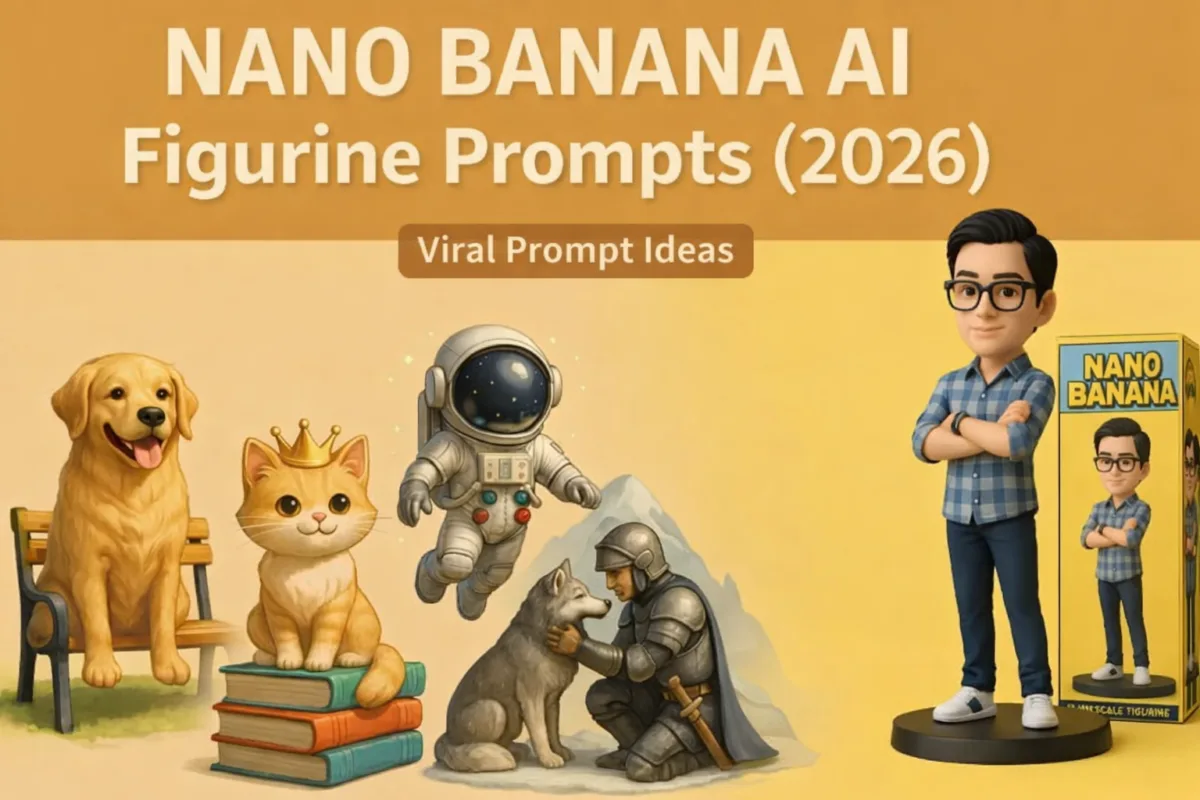
Nano Banana AI 3D Figurines (2026): Create Realistic Collectibles
The “Nano Banana” trend hasn’t slowed down — it’s evolved. What started in August 2025 as a simple photo-to-figurine trick has grown into a whole family of Gemini image models, each suited to different kinds of 3D figurine renders. If you tried this a few months ago and the results felt inconsistent, that’s because the model behind it has changed at least three times since then.
This guide covers exactly what’s changed, how to actually get consistent results in 2026, and 40 tested prompts — 30 for human figurines, 10 for pets — organized by category so you can copy, paste, and swap in your own details.
Table of Contents
Also Read : 30 Best Gemini AI Trending Saree Prompts: Viral Nano Banana Look (2026 Edition)
Which Nano Banana Model Should You Use in 2026?
“Nano Banana” isn’t one model anymore — it’s a family, and picking the right one matters more than prompt wording for getting a clean figurine render on the first try.
| Model | Real name | Best for | Access |
|---|---|---|---|
| Nano Banana 2 Lite | Gemini 3.1 Flash Lite Image | Quick drafts, testing prompt ideas fast | Free, all users |
| Nano Banana 2 | Gemini 3.1 Flash Image | The default — best balance of speed and quality for most figurines | Free, all users (this is what “Fast” and “Thinking” use now) |
| Nano Banana Pro | Gemini 3 Pro Image | Packaging text, nameplates, complex lighting, highest fidelity | Google AI Pro, Plus, or Ultra subscribers |
| Nano Banana (original) | Gemini 2.5 Flash Image | Legacy — Google recommends moving off this one | Being phased out |
What actually changed for figurine prompts specifically:
- Character consistency now holds across up to 5 characters and 14 objects in one workflow — useful if you’re building a themed set (e.g., a family of figurines) and want them to match in style.
- Text rendering is dramatically better than the 2025 version. Nameplates, packaging text, and engraved details that used to come out garbled now render legibly most of the time — this is the single biggest quality jump for the “retail box” style prompts below.
- Local edits let you fix one part of an image (say, a warped hand or a misspelled nameplate) without regenerating the whole figurine from scratch.
- All outputs carry an invisible SynthID watermark, so don’t be alarmed if a detection tool flags your figurine as AI-generated — that’s expected and can’t be turned off.
Practical takeaway: For most of the prompts in this guide, generate with the default (Nano Banana 2) first. If the packaging text comes out blurry or misspelled, tap the three-dot menu on the image and select “Redo with Pro” — that alone fixes the majority of text-rendering complaints people report.
Step-by-Step: Nano Banana AI 3d Figurines How To Make
If you’re doing this for the first time, here’s the actual current flow (this changes the interface slightly every few months, so double-check against the Gemini Apps Help page if something looks different):
- Open the Gemini app or gemini.google.com in your browser.
- Tap the tools menu and select “🍌 Create images.”
- Choose your model — Fast, Thinking, or Pro — from the model menu. (“Fast” and “Thinking” both run on Nano Banana 2; “Pro” gives you Nano Banana Pro if you’re subscribed.)
- Tap the + icon and upload your reference photo (yourself, a pet, or an object).
- Paste your prompt (see the 40 below) and hit generate.
- Review the result. If a detail is off — face, text, pose — don’t regenerate from scratch. Use the local edit option or describe just the fix (“keep everything the same, but fix the text on the base to read…”).
- If text or fine detail still isn’t sharp, use the three-dot menu → Redo with Pro.
Why Some Prompts Fail (And How to Fix Them)
Before the prompt list — a few things that consistently separate a clean figurine render from a mushy one:
- Lock the face first, explicitly. Every prompt below opens with an instruction to preserve facial identity. Don’t drop this line even if it feels repetitive — it’s the single most common failure point.
- Name the physical format, not just the subject. “A figurine of a person” is vague. “A 1/7 scale figurine on an acrylic base with a display box” tells the model what physical object you’re simulating, which produces sharper, more toy-like results.
- Specify base, material, and lighting. These three details do more work than adding extra adjectives to the subject description.
- Keep backgrounds simple unless the background is the point. Busy scenes compete with the figurine for detail budget.
- Don’t overload one prompt. If you want a specific face, a specific pose, specific packaging text, AND a specific background, that’s often three edits, not one prompt — generate the base figurine, then use local edits to refine.
Also read : 30 Viral Nano Banana AI Prompts for Boys, Girls & Couples (Summer 2026 Edition)
Gemini Nano Banana AI 3d Figurines – 40 Copy paste Prompts
Category 1: Superheroes & Pop Culture Icons
1. The Galaxy Guardian
Using the uploaded reference photo, keep the face, facial features, hair structure, and expression 100% identical to the person in the image. Transform the person into a 1/7 scale superhero action figurine in high-gloss metallic blue armor with glowing chest circuitry. Place them on a cracked asteroid display base with a miniature windowed retail box in the background printed with 'GALAXY DEFENDER 2026'. Photorealistic 8K render, studio softbox lighting.
2. Classic Comic Legend
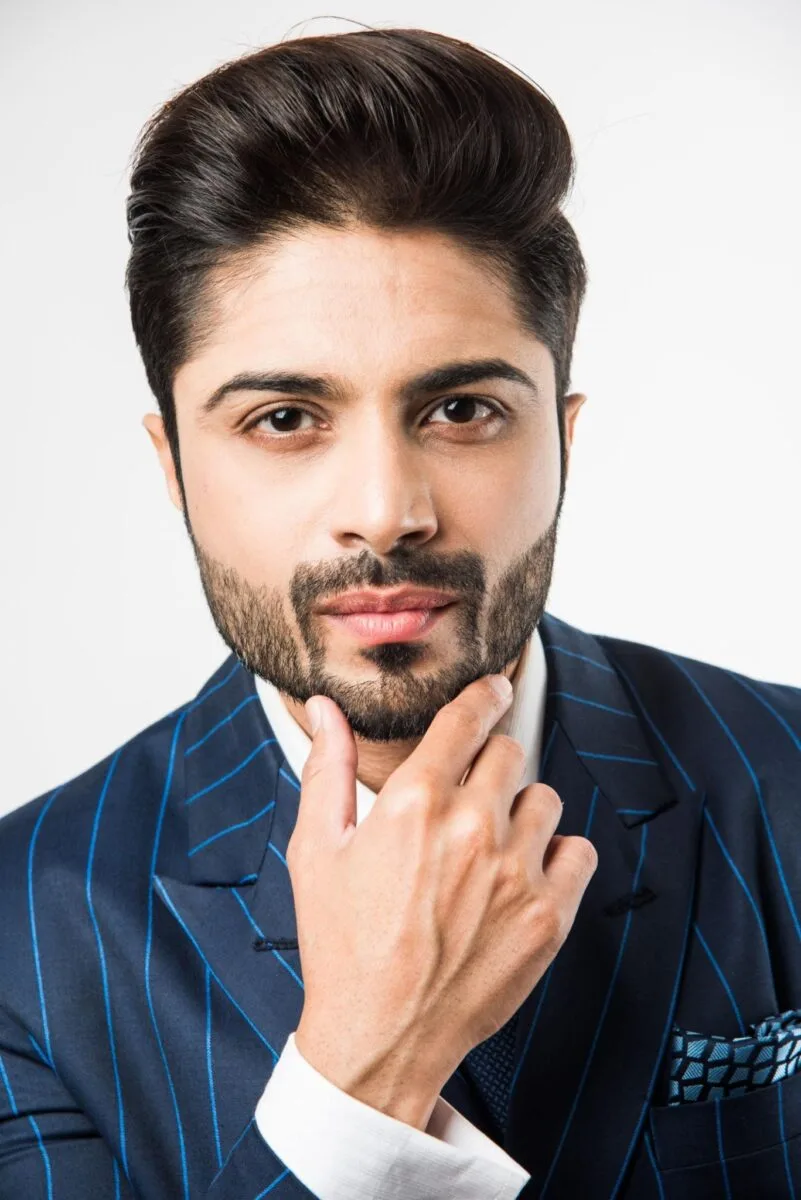
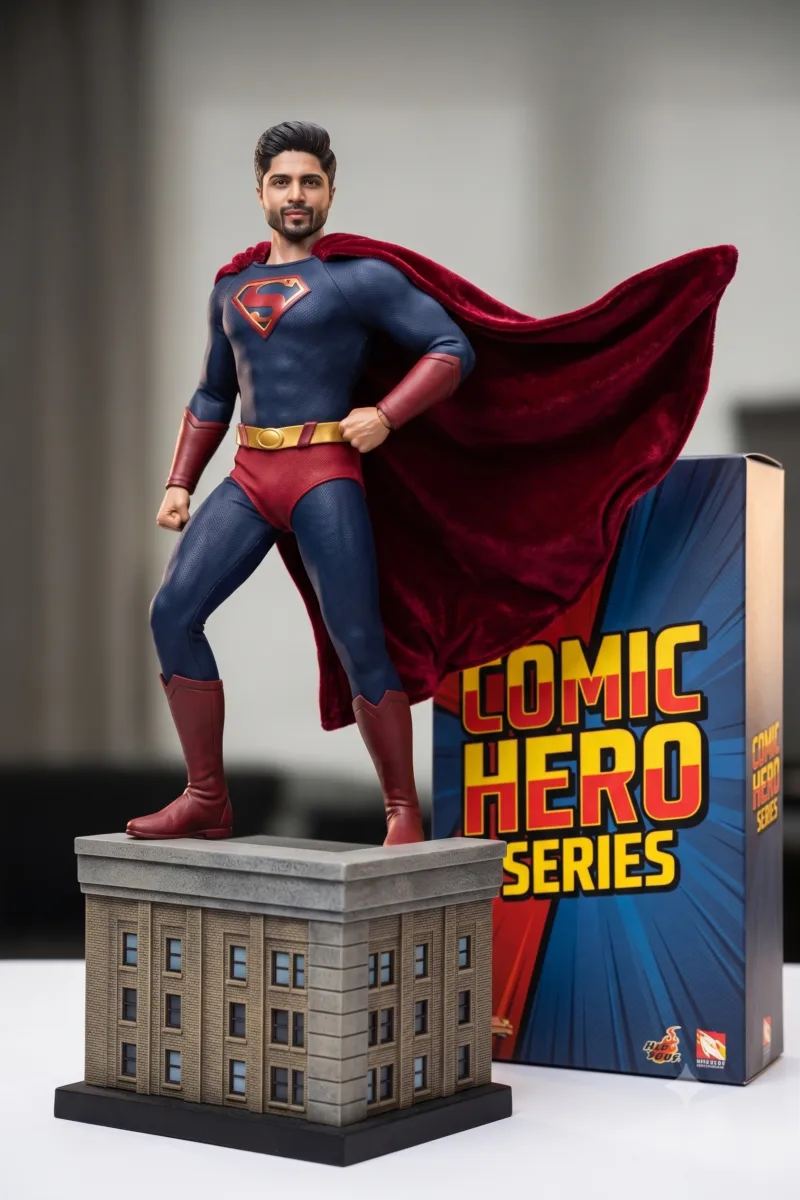
Using the uploaded reference photo, maintain 1:1 facial likeness, exact features, and skin tone. Convert the subject into a 1/6 scale classic comic hero with a flowing velvet red cape, standing triumphantly on a miniature skyscraper ledge base. Next to the base, include a collector's packaging box with bold text 'COMIC HERO SERIES'. Render in matte vinyl texture, cinematic product shot.
3. Cybernetic Cyborg Warrior
Using the uploaded reference photo, preserve the exact face and expression without alteration. Turn the person into a sleek cyberpunk action figure featuring half-human, half-chrome metallic plating. Positioned on an acrylic circular base with embedded blue LED accents. Studio softbox lighting, ultra-detailed 3D figurine photography.
4. Anime Mecha Pilot
Using the uploaded reference photo, keep the subject's face 100% identical and instantly recognizable. Transform them into a stylized 1/7 scale anime-style mecha pilot wearing a white and neon-green flight suit. Placed on a metallic launchpad pedestal inside a display case labeled 'MECHA PILOT #01'. High-end PVC plastic texture, sharp focus.
5. Dark Knight Vigilante
Using the uploaded reference photo, keep the exact facial identity and eyes completely unchanged. Dress the person in tactical matte-black armor with a cowl pulled back to show the face. Standing on a rainy gargoyle base. Include a retail box behind the figure with printed typography 'DARK VIGILANTE'. 8K, cinematic product lighting.
6. Galactic Bounty Hunter
Using the uploaded reference photo, maintain 1:1 facial likeness and expression. Turn the subject into a sci-fi bounty hunter figurine wearing weathered beskar-style armor and a shoulder cape. Displayed on a desert sand base with a clear acrylic dust cover. Photorealistic resin statue finish.
Category 2: Cyberpunk & Sci-Fi Aesthetics
7. Rooftop Hacker
Using the uploaded reference photo, keep the face, skin tone, and hair 100% identical. Create a 1/7 scale cyberpunk figurine wearing a neon-lined oversized jacket, holding a translucent holographic tablet. Placed on a dark city street base with wet road reflections and a display box featuring text 'CYBER CITY 2026'. High-gloss vinyl render.
8. Mech Engineer at Desk
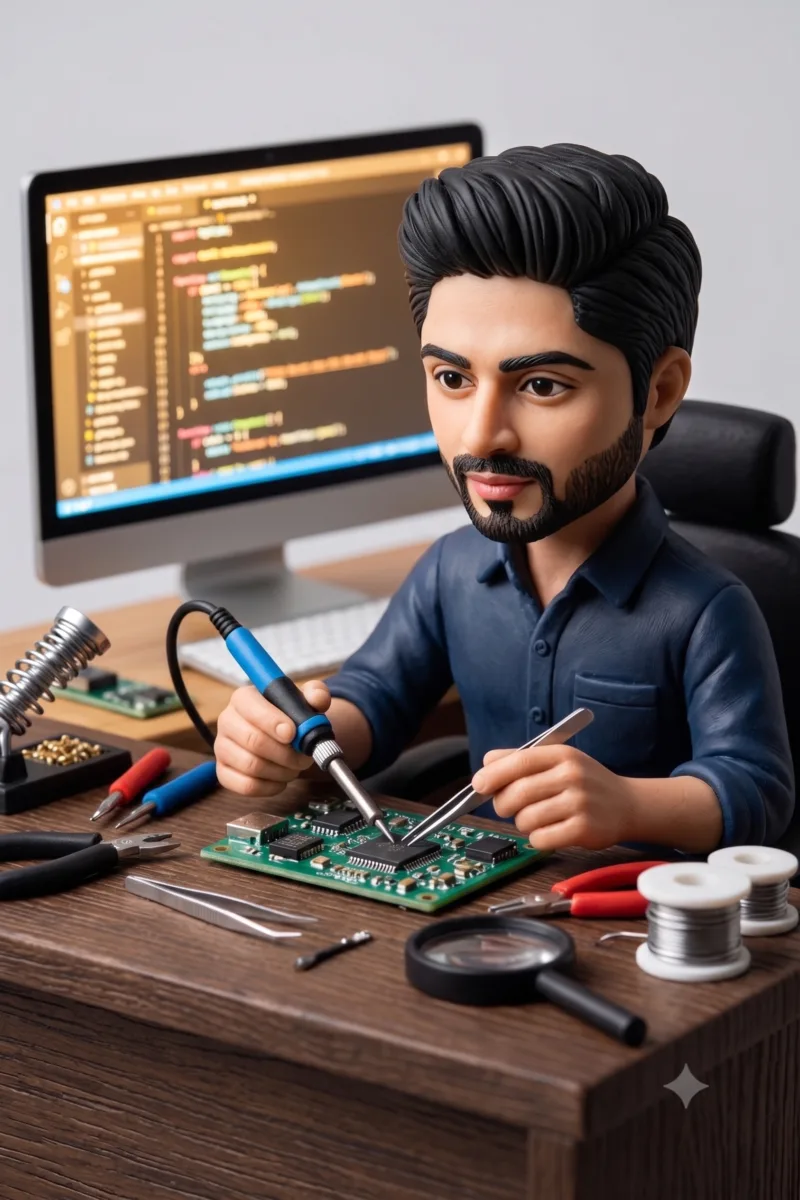
Using the uploaded reference photo, preserve the uploaded face perfectly. Convert the person into a miniature 3D figurine sitting at a tech workstation with mini soldering tools. Displayed on a dark oak desk base with a computer monitor screen glowing in the background. Ultra-detailed polymer clay texture.
9. Holographic Neon Racer
Using the uploaded reference photo, maintain exact facial features and identity. Transform the subject into a futuristic street racer figurine wearing a glowing LED jumpsuit, standing next to a miniature hover-scooter on a glossy black display stand. Studio spot lighting, 8K resolution.
10. Deep Space Astronaut
Using the uploaded reference photo, keep the face 100% identical. Place the person inside a 1/6 scale astronaut figurine wearing a detailed NASA-style suit with a golden visor lifted up. Standing on a moon-rock base with Earth glowing in the background. High-detail injection-molded plastic finish.
11. Time Traveler Scholar
Using the uploaded reference photo, preserve 1:1 facial accuracy. Create a steampunk figurine adorned with brass goggles on the forehead, leather vest, and intricate clockwork gears. Placed on a gear-engraved bronze pedestal with a vintage collector box labeled 'TIMEKEEPER'. Photorealistic render.
12. Android Synthesizer
Using the uploaded reference photo, keep the face and facial features untouched. Convert the subject into a futuristic synth figurine with subtle glowing seam lines along the jaw and neck. Positioned on an acrylic LED stand inside a glass display case. Crisp 8K studio lighting.
Category 3: Heritage, Royal & Cultural Styles
13. Royal Lucknow Nawab
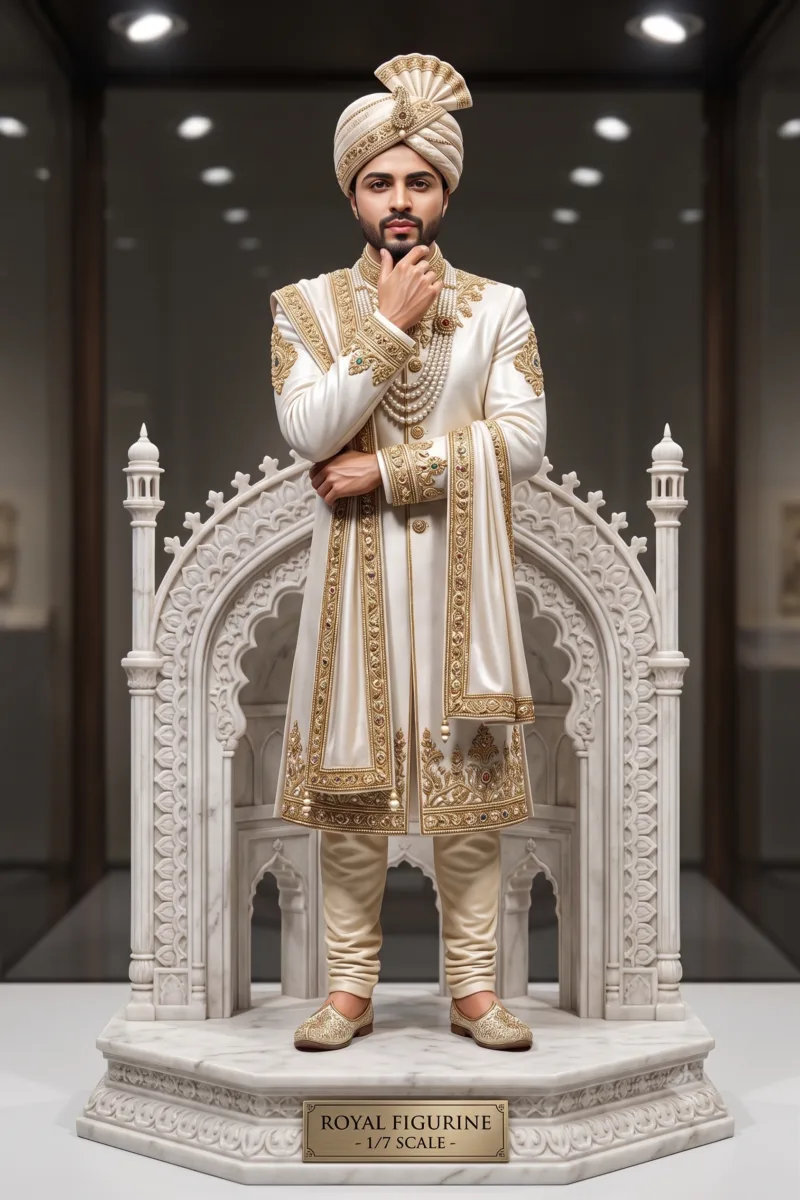
Using the uploaded reference photo, keep the facial identity and natural skin tone 100% identical. Transform the subject into a majestic 1/7 scale royal figurine wearing an intricately embroidered white sherwani with gold zardozi work. Positioned on a carved white marble pedestal base inspired by Rumi Darwaza. Antique museum-grade resin statue finish.
14. Heritage Banarasi Queen
Using the uploaded reference photo, maintain 1:1 facial accuracy and smile. Convert the person into a regal 3D bridal figurine dressed in a rich royal red Banarasi silk saree with gold thread weave. Placed on a velvet-lined display base with an acrylic case. Ultra-fine fabric weave detail, 8K render.
15. Samurai Shogun
Using the uploaded reference photo, keep the facial structure and eyes identical to the source image. Turn the person into a 1/7 scale Japanese samurai figurine in hand-painted crimson and gold armor with dual katanas. Mounted on a mossy stone display base with cherry blossom petals scattered at the feet.
16. Medieval Monarch
Using the uploaded reference photo, preserve exact facial features and expression. Create a 3D statue of the person as a medieval king/queen seated on a miniature carved stone throne with velvet cushions. Brass nameplate on the wooden base engraved with 'THE ROYAL LEGACY'. Photorealistic stone and velvet textures.
17. Egyptian Pharaoh
Using the uploaded reference photo, keep the face 100% identical to the reference image. Convert the subject into a 1/6 scale pharaoh figurine wearing a lapis lazuli and gold collar with a traditional headpiece. Placed on a sandstone temple platform. High-shine gold leaf render.
18. Celtic Warrior
Using the uploaded reference photo, maintain exact facial likeness. Turn the person into a Celtic warrior figurine in leather armor and woven plaid kilt, holding a ceremonial shield. Positioned on a rocky highland base with a display box printed with 'ANCIENT LEGENDS'. Hand-painted miniature style.
Category 4: Professionals, Creators & Lifestyle
19. Tech Founder & Executive
Using the uploaded reference photo, keep the face, hair, and expression 100% identical. Create a 1/7 scale desk figurine of a tech founder sitting at a clean glass desk with a miniature laptop showing your brand name on the screen. Placed on a polished walnut base with a brass plate etched 'FOUNDER 2026'.
20. The Master Chef
Using the uploaded reference photo, maintain 1:1 facial accuracy. Convert the person into a miniature 3D chef figurine wearing a crisp chef coat and apron with flour dust details, holding a miniature plating tweezers. Displayed on a white marble slab base. High-detail polymer resin.
21. Red Carpet Celebrity
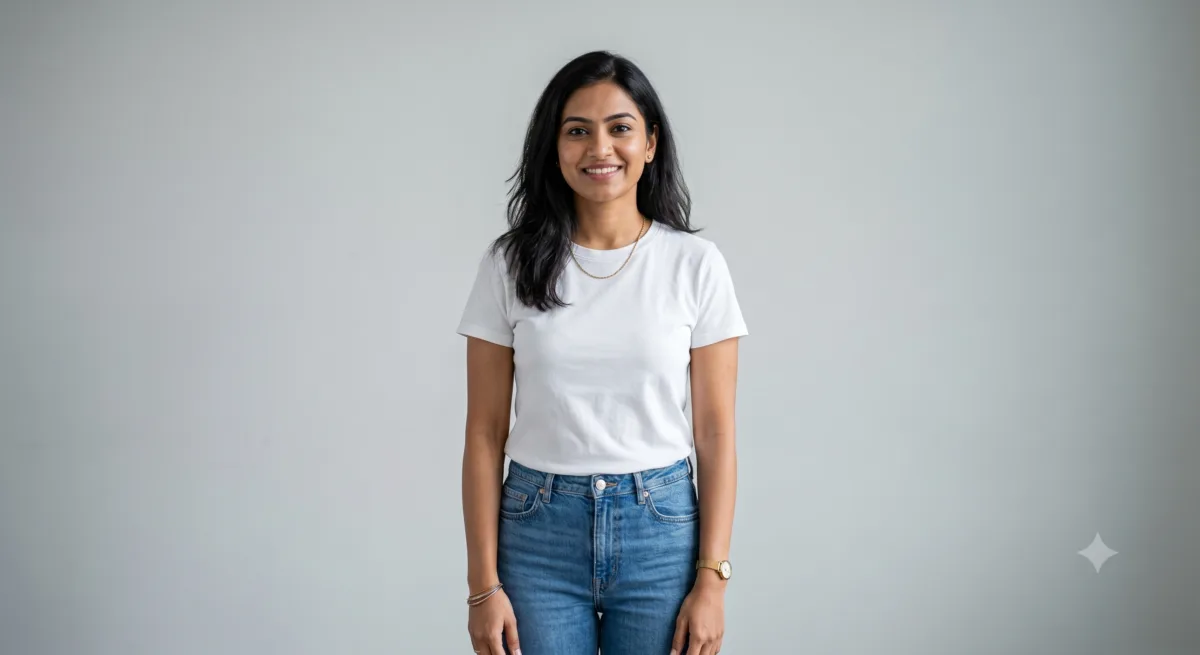
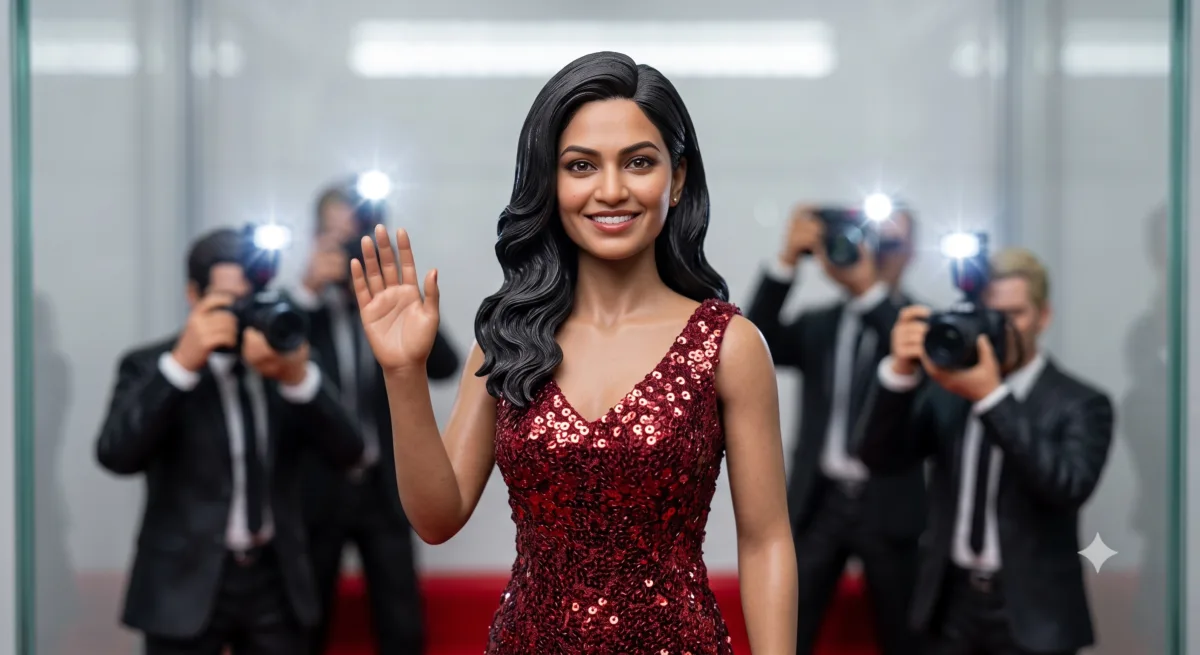
Using the uploaded reference photo, preserve exact facial features and makeup. Turn the subject into a glamorous 1/6 scale red carpet figurine in a sparkling evening gown/tuxedo. Positioned on a velvet red carpet base with mini paparazzi camera flashes in the background box.
22. Himalayan Trekker
Using the uploaded reference photo, keep the facial structure and natural expression identical. Transform the person into an adventure trekker figurine in an orange puffer jacket with a miniature backpack, standing on a snow-capped mountain rock base. Matte outdoor resin texture.
23. Gaming Streamer
Using the uploaded reference photo, keep the face 100% identical. Create a 3D figurine of the person wearing RGB gaming headphones, seated in a high-back racing gaming chair. Placed on a dark acrylic base with pulsing neon underglow. High-gloss plastic finish.
24. Vintage Film Director
Using the uploaded reference photo, maintain 1:1 facial likeness. Convert the person into a classic 1950s film director figurine seated in a director's chair holding a megaphone, an antique film camera positioned beside the chair. Placed on a wooden soundstage base with a clapperboard prop and a box labeled 'DIRECTOR'S CUT'. Warm tungsten studio lighting, matte resin finish.
Category 5: Cute Chibi, Toys & Desk Companions
25. Chibi Office Buddy
Using the uploaded reference photo, keep the recognizable facial features, eyes, and hairstyle. Convert the person into an oversized-head cute chibi desk figurine in casual hoodies and sneakers. Standing on a colorful pastel round base. Smooth PVC vinyl toy aesthetic.
26. Crochet Craft Miniature
Using the uploaded reference photo, simplify the face while keeping key facial characteristics and expression recognizable. Transform the person into a 3D hand-crocheted yarn figurine gently held in human hands, with soft acrylic-yarn skin tones and a tiny stitched outfit matching the original clothing colors. Realistic woven yarn textures, visible stitching, cozy warm indoor lighting, shallow depth of field.
27. 90s Blocky Brick Toy
Using the uploaded reference photo, capture the person's hair style, facial expression, and outfit colors. Turn them into a 3D blocky brick-style minifigure with cylindrical head and clip-on hairpiece, standing next to an isometric windowed packaging box labeled 'BUILD-A-HERO'. Clean glossy plastic brick render, bright even studio lighting, sharp product-photo focus.
28. Acrylic Standee Collectible
Using the uploaded reference photo, maintain exact 1:1 facial identity and outfit. Convert the subject into a 2.5D clear acrylic desk standee with a vibrant printed character graphic on a clear oval snap-in base. Real glass/plastic reflections, 8K photo.
29. Retro-Style Vinyl Figurine
Using the uploaded reference photo, preserve the recognizable hairstyle, eyeglasses, and face shape. Create a large-headed vinyl collectible figure with simplified black dot eyes and smooth rounded limbs, standing beside a collector packaging box with clear window plastic and custom text with the person's name and '#01'. Matte vinyl texture, soft even studio lighting.
30. Vintage Porcelain Doll
Using the uploaded reference photo, keep the face and eyes 100% identical. Transform the person into a delicate 1/6 scale hand-painted porcelain figurine in classic Victorian attire, displayed inside a glass antique cloche dome on a mahogany base, with fine hairline crackle-glaze texture on the porcelain skin and soft window light casting gentle shadows through the dome.
Category 6: Gemini Nano Banana AI 3D Figurines Prompts For Pets
31. Royal King Cat
Using the uploaded pet reference photo, keep the cat's specific face shape, eye color, and fur markings 100% identical. Transform the cat into a royal feline 3D figurine wearing a tiny golden crown and velvet cape, seated on a miniature red velvet throne. Polished porcelain texture, 8K.
32. Astronaut Dog
Using the uploaded pet reference photo, maintain the dog's exact facial expression, snout markings, and fur texture. Convert the dog into a 1/6 scale space explorer figurine wearing a custom silver astronaut suit with a clear helmet resting on a moon base. Photorealistic product shot.
33. Cyberpunk Neon Pet
Using the uploaded pet reference photo, preserve 1:1 facial likeness and ear structure. Create a cyberpunk pet figurine equipped with glowing neon-blue cybernetic visor accents and a tactical vest with fine stitched panel lines. Standing on a wet-look acrylic display stand with rain-soaked street reflections and distant neon signage blurred in the background. High-gloss vinyl finish, moody night lighting.
34. Medieval Knight Dog
Using the uploaded pet reference photo, keep the dog's face and eyes completely unchanged. Turn the dog into a noble knight figurine dressed in polished silver plate armor with a sword mounted on the side, standing on a stone castle wall base.
35. Superhero Sidekick Pet
Using the uploaded pet reference photo, keep the pet's facial features and coat pattern identical. Transform the pet into a superhero sidekick figurine wearing a small red cape and a golden chest emblem, standing triumphantly on a comic book base.
36. Chibi Rubber Keychain Pet
Using the uploaded pet reference photo, preserve the pet's distinct facial markings and eyes. Convert the pet into a cute, rounded 3D chibi rubber keychain held in a hand, featuring soft matte rubber textures, bold outlines, and a silver ring chain.
37. Luxury Business Pet
Using the uploaded pet reference photo, keep the pet's face 100% recognizable. Turn the pet into a CEO desk figurine wearing a miniature tailored suit collar and red tie, sitting next to a tiny gold bowl on a mahogany office desk base.
38. Detective Trenchcoat Pet
Using the uploaded pet reference photo, maintain exact facial features and fur patterns. Transform the pet into a noir detective figurine wearing a miniature fedora hat and tweed coat, standing under a streetlamp base with wet cobblestones and drifting fog. Dramatic chiaroscuro lighting, film-noir color grade, fine fabric weave on the coat.
39. Crochet Yarn Pet Miniature
Using the uploaded pet reference photo, simplify the features while keeping the pet's face and color patches identical. Create a 3D handmade crochet yarn pet figurine cradled in two human hands, with visible single-crochet stitch rows and a tiny yarn pom-pom tail or ear detail. Intricate woven yarn texture, soft warm indoor window lighting, cozy blanket in the background, shallow depth of field.
40. Die-Cast Box Pet Figurine
Using the uploaded pet reference photo, preserve 1:1 facial identity and coat markings. Create a collectible pet figurine presented inside a retail windowed display box with custom printed text 'BEST PET COLLECTION 2026', foam insert tray visible beneath the figure and holographic authenticity sticker on the box corner. Glossy PVC plastic finish, bright studio product-photo lighting.
Also Read : 40 Pro AI Prompts for Stock Trading: Excel, PDF Analysis & Live Market Data (2026 Guide)
Troubleshooting Common Issues
The face doesn’t look like the reference photo. Use a well-lit, front-facing or slightly angled photo with the face unobstructed. If the result still drifts, try “Redo with Pro” — Nano Banana Pro’s character consistency is noticeably more reliable than the Lite or standard tier for close facial likeness.
Packaging text is blurry, misspelled, or missing. This was the biggest weakness of the original Nano Banana model and is now largely fixed in Nano Banana 2 and Pro — but Pro still renders text more reliably for small or dense text. If it’s still not legible, isolate the fix: “keep everything the same, but regenerate only the text on the packaging box to read exactly ‘[text]’.”
The figurine looks flat or like a painting instead of a 3D object. Add explicit physical-object language: “product photography,” “acrylic base,” “studio softbox lighting,” “figurine,” “miniature.” Avoid words like “illustration” or “drawing” anywhere in the prompt.
Body proportions look off. Add a proportion instruction directly: “realistic human proportions” or, for chibi styles, “oversized head, small body, chibi proportions.”
Gemini asks you to upload a photo even though you referenced your library. Some personalization features that pull directly from a synced photo library roll out region by region and aren’t available everywhere yet. If this happens, just upload the photo manually with your prompt — that route works everywhere and gives you more control besides.
FAQ
Which Nano Banana model is best for figurines?
Nano Banana 2 is the best starting point for most people — it’s free, fast, and handles character consistency and text far better than the original model. Switch to Nano Banana Pro (via “Redo with Pro”) when you need sharp packaging text or the most accurate facial likeness, if you have a paid Google AI plan.
Is this free to use?
Yes. Nano Banana 2 and Nano Banana 2 Lite are free for all Gemini users at 1K resolution. Nano Banana Pro and 2K/4K output require a Google AI Pro, Plus, or Ultra subscription.
Can I use these prompts for pets and objects, not just people?
Yes — the pet prompts above work the same way; just make sure your reference photo clearly shows the pet’s face, ears, and markings without obstruction.
Will people know the image is AI-generated?
Every image from any Nano Banana model carries an invisible SynthID watermark, so yes — it’s detectable by tools built to check for it, even though it’s invisible to the eye.
Can I 3D print these figurines?
The renders are photorealistic images, not 3D mesh files, so they aren’t print-ready on their own. You’d need a separate image-to-3D pipeline to convert the render into a printable model — the prompt tips above (clear base, simple background, 3/4 front view) will make that conversion step easier if you go that route.

Ayush Singhal is the founder and chief editor of TechMitra.in — a tech hub dedicated to simplifying gadgets, AI tools, and smart innovations for everyday users. With over 15 years of business experience, a Bachelor of Computer Applications (BCA) degree, and 5 years of hands-on experience running an electronics retail shop, Ayush brings real-world gadget knowledge and a genuine passion for emerging technology.
At TechMitra, he covers everything from AI breakthroughs and gadget reviews to app guides, mobile tips, and digital how-tos. His goal is simple — to make tech easy, useful, and enjoyable for everyone. When he’s not testing the latest devices or exploring AI trends, Ayush spends his time crafting tutorials that help readers make smarter digital choices.
📍 Based in Lucknow, India
💡 Focus Areas: Tech News • AI Tools • Gadgets • Digital How-Tos
📧 Contact: Get in touch →
🔗 Full Bio: https://techmitra.in/about-us/