

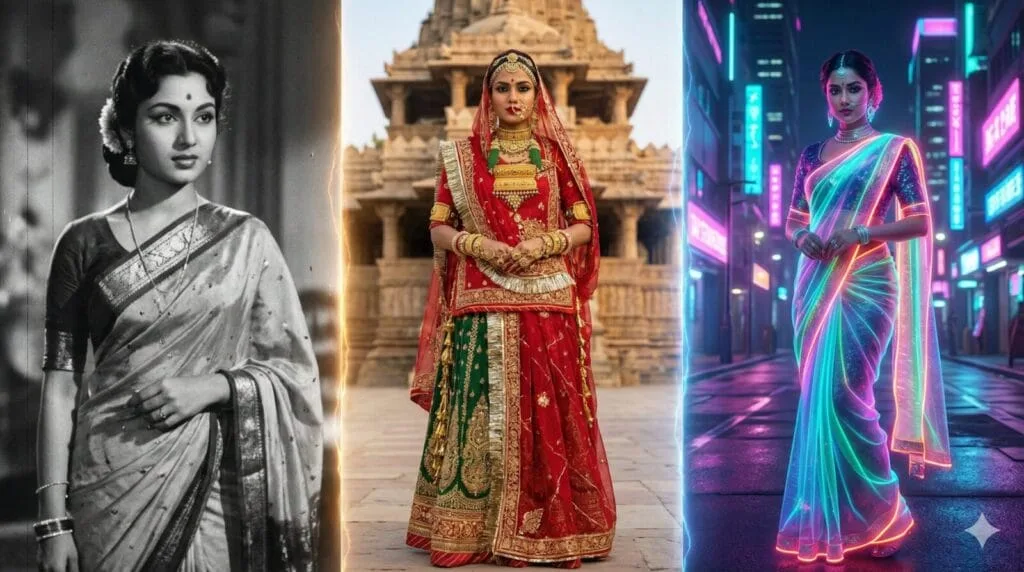
Updated on 17 September 2026 — Want to create a beautiful AI saree look from your photo? You’re in the right place. In this guide, you’ll find ready-to-use Gemini saree prompts along with an easy-to-use AI Saree & Indian Photo Prompt Generator that lets you create personalized prompts in seconds.
Instead of searching for a separate prompt for every saree style or photo idea, you can choose the subject, theme, saree or outfit, pose, visual style, and background in the generator. You can create prompts for Banarasi, Kanjeevaram, Pattu, Dola Silk, bridal and traditional saree looks, as well as mirror selfies, hidden-face photos, aesthetic portraits, and other Indian fashion styles.
The generator also supports different subjects, including women, girls, baby girls, brides, couples, and friends. You can also explore Radha Rani-inspired devotional prompts and create different combinations without having to write each prompt from scratch.
AI image generators such as Gemini and ChatGPT can produce impressive photo transformations, but the quality of the result depends greatly on how clearly the prompt describes the subject, clothing, pose, lighting, background, and desired visual style. A well-structured prompt can give the AI clearer instructions and help you achieve a more consistent result.
Whether you want to create a traditional saree portrait, a stylish mirror selfie, a hidden-face aesthetic photo, a bridal look, or a devotional Indian-themed image, this guide and prompt generator can help you create a suitable prompt quickly.
Try these 10 tested, copy-paste ChatGPT 80s prompts to turn any photo into a retro 1980s portrait.
Table of Contents
AI Saree & Indian Photo Prompt Generator
Creating a detailed AI prompt for every possible saree style, pose, background, and photo idea can take a lot of time. That’s why we’ve created this AI Saree & Indian Photo Prompt Generator. Choose your subject, outfit, pose, style, and background to instantly create a ready-to-use prompt for Gemini, ChatGPT, or other AI image generators.
AI Saree & Indian Photo Prompt Generator
Choose your details to create a natural, ready-to-use prompt for Gemini, ChatGPT, or another AI image generator.
Only use photos you own or have explicit permission to use. Never upload photos of a child other than your own, and never use this tool without the consent of the person shown.
Suitable for Gemini, ChatGPT and other AI image generators.
How to Use the Saree Prompt Generator free online
Using the generator is simple:
- Choose the subject: Select Woman, Girl, Baby Girl, Bride, Couple, Friends, or another available option.
- Choose a theme: Select options such as Traditional, Wedding, Festive, Royal, or Radha Rani when appropriate.
- Select the outfit: Choose a saree style such as Banarasi, Kanjeevaram, Pattu, Dola Silk, Chiffon, Georgette, or another available outfit.
- Choose a pose: Select a mirror selfie, standing, sitting, hidden-face, looking-back, walking, or another suitable pose.
- Choose the style: Select Aesthetic, Cinematic, Traditional, Royal, Vintage, Black & White, or another style.
- Select the background: Choose a temple, palace, garden, wedding setting, home, floral setting, or another background.
- Add extra details: You can enter additional details such as saree color, jewelry, flowers, lighting, or other elements you want in the image.
- Generate the prompt: Click Generate Prompt to create your personalized AI image prompt.
- Copy and use it: Click Copy and paste the generated prompt into Gemini, ChatGPT, or your preferred AI image generator.
Tip: Try different combinations of saree styles, poses, themes, and backgrounds to create unique AI photo ideas without writing every prompt from scratch.
30+ pre-made AI saree prompts
Looking for ready-made prompts? Check out the 30+ pre-made AI saree prompts below. You can simply copy and paste any prompt into Gemini, ChatGPT, or your preferred AI image genera
Also Read : Ganesh Chaturthi AI Photo Prompts: 15 Copy-Paste Prompts to Put Yourself With Ganpati Bappa (2026)
Viral Gemini - ChatGPT AI Saree Prompts Copy - Paste
Part 1: The Hyper-Realistic Classics
1. The "Golden Hour" Silk Heritage
Based on the uploaded image, keep the facial features 100% identical. The subject is draped in a rich mustard-yellow silk Kanjeevaram saree with a thin golden zari border. Hair is styled in soft waves with a fresh jasmine garland. Lighting: Cinematic Golden Hour sunlight hitting the face directly. Quality: 8K resolution, hyper-realistic skin texture.
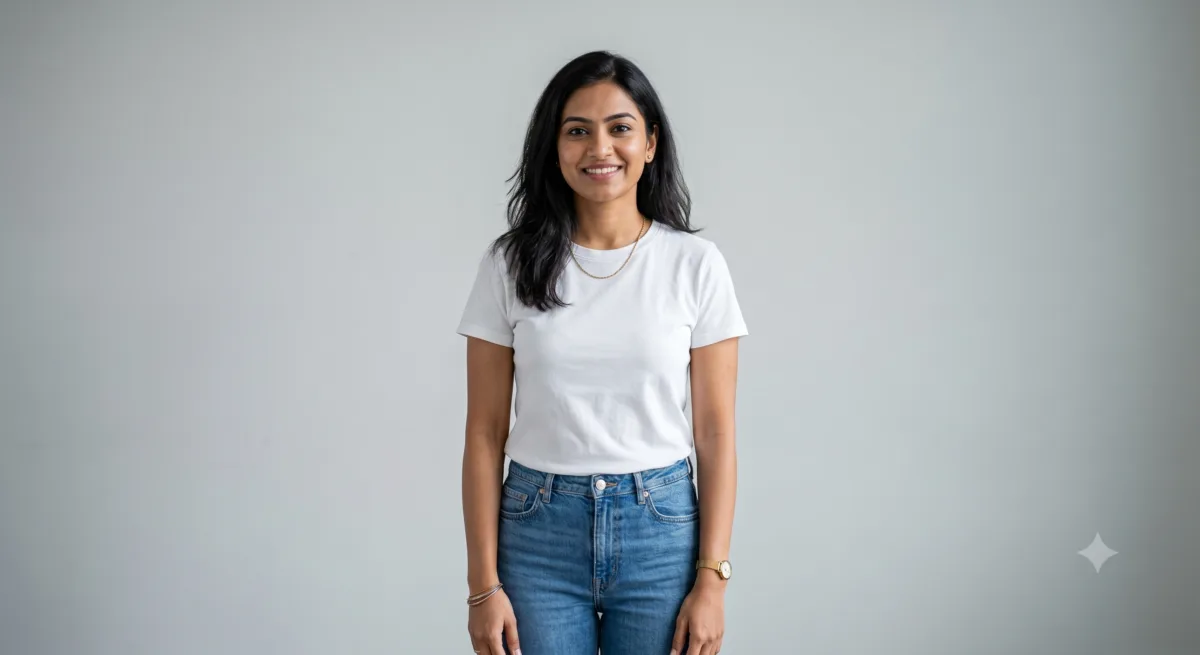
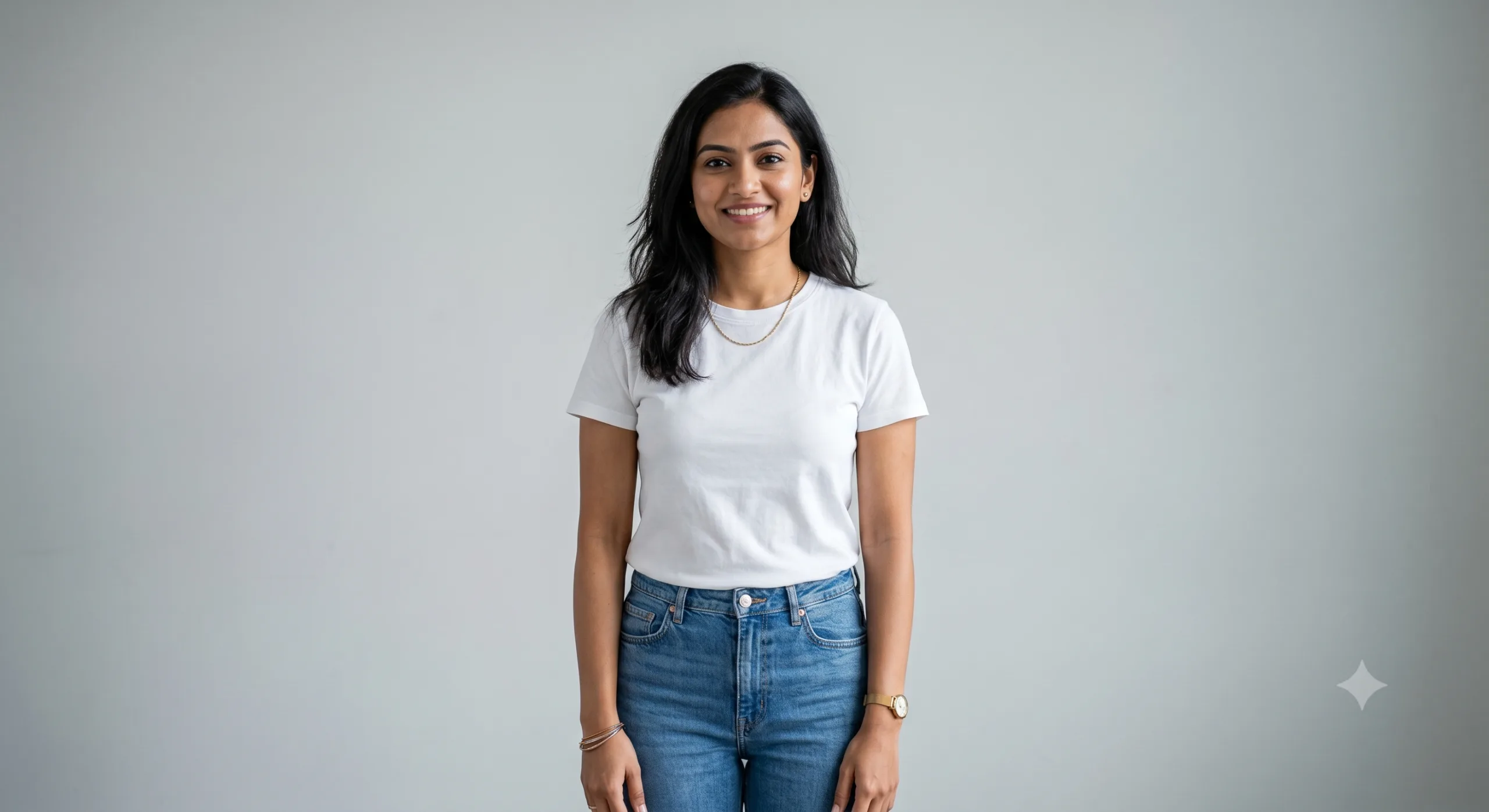 Before (Base Photo)
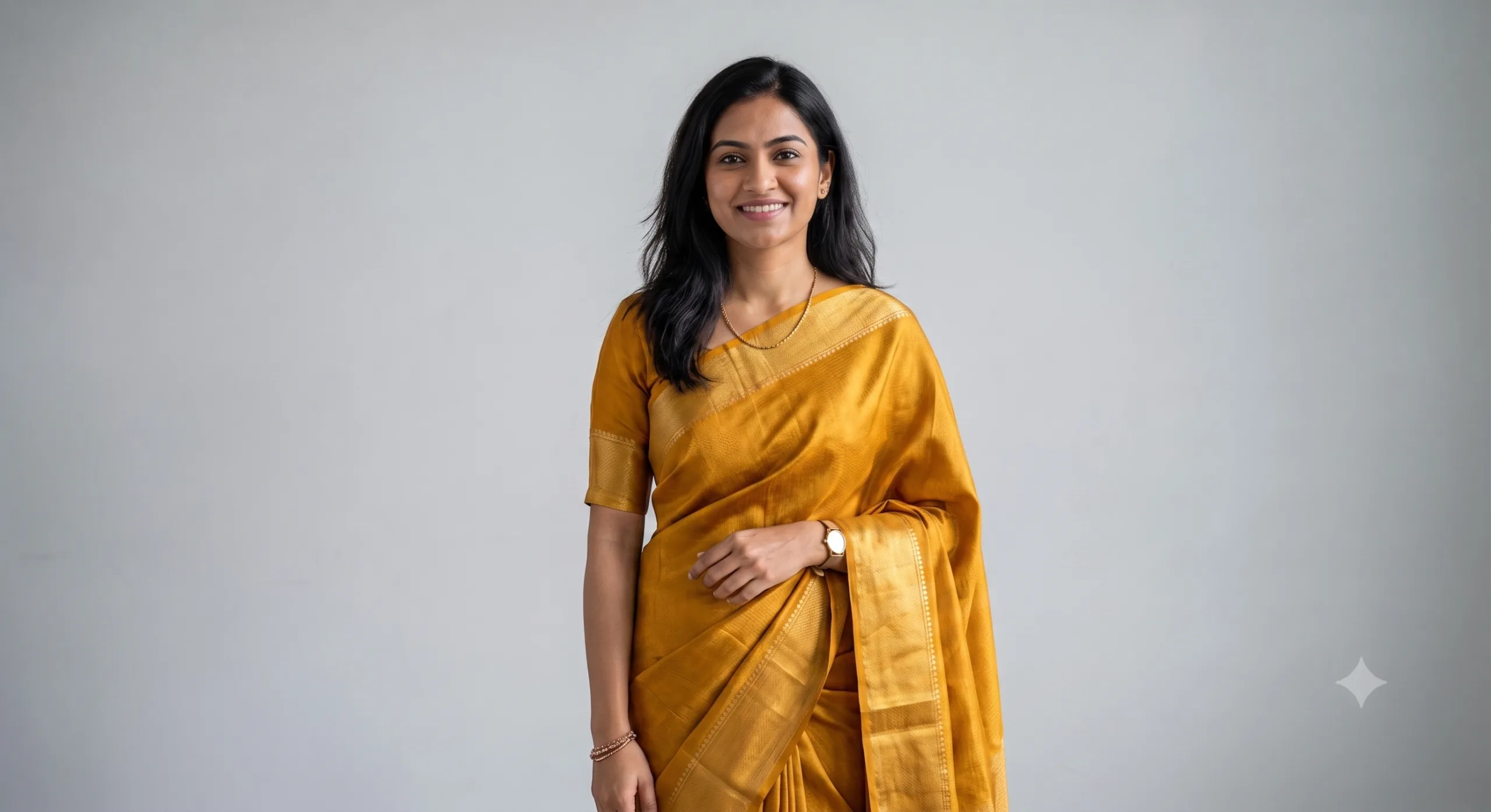 After (Gemini Edit)
2. Vintage Noir (Chikankari Chiffon)
Transform the uploaded photo into a timeless 1950s classic Bollywood cinema portrait. Keep the face completely unchanged. The subject wears a semi-translucent white chiffon saree with intricate Chikankari embroidery. Style: Monochromatic black and white studio photography with authentic 35mm film grain. Background: A textured concrete wall with dramatic noir shadows and a subtle Venetian blind lighting effect. Vibe: Melancholic, elegant, and deeply classic.
Before (Base Photo)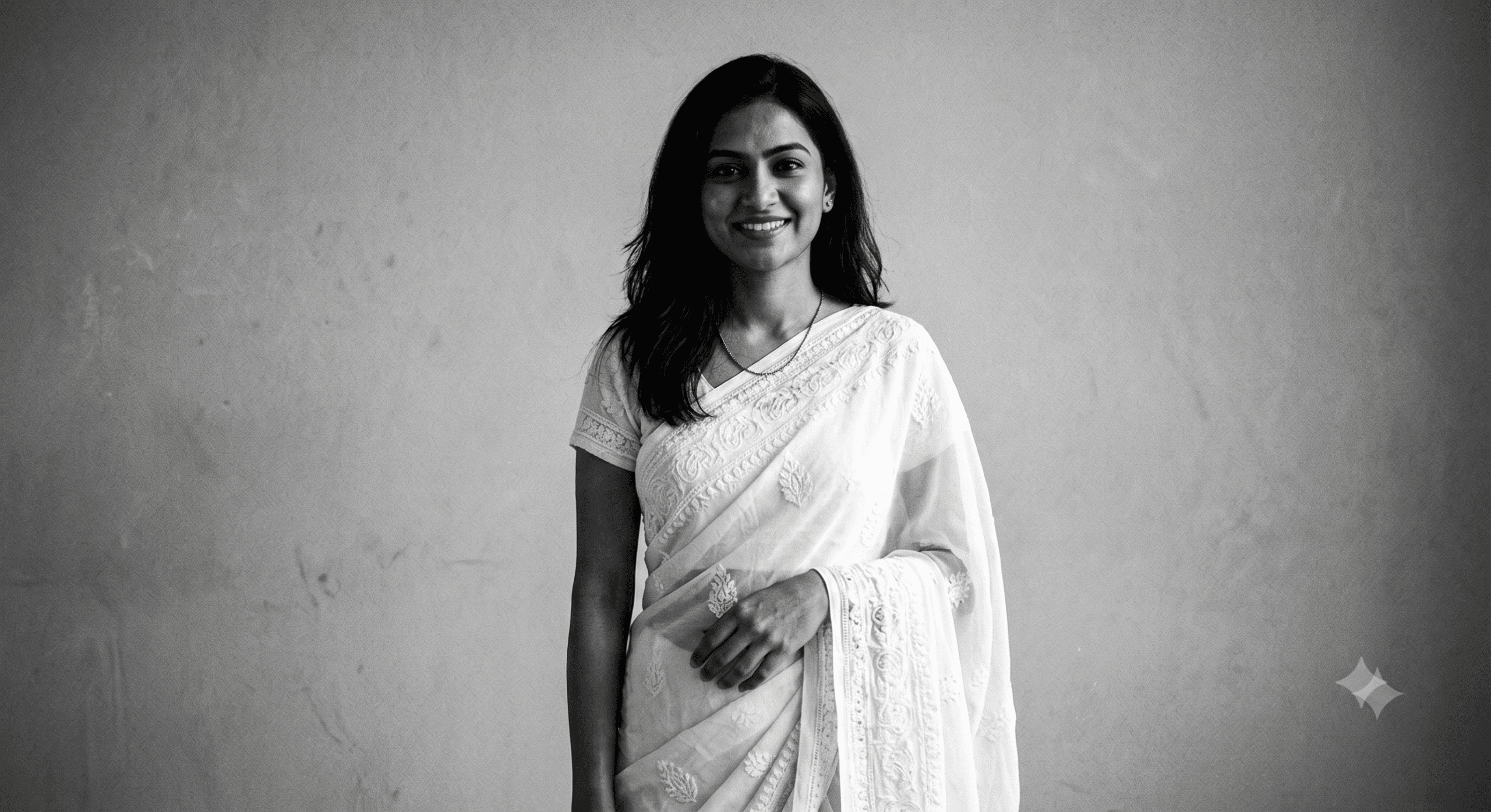 After (Gemini Edit)
3. The Monsoon Romance (Rain Aesthetic)
Create a cinematic rain-drenched portrait while keeping the user's face exactly identical to the source image. The subject wears a deep maroon georgette saree that clings elegantly. Hair is damp and artistically styled. Background: A busy city street backdrop viewed through a rainy glass window, with neon lights and gorgeous bokeh reflections shimmering on wet pavement. Mood: Romantic, moody, 8K realistic.
4. Soft Pastel Pinterest Look
Generate a soft, airy Pinterest-aesthetic portrait. Maintain exact facial identity and skin tone. The outfit is an elegant peach-pink organza saree with delicate watercolor floral motifs. Lighting: Soft-focus morning light, highly diffused. Background: A rustic wooden window frame with sheer white curtains blowing gently in the wind. Style: Dreamy, high-key fine-art photography, pastel color palette.
5. The Bold Minimalist Editorial
A sharp, high-fashion studio portrait. Keep facial features perfectly intact. The subject wears a solid, matte black cotton handloom saree with a striking, thick crimson red border. Minimalist oxidized silver jewelry. Background: A solid matte beige studio backdrop. Lighting: Rembrandt lighting setup with sharp contrast for high drama. Quality: Ultra-sharp focus, professional fashion magazine editorial style.
6. 90s Bollywood Chiffon Haze
Recreate the iconic 1990s Bollywood cinema heroine look. Keep the face completely unchanged. The subject wears a flowing, solid sky-blue chiffon saree. Hair is voluminous with a classic professional blow-dry look. Background: A misty mountain landscape with a soft mist haze filter. Vibe: Nostalgic, fan-blown hair cinematic wide shot.
7. Royal Banarasi Heritage Palace
A regal, royal heritage portrait. Keep the user's face 100% identical. The subject is dressed in a heavy emerald-green and gold Banarasi silk saree with ornate antique Kundan jewelry. Background: An ancient Indian royal palace archway with intricately carved stone pillars. Lighting: Warm, ambient golden light cast from traditional oil lamps (diyas). Quality: 8K, highly detailed fabric weave texture.
8. Cyberpunk Neon Fusion Look
A futuristic cultural fusion look. Keep the face unchanged. The subject wears a metallic navy-blue neon saree that dynamically reflects colored light. Background: A cyberpunk Tokyo street at night with glowing magenta and purple neon signs. Style: High contrast, glossy skin finish, modern night cinematic photography.
9. The "Window Seat" Travel Reflection
A moody travel influencer aesthetic. Keep facial features intact. The subject leans her head against a train glass window, wearing a simple organic cotton linen saree. Effect: Fine raindrops on the glass pane in the foreground, blurring the view slightly for an artistic filter while keeping the face perfectly recognizable. Background: Blue hour twilight sky. Vibe: Lo-fi, pensive, emotional.
10. Direct Sunlight & Palm Shadow Play
Artistic shadow play photography. Keep the face completely unchanged from the reference image. The subject wears a lightweight off-white linen saree. Key Element: The sharp shadow of a tropical palm leaf falls across her face and the clean wall behind her. Lighting: Harsh, direct afternoon sun creating crisp contrast. Style: Indie film aesthetic, raw, unedited, and authentic.
11. The Backlit Ghoonghat Glow
An extreme close-up beauty portrait. Keep the face 100% identical. The subject has a shimmering gold tissue saree gently draped over the head in an open ghoonghat style. Lighting: A strong, warm halo backlight behind the head making individual hair strands glow beautifully. Focus: Pin-sharp focus on the eyes with a beautifully blurred background.
12. Earthy Handloom Village Core
Earthy, rural cultural aesthetic. Keep the face unchanged. The subject sits gracefully on old stone steps wearing a hand-spun dark green cotton saree with a thick rudraksha border. Background: A blurred heritage mud house with raw textures. Color Grading: Desaturated greens and deep earth tones, warm matte finish. Vibe: Traditional, grounded, and serene.
Before (Base Photo)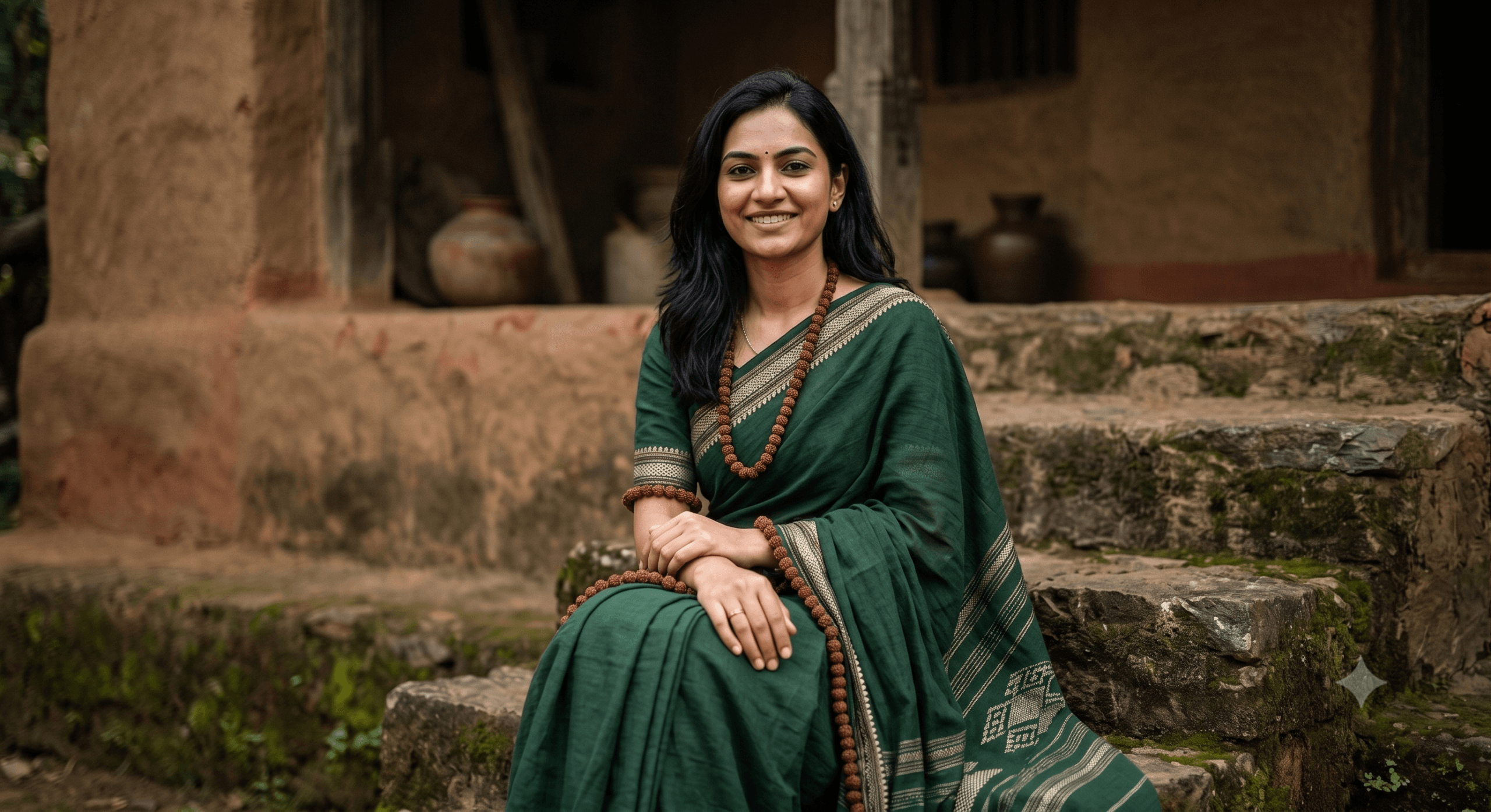 After (Gemini Edit)
13. The Midnight Velvet Majesty
Luxurious night portrait setup. Keep the face identical to the source image. The subject wears a premium deep midnight-blue royal velvet saree. Lighting: Cool moonlight simulation paired with a single warm lantern light source nearby. Background: A dark, moody garden underneath a clear starry night sky. Texture: Accentuate the extreme softness and premium sheen of the velvet fabric.
14. Blooming Spring Ivy Core
A vibrant, spring-themed floral portrait. Keep the face unchanged. The subject wears a clean white georgette saree accented with large, hand-painted colorful floral prints. Background: A lush wall completely covered in green climbing ivy and fresh blooming roses. Style: Bright, vibrant, organic daylight photography.
15. Red Carpet Paparazzi Glamour
A celebrity-style candid paparazzi shot. Keep the face completely unchanged. The subject wears a heavily sequined crimson red party saree that catches the light. Background: A softly blurred red carpet event backdrop with chaotic camera flashes going off in the distance. Style: High gloss, glamorous makeup, confident high-fashion pose.
Also Read : ChatGPT “Meet Your Younger Self” Trend: How to Create Viral AI Childhood Photos (25 Detailed Prompts)
Part 2: Modern Indo-Western Fusion Styles
Use these trending prompts inside Google Gemini to effortlessly blend contemporary international fashion with traditional drapes while locking in your exact facial identity.
16. The Denim Jacket & Sneakers Trend
Based on the uploaded image, keep the subject's facial features and current hairstyle completely intact. Change the outfit to a flowing pastel chiffon saree draped casually over a minimal white t-shirt, paired with a classic blue denim jacket and chunky white sneakers. Setting: A bright, sunlit urban street with colorful blurred graffiti art in the background. Natural morning daylight.
17. The "Boss Lady" Tailored Blazer Drape
Referencing the source photo for exact facial identity, transform the attire into a structured linen saree in dark charcoal grey, paired with a sharp, tailored black blazer and modern ankle boots. Background: A minimalist corporate office lobby with large glass windows. Confident posture, sharp professional softbox lighting.
Before (Base Photo)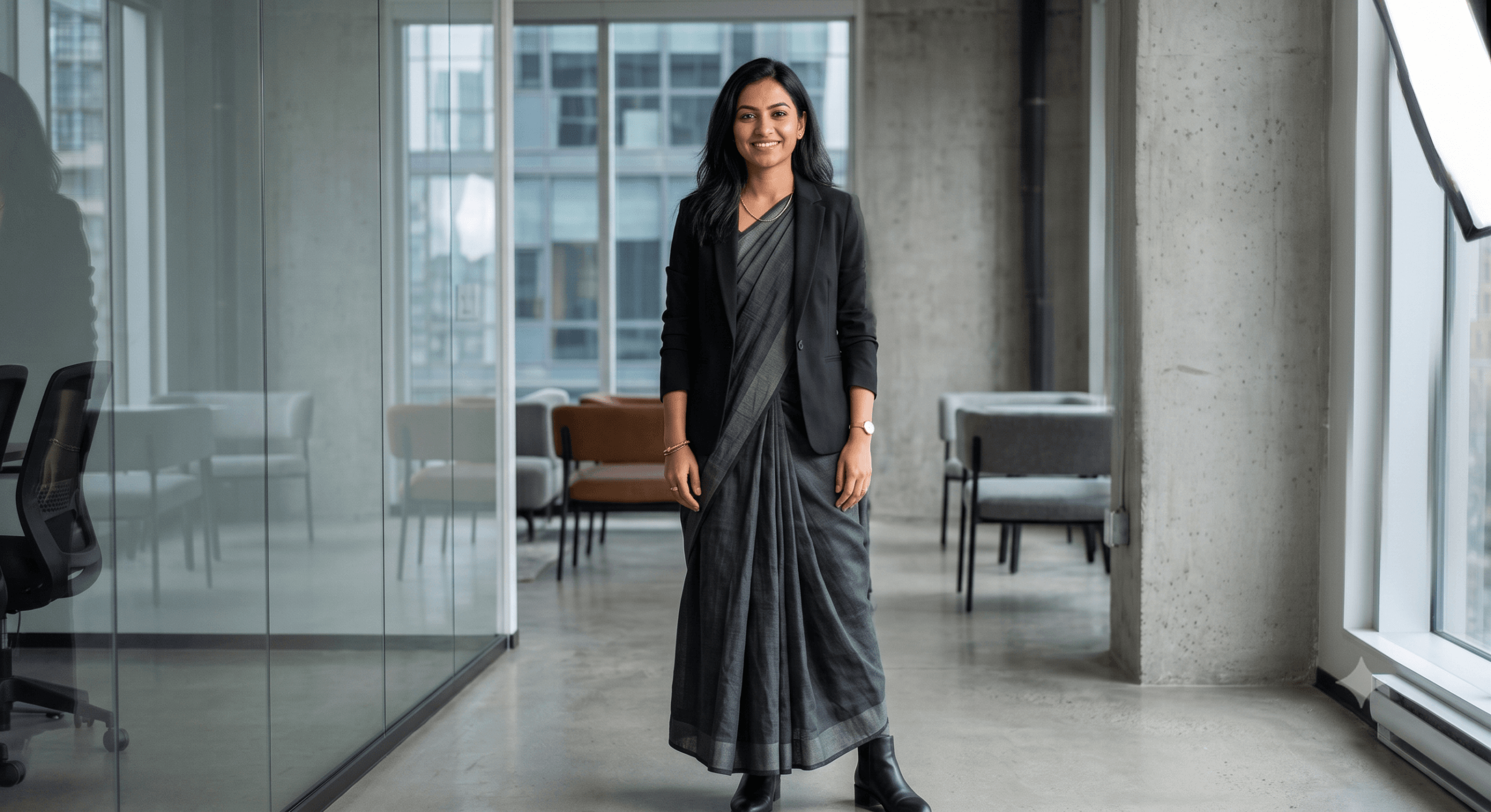 After (Gemini Edit)
18. The Rooftop Crop Top Fusion
Using the provided image, ensure 100% facial consistency. Dress the subject in a pre-draped metallic satin saree paired with a stylish, heavily embellished sequin crop top instead of a traditional blouse. Add a sleek metallic belt accentuating the waist. Setting: A city rooftop lounge at dusk with a beautiful urban skyline bokeh. High-fashion editorial vibe.
19. The Boho-Chic Oxidized Silver Look
Maintain absolute facial consistency and tone from the uploaded image. The outfit is an indigo block-print block cotton saree worn with an earthy suede fringed vest and multiple layers of heavy, oxidized silver jewelry. Background: An outdoor bohemian market stall with warm golden hour sunlight filtering through fabrics.
20. The Edgy Biker Leather Jacket Style
Based on the input image, keep the facial features identical. The subject is wearing an elegant, dark sequined party saree with a heavy black leather biker jacket casually draped over her shoulders. Background: A blurry metropolitan city street at night with neon store signs reflecting on the street. High-contrast, edgy night photography style.
21. Cozy Autumn Turtleneck Styling
Use the uploaded photo as a strict reference for the face. Change the clothing to a heavy, premium silk saree draped neatly over a fitted black turtleneck sweater. Add an elegant cross-body leather bag. Setting: Standing on a tree-lined street filled with falling autumn leaves. Cozy, sophisticated evening daylight.
22. The Minimalist Corporate Shirt Blouse
Referencing the source photo, keep the subject's exact likeness. Replace the outfit with a crisp, structured white collared formal shirt tucked cleanly into a modern handloom saree, with sleeves rolled up casually. Add premium round sunglasses. Setting: Outside a chic, minimalist cafe. Bright, airy, high-end lifestyle aesthetic.
23. The Sporty Bralette & Cap Mashup
Using the uploaded photo, ensure facial identity remains entirely the same. The outfit is a lightweight, bright neon-orange georgette saree paired with a sporty athletic bralette top and a clean baseball cap. Setting: A modern concrete architectural park. Vibrant, energetic outdoor daylight photo.
24. The Avant-Garde Pant-Saree Drape
Based on the provided image, keep the facial features intact. Transform the look into a modern pant-saree drape in a solid jewel-toned emerald green, paired with a contrasting halter-neck top and sleek high heels. Background: A minimalist architectural concrete background with clean diagonal lines. Sculptural fashion photography style.
25. The Industrial Grunge Fusion
Maintain the identity and expression from the uploaded photo perfectly. The look is a distressed, dark charcoal cotton saree draped creatively over a vintage band t-shirt, paired with heavy black combat boots and a dark choker necklace. Background: An exposed brick wall inside an industrial loft space. Moody, desaturated cinematic lighting.
Want to build your own combinations instead of copying a fixed prompt? Try our free ChatGPT Photo Editing Prompt Generator — pick your edit, lighting, and style, and copy a ready-to-use prompt in seconds.
Part 3: Social Media & Travel Influencer Aesthetics
26. Vintage Convertible Travel Vibe
Based on the uploaded photo, keep the facial features completely identical. The subject is sitting casually on the bonnet of a pastel retro vintage convertible car. She is wearing a playful polka-dot retro saree with cat-eye sunglasses. Background: A scenic coastal highway lined with palm trees. Vibe: Wes Anderson style color palette, symmetric composition, cinematic travel photography.
Before (Base Photo)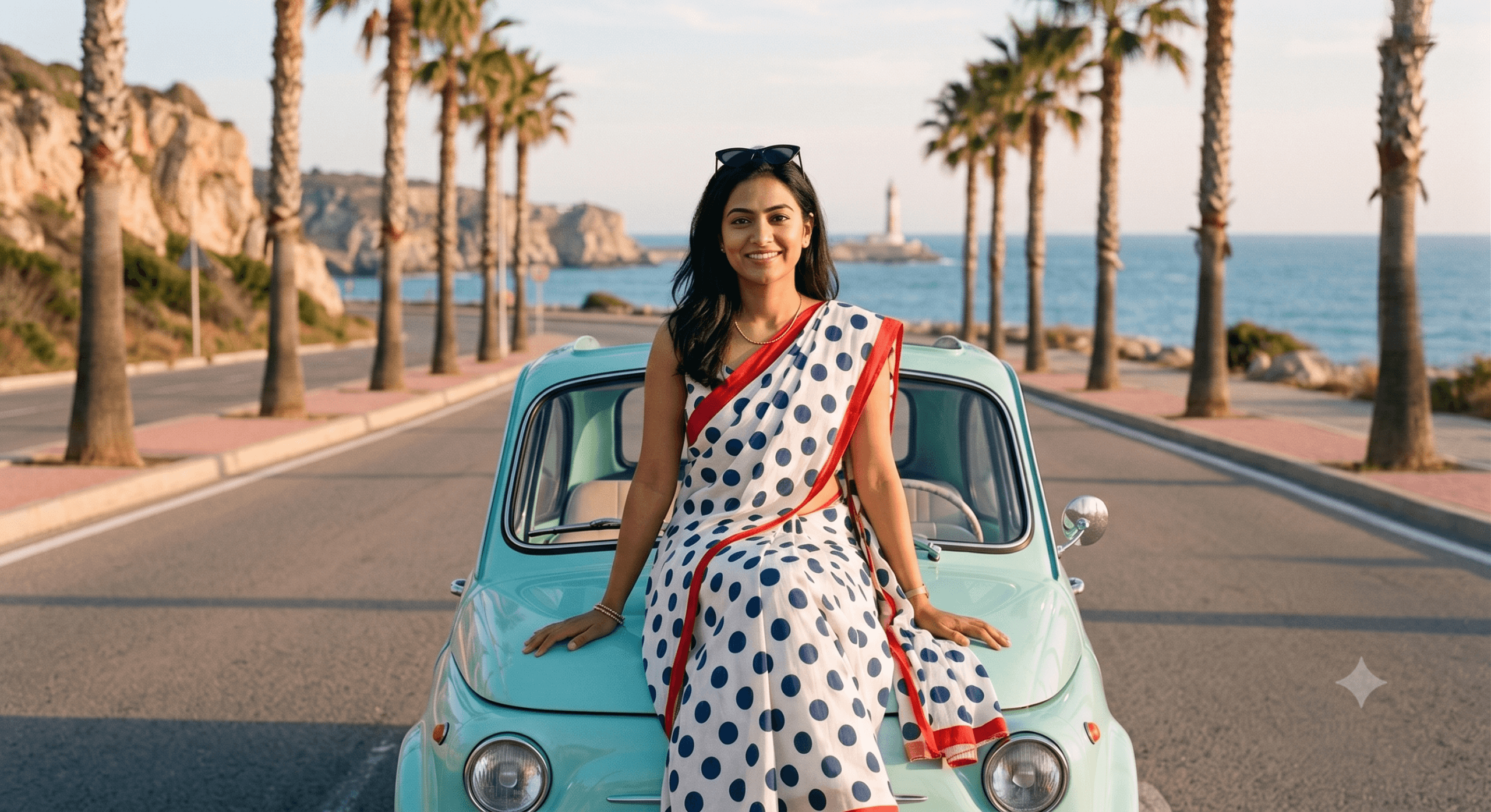 After (Gemini Edit)
27. The Dark Academia Library Look
Maintain exact facial identity from the reference image. The subject is browsing antique books inside a deep-toned wooden library, wearing a rich rust-colored linen saree paired with a cozy beige knit cardigan. Background: Rows of floor-to-ceiling bookshelves and warm green banker lamp lighting. Lighting: Moody, soft shadows. Style: Intellectual, cozy, autumn aesthetic.
28. Gen-Z Aesthetic Mirror Selfie Simulation
Keep the face 100% the same. Create a highly realistic mirror selfie perspective. The subject is holding a modern smartphone (partially blocking the camera lens view), wearing a chic, glittering sequin party saree. Background: A well-lit aesthetic bedroom or premium boutique dressing room mirror with soft, warm LED strip lights. Style: Candid, organic social media influencer post.
29. Cottagecore Garden Picnic
Use the uploaded image as a strict reference. The subject is sitting on a vintage checkered picnic blanket spread over lush green grass in a sunlit country garden, wearing a soft white cotton saree with micro-floral prints. A straw hat rests gracefully next to her. Background: Sun dapples filtering through large oak trees. Vibe: Soft, airy, peaceful cottage core aesthetic.
30. The Corporate LinkedIn Headshot
Transform the source photo into a high-end, executive-level corporate headshot. Keep the face completely unchanged. The subject wears a structured, solid navy-blue silk formal saree with a neat high-neck blouse. Minimalist pearl stud earrings. Background: A cleanly blurred modern corporate office window. Lighting: Professional studio softbox lighting. Style: Confident, sharp, business profile ready.
Technical Tips to Tweak Your Gemini Ai Saree Prompts for Perfect Realism
If your initial generations aren't hitting the absolute peak performance mark, apply these troubleshooting prompt adjustments inside the Google Gemini Nano Banana editor:
- If the Face Shape Shifts: Instantly append this phrase to your command line: "Maintain strict 100% character and facial structure consistency from the original uploaded image file without modification."
- If Fabric Folds Look Artificial: Specify the weaving pattern. Use words like Kanjeevaram Silk, Banarasi Brocade, Lightweight Organza, or Organic Handloom Linen. Mentioning the specific material forces the generative model to fetch authentic texture maps.
- To Clean Up Edge Blurring: Request specific camera settings in your prompt text, such as: "Shot on 85mm portrait lens, $f/1.8$ aperture, sharp focus on the eyes, smooth background bokeh."
Privacy, Safety & Trend Notes
- Image Permissions: Only upload photos that you personally own or have explicit, direct permission to use. Never upload photos of minors or anyone without their consent.
- Understanding the Engine: The terms Google Gemini Nano Banana refer to the underlying advanced machine learning and image generation framework driving these viral social media crazes. While the initial wave of the trend was famous for turning selfies into glossy 3D Toy Figurines, using the photorealistic drapes listed in this guide instructs the engine to prioritize lifelike, 8K editorial photography instead of miniature statues.
- AI Attribution: Images generated via Gemini contain invisible SynthID watermarks and metadata tags to ensure transparent digital provenance and responsible AI creation on public social feeds.
Also Read : How to Generate LinkedIn Headshots with AI: 15 Copy-Paste Prompts
FAQ: Common Questions About Gemini AI Saree Prompts
Q1: How do I access Google Gemini Nano Banana mode for photo editing?
A1: You can jump right into the workspace using our verified Google Gemini Saree Look Prompt Link. Simply launch the prompt box interface on your mobile phone or web browser, upload your target image, and paste any of the ready-to-use templates listed above.
Q2: Will the final AI generation accurately preserve my face?
A2: Yes! Unlike generic 3D caricature or avatar creators, the updated image-to-image engine prioritizes photorealism. By including dedicated tracking language like "keep facial features 100% identical" directly into your instruction, the algorithm maps the clothing textures strictly around your existing facial baseline.
Q3: Is it entirely safe to upload my personal photos into Gemini?
A3: Yes, Google Gemini processes uploaded files securely to fulfill your real-time editing commands. However, as standard best practices for all major consumer AI applications, ensure you only upload pictures you legally own or have explicit personal consent to modify, and avoid uploading sensitive or private imagery.
Q4: Can I customize the color scheme and fabric type in these templates?
A4: Absolutely! Every prompt here is modular. You can easily open any template text block and swap out keywords—for example, changing a "Mustard-Yellow Kanjeevaram Silk" into a "Pastel Lavender Georgette" to seamlessly fit your current creative project or social media color scheme.
Note on AI Content and Visual Examples: > All user-facing comparison imagery, including the base reference photo and subsequent saree transformations featured in this guide, have been artificially synthesized using generative artificial intelligence tools for educational and illustrative purposes. No real individuals, personal likenesses, or private identities were utilized in the creation of these visual examples, ensuring absolute digital safety and copyright compliance.

Ayush Singhal is the founder and chief editor of TechMitra.in — a tech hub dedicated to simplifying gadgets, AI tools, and smart innovations for everyday users. With over 15 years of business experience, a Bachelor of Computer Applications (BCA) degree, and 5 years of hands-on experience running an electronics retail shop, Ayush brings real-world gadget knowledge and a genuine passion for emerging technology.
At TechMitra, he covers everything from AI breakthroughs and gadget reviews to app guides, mobile tips, and digital how-tos. His goal is simple — to make tech easy, useful, and enjoyable for everyone. When he’s not testing the latest devices or exploring AI trends, Ayush spends his time crafting tutorials that help readers make smarter digital choices.
📍 Based in Lucknow, India
💡 Focus Areas: Tech News • AI Tools • Gadgets • Digital How-Tos
📧 Contact: Get in touch →
🔗 Full Bio: https://techmitra.in/about-us/
I have saree prompt
What’s Going down i am new to this, I stumbled upon this I have found
It positively helpful and it has aided me out loads.
I’m hoping to give a contribution & help different customers
like its helped me. Great job.