

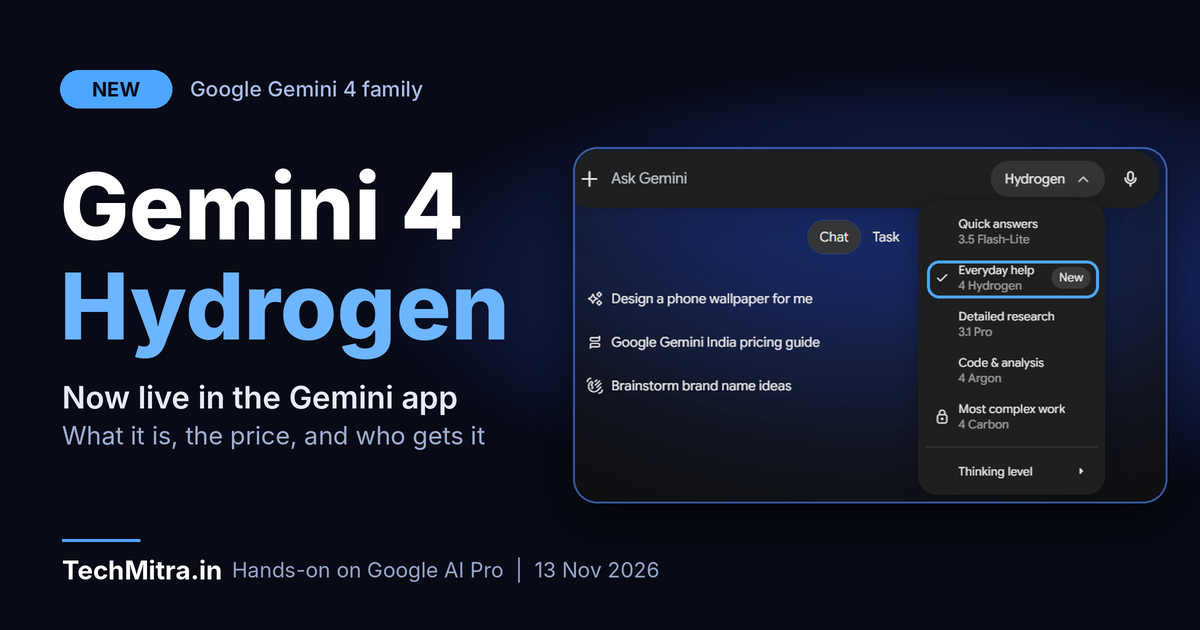
Google has added a new model to its Gemini 4 family, and I already have it in my own Gemini app. It is called Gemini 4 Hydrogen, it was announced on 12 November 2026, and Google describes it as its “daily driver” for everyday tasks and agentic workflows. It replaces Gemini 3.8 Flash in the fast, low-cost tier. Unlike the heavier Gemini 4 Carbon and Gemini 4 Argon models, it is built for quick execution, not for the deepest reasoning problems.
Here is what Google says is new, what it costs, and what it looks like for an Indian user on a Jio-provided Google AI Pro plan.
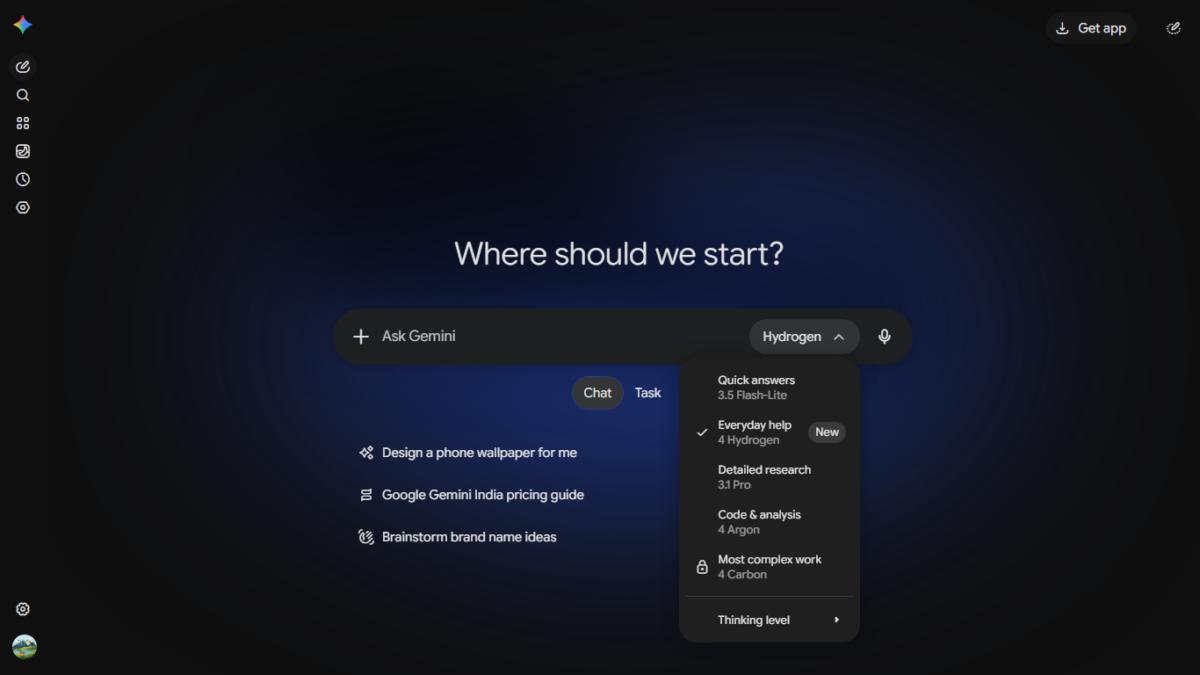
Gemini web app model menu showing Hydrogen under Everyday help
What is Gemini 4 Hydrogen?
Think of Google’s Gemini 4 lineup as three tiers. Carbon and Argon are the frontier models, meant for long, hard problems such as designing a system or tracking down a subtle bug. Hydrogen sits below them and is meant for the work most people do all day: drafting emails, summarising documents, researching a topic, writing and testing code, and running multi-step tasks without waiting around.
Google also suggests using Hydrogen alongside the bigger models. In its Antigravity development tool, a new feature called Orchestrator switches between Carbon and Hydrogen in one session, with Carbon planning the work and Hydrogen doing the editing and testing. Google says this approach came close to Carbon’s task success on Terminal-Bench 4.0 while using about 24 percent less quota and finishing about 19 percent faster.
What is actually new
Compared with Gemini 3.8 Flash, Google says Hydrogen finishes tasks about 2.5 times faster at its default “high” thinking level. It also reports a large jump in coding ability, with Terminal-Bench 4.1 scores rising from 18.2 percent to 57 percent, and says fabricated claims have dropped by more than five times. Google adds that the model recovers better when a tool call fails or a search comes back empty, which matters for agents that run on their own.
On the Artificial Analysis Intelligence Index, Google says Hydrogen scores 51 at its default level, just ahead of the larger Argon at 50, and reaches 54 at the new “xhigh” setting. Here are the other results Google reported at launch.
| Benchmark | Google’s reported result |
|---|---|
| Artificial Analysis Intelligence Index (high) | 51 |
| Artificial Analysis Intelligence Index (xhigh) | 54 |
| Terminal-Bench 4.1 | 57% |
| Agent Arena | #5 |
| HLE-Diamond | 58.8% |
| Vals Tax Agent Bench | #1 overall (52.3%) |
| Vals Legal Research Bench | Tied #1 (55.8%) |
| Multimodal Knowledge Agent | 53.4% |
| Agents’ Last Exam v1.1 | 71.6% |
All of these numbers come from Google, so treat them as the company’s claims until independent testers confirm them.
Hydrogen accepts up to 1 million tokens of input and can produce up to 1 million tokens of output. That is enough to read very long PDFs, spreadsheets, audio or recorded video and turn them into a structured report.
Four thinking levels
Hydrogen offers four reasoning levels: low, medium, high (the default) and a new xhigh. The idea is simple. A quick rewrite does not need the same effort as a tricky debugging session, so you choose the depth you want and only wait, and pay, for that much reasoning. In the Gemini app, the model menu also has a “Thinking level” option at the bottom.
How it looks in the Gemini app
In the Gemini web app, Google has labelled its models by job instead of by name. Here is the menu as it appeared on my AI Pro plan.
| Menu label | Model |
|---|---|
| Quick answers | 3.5 Flash-Lite |
| Everyday help (New, selected by default) | 4 Hydrogen |
| Detailed research | 3.1 Pro |
| Code & analysis | 4 Argon |
| Most complex work (locked on my plan) | 4 Carbon |
So Google is steering routine tasks to Hydrogen and keeping Argon and Carbon for heavier work. Beyond the app, Google is also rolling Hydrogen into Search for all users, where it is meant to handle multi-part questions and typos better, give more visual answers and show a wider range of links. It is also in Gemini in Google Sheets for Pro and Ultra subscribers. For Indian readers, Google also says Hydrogen improves language understanding in Search across all supported AI Mode languages, though it has not published any Hindi-specific results, so that is worth testing yourself.
Price for developers
Google prices Hydrogen at $1.50 per million input tokens and $7.50 per million output tokens through the Gemini API, and says this is flat across the whole 1 million token context window. Some coverage of the launch points out that this is higher than the earlier Flash-class models it replaces, so if you are cost-sensitive, compare the numbers before you migrate an existing app. Developers can try it in Google AI Studio and the Gemini API, and it is also in Android Studio.
Who gets Hydrogen in India?
This is the part Indian readers will care about most. Google says Hydrogen is rolling out worldwide across its developer, business and consumer products. In the Gemini app, paid Google AI Pro and Ultra subscribers can pick it from the model menu. Free users are expected to get it through automatic model selection, where Gemini uses it when it judges Hydrogen is the right fit for a prompt, so they may not see it as a manual option. Some launch coverage also says AI Plus subscribers are still on Flash-Lite in the app for now, so check your own menu.
On my side, I am on Google AI Pro through Jio, and Hydrogen showed up in the model menu on launch day without any extra payment. If you got Google AI Pro through a Jio plan, you probably have it too. Our Google Gemini price in India guide explains the Jio offer, which gives Google AI Pro free for 18 months on select Jio 5G plans, along with what each plan includes. Eligibility depends on your Jio plan, so confirm it in the MyJio app.
Gemini home screen with Hydrogen selected in the prompt box
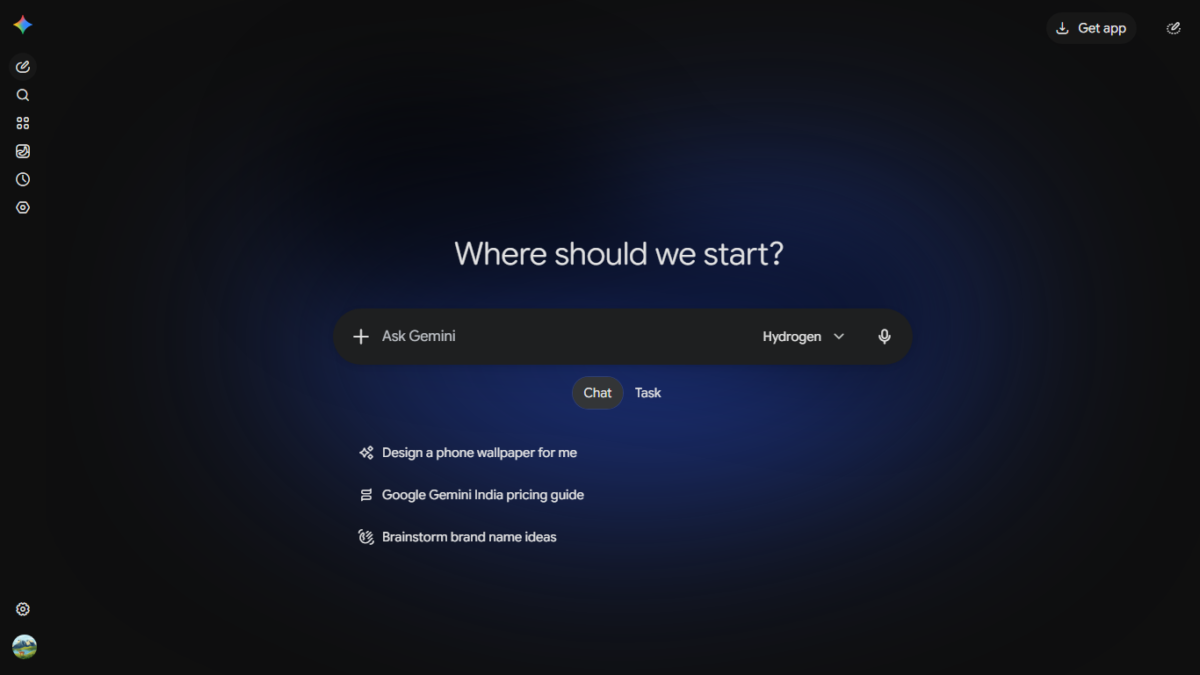
Screenshot: The Gemini web app on launch day with Hydrogen selected in the prompt box.
What about Carbon?
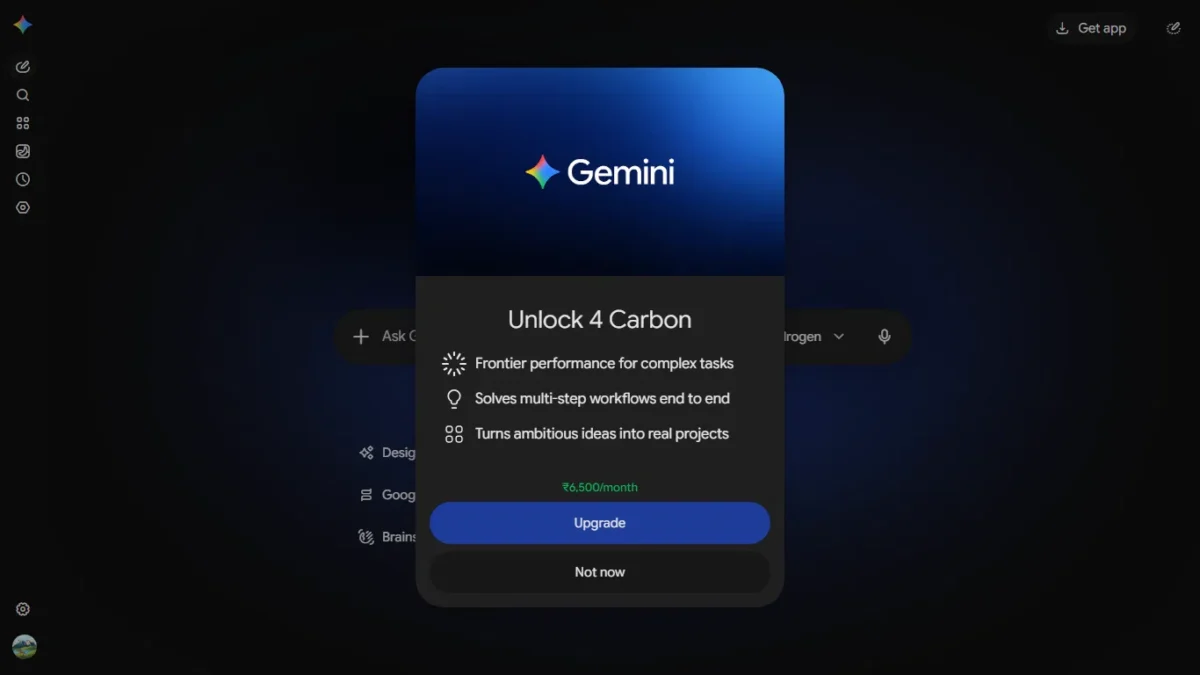
Carbon, Google’s most capable Gemini 4 model, is locked on my AI Pro plan. Tapping it opens an upgrade prompt titled “Unlock 4 Carbon”, which promises frontier performance for complex tasks and multi-step workflows. At the time of writing, the prompt showed a price of ₹6,500 per month, which matches the Google AI Ultra price listed in our Gemini plans and pricing comparison. The prompt itself does not name the plan, so confirm the details on the checkout screen before you pay. Prices and offers like this can change, so treat the figure as a snapshot from 13 November 2026.
Unlock 4 Carbon upgrade prompt showing the monthly price
Safety claims
Google says Hydrogen is a step up from Gemini 3.8 Flash on safety for agent work. It reports that the model oversteps its task far less often, is better at staying within permission limits when a task is blocked, and is more resistant to prompt injection attacks that hide instructions inside web pages or documents. These are Google’s own internal evaluations, so independent testing will tell us more over the coming weeks. You can read the details in Google’s model card.
Should you use Hydrogen?
If you use Gemini for everyday writing, research and quick questions, you will probably notice faster, tidier answers, and since it is the default under “Everyday help” on a Pro plan, you may already be using it. If you code with AI assistants or build agents, it is worth testing as the fast, low-cost worker model, especially next to Argon or Carbon for planning. If you need the strongest reasoning for a hard problem, Argon or Carbon is still the better choice.
I have not run my own speed, accuracy or Hindi tests on Hydrogen yet. I plan to, and I will update this article with the results.
Frequently asked questions0obmo
What is Gemini 4 Hydrogen?
It is a fast, lower-cost model in Google’s Gemini 4 family, announced on 12 November 2026 and aimed at everyday tasks, coding and agent workflows. It replaces Gemini 3.8 Flash.
Is Gemini 4 Hydrogen free?
Free Gemini users are expected to get it through automatic model selection when it suits the prompt. Paid Google AI Pro and Ultra subscribers can choose it directly from the model menu.
Do I get Hydrogen with Google AI Pro through Jio?
On my Jio-provided AI Pro plan, Hydrogen appeared in the model menu on launch day. Your menu may differ, so check it in the Gemini app.
How much does Gemini 4 Hydrogen cost in the API?
Google lists $1.50 per million input tokens and $7.50 per million output tokens, flat across the 1 million token context window.
What are the four thinking levels?
Low, medium, high (the default) and xhigh. Higher levels spend more time reasoning, which can improve results on harder tasks but takes longer.
How is Hydrogen different from Argon and Carbon?
Argon and Carbon are Google’s frontier models for deep, long-running reasoning. Hydrogen is built for speed and efficiency on everyday and agentic work.
Sources: Google, “Introducing Gemini 4 Hydrogen” (blog.google, 12 November 2026); Gemini web app screenshots taken on 13 November 2026 on a Google AI Pro plan in India; TechMitra’s Google Gemini price in India guide.
Benchmark figures and capability claims come from Google and have not been independently verified by TechMitra. Plans, prices and availability can change, so confirm them in the Gemini app and on Google’s pages before you pay.

Ayush Singhal is the founder and chief editor of TechMitra.in — a tech hub dedicated to simplifying gadgets, AI tools, and smart innovations for everyday users. With over 15 years of business experience, a Bachelor of Computer Applications (BCA) degree, and 5 years of hands-on experience running an electronics retail shop, Ayush brings real-world gadget knowledge and a genuine passion for emerging technology.
At TechMitra, he covers everything from AI breakthroughs and gadget reviews to app guides, mobile tips, and digital how-tos. His goal is simple — to make tech easy, useful, and enjoyable for everyone. When he’s not testing the latest devices or exploring AI trends, Ayush spends his time crafting tutorials that help readers make smarter digital choices.
📍 Based in Lucknow, India
💡 Focus Areas: Tech News • AI Tools • Gadgets • Digital How-Tos
📧 Contact: Get in touch →
🔗 Full Bio: https://techmitra.in/about-us/