

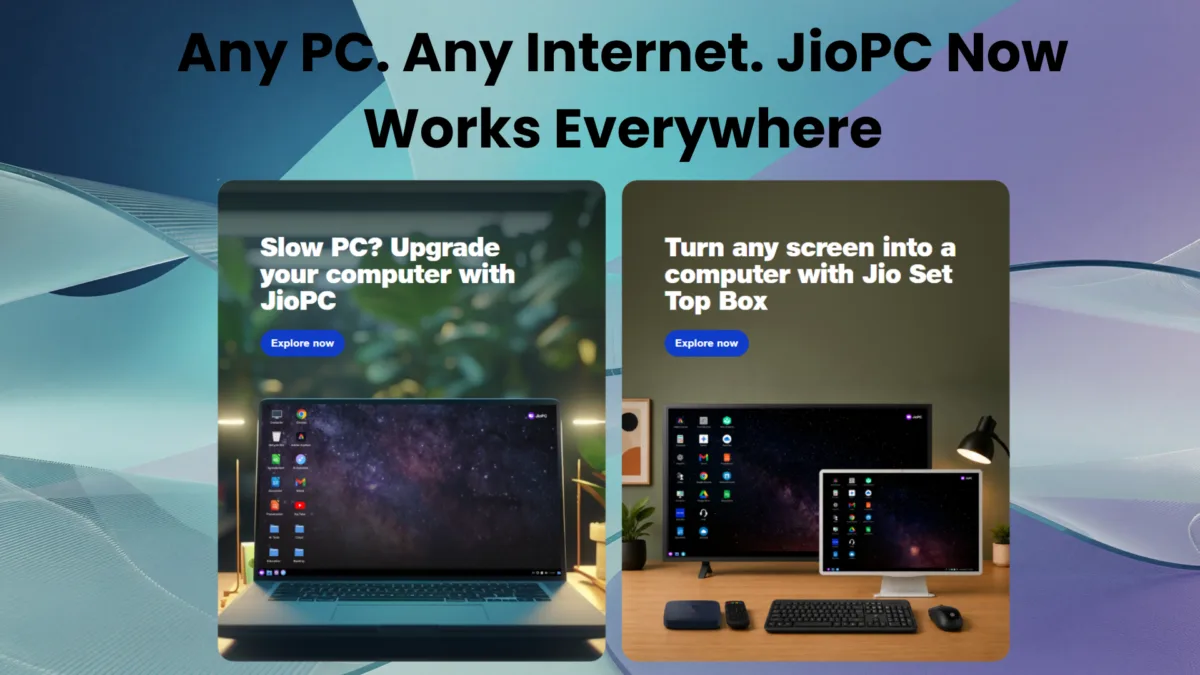
Reliance Jio has quietly rewritten the rules for JioPC, its cloud-computing service that turns an old, tired laptop or desktop into something close to a brand-new machine — without you spending a rupee on new hardware. When we first reviewed JioPC in July 2025, it was a JioHome exclusive: you needed a Jio Set-Top Box, a JioFiber or JioAirFiber connection, and a keyboard and mouse plugged into your TV. As of September 2026, that entire requirement is gone. JioPC is now a standalone subscription that works on any internet connection, from any provider, on your existing laptop or desktop — no Jio broadband, no set-top box, and no new hardware needed at all.
This is a genuinely bigger shift than a routine price update. It changes who Jio PC app is actually for. Here’s everything that’s changed, what’s stayed the same, and whether it’s worth your money in 2026.
Table of Contents
What Exactly Is JioPC?
If you’re new to this, the core idea is simple: instead of upgrading the RAM, storage, or processor inside your physical computer, JioPC gives you a virtual computer that lives on Jio’s cloud servers. You connect to it through a web browser (or, if you still want the TV route, through a Jio Set-Top Box), and everything — the processing, the storage, the operating system — runs remotely. Your ageing laptop essentially becomes a window into a much more powerful machine sitting in a data centre somewhere.
It’s the same idea behind services like Windows 365 or NVIDIA GeForce Now, except Jio is aiming squarely at price-sensitive Indian households, students, and small businesses running computers that are three, four, or even eight years old.
The Big Change: You No Longer Need JioHome
This is the headline. Previously, JioPC access was locked behind a JioFiber or JioAirFiber connection — you needed to be a Jio broadband customer just to try it, and the only way in was through a Jio Set-Top Box connected to your television.
That restriction is gone. According to Jio’s own FAQ page, “JioPC works on any broadband or internet connection. You do not need a JioFiber or JioAirFiber connection.” You can now register for JioPC with any mobile number, Jio or non-Jio, directly at jio.com/jiopc, and start using it on your existing laptop or desktop through a browser.
The actual login and setup happens at a separate portal — my.jiopc.in — where you enter the mobile number you used to purchase JioPC (or start the free trial), set a password, and verify with an OTP. Jio notes that after registration, the virtual desktop takes “a few minutes” to provision before you can actually launch it, so the “under 5 minutes” activation claim in Jio’s marketing is roughly accurate but not instantaneous.
New Jio PC Plans and Pricing (September 2026)
JioPC now comes in two tiers, both with flexible validity periods:
JioPC (Standard)
- 4 vCPU, 8 GB RAM, 500 GB cloud storage
- 2 months: ₹1,000
- 5 months: ₹2,000
- 10+2 months: ₹4,000
JioPC Ultra
- 8 vCPU, 16 GB RAM, 1 TB cloud storage
- 2 months: ₹1,200
- 5 months: ₹2,500
- 10+2 months: ₹5,000
Prices are inclusive of GST. Compare that to what we tested in our original review last year — a ₹599/month trial plan offering 8 GB RAM and just 100 GB of storage on a 4 vCPU Intel Xeon-backed machine — and it’s clear Jio has both restructured pricing around longer commitment periods and quintupled the base storage allocation.
Jio is also leading with a free trial with no credit card required on its landing page, a continuation of the no-auto-deduction trial approach we noted worked well in our hands-on testing last year.
Same Ubuntu Core, Same Interface
If you used JioPC before, the actual desktop experience hasn’t fundamentally changed. It’s still built on Ubuntu Linux, styled to feel Windows-like at a glance, with a Start menu, a “My Computer”-style file browser, and pre-loaded software including LibreOffice, Chrome, and access to web apps like Microsoft 365 and Adobe Express. In our original testing, the system reported Ubuntu 22.04 “Jammy Jellyfish” with the Cinnamon desktop environment — a stable, lightweight choice that keeps things responsive even over an average broadband connection.
This is worth repeating clearly for anyone new to JioPC: it is not Windows. If your workflow depends on Windows-specific software — Tally, certain proprietary drivers, or legacy line-of-business applications common in Indian small businesses — those won’t run natively inside JioPC. Web-based and cross-platform tools work fine; native Windows .exe applications generally do not.
Browser vs Set-Top Box: What’s Actually Different
With JioPC now usable in two very different ways — a browser on your existing computer, or a TV through a Jio Set-Top Box — the natural question is whether you’re getting the same thing either way. According to Jio’s FAQ, the answer is almost entirely yes: “Your JioPC virtual desktop, your files, your settings, and your installed applications are exactly the same on both.” The single documented difference is that USB/pendrive access is not available when using JioPC through a browser — a small but genuinely useful detail if you regularly move files via USB drives, and one that most of the mainstream coverage of this relaunch missed entirely.
The TV route still requires a Jio broadband connection to work with the Set-Top Box, so the “any ISP” flexibility applies specifically to the browser-based access method.
The AI Angle
Jio is now marketing JioPC heavily around AI readiness, and it’s not a subtle pivot. The company’s messaging leans on three pillars — “Modernize your computer” (run AI tools and the latest apps), “Revive your old computer” (turn an unused laptop into what Jio calls an “AI-ready learning computer” for students), and “Extend its life” (avoid buying a new machine altogether). Jio explicitly lists compatibility with tools like ChatGPT, Gemini, Perplexity, Google AI Studio, and NotebookLM, arguing that because the heavy computational lifting happens on Jio’s cloud infrastructure rather than your local hardware, even an eight-year-old computer can run today’s AI-powered applications without issue.
It’s worth noting, briefly, that this mirrors a strategy Reliance has run before: much like it made mobile data cheap and ubiquitous a decade ago to fuel smartphone adoption across India, it’s now positioning cheap cloud compute as the on-ramp to AI adoption for people who can’t afford — or don’t want to buy — expensive new “AI PC” hardware with dedicated neural processing units.
Also read : Jio AirFiber Review Is It Good or Bad : Real Heat & Rain Test
Is JioPC Worth It in 2026?
The honest answer depends heavily on what you actually do with your computer.
It makes sense if:
- Your laptop or desktop is 3+ years old and struggling with everyday tasks, storage, or software updates
- Your workload is mostly browser-based — documents, spreadsheets, web apps, streaming, light photo/video editing, AI chatbot tools
- You want to avoid the upfront cost of a new machine, even a budget one
- You’re a student or small business that just needs reliable computing without IT maintenance overhead
It’s a poor fit if:
- You depend on Windows-only desktop software
- Your internet connection is unstable or has data caps — JioPC needs a constant, stable connection and simply won’t work offline
- You need to move files frequently via USB, at least when accessing it through a browser
- You do performance-sensitive local work like gaming, large-scale video rendering, or CAD, where cloud latency becomes a real bottleneck
For everyday users, students, and small offices in India with a decent broadband or 4G/5G connection, the new standalone JioPC — especially now that it’s no longer tied to a Jio broadband plan — genuinely lowers the barrier to trying it out. Whether ₹1,000 for two months beats simply buying a low-cost refurbished laptop over the same period is the real math worth doing before you commit to a longer plan.
Quick Reference: JioPC Links
- Sign up / free trial: jio.com/jiopc — register with any mobile number, Jio or non-Jio
- Login and setup after purchase: my.jiopc.in — enter your registered mobile number, set a password, verify via OTP, then launch your virtual desktop
This article draws on Jio’s official JioPC website and FAQ, alongside our own hands-on testing of the original JioHome-exclusive version of JioPC in mid-2025.

Ayush Singhal is the founder and chief editor of TechMitra.in — a tech hub dedicated to simplifying gadgets, AI tools, and smart innovations for everyday users. With over 15 years of business experience, a Bachelor of Computer Applications (BCA) degree, and 5 years of hands-on experience running an electronics retail shop, Ayush brings real-world gadget knowledge and a genuine passion for emerging technology.
At TechMitra, he covers everything from AI breakthroughs and gadget reviews to app guides, mobile tips, and digital how-tos. His goal is simple — to make tech easy, useful, and enjoyable for everyone. When he’s not testing the latest devices or exploring AI trends, Ayush spends his time crafting tutorials that help readers make smarter digital choices.
📍 Based in Lucknow, India
💡 Focus Areas: Tech News • AI Tools • Gadgets • Digital How-Tos
📧 Contact: Get in touch →
🔗 Full Bio: https://techmitra.in/about-us/