
Published: August 27, 2026 Last updated: September 18, 2026
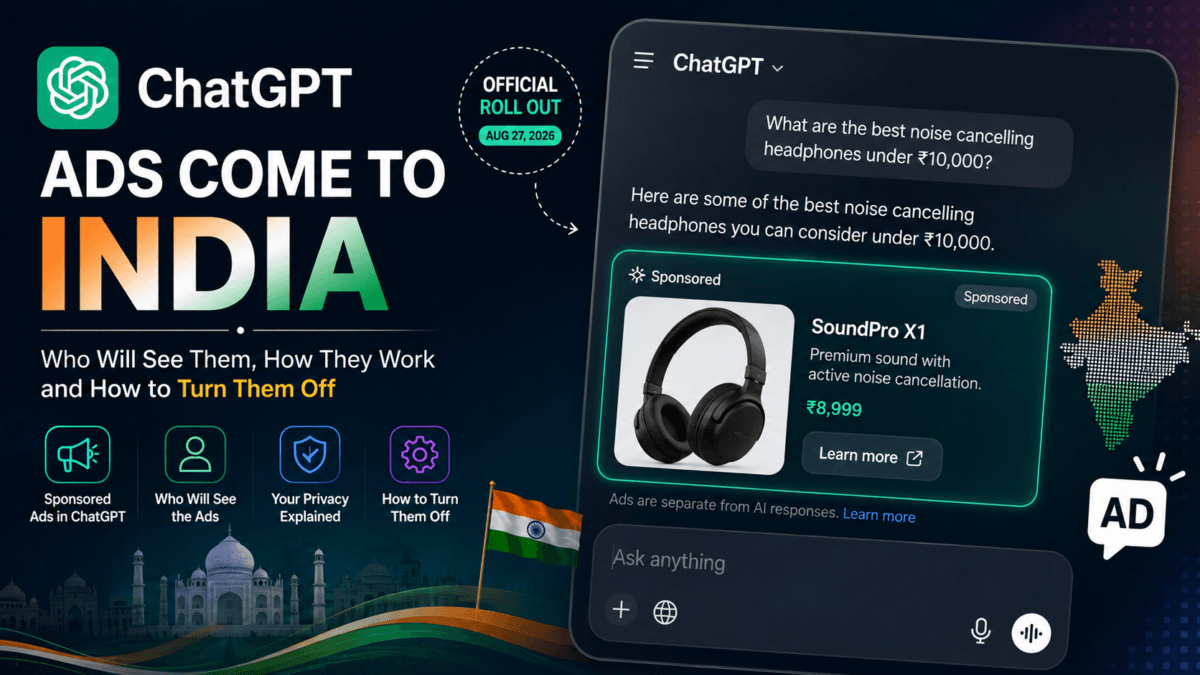
OpenAI is rolling out ChatGPT Ads in India from August 27, 2026. If you use ChatGPT on the Free or Go plan, you may start seeing sponsored results inside your conversations — but you also have a genuine, free way to opt out of them entirely, which most of the coverage so far hasn’t explained clearly.
Here’s everything you actually need to know, verified against OpenAI’s own help documentation rather than just the press announcement.
Table of Contents
Using ChatGPT Go in India? See our updated guide to ChatGPT Free vs Go vs Plus for the latest pricing, features, usage limits and the current ₹0 Go promotion.
ChatGPT Ads Come to India
OpenAI confirmed the India rollout on August 27, 2026, bringing ads to what is now ChatGPT’s second-largest market globally — over 100 million weekly users across students, developers, educators, and enterprises. More than 50 brands are expected to go live with ads in India this week, with WPP and Omnicom signed on as launch agency partners.
India joins a phased international rollout that began in the US earlier this year.
Who Will See Ads in ChatGPT?
Ads apply only to:
- Free plan users
- Go plan users (₹399/month)
You also need to be a logged-in adult (18+). OpenAI says it does not show ads to accounts it identifies as belonging to users under 18, based on account information and age prediction.
Who Won’t See ChatGPT Ads?
No ads for:
- Plus
- Pro
- Business
- Enterprise
- Education
OpenAI has stated this plainly and repeatedly across its rollout in every market so far — paid tiers above Go stay ad-free.
Where Do ChatGPT Ads Appear?
Ads apply on both web (chatgpt.com) and the mobile apps (iOS and Android) — this isn’t a platform-specific rollout. The distinction is by plan, not by device: Free and Go users see ads wherever they use ChatGPT, while Plus/Pro/Business/Enterprise/Education stay ad-free everywhere.
Within a response, ads show up below the end of a ChatGPT response, not inside it — and they’re visually separated and labelled “sponsored.” OpenAI’s help documentation confirms you may see one or more ad units per response, and each unit can feature one or more items from one or more advertisers, depending on relevance to your conversation.
If you’re on mobile and don’t see Ads controls in Settings yet, OpenAI recommends updating to the latest app version first — the controls may not appear on older builds even after ads are live for your account.
We tested ChatGPT’s new Sticker Generator firsthand — here’s how to turn your photos into custom WhatsApp and iMessage stickers.
Will Ads Change ChatGPT’s Answers?
No. OpenAI says ads run on a completely separate system from the chat model itself, and advertisers cannot shape, rank, or alter what ChatGPT tells you. Seeing an ad also doesn’t mean OpenAI is endorsing that advertiser or product.
Does ChatGPT Use Your Chats for Ads?
Partially, and only if you allow it. Ad selection can use the context and intent of your current conversation. If ad personalization is enabled, selected signals from your broader ChatGPT activity — including past chats and memory — may also be used.
If you turn personalization off, ads are still shown based on your current chat thread, but OpenAI says it won’t pull in other chat threads, ad history, or topics to pick your ads.
Separately: your interactions with ads (viewing, clicking, dismissing, reporting) are not added to your ChatGPT memory.
What Information Do Advertisers Get?
According to OpenAI:
- Advertisers do not get access to your chats, chat history, memories, or personal details
- OpenAI does not sell your data to advertisers
- Advertisers only receive aggregated, non-identifying performance data — total views, clicks
- If you message an advertiser directly through an ad (e.g., to ask a question before buying), the advertiser only sees what you send them directly — not your ChatGPT conversation
How to Turn Off ChatGPT Ads on the Free Plan
This is the part most coverage has missed. You don’t have to pay to remove ads. OpenAI offers a genuine free opt-out called Ads-Free, available to Free-plan users:
Steps:
- Open Settings in ChatGPT
- Go to Ads controls (or Settings → Ad Controls)
- Tap Change plan to go ad-free
- Choose Reduce message limits — this removes ads for free
- Confirm the change
Note: Ads and Ads-Free controls only appear if your account is eligible for the ads test in your region. If you don’t see this option yet, it likely hasn’t rolled out to your account.
What Happens When You Turn Ads Off?
Going Ads-Free on the Free plan isn’t free of trade-offs. Expect:
- Fewer daily messages than the ad-supported Free experience
- No access to some tools, including image generation and deep research
If you want an ad-free experience without the reduced Free-plan limits, the alternative is upgrading to Plus or Pro.
You can switch back to the ad-supported Free experience anytime — either by tapping “Show ads” from the rate-limit banner, or through Settings → Ads controls.
Note: if you’re on the Go plan, Ads-Free is not available to you directly — it’s a Free-plan-only option. Go users would need to either downgrade to Free and use Ads-Free, or upgrade to Plus/Pro for a genuinely ad-free paid experience.
ChatGPT Ads Manager Is Coming to India
Businesses will be able to advertise on ChatGPT themselves. OpenAI plans to open self-serve access to ChatGPT Ads Manager in India from September 4, 2026, with daily budgets starting at ₹725.
How Much Does ChatGPT Advertising Cost?
ChatGPT Ads supports CPM (cost-per-thousand-impressions) and CPC (cost-per-click) campaigns, under “Reach” and “Clicks” objectives respectively. For Indian advertisers, the self-serve Ads Manager opens September 4, with daily budgets starting as low as ₹725.
(We’re planning a separate, advertiser-focused deep-dive on ChatGPT Ads Manager in India — bidding strategy, targeting options, and campaign setup — closer to the September 4 launch.)
Also Read : AI Tools Drove 144.5 Billion Web Visits in the Last Year — And Just 100 Platforms Captured 90% of Them
What This Means for ChatGPT Users in India
- If you’re on Free or Go and don’t mind ads: no action needed, nothing changes except you’ll start seeing sponsored results below some responses.
- If you’re on Free and want ads gone for free: use the Ads-Free toggle, but expect lower message limits and no image generation/deep research.
- If you’re on Go and want ads gone without losing features: you’ll need to upgrade to Plus or Pro.
- If you run a business: self-serve advertising opens September 4 with a low ₹725/day entry point — worth testing if your audience already uses ChatGPT for research or shopping decisions.
My ChatGPT Go Account Showing an Ad in India
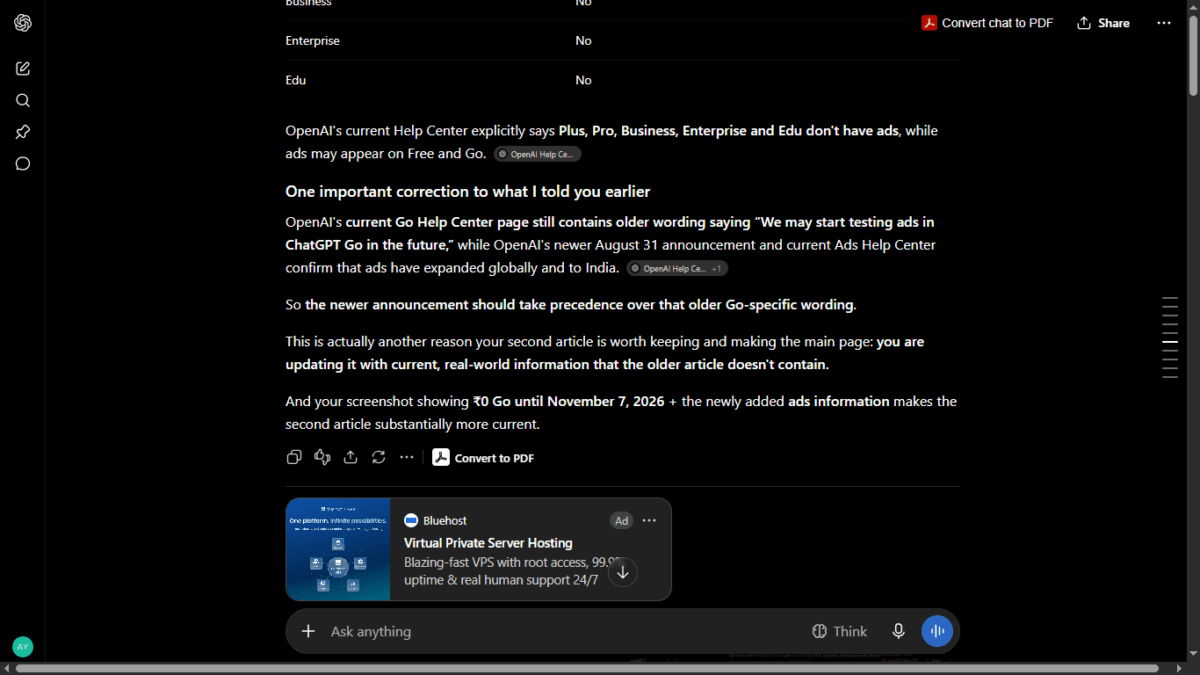
Update — 18′ September 2026: ChatGPT Ads are now appearing on my ChatGPT Go account in India. I personally observed a sponsored Bluehost ad displayed below a ChatGPT response. The ad was clearly labeled “Ad” and was visually separated from the ChatGPT response.
FAQ
Does OpenAI sell my data to advertisers?
No. OpenAI states it never sells user data to advertisers, and advertisers don’t get access to your chats or memories.
Can I see why I was shown a specific ad?
Yes. Ad controls let you see why you’re being shown a particular ad, and you can dismiss it and give feedback.
Does turning off ad personalization remove ads completely?
No. Turning off personalization only changes how ads are selected — it doesn’t remove them. Only switching to Ads-Free (Free plan) or upgrading to Plus/Pro removes ads entirely.
Are ads shown next to sensitive topics?
OpenAI says it does not place ads near sensitive user content, including personal health conversations, and currently does not allow political advertising. Some advertisers in regulated categories like health and financial services may still be eligible to advertise elsewhere on the platform under strict criteria.
Disclaimer: This article is based on OpenAI’s official help documentation and public announcements as of August 27, 2026. ChatGPT Ads is a phased, evolving rollout — features, controls, and availability may change without notice, and details may vary by account, region, or app version. As noted above, ads had not yet appeared on our own account at the time of publishing; we’ll update this article with first-hand screenshots and any corrections once they do. For the most current information, always check OpenAI’s official Ads help page directly.

Ayush Singhal is the founder and chief editor of TechMitra.in — a tech hub dedicated to simplifying gadgets, AI tools, and smart innovations for everyday users. With over 15 years of business experience, a Bachelor of Computer Applications (BCA) degree, and 5 years of hands-on experience running an electronics retail shop, Ayush brings real-world gadget knowledge and a genuine passion for emerging technology.
At TechMitra, he covers everything from AI breakthroughs and gadget reviews to app guides, mobile tips, and digital how-tos. His goal is simple — to make tech easy, useful, and enjoyable for everyone. When he’s not testing the latest devices or exploring AI trends, Ayush spends his time crafting tutorials that help readers make smarter digital choices.
📍 Based in Lucknow, India
💡 Focus Areas: Tech News • AI Tools • Gadgets • Digital How-Tos
📧 Contact: Get in touch →
🔗 Full Bio: https://techmitra.in/about-us/