
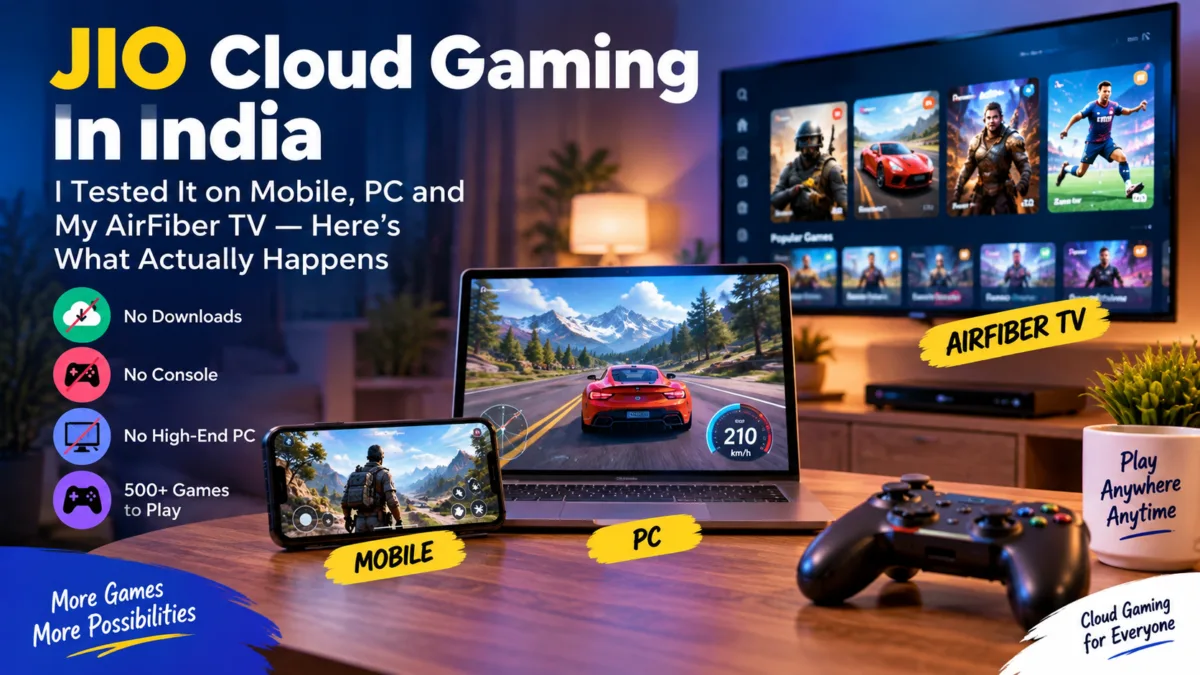
Cloud gaming has been promised to Indian users for years. I actually bought the Jio Cloud gaming ₹48 trial pack and tested it across mobile, my Jio AirFiber TV set-top box, and a decade-old budget laptop with just 4GB of RAM and no dedicated graphics card. This is what I found — including a setup quirk on TV that Jio itself explains but barely anyone mentions, a Wi-Fi band issue that might explain why some people report buffering, and why the PC experience turned out to be the most impressive of the three.
Do You Need a Jio SIM to Use JioGames Cloud?
No — and this is a feature more people should know about. Login only requires a phone number and OTP verification; it doesn’t check which network operator you’re on. JioGames Cloud has always been positioned as available to all users regardless of network operator, and that still holds for the current paid version — you can subscribe and play using any phone number, Jio or otherwise.
The catch: since this is Jio’s own infrastructure, it’s naturally built and optimized around Jio’s network. A non-Jio internet connection should still work for login and play, but Jio doesn’t guarantee the same latency or performance you’d get on its own network. If you’re not on Jio, it’s still worth trying — just don’t expect the exact experience described in this review, since I tested everything on a Jio AirFiber connection.
Table of Contents
Also read : Jio Offers Free Canva Pro for 12 Months With Rs 399 Plan — But There’s a Catch
What Is JioGames Cloud?
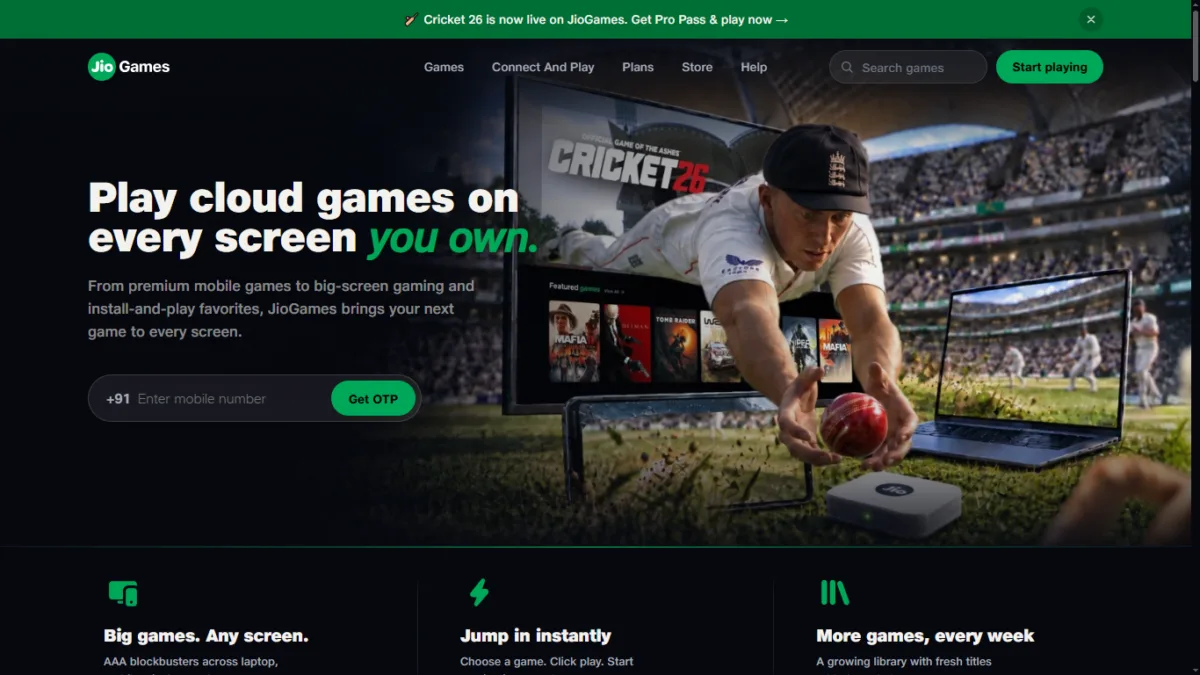
JioGames Cloud is Reliance Jio’s cloud gaming platform. You stream games directly — no downloads, no console, no high-end PC — to your smartphone, PC/laptop, or Jio Set-Top Box (STB). The service runs on Blacknut’s game-streaming infrastructure combined with Jio’s own network, and offers 500+ titles at the base tier, going up to 900+ on the top plan, spanning casual games, licensed console-style titles, and current releases like Cricket 26.
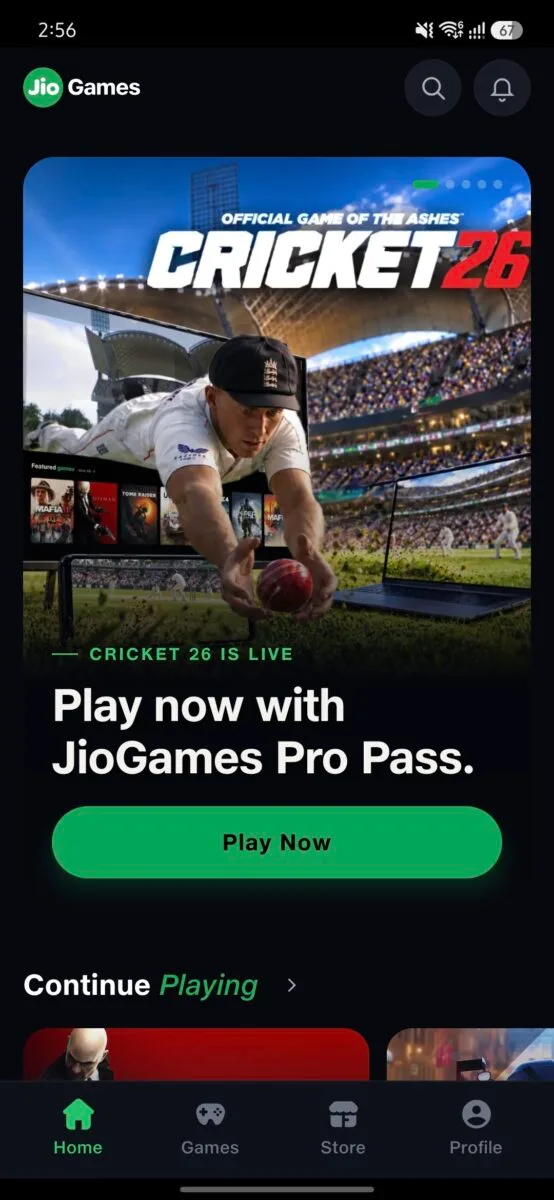
Getting it set up is simple: on mobile, download the “JioGames: Play Cloud Games” .apk from the Play Store (Android, rated 4.2★ with 1Cr+ downloads) or Apple App Store (iOS). On a Jio Set-Top Box, it comes pre-installed — no download needed. On PC, there’s no app at all — it runs directly in your browser at jiogames.com.
Jio Cloud Gaming Pricing & Subscription Plans (What I Actually Saw)
There are two separate subscription types inside the app — Pro Pass and Mobile Pass — and the pricing shown to me matched Jio’s official numbers, with one important trial-only exception.
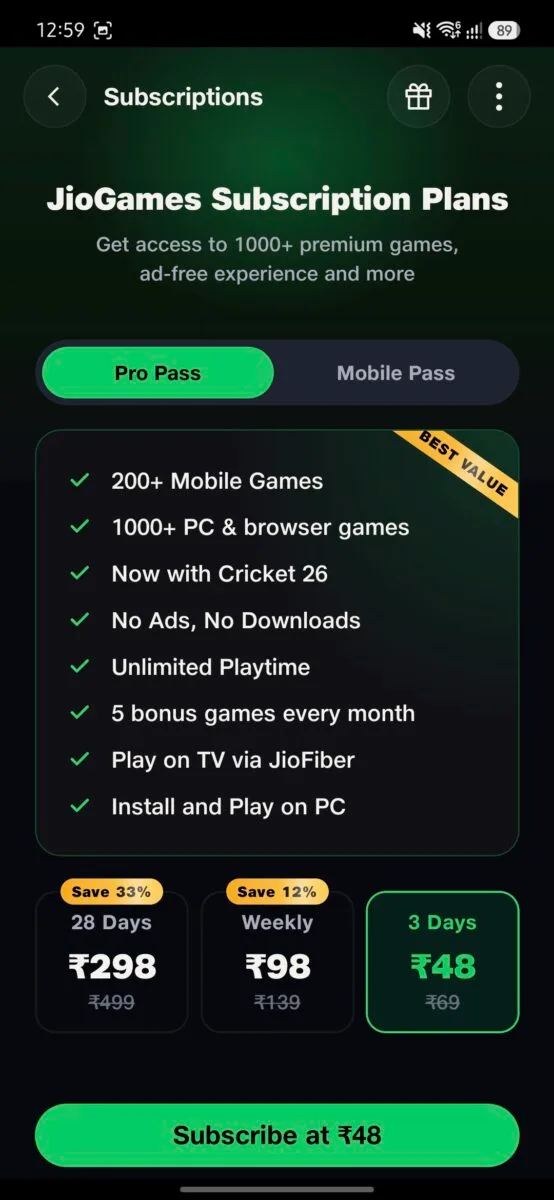
Pro Pass (covers mobile + PC/browser + TV via JioFiber/AirFiber):
- 3 Days — ₹48 (discounted from ₹69, trial pricing)
- Weekly — ₹98 (discounted from ₹139)
- 28 Days — ₹298 (discounted from ₹499)
- Monthly bundled with data — ₹495 (4G) / ₹595 (5G)
Pro Pass gets you 200+ mobile games, 1000+ PC and browser games, Cricket 26 access, no ads, unlimited playtime, 5 bonus games every month, and the ability to play on TV via JioFiber and install-and-play on PC.
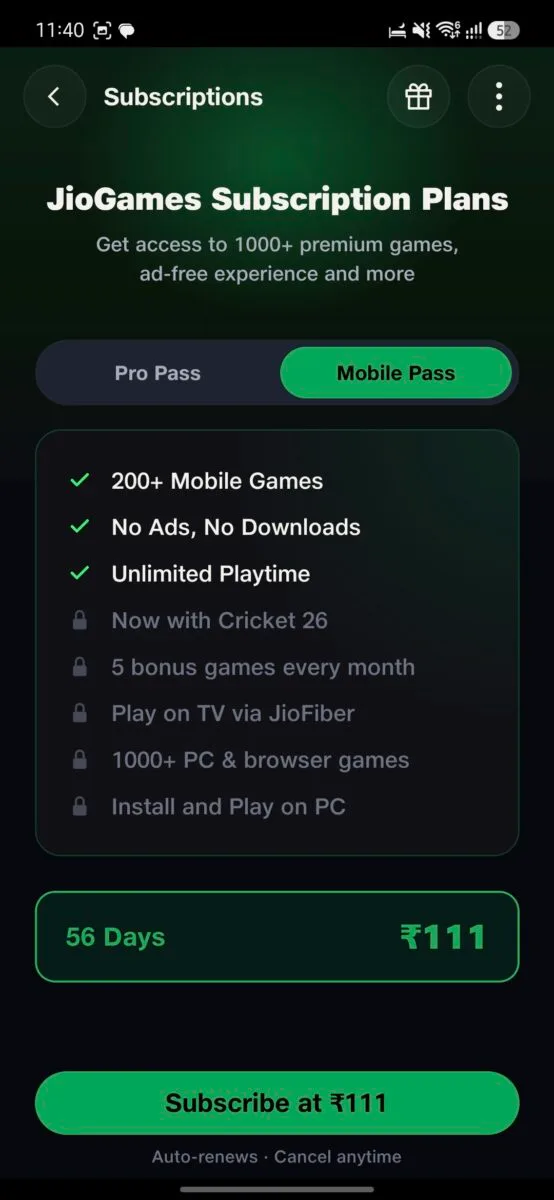
Mobile Pass (mobile-only, no TV or PC access):
- 56 Days — ₹111
This tier only unlocks 200+ mobile games, no ads, and unlimited playtime — everything else (Cricket 26, bonus games, TV via JioFiber, PC install) stays locked.
Annual Pro Pass + Free Controller — ₹2,999/year This is a separate bundle I found while researching on JIO set top box: one year of Pro Pass (900+ games across STB, mobile, PC, tablet, and TV) plus a free EvoFox One S 3-Mode Wireless Gamepad (Hall-effect joysticks, 2.4GHz wireless/Bluetooth 5.0/wired USB, works on PC, Android, iOS and iPadOS). It also includes a bonus game unlock every month and “special access” to select Steam-owned titles — though Jio doesn’t specify which ones qualify, so don’t expect your whole Steam library to stream. If you don’t already own a controller, this is worth considering purely for the hardware; if you do, the ₹298/month plan is the better value unless the game library genuinely excites you.
Setup: The Jio Set-Top Box Doesn’t Auto-Update Like Mobile or PC
Signing up is simple on paper — install the JioGames app, enter your Jio number, verify via OTP. I did this on mobile first and bought the ₹48 Pro Pass through UPI without any issue.
Here’s the part most people won’t know until they hit it themselves: when I opened JioGames on my Jio AirFiber TV set-top box using the same Jio number, my active Pro Pass simply didn’t show up. The subscription I’d just paid for on mobile wasn’t reflected on the TV app, even though both were logged into the same account.
The reason, per Jio’s own FAQ: on the STB, an account is auto-created using your Jio Fiber connection ID — not your mobile number. So when you subscribe from mobile or web, that subscription doesn’t automatically reach the account the STB created for itself. Unlike mobile or PC, where your account updates the moment you subscribe, the STB simply isn’t smart enough to detect the update on its own — you have to manually re-login to pull it in.
Jio’s official fix is to log in to the STB app using the same mobile number you subscribed with, which is exactly what worked for me: I logged out of JioGames on the TV, then logged back in with my Jio number. The OTP arrived on my Jio connection itself (not as an SMS to my phone), and after entering it, the Pro Pass appeared correctly and stayed active.
If you’re setting this up on both mobile and TV, don’t expect the STB to catch up automatically — it won’t. If your plan doesn’t show up, log out and log back in on the TV using the mobile number you subscribed with.
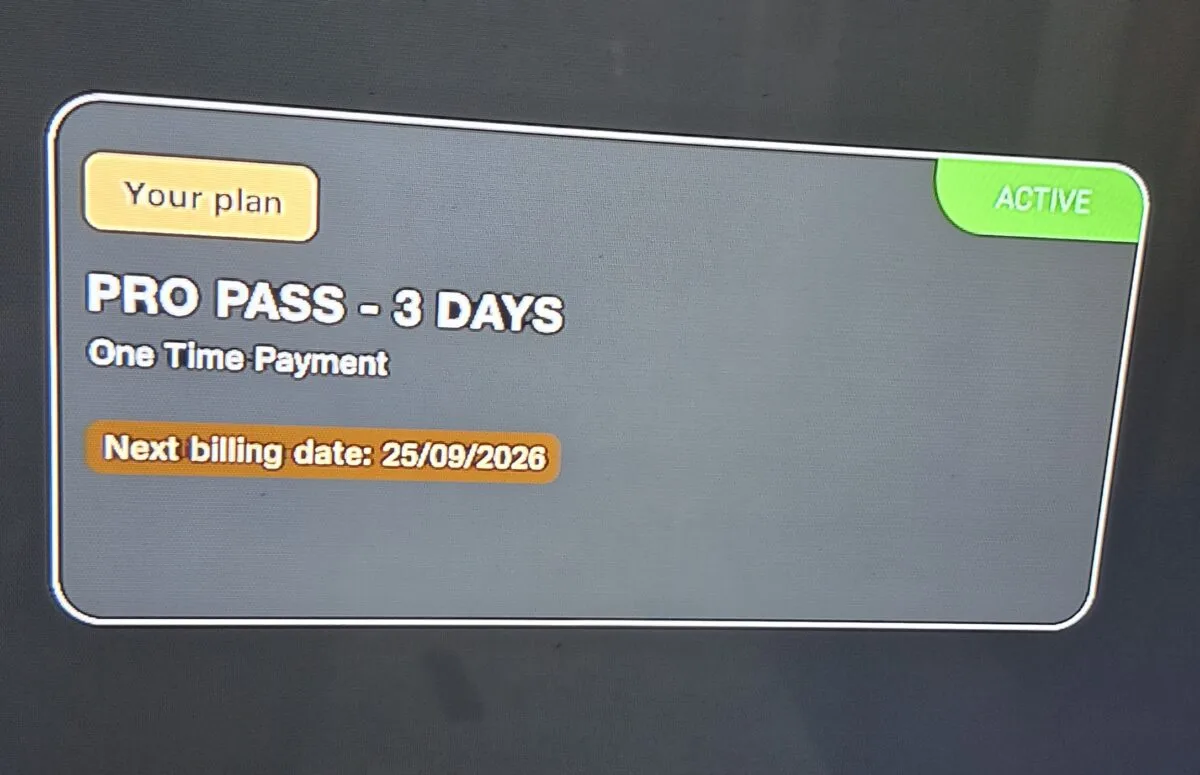
PC/browser is a different story entirely. I also tested JioGames Cloud on PC by going to jiogames.com directly. Unlike the TV app, this wasn’t pre-logged-in — on AirFiber, apps installed on the set-top box auto-login using your connection ID, but the browser required me to manually enter my Jio number and verify via OTP, just like the very first login on mobile. Once logged in, though, it worked correctly the first time — my active 3-day Pro Pass showed up immediately under “My Plans,” with no re-login workaround needed like on the TV.
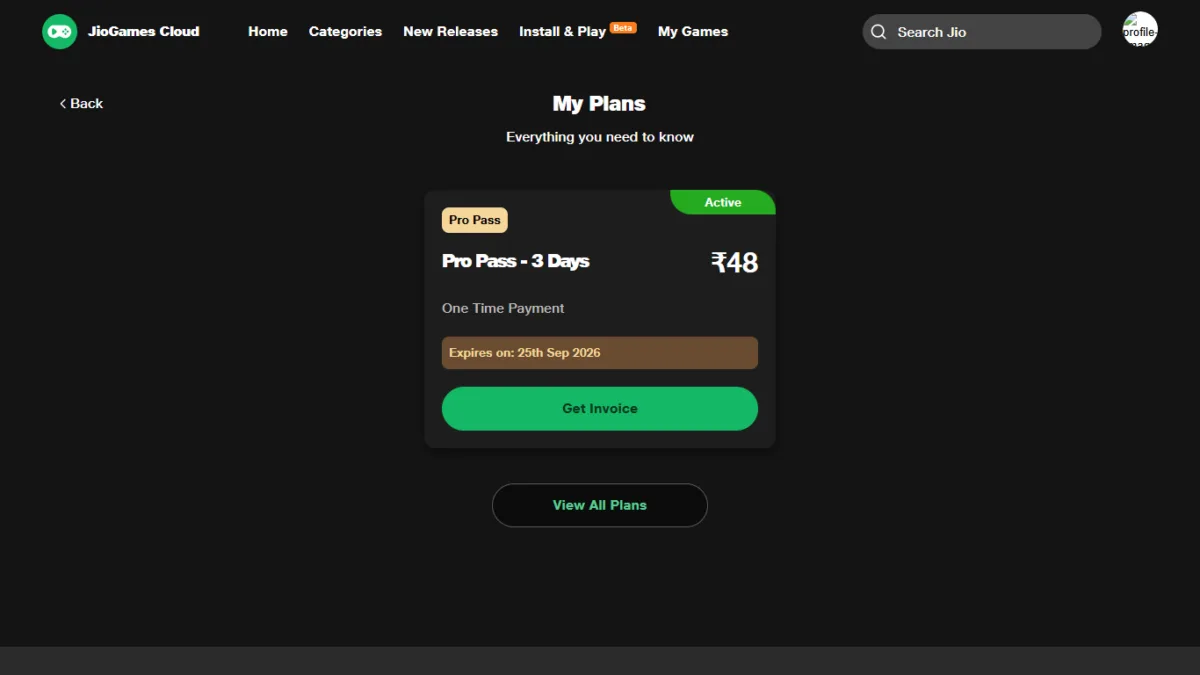
So this really comes down to the STB’s own limitation, not a problem with your account or subscription.
Playing on Mobile
I tested two games on mobile — Cricket 26 and a racing title — both using the on-screen touch controls built into the JioGames app.
- Performance: genuinely good. Both games ran fluently with responsive on-screen joysticks and buttons mapped sensibly (LB/RB, face buttons, analog sticks all present and usable).
- The catch: you need to stay close to your Wi-Fi router. I’m on a Jio AirFiber 899 plan (100 Mbps, IPv6 router), and as long as signal stayed strong, there was zero buffering. The moment signal dropped — like moving to another room — buffering kicked in immediately. This is a streaming service, so that tracks, but it’s worth knowing before you assume you can walk around your house mid-game.
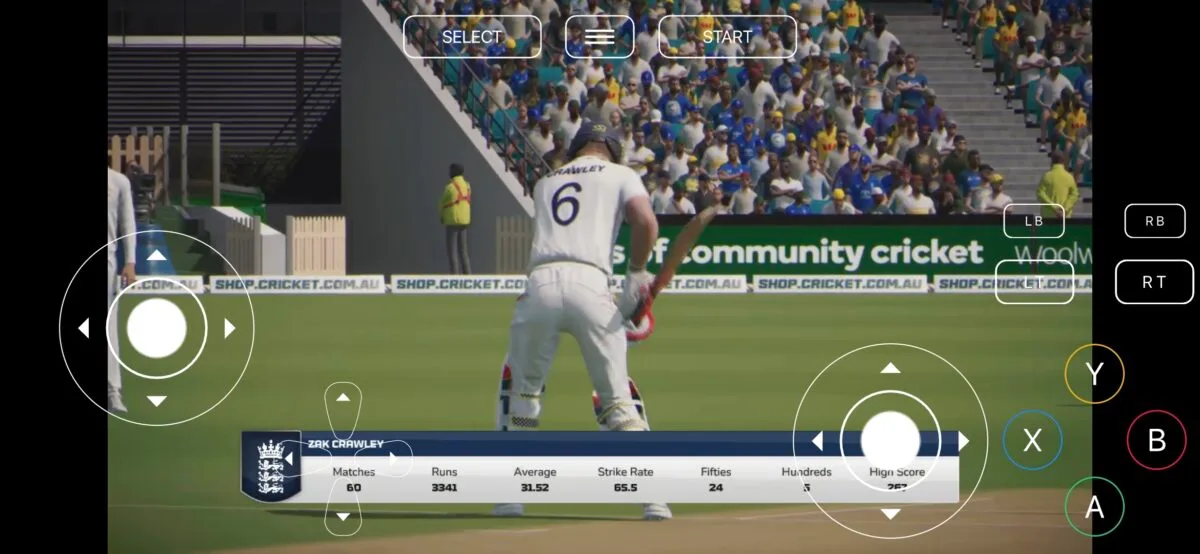
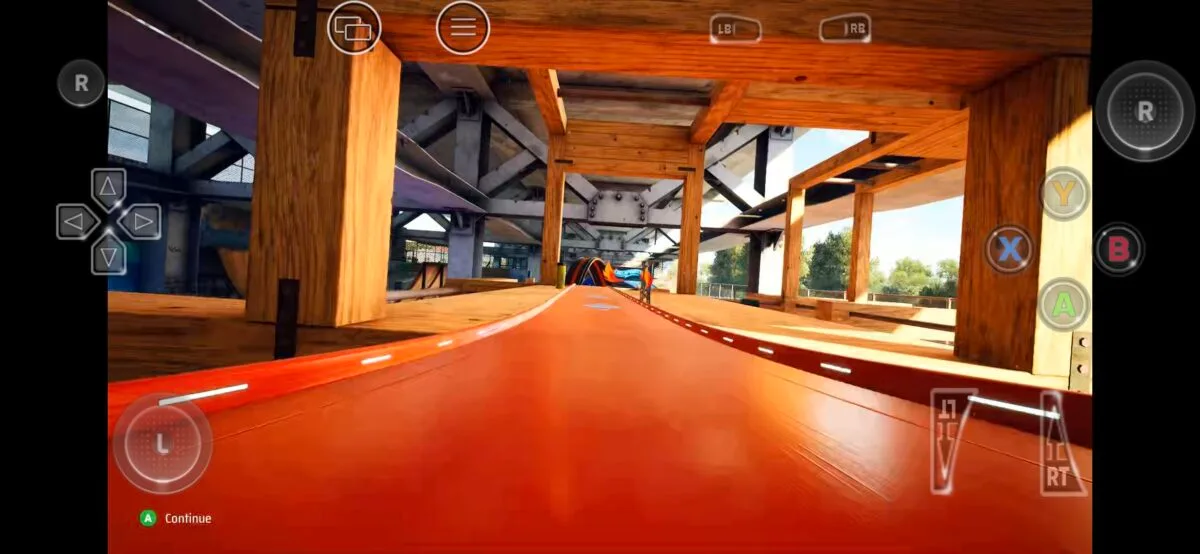
Screenshot of games played on mobile
Playing on TV via Jio AirFiber STB
This is where it gets more interesting, because the STB has more moving parts than mobile.
Control options I tested:
- JioHome app’s soft gamepad (phone as controller) — connects easily to the STB. Note: you have to launch the game using the JioHome controller directly — if you start a game using the regular Jio STB remote instead, it prompts you to buy or connect a physical gamepad. Once you launch via the JioHome controller, you also get an option to skip the physical-gamepad requirement. Button mapping/key settings on this soft gamepad weren’t quite perfect in my testing — usable, but not as clean as I’d expect.
- Keyboard and mouse — also supported directly by the Jio STB. I used this to play Hitman, and it worked well.
- Ranking based on what I tried: keyboard & mouse felt better than the JioHome soft gamepad on phone. I don’t own a physical controller, so I can’t compare either to that — though based on how the soft gamepad felt, I’d expect a real gamepad (like the EvoFox bundled in the ₹2,999 plan) to be the best of the three.
The Wi-Fi band issue: partway through a session, my STB would silently switch from 5GHz to 2.4GHz, and the game would stop — I had to back out to the JioGames dashboard using the physical Jio remote and restart the game. This happened because my STB sits a bit far from my router and doesn’t always get a full 5GHz signal. Once I confirmed this was band-switching (not a JioGames problem specifically), I noticed games ran noticeably better and more consistently on 5GHz than 2.4GHz.
When it worked, it worked well: aside from that band-switching hiccup, gameplay on TV was fluent with no buffering once connected properly.
Jio Cloud Gaming on PC — The Most Impressive Result
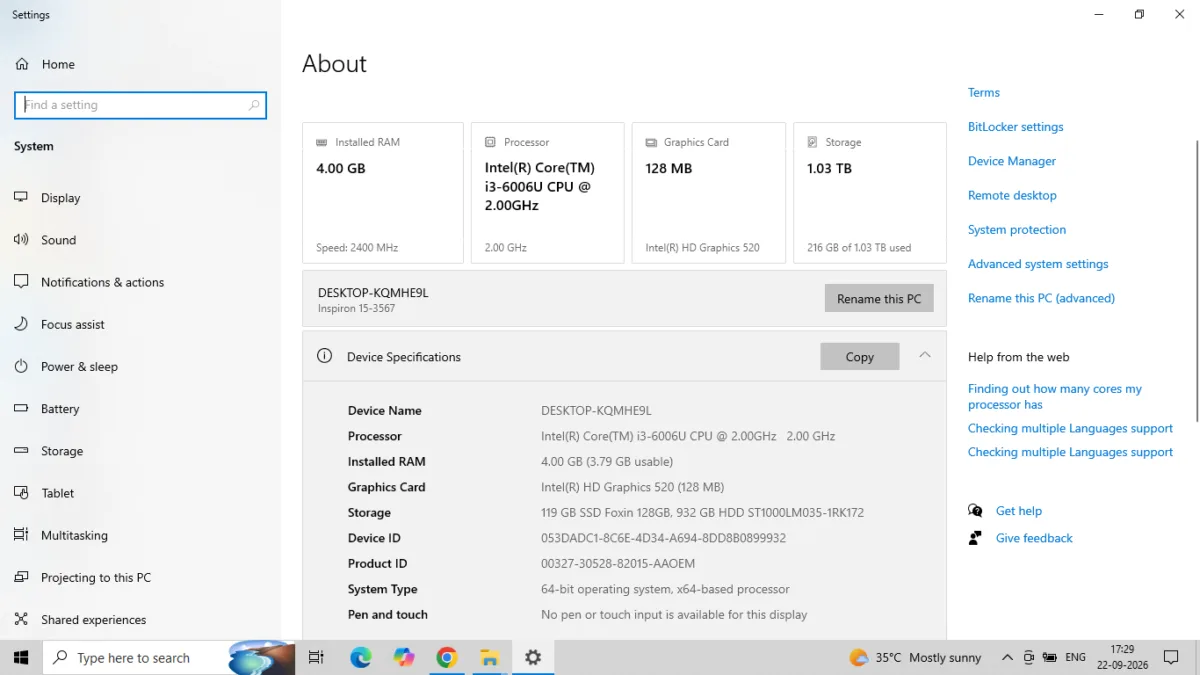
This is where JioGames Cloud genuinely surprised me. I ran it on a Dell Inspiron 15-3567 — an Intel Core i3-6006U (dual-core, 2.00GHz), just 4GB of RAM (3.79GB usable), and Intel HD Graphics 520, a weak integrated GPU with no dedicated video memory to speak of. This laptop is nearly a decade old and wasn’t a high-performance machine even when new. By any normal standard, it has no business running modern console-quality games — through jiogames.com in the browser, no app install needed.
I played both Cricket 26 and Hitman this way, using only keyboard controls (no gamepad required or prompted). The results:
- I experienced no buffering during my testing, start to finish.
- The game ran so smoothly it genuinely didn’t feel like it was streaming from the cloud — it felt like it was installed locally.
- Sound quality was clean, no crackling or sync issues.
- Every key was properly mapped and responsive — no input lag, no missed presses.
- Overall, gameplay felt noticeably better on PC than on either mobile or the Jio Set-Top Box.
This is the strongest case for JioGames Cloud’s actual value proposition: you don’t need a gaming PC, or even a decent PC, to play current console-style titles. At ₹298/month, the service offers a relatively inexpensive way to play cloud-streamed games without upgrading to a gaming PC — whether that’s a good deal for you depends on how much the game library on offer appeals to you. gaming PC — whether that’s a good deal for you depends on how much the game library on offer appeals to you.
Should You Try It?
If you’re curious about cloud gaming and already have a Jio connection, the ₹48/3-day trial is a low-risk way to test it yourself — that’s exactly what I did. A few honest takeaways from actually using it:
- PC performance was the standout — a decade-old i3 laptop with 4GB RAM and no dedicated GPU handled current games with zero buffering, and it’s arguably the best way to experience the service right now.
- Mobile performance is solid, but only if you stay near your router.
- TV performance is good too, but STB placement relative to your router matters more than I expected — if your STB is far from the router, expect occasional band-switching interruptions.
- Keyboard and mouse is a legitimately good control option on the STB if you don’t have a controller, and arguably better than using your phone as a soft gamepad.
- The Pro Pass vs Mobile Pass distinction matters — if you want to play on your TV at all, you need Pro Pass, not Mobile Pass.
- The STB won’t auto-update like mobile or PC does — if you subscribed elsewhere, log in on the TV with that same mobile number to pull your plan in.
For ₹48, it’s worth trying yourself — just go in knowing these are the real rough edges, not just the highlight reel Jio shows you. trying yourself — just go in knowing these are the real rough edges, not just the highlight reel Jio shows you.
If you’re also weighing this against other options, Xbox Cloud Gaming has recently launched in India too — worth reading up on if you want to compare before choosing where to put your money.

Ayush Singhal is the founder and chief editor of TechMitra.in — a tech hub dedicated to simplifying gadgets, AI tools, and smart innovations for everyday users. With over 15 years of business experience, a Bachelor of Computer Applications (BCA) degree, and 5 years of hands-on experience running an electronics retail shop, Ayush brings real-world gadget knowledge and a genuine passion for emerging technology.
At TechMitra, he covers everything from AI breakthroughs and gadget reviews to app guides, mobile tips, and digital how-tos. His goal is simple — to make tech easy, useful, and enjoyable for everyone. When he’s not testing the latest devices or exploring AI trends, Ayush spends his time crafting tutorials that help readers make smarter digital choices.
📍 Based in Lucknow, India
💡 Focus Areas: Tech News • AI Tools • Gadgets • Digital How-Tos
📧 Contact: Get in touch →
🔗 Full Bio: https://techmitra.in/about-us/