
Image : Xbox Cloud Gaming Launch in India: 2026 Guide, Pricing & Setup
Quick Facts
- Launched in India: November 11, 2025 (Xbox’s 29th cloud gaming market)
- Plans: Essential ₹499/month (50+ games) · Premium ₹699/month (200+ games) · Ultimate ₹1,089/month (400+ games)
- Works on phones: Yes — Android 12.0+ and iOS/iPadOS 14.4+, no console needed
- Free trial: No standing free trial currently; free-to-play titles like Fortnite work with just a free Microsoft account
- Supported devices: Android, iOS, Windows PC, Mac, select Samsung & LG Smart TVs, Amazon Fire TV, Xbox consoles
- Minimum speed: 10 Mbps (mobile) · 20 Mbps recommended (PC/TV/console)
- New in 2026: Xbox Mode on Windows 11 (launched April 30, 2026), GeForce Now now live as a direct India competitor
Table of Contents
Also Read : Jio Cloud Gaming Review: I Tested It on Mobile, TV and a 4GB RAM PC — Here’s the Honest Truth
It’s Been 8 Months Since Launch — Here’s What Actually Matters Now
When Microsoft switched on Xbox Cloud Gaming in India back in November 2025, the story was all about the announcement — India becoming the company’s 29th cloud gaming market, two new data centers in Pune and Chennai, and a promise to stream console games to phones and Smart TVs without buying any hardware.
That novelty has worn off. The real question for most readers today isn’t “is it launching” — it’s “is it actually worth paying for, right now, on my setup?” This guide answers that, updated for where things stand in mid-2026.
Pricing in 2026 (Confirmed, Unchanged Since Launch)
| Plan | Price | Games | Key Inclusions |
|---|---|---|---|
| Essential | ₹499/month | 50+ games | Unlimited cloud gaming, in-game benefits, online console multiplayer |
| Premium | ₹699/month | 200+ games | Everything in Essential + select new games within 1 year |
| Ultimate | ₹1,089/month | 400+ games | Everything in Premium + day-one new releases, Fortnite Crew, EA Play, Ubisoft+ Classics |
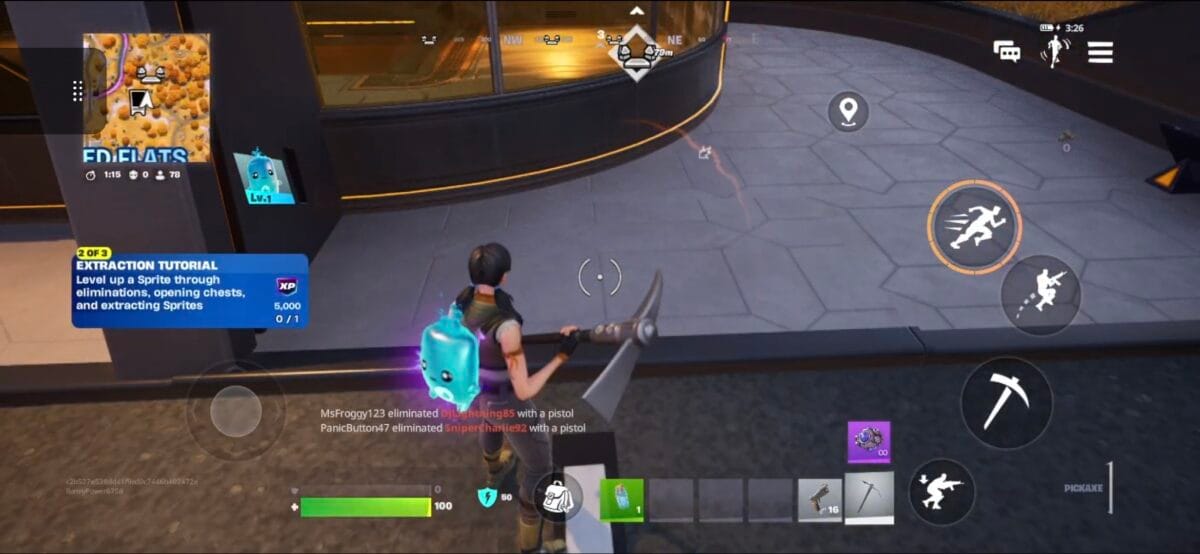
All three plans auto-renew monthly unless cancelled through your Microsoft account. Free-to-play titles like Fortnite can be streamed with just a free Microsoft account — no paid subscription needed.
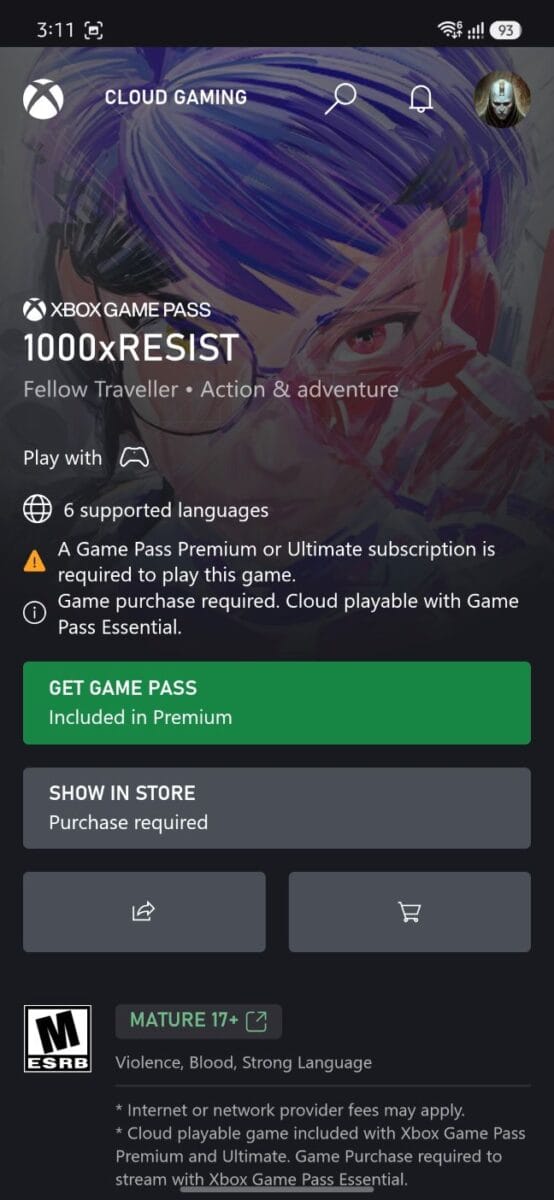
Worth noting: not every game is available on every plan. Some titles specifically require Premium or Ultimate even though Essential technically includes “unlimited cloud gaming” — check each game’s page before assuming your plan covers it.
Is It Actually Cheap? The Real Cost Comparison
Put next to the alternatives, the pricing looks better than it first appears:
| Option | Cost |
|---|---|
| Xbox Cloud Gaming Essential | ₹499/month for 50+ games |
| Xbox Cloud Gaming Premium | ₹699/month for 200+ games |
| One new AAA game today | ₹2,000-3,000 (one-time, one title) |
| Xbox console (Series S/X) | ₹35,000-50,000+ upfront |
| Controller (needed either way) | ₹3,000-5,000, one-time |
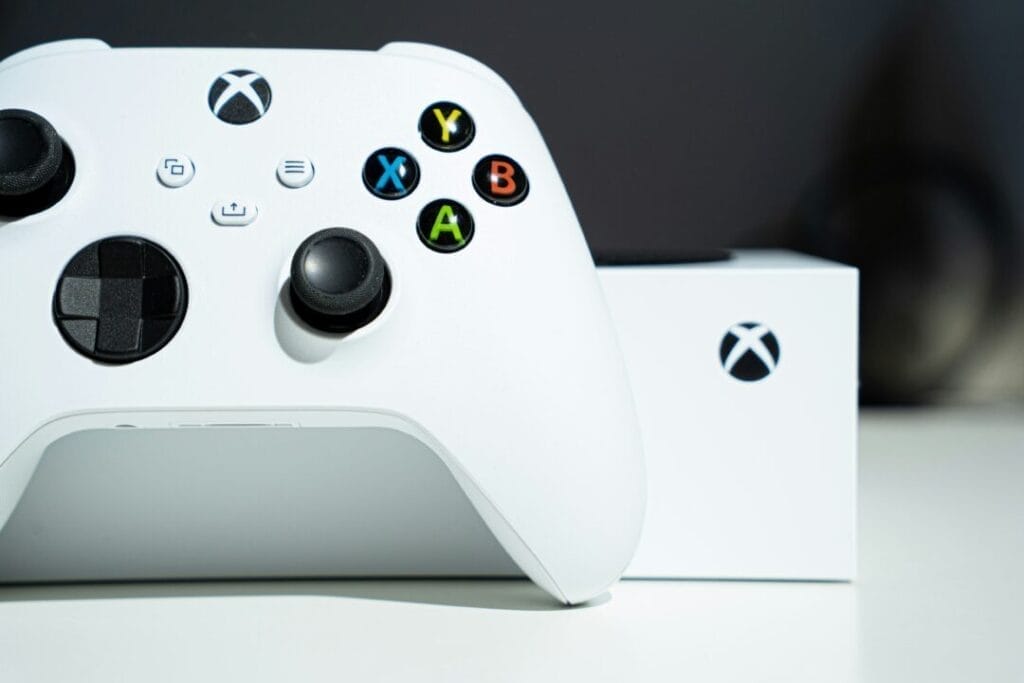
The comparison that matters most: buying just one new game outright can cost more than 4-6 months of Essential, which gives you access to 50+ titles instead of one. And unlike a console, you’re not making a ₹50,000 upfront commitment before you even know if cloud gaming suits your connection — the only hardware you actually need is a compatible controller, which you’d need for a console anyway. For anyone gaming primarily on a phone, PC, or Smart TV they already own, this is a genuinely low-cost way to access a large game library.
Also Read : I Tested Whether Can AI Merge, Convert, and Analyze PDFs — Here’s What Actually Happens
What’s Changed Since the November 2025 Launch
1. GeForce Now is now a real competitor in India. At launch, Nvidia’s cloud gaming service was only “announced” for India. It’s since gone live, giving Indian gamers an actual choice between the two services for the first time — worth comparing before you commit to either.
2. Xbox Mode arrived on Windows 11 (April 30, 2026). This turns your Windows desktop into a full-screen, console-style interface for browsing and launching cloud games — no separate app window, no taskbar distractions. Requires Windows 11 build 26100 or later and Xbox app version 2504.x. If you haven’t checked Settings → Gaming → Xbox Mode recently, it’s worth turning on.
3. Microsoft’s broader strategy has shifted toward hardware again. Reports since March 2026 point to Xbox refocusing on console hardware rather than the earlier “Xbox is every screen” software-first messaging. This doesn’t affect cloud gaming’s day-to-day performance in India, but it’s a useful signal that cloud gaming is one part of a bigger strategy, not a hardware replacement — at least not yet.
4. Mouse and keyboard support has expanded. Titles like Fortnite, Halo Infinite, Sea of Thieves, Grounded, and ARK: Survival Evolved now support mouse/keyboard directly in-browser on PC — useful if you’re not using a controller.
Also Read : MSI Laptops on Flipkart GOAT Sale 2026: Full List of Discounted Gaming and Productivity Models
Real-World Performance in India: What Reviewers Are Reporting
We haven’t run our own connection-quality tests on this one yet, so here’s what independent Indian and international reviewers have consistently found since launch:
- Single-player and casual games: Smooth, stable, minimal noticeable lag on a decent fiber connection — one reviewer testing on a 300 Mbps JioFiber connection reported steady 42-47ms latency
- Competitive multiplayer: More input lag and occasional stutter, since your connection has to reach both Microsoft’s cloud servers and the game’s own multiplayer servers
- 5G connections: More inconsistent than fiber — some testers reported microstutters and occasional disconnects even on fast 5G plans
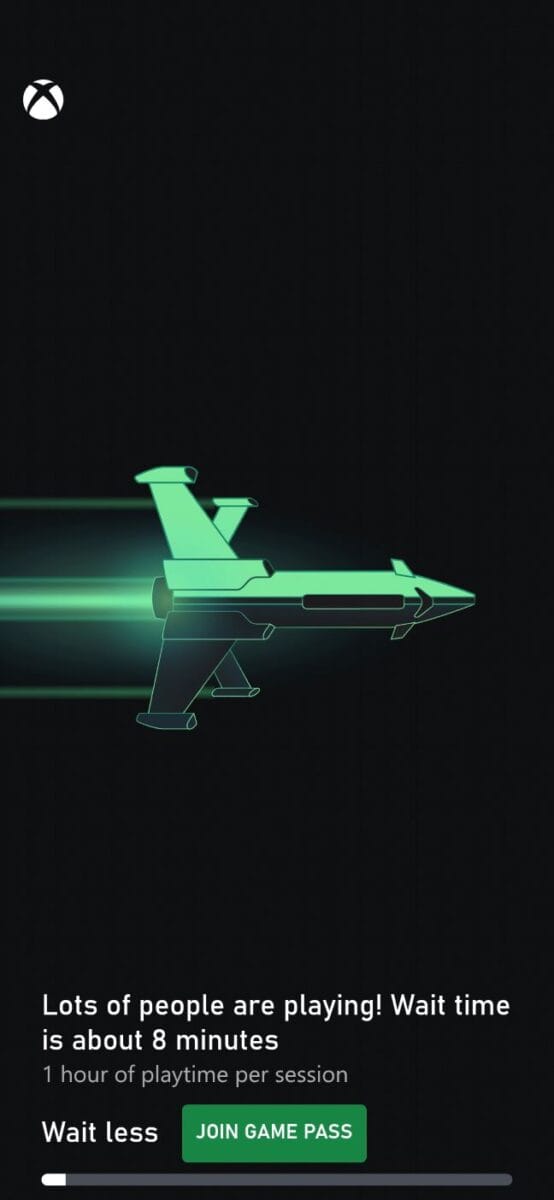
One thing we did verify ourselves: queue times during peak hours are real. Trying to launch a free-to-play title without a paid subscription during a busy period showed an estimated wait of around 8 minutes, plus a 1-hour session cap once you’re in. Game Pass subscribers skip this queue entirely — worth knowing before you assume something’s broken if you hit a wait screen on the free tier.
If you’ve tried it on Jio, Airtel, or another Indian ISP, share your experience in the comments — we’ll fold real reader reports into this guide as they come in.
How to Set Up Xbox Cloud Gaming on Windows PC
You don’t need to download anything to try it, but the Xbox app gives a noticeably better experience for regular use.
Option A — Xbox App (Recommended)
- Open the Microsoft Store on your Windows PC and search for “Xbox”
- Download and install the Xbox app
- Sign in with your Microsoft account
- Click Play in the left navigation and select Cloud Gaming
- Connect your controller via USB, Bluetooth, or the Xbox Wireless Adapter
- Pick a cloud-enabled game and hit Play
Option B — Browser (Fastest to start)
- Open Microsoft Edge or Google Chrome (version 85 or later)
- Go to xbox.com/play
- Sign in with your Microsoft account
- Connect a controller, or use mouse/keyboard on supported titles
- Click Play on any cloud-enabled game
Minimum PC requirements: Windows 10 (20H2+) or Windows 11, 4GB RAM, multi-core processor (1.5GHz+), updated graphics drivers, 20 Mbps internet connection recommended (5GHz Wi-Fi or Ethernet preferred over 2.4GHz Wi-Fi).
Read about Microsoft Rewards, What is it ? & How to earn it ?
How to Set Up Xbox Cloud Gaming on Android & iPhone
Most Indian users will play this on a phone, not a PC — here’s exactly how to get started on each.
Android (phones & tablets)
- Requires Android 12.0 or later
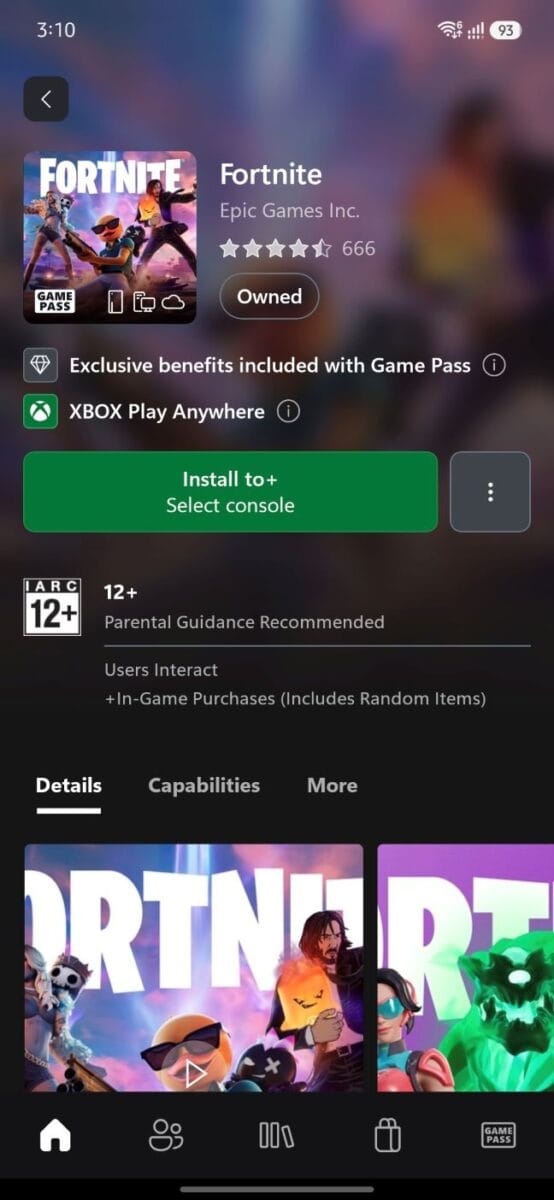
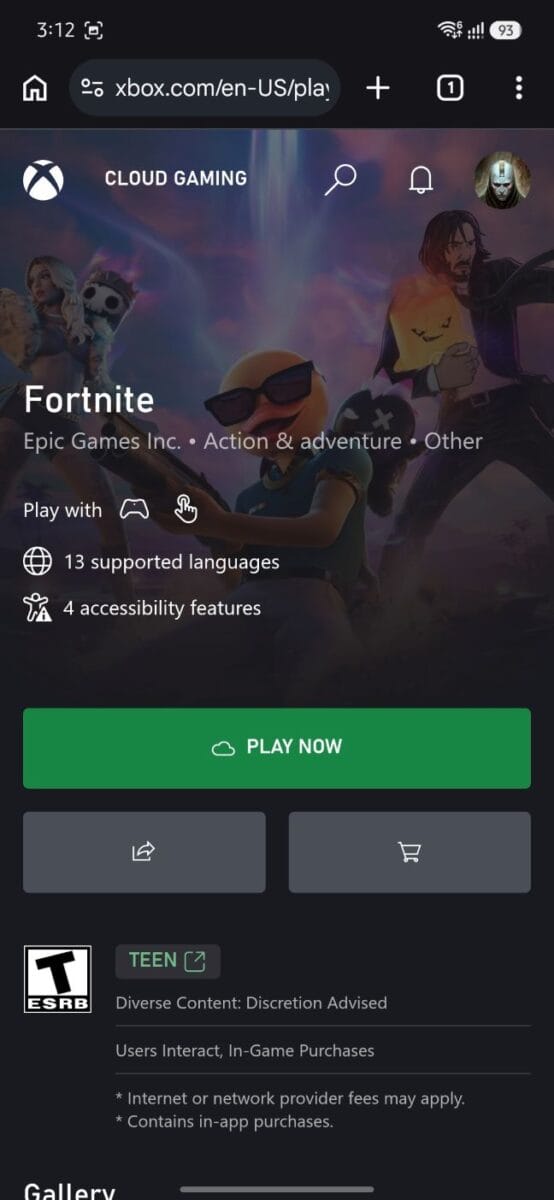
- In our testing, cloud gaming worked reliably through the browser but not through the Xbox app — Microsoft’s own documentation mentions app-based streaming, but in practice on Indian devices, the browser route was the one that actually worked. Open Chrome or Edge and go to xbox.com/play to be safe.
- Sign in with your Microsoft account
- Pair a Bluetooth controller (or USB-C if supported) — or look for the gamepad icon on games that support touch controls (Minecraft, Fortnite, and a growing list of others)
- Pick a game and tap Play in the browser
If you’d rather try the Xbox app first, it’s free to install from the Play Store — but if streaming doesn’t start from there, switch to the browser method above rather than assuming your device isn’t supported.
iPhone & iPad
- Requires iOS/iPadOS 14.4 or later
- There’s no dedicated Xbox app on iPhone due to Apple’s App Store policies — open Safari (or Chrome) and go to xbox.com/play
- Sign in with your Microsoft account
- Connect a Bluetooth controller for most games
- Tip: Tap the Share button in Safari and select “Add to Home Screen” — this creates an app-like icon that opens Xbox Cloud Gaming in full-screen, without the browser address bar, so it feels like a real app
Minimum connection for phones: 10 Mbps is the stated minimum, but a stable 20 Mbps on Wi-Fi (5GHz band, not 2.4GHz) will give a noticeably smoother experience than mobile data in most cases. On 5G, expect it to work but be less consistent than a solid home Wi-Fi connection.
Want to try it for free first? You don’t need a Game Pass subscription at all to test the basics — free-to-play titles like Fortnite work with just a free Microsoft account on either platform. This is the easiest zero-cost way to check whether cloud gaming performs well on your specific phone and connection before paying for anything.
Setting Up on Other Devices
| Device | How to Start |
|---|---|
| Smart TV (Samsung/LG) | Install Xbox app from your TV’s app store (2022+ Samsung models, webOS 24+ LG) |
| Amazon Fire TV | Install Xbox app from the Fire TV app store |
| Xbox console | Built in — select any Game Pass title and choose “Play from Cloud” instead of installing |
Frequently Asked Questions
Is Xbox Cloud Gaming worth it in India in 2026?
For single-player and casual gaming on a stable fiber connection, yes — it’s a genuinely good way to try console games without buying hardware. For competitive multiplayer, the added latency may bother serious gamers.
Xbox Cloud Gaming vs GeForce Now — which should I choose in India?
Both are now live in India, so it comes down to your existing library and priorities: Xbox Cloud Gaming is bundled into Game Pass, so it’s the better value if you already want Game Pass for other reasons. GeForce Now instead streams games you already own on Steam and other stores, which matters more if you have an existing PC game library rather than starting fresh. (This is a strong candidate for its own dedicated comparison article if you want to test both side by side.)
Is Xbox Cloud Gaming free? Is there a free trial?
There’s no standing free trial for Xbox Game Pass right now — that changes from time to time with limited promotions (like $1 for 14 days, when available), so it’s worth checking xbox.com directly for current offers rather than relying on older articles. What is reliably free, though, is streaming select free-to-play titles like Fortnite with just a Microsoft account — no subscription required. That’s the best zero-cost way to test cloud gaming on your device before paying for anything.
Can I play Xbox Cloud Gaming India runs on my Android or iPhone?
es, on both. iPhone/iPad (iOS 14.4+) works only through Safari at xbox.com/play — there’s no dedicated iPhone app due to Apple’s policies. On Android (12.0+), we found the browser method (Chrome or Edge at xbox.com/play) worked reliably, while the Xbox app did not actually stream cloud games despite Microsoft’s documentation suggesting app support — so if the app doesn’t work for you either, don’t assume your phone is unsupported; just switch to the browser.
What’s the minimum internet speed needed?
10 Mbps for mobile devices; 20 Mbps recommended for PC, TV, and console for a stable experience. A steady 20-25 Mbps connection will outperform an unstable 100 Mbps one.
Do I need to download anything?
No. On phones, tablets, and Macs, a browser is enough. On Windows, the Xbox app is recommended but optional. On Smart TVs, you’ll need to install the Xbox app from your TV’s app store.
Can I use a keyboard and mouse instead of a controller?
Yes, on Windows PC via Edge, Chrome, or the Xbox app, for a growing list of supported titles including Fortnite, Halo Infinite, and Sea of Thieves.
Does Xbox Cloud Gaming work on a Jio AirFiber/JioFiber set-top box?
No. Jio’s set-top box runs a closed OS with no Play Store and no Google TV/Android TV certification, so the Xbox app or browser can’t be installed or reliably used on it. To play on your TV over a Jio connection, use a separate device instead — a Fire TV Stick, a Chromecast with Google TV, or a Samsung/LG Smart TV.
Conclusion
Eight months on from launch, Xbox Cloud Gaming has settled into a clear identity in India: it’s a genuinely affordable way to access a large game library on a phone, laptop, or Smart TV without the ₹35,000-50,000+ commitment a console demands. When a single new AAA game can cost ₹2,000-3,000 on its own, paying ₹499-699/month for 50-200+ titles — with only a controller as real hardware cost — is hard to argue with on value alone. Single-player and casual gaming hold up well on a stable connection, competitive multiplayer still carries a latency tax, and a few practical quirks (Android app not streaming, plan-specific game restrictions, no support on Jio’s own set-top box, peak-hour queues on the free tier) are worth knowing before you sign up.
With GeForce Now now live as a real alternative and Windows 11’s new Xbox Mode making PC access smoother, 2026 is arguably a better time to actually use this service than launch month was — you’re just not going to see that from the news coverage anymore, which is exactly why this guide exists.
If you’re on the fence, the free-to-play route (Fortnite and similar titles, no subscription needed) is the lowest-risk way to test it on your own connection before paying for Essential, Premium, or Ultimate.
This article has been updated as of July 2026 to reflect current pricing, device support, and real-world performance data. Originally published November 2025 covering the official India launch.

Ayush Singhal is the founder and chief editor of TechMitra.in — a tech hub dedicated to simplifying gadgets, AI tools, and smart innovations for everyday users. With over 15 years of business experience, a Bachelor of Computer Applications (BCA) degree, and 5 years of hands-on experience running an electronics retail shop, Ayush brings real-world gadget knowledge and a genuine passion for emerging technology.
At TechMitra, he covers everything from AI breakthroughs and gadget reviews to app guides, mobile tips, and digital how-tos. His goal is simple — to make tech easy, useful, and enjoyable for everyone. When he’s not testing the latest devices or exploring AI trends, Ayush spends his time crafting tutorials that help readers make smarter digital choices.
📍 Based in Lucknow, India
💡 Focus Areas: Tech News • AI Tools • Gadgets • Digital How-Tos
📧 Contact: Get in touch →
🔗 Full Bio: https://techmitra.in/about-us/
Cloud gaming access can bring larger games to more players, but it also makes readable UI and map design more important. If someone is streaming from a phone or tablet, navigation needs to be clear without relying on a huge display.