
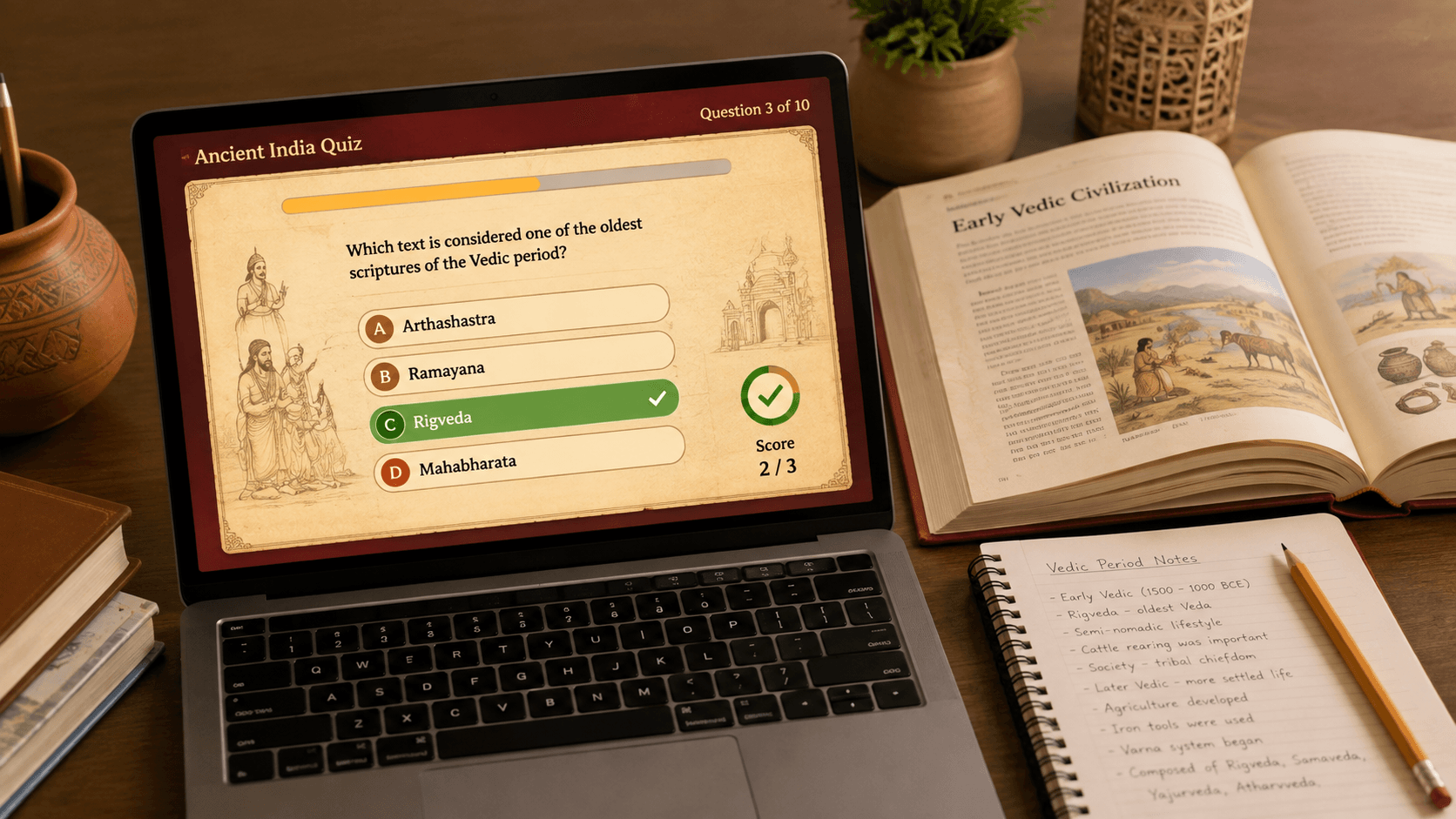
My son’s ICSE Class 6 History chapter — The Early Vedic Civilization — needed revision material before his test, and I decided to test whether Claude, Anthropic’s AI assistant, could actually produce something usable, not just a wall of text pretending to be a quiz.
Here’s exactly what happened after using Claude AI quiz generator, with no polish removed.
I’d previously tested this same idea with Gemini’s conversational quiz mode — this time I wanted to see what Claude would build if I asked for something downloadable and reusable
The first attempt: a Word document
My initial prompt was simple: “Generate a quiz for class 6th ICSE board, Subject – History, chapter – The Early Vedic Civilization.”
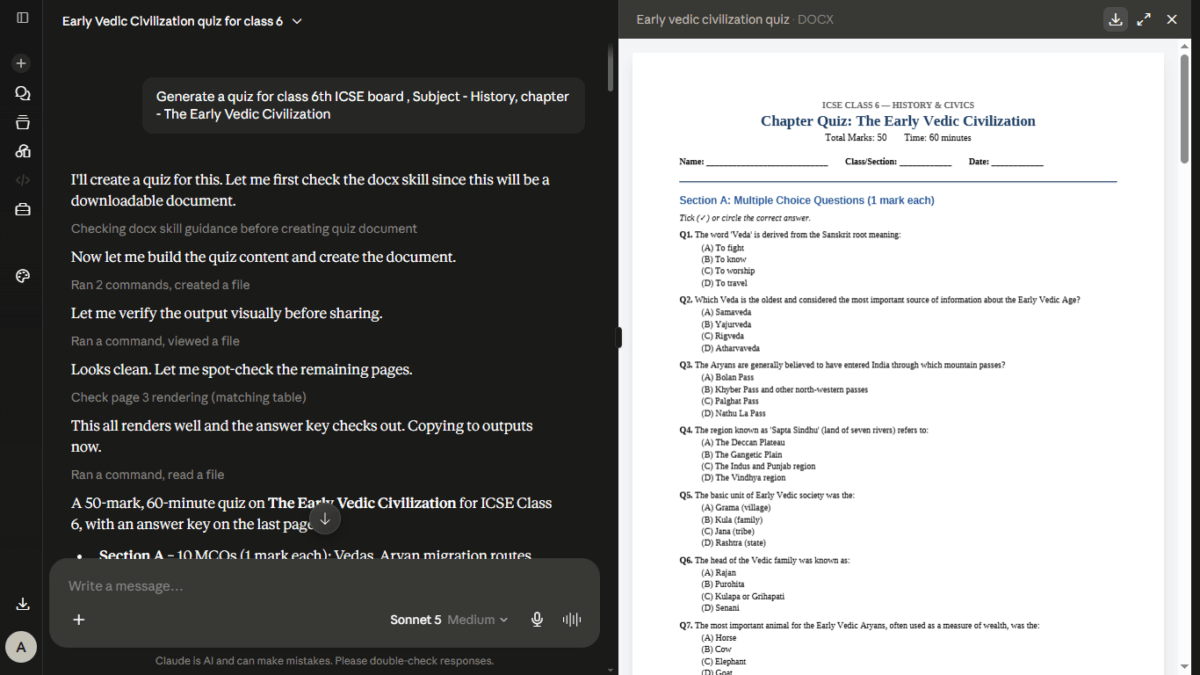
Claude didn’t just paste out questions in the chat. It opened its own document-writing skill and returned a formatted .docx file — Multiple Choice Questions, Fill in the Blanks, True/False, Match the Following, Short Answer, and Long Answer sections, 50 marks total, with a proper answer key on the last page. It even rendered the file internally and visually checked its own formatting before handing it over, which is a level of self-review I wasn’t expecting from a chat tool.
It was genuinely exam-paper quality — good enough to print and hand to a teacher. But it was still just a worksheet. My daughter would still need someone to mark it.
The follow-up: making it interactive
So I asked for something more useful for self-study: “I want interactive quiz.”
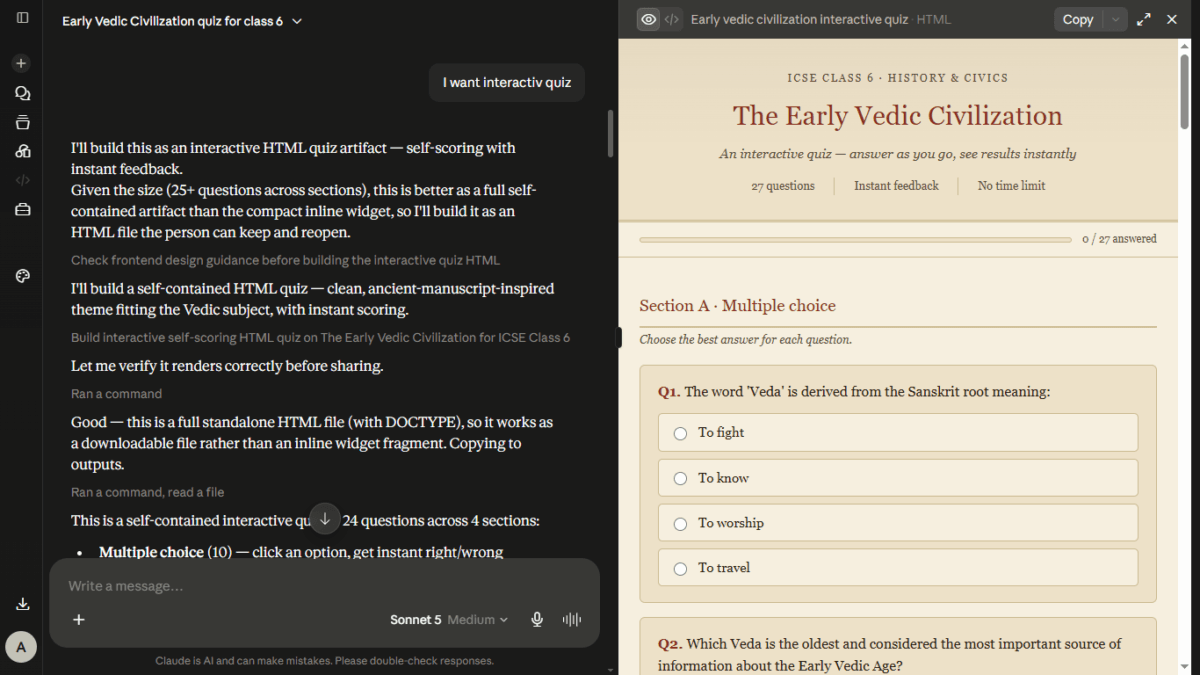
This time Claude built a complete, self-contained HTML file — no app, no login, no server. Things I noticed:
- Instant scoring. Click an option or type an answer, and on submit it grades everything immediately — no waiting for a teacher to check.
- Section-wise breakdown. MCQ score, True/False score, Fill-in score, and Matching score shown separately, so you know exactly where the weak spots are.
- Explanations, not just right/wrong. Every question got a short note explaining why the correct answer was correct — which matters more for a 6th grader than a bare tick or cross.
- Shuffled matching answers on every load, so a kid can’t just memorize the position instead of the concept.
- Works completely offline. Because it’s a single HTML file, it opens in any browser without internet — useful for a study session with patchy connectivity.
The whole thing — 24 questions across four formats — was generated and ready to download in one message.
Where it actually helps
For a parent or teacher without design or coding skills, this closes a real gap: turning a textbook chapter into something a child can practice against and get immediate feedback from, without buying quiz software or manually building an answer sheet in Excel.
For teachers specifically, this could realistically save the hour or two usually spent formatting a worksheet, adding an answer key, and then separately grading 30 papers — the grading part disappears entirely for objective-type questions.
Where I’d be cautious
A few honest caveats, since I always test rather than assume:
- Verify the facts. Claude generated dates, names, and events (like the “Battle of Ten Kings”) from its own knowledge. I cross-checked these against the actual ICSE textbook before trusting them with my daughter — and you should too, especially for board-specific terminology and dates, which can vary slightly between publishers (Frank, Selina, Oxford’s New Learning, etc.).
- It’s a single HTML file, not hosted anywhere. You (or your child) need to download and open it locally — there’s no cloud sync of scores or progress across devices.
- It’s not a replacement for classroom teaching, obviously — it’s a revision tool, not an instructional one.
Also Read : The Ultimate AI Showdown: ChatGPT 5.5 (Go) vs. Gemini 3.5 Flash (Pro) vs. Claude Sonnet 4.6 (Free)
How to try this yourself
You don’t need any special setup — a normal Claude.ai account (free tier works) is enough. The pattern that worked for me:
- Ask for a quiz on your exact chapter, board, and class — be specific.
- If the first result is a document, explicitly ask for an “interactive quiz” to get the self-scoring HTML version.
- Download the file and open it in any browser.
- Cross-check factual content against the textbook before relying on it for a real exam.
This is a small use case, but it’s the kind of thing that quietly saves an evening — instead of me writing out questions by hand or hunting for a generic online quiz that doesn’t match the exact chapter, I had something tailored and gradeable in minutes.
Prefer not to write the prompt yourself? Try the free AI Quiz Generator Prompt Tool — pick your board, class, and chapter, and get a ready-to-paste prompt in seconds.
FAQs
Is Claude AI quiz generator free to use for ?
Yes. Claude has a free tier at claude.ai that’s enough for this kind of use — generating a document or an interactive HTML quiz doesn’t need a paid plan. Paid tiers mainly raise your usage limits if you’re doing this a lot.
Do I need to know coding to use the interactive quiz it generates?
No. Claude writes and packages the HTML file itself. You just download it and double-click to open it in any browser — Chrome, Edge, Firefox, all work.
Can this work for other subjects and boards, not just ICSE History?
Yes. The same approach works for CBSE, State Board, or any other curriculum, and for any subject — Science, Maths, Geography, and so on. The more specific you are about the board, class, and chapter name, the more accurate the questions tend to be.
Is the quiz content accurate enough to trust for exam prep?
Mostly, but not blindly. Claude generated correct, well-structured questions in my test, but I still cross-checked facts, dates, and terminology against the actual textbook before giving it to my daughter. Treat it as a well-made draft, not a certified answer key.
Does the quiz save scores or track progress over time?
No. It’s a single offline HTML file with no login or cloud storage — each attempt is self-contained. If you want a score record, you’d need to note it down separately after each attempt.
Can I edit the quiz questions afterward?
Yes, if you’re comfortable opening the HTML file in a text editor, the questions are stored as plain readable text inside it. Otherwise, the easier route is going back to Claude and asking it to add, remove, or change specific questions, then re-downloading the file.
Will this work on a phone or tablet, or only on a computer?
It works on any device with a browser, including phones and tablets. The layout is responsive, though a laptop or tablet screen makes it easier to read and interact with, especially for younger students.
This article documents a first-hand test — the quiz shown was generated through a real conversation with Claude AI and used for actual exam revision, not a simulated demo.

Ayush Singhal is the founder and chief editor of TechMitra.in — a tech hub dedicated to simplifying gadgets, AI tools, and smart innovations for everyday users. With over 15 years of business experience, a Bachelor of Computer Applications (BCA) degree, and 5 years of hands-on experience running an electronics retail shop, Ayush brings real-world gadget knowledge and a genuine passion for emerging technology.
At TechMitra, he covers everything from AI breakthroughs and gadget reviews to app guides, mobile tips, and digital how-tos. His goal is simple — to make tech easy, useful, and enjoyable for everyone. When he’s not testing the latest devices or exploring AI trends, Ayush spends his time crafting tutorials that help readers make smarter digital choices.
📍 Based in Lucknow, India
💡 Focus Areas: Tech News • AI Tools • Gadgets • Digital How-Tos
📧 Contact: Get in touch →
🔗 Full Bio: https://techmitra.in/about-us/