
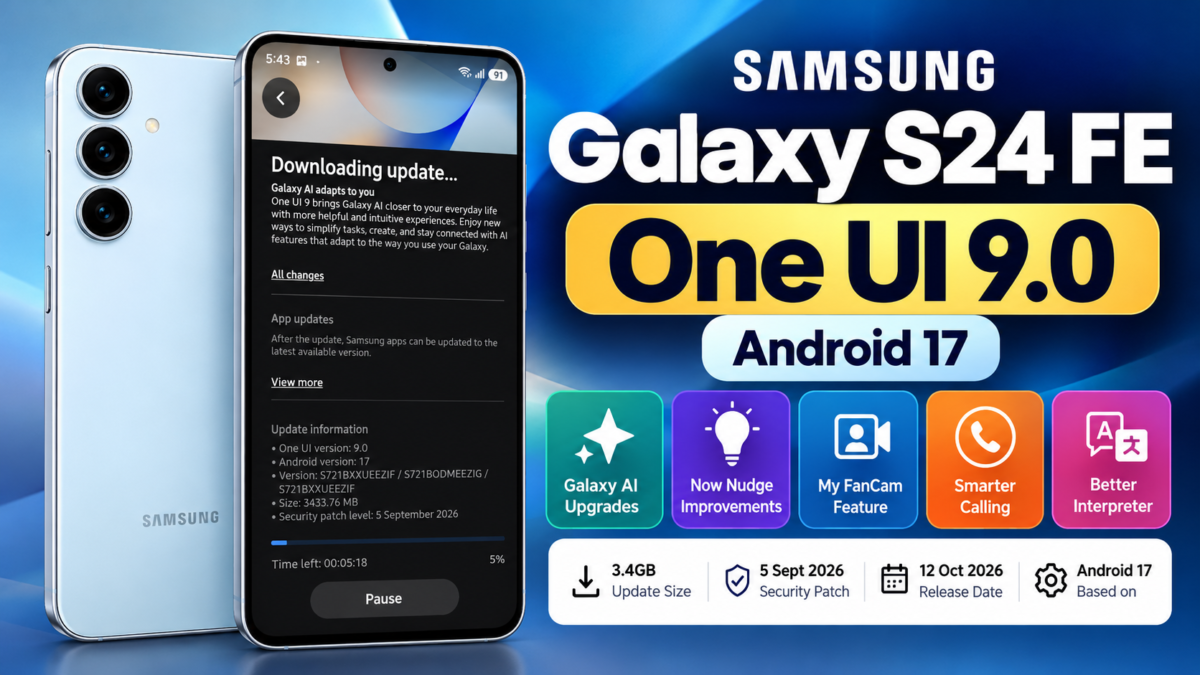
Samsung Galaxy S24 FE users in India are receiving the One UI 9.0 update based on Android 17. The update is listed on Samsung’s official software changelog with a release date of October 12, 2026. I also received and installed the update on my Galaxy S24 FE without enrolling in the beta program.
The update brings new Galaxy AI features, improvements to Now Nudge, enhanced video recording capabilities and changes designed to make everyday tasks easier. The download is approximately 3.4GB, so users should ensure they have sufficient storage and a stable internet connection before installing it.
Samsung Galaxy S24 FE One UI 9.0 Update Details
Here are the important details of the software update received on my Galaxy S24 FE.
| Detail | Information |
|---|---|
| Device | Samsung Galaxy S24 FE |
| Model number | SM-S721B |
| Software update | One UI 9.0 |
| Android version | Android 17 |
| Build number | S721BXXUEEZIF |
| Download size | 3,433.76 MB |
| Release date | October 12, 2026 |
| Security patch | September 5, 2026 |
Samsung’s official changelog confirms the firmware version, Android version and release date. You can check the details on the official Samsung Galaxy S24 FE update page.
My Experience Installing One UI 9.0 on Galaxy S24 FE
I discovered the update while checking for software updates on my Samsung Galaxy S24 FE. Initially, the phone was showing One UI 8.5. When I selected the option to check for updates, One UI 9.0 appeared as available for download.
I had not enrolled in the One UI 9.0 beta program. I downloaded the update through the regular software update settings and subsequently installed it successfully.
The download size shown on my device was 3,433.76 MB, or approximately 3.4GB. After installation, I checked the software information screen, which confirmed One UI 9.0 and Android 17.
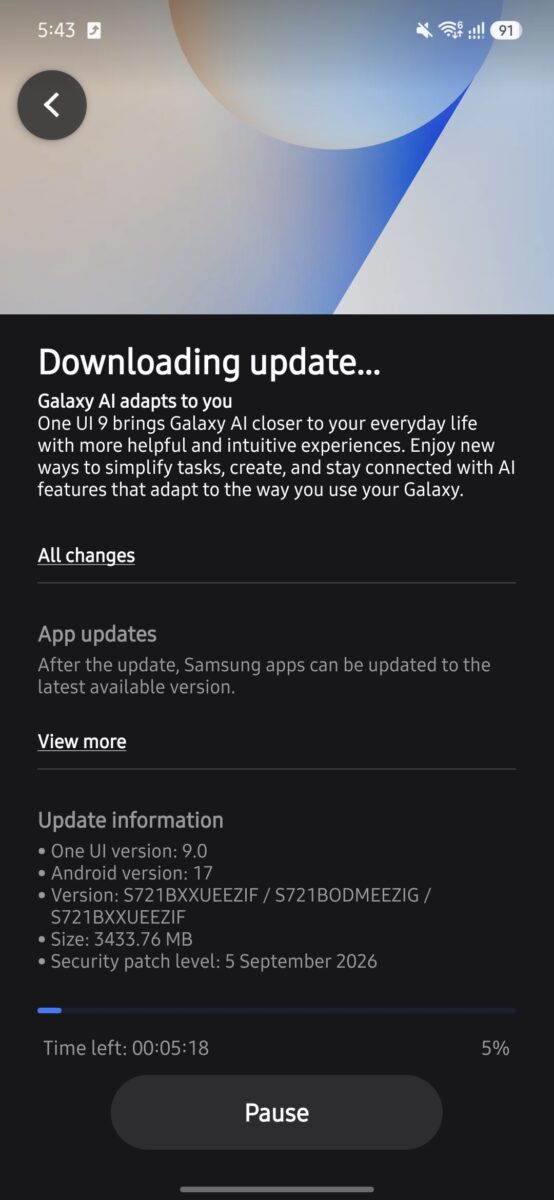
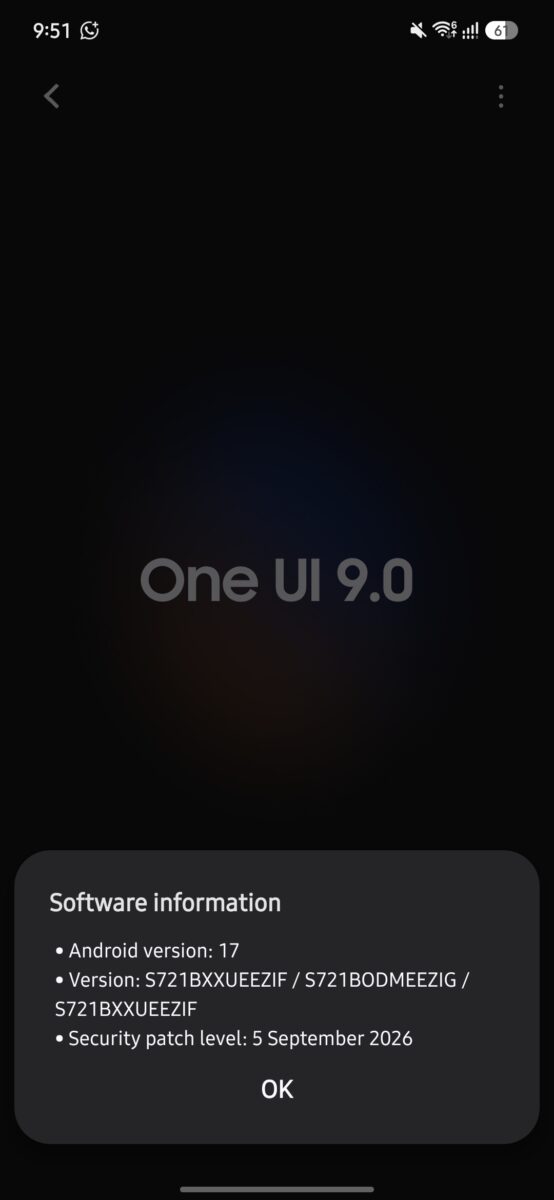
These screenshots document my experience with the update. However, availability can vary by device, region and service provider, so other Galaxy S24 FE owners should check their phones rather than assume the update will appear immediately.
What’s New in One UI 9.0?
Samsung’s changelog highlights several Galaxy AI improvements and productivity features in One UI 9.0.
1. Enhanced Now Nudge
Now Nudge provides helpful suggestions in more places throughout the Galaxy experience. Previously, suggestions appeared through the keyboard, but they can now also appear in conversation notifications and a floating button in the bottom-right corner of the screen.
Samsung also lists new suggestion types, including addresses and saving places in Google Maps. These improvements are intended to make relevant actions easier to access without switching repeatedly between apps.
2. My FanCam for Following People in Videos
The My FanCam feature lets users select a person in a video and automatically follow them while cropping out the rest of the scene. This can be useful when recording or editing videos in which one person needs to remain the main focus.
The availability of individual features may depend on the device and supported software configuration.
3. Improved Interpreter Experience
Samsung has improved Interpreter’s conversation mode. Users can scroll through the conversation while continuing to speak, helping them review what has been displayed without interrupting the interaction.
This could be particularly helpful when using the phone for multilingual conversations or while travelling.
4. More Useful Information During Calls
One UI 9.0 can display relevant events and other information related to the current call on the call screen. The feature is designed to make useful contextual information easier to access during a conversation.
These features are listed in Samsung’s official changelog, although I have not independently tested every feature on my Galaxy S24 FE.
How to Download One UI 9.0 on Samsung Galaxy S24 FE
If you own a Galaxy S24 FE, follow these steps to check whether the update is available for your phone.
- Open Settings on your phone.
- Scroll down and select Software update.
- Tap Download and install.
- Wait while the phone checks for available updates.
- If One UI 9.0 appears, review the update information and download it.
- Follow the on-screen instructions to complete the installation.
Before installing, connect to Wi-Fi, ensure your battery is sufficiently charged and keep enough free storage available. It is also sensible to back up important data before a major Android update.
If the update does not appear, check again later. Software availability can differ according to the model, country and service provider.
Final Verdict
The One UI 9.0 update brings Android 17 and several Galaxy AI improvements to the Samsung Galaxy S24 FE. My experience confirms that the update was available through the normal software update settings on my Indian Galaxy S24 FE, and I successfully installed it without beta-program enrollment.
The approximately 3.4GB download is substantial, so users should prepare their devices before updating. If you own the Galaxy S24 FE, check the software update section in Settings to see whether One UI 9.0 is available for your device.

Ayush Singhal is the founder and chief editor of TechMitra.in — a tech hub dedicated to simplifying gadgets, AI tools, and smart innovations for everyday users. With over 15 years of business experience, a Bachelor of Computer Applications (BCA) degree, and 5 years of hands-on experience running an electronics retail shop, Ayush brings real-world gadget knowledge and a genuine passion for emerging technology.
At TechMitra, he covers everything from AI breakthroughs and gadget reviews to app guides, mobile tips, and digital how-tos. His goal is simple — to make tech easy, useful, and enjoyable for everyone. When he’s not testing the latest devices or exploring AI trends, Ayush spends his time crafting tutorials that help readers make smarter digital choices.
📍 Based in Lucknow, India
💡 Focus Areas: Tech News • AI Tools • Gadgets • Digital How-Tos
📧 Contact: Get in touch →
🔗 Full Bio: https://techmitra.in/about-us/