

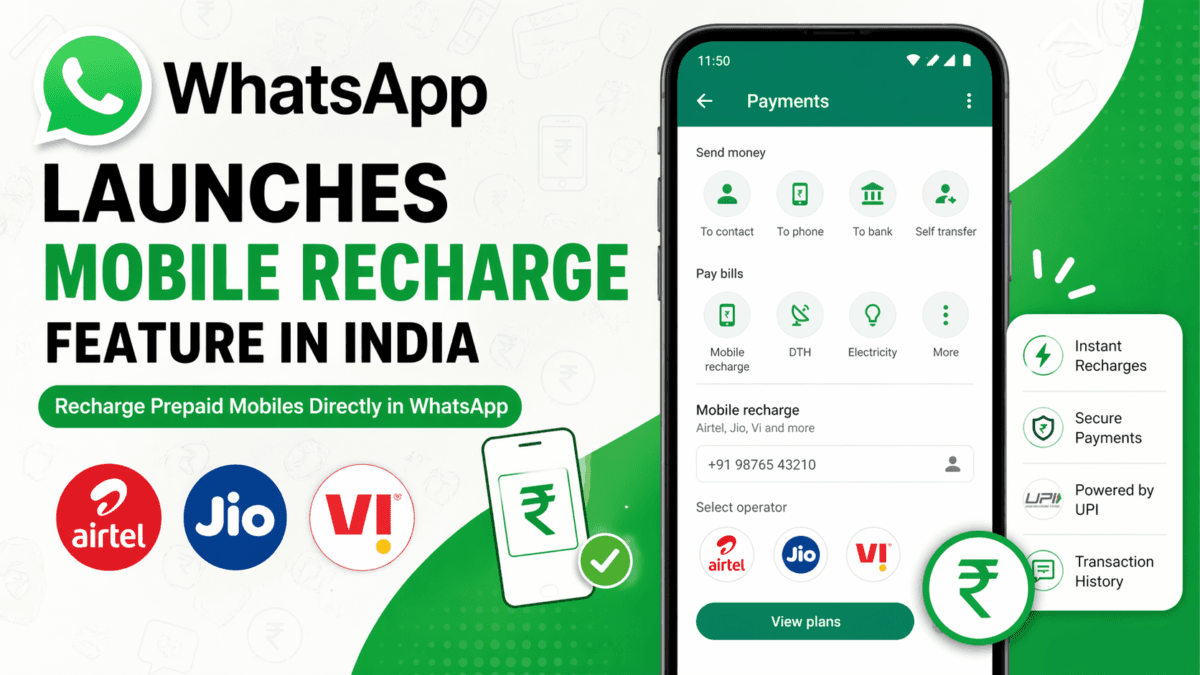
WhatsApp launches mobile recharge in India—browse plans, pay via UPI, and recharge instantly without leaving the app.
In a move that further strengthens its position as an all-in-one app, WhatsApp has introduced a mobile recharge feature in India. This new update allows users to recharge their prepaid mobile numbers directly within the app—no need to switch between apps or websites.
For Indian users who already rely heavily on WhatsApp for daily communication, this update adds another layer of convenience by bringing digital payments and telecom services together in one place.
Table of Contents
Also Read : Google Photos Remix AI Tool 2026: How to Use, Features, Templates
What Is WhatsApp’s New Mobile Recharge Feature?
WhatsApp has partnered with PayU to enable seamless mobile recharges within the app. This feature allows users to:
- Browse prepaid recharge plans
- Select their telecom operator
- Make payments instantly using UPI or cards
Initially, the feature supports major Indian telecom providers like:
- Airtel
- Reliance Jio
- Vodafone Idea
The rollout is happening in phases and will be available to both Android and iOS users across India in the coming weeks.
Why This Feature Matters
India is one of WhatsApp’s largest markets, with millions of users already using its UPI-based payment services. By adding mobile recharges, WhatsApp is transforming into a mini digital ecosystem, similar to apps like Paytm or Google Pay.
Here’s why this update is important:
- Convenience: No need to open separate recharge apps
- Speed: Complete recharge in just a few taps
- Integration: Payments, messaging, and services in one place
- Accessibility: Easy for non-tech-savvy users
This also aligns with WhatsApp’s broader strategy of expanding financial services in India.
Key Features of WhatsApp Recharge
1. Dedicated ₹ Icon
A new rupee (₹) icon appears on the home screen next to the camera button. This serves as the gateway to:
- Mobile recharges
- UPI payments
- Bill payments
- Metro ticket bookings (in select cities)
2. In-Chat Payments
You can also access the ₹ icon inside individual chats, making it easier to:
- Send money
- Recharge for friends or family
3. Multiple Payment Options
Users can pay using:
- UPI
- Debit Cards
- Credit Cards
🔹 4. Instant Confirmation
After completing a recharge, WhatsApp shows:
- Plan details
- Payment confirmation
- Transaction history
How to Recharge Mobile Using WhatsApp
Using the feature is simple and intuitive. Follow these steps:
- Open WhatsApp
- Tap on the ₹ icon
- Select Mobile Prepaid Recharge
- Enter your number (or someone else’s)
- Choose your telecom provider
- Browse and select a plan
- Choose your payment method
- Complete payment using UPI PIN or card details
Once done, you’ll receive a confirmation screen with recharge details.
Is It Safe to Recharge via WhatsApp?
Yes, WhatsApp ensures secure transactions through:
- End-to-end encryption
- UPI authentication (PIN-based)
- Trusted payment partner integration (PayU)
This makes it as secure as other digital payment platforms in India.
WhatsApp’s Growing Role in Digital Payments
This isn’t WhatsApp’s first step into financial services. The app already supports:
- UPI money transfers
- Utility bill payments
- Metro ticket bookings (in select cities)
With the addition of mobile recharges, WhatsApp is steadily positioning itself as a super app for Indian users.
What This Means for Users & Businesses
For users:
- Faster, easier recharges
- Less app clutter
- Seamless digital experience
For businesses and telecom operators:
- Increased reach via WhatsApp
- Higher transaction volume
- Better customer engagement
Also Read : WhatsApp Introduces ‘Business AI’ in India: A Big Boost for Small Businesses
Final Thoughts
WhatsApp’s mobile recharge feature is a smart and practical update that reflects how digital services are evolving in India. By combining communication, payments, and utility services, WhatsApp is moving closer to becoming a one-stop solution for everyday needs.
If you’re already using WhatsApp payments, this new feature will feel like a natural extension—and if you’re not, this might be the perfect reason to start.
FAQs
1. Is the WhatsApp recharge feature available to everyone?
No, it is currently rolling out in phases and will be available to all users in the coming weeks.
2. Which telecom operators are supported?
Currently, Airtel, Reliance Jio, and Vodafone Idea are supported.
3. Can I recharge someone else’s number?
Yes, you can enter any prepaid mobile number and recharge it.
4. What payment methods are available?
You can use UPI, debit cards, and credit cards.
5. Where can I check my recharge history?
You can view it in the transaction history section at the bottom of the payments homepage.
Disclaimer: The information in this article is based on official announcements, company statements, and publicly available reports. We have rewritten and adapted the content for clarity, accuracy, and reader experience. All trademarks, brand names, and images belong to their respective owners.

Ayush Singhal is the founder and chief editor of TechMitra.in — a tech hub dedicated to simplifying gadgets, AI tools, and smart innovations for everyday users. With over 15 years of business experience, a Bachelor of Computer Applications (BCA) degree, and 5 years of hands-on experience running an electronics retail shop, Ayush brings real-world gadget knowledge and a genuine passion for emerging technology.
At TechMitra, he covers everything from AI breakthroughs and gadget reviews to app guides, mobile tips, and digital how-tos. His goal is simple — to make tech easy, useful, and enjoyable for everyone. When he’s not testing the latest devices or exploring AI trends, Ayush spends his time crafting tutorials that help readers make smarter digital choices.
📍 Based in Lucknow, India
💡 Focus Areas: Tech News • AI Tools • Gadgets • Digital How-Tos
📧 Contact: Get in touch →
🔗 Full Bio: https://techmitra.in/about-us/