

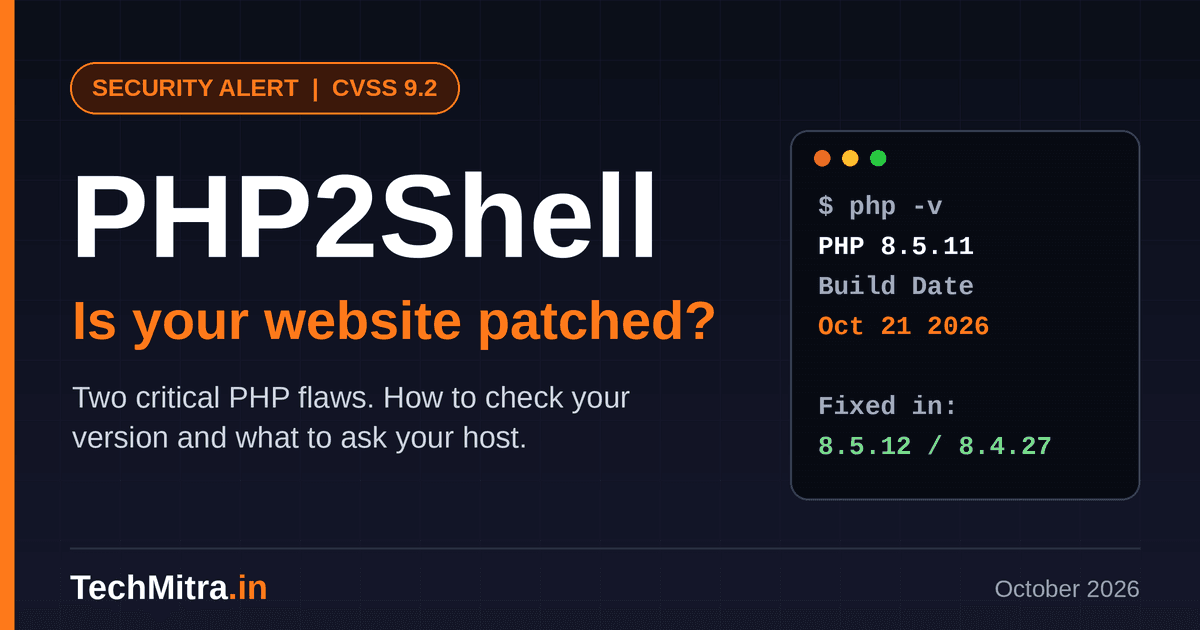
Two critical flaws in PHP itself, nicknamed PHP2Shell, have triggered one of the broadest security warnings in years. If your website runs on PHP, which includes almost every WordPress site, it is worth spending ten minutes checking where you stand. The fixes were released on October 21, 2026, and for many people the work has already been done by their hosting provider. The catch is that you need to confirm it.
Table of Contents
What happened
The flaws are tracked as CVE-2026-109618 and CVE-2026-109619. PHP rates both 9.2 on the CVSS v4.0 scale and says they can allow unauthenticated remote code execution. In plain terms, an attacker does not need a password, and the weakness sits in the engine that runs your site, so even a perfectly maintained theme or plugin setup does not protect you. Researchers at Wiz demonstrated successful attacks against WordPress, Drupal and Joomla installations. Details leaked before the planned release, which pushed PHP to publish its fixes a day early.
Also Read : Chrome 156 Update: 353 Security Fixes, 6 Critical Bugs – What to Do Now
How was PHP2Shell Vulnerability found?
The flaws were found by security researchers working with AI models, and two teams reached them separately in August 2026. The firm Calif found the first one with help from OpenAI’s GPT-5.6 Sol model, while Google’s Wiz team independently found the same problems using its own tools and several AI models. PHP’s advisory credits Calif, Wiz and OpenAI together.
The root cause is not new. According to SecurityWeek, an out-of-memory weakness in PHP was first noticed in 2020 and again in a 2024 audit, but it was never patched because nobody had proven it could be exploited. AI tools helped researchers turn it into a working attack. The plan was a quiet, coordinated fix, but details leaked online and CNBC reports that Calif accidentally posted a proof-of-concept video, which pushed PHP to release its patch a day early.
Who has warned about it
In India, CERT-In issued advisory CIVN-2026-0510 on October 21, rating the issue critical. Abroad, the NSA, FBI and CISA urged organizations to fix the flaws and warned that systems should be taken offline if they cannot be secured promptly. Websites in Finland, the Netherlands, Belgium and France were taken offline or became partly unavailable, and some of those shutdowns were precautionary. For an ordinary small site, going offline is a last resort for when patching or protection is impossible, not a first step.
Is it being exploited?
Yes. Amazon’s threat intelligence team caught a first attempt against its honeypots on October 17, four days before the flaws were disclosed, and says more attempts from several different actors followed once proof-of-concept exploits appeared. The security firm watchTowr also reports active exploitation attempts against both flaws. Amazon itself notes that it is unclear whether any of those attempts would have worked against real systems, and I found no evidence that millions of sites have been hacked, but attackers are clearly probing, so waiting is not a good plan.
One practical consequence is that a compromise could predate the official announcement. If you or your developer can see your server logs, look back to October 17 for POST requests containing the text PHP_SESSION_UPLOAD_PROGRESS, and check for unexpected files or processes on the server. As of October 22, neither flaw had been added to CISA’s Known Exploited Vulnerabilities catalog.
What the fix is
The real fix is a patched PHP version. The fixed releases are PHP 8.5.12, 8.4.27, 8.3.36 and 8.2.35. PHP 8.1 and older receive no fix from the PHP project, so if your site runs on one of those, upgrading to a supported version is the only proper answer. Updating WordPress or plugins does not help here, because the problem sits underneath them.
How to check your own site
Most hosting panels have a PHP Info or PHP Configuration page. Open it and read the full version at the top, not only the branch you picked in a dropdown. If it shows 8.5.12, 8.4.27, 8.3.36, 8.2.35 or anything higher, you are fixed.
Here is the part that confuses people. On my own Hostinger plan, PHP Info still shows version 8.5.11, with a build date of October 21, 2026.
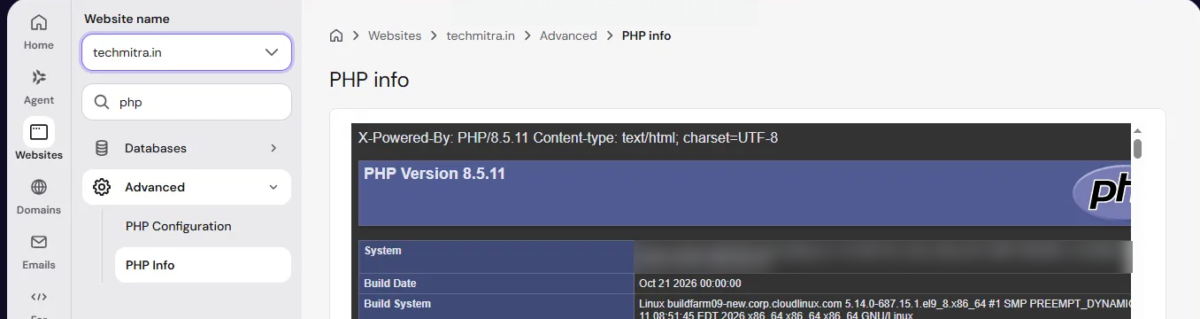
That looks like a missing update, but Hostinger’s public incident report explains that some sites will keep showing the old version number because the fix was added to the existing build. It says a build date of October 21, 2026 or later means the fix is in place, and that no action is needed on its Web Hosting, Agency Hosting or cPanel Hosting plans. Hostinger also states that its own tests showed its platform was not vulnerable and that it added an extra layer of protection. Customers on a VPS manage PHP themselves, and Hostinger has published a guide for them.
This is specific to Hostinger. Other hosts may handle version numbers differently, so look for your own provider’s notice. If you cannot find one, ask them to confirm in writing that their PHP build includes the fixes for CVE-2026-109618 and CVE-2026-109619. A build date on its own means little unless your host explains how to read it.
Extra protection while you wait
If your site sits behind Cloudflare, check your dashboard, because Cloudflare has updated its managed WAF rules to block attempts to exploit this flaw before they reach your server. Treat that as a bridge until patching is confirmed, not as a replacement for it. Security researchers report that attackers have been using PHP’s session upload-progress feature, so one temporary measure is switching off the session.upload_progress.enabled setting. On many shared hosts you can do this with a .user.ini file in your site’s root folder containing the line session.upload_progress.enabled = 0. This covers only one of the two flaws, so it is a stopgap and not a fix.
A short checklist
Check your PHP version or build date, read your host’s notice, and ask for written confirmation if you cannot find one. Keep WordPress core, themes and plugins updated anyway, and look inside your wp-content/uploads folder for any .php files, which normally do not belong there. If you run more than one site, repeat the check for each, since sites can sit on different servers.
The bigger lesson
On shared hosting, your security depends partly on how fast your provider patches, and you often cannot see exactly what is running. PHP2Shell is a reminder to ask your host plain questions and to expect plain, written answers.
Sources: PHP security advisory, CERT-In advisory CIVN-2026-0510, Hostinger incident report, Cloudflare, watchTowr, Amazon.

Ayush Singhal is the founder and chief editor of TechMitra.in — a tech hub dedicated to simplifying gadgets, AI tools, and smart innovations for everyday users. With over 15 years of business experience, a Bachelor of Computer Applications (BCA) degree, and 5 years of hands-on experience running an electronics retail shop, Ayush brings real-world gadget knowledge and a genuine passion for emerging technology.
At TechMitra, he covers everything from AI breakthroughs and gadget reviews to app guides, mobile tips, and digital how-tos. His goal is simple — to make tech easy, useful, and enjoyable for everyone. When he’s not testing the latest devices or exploring AI trends, Ayush spends his time crafting tutorials that help readers make smarter digital choices.
📍 Based in Lucknow, India
💡 Focus Areas: Tech News • AI Tools • Gadgets • Digital How-Tos
📧 Contact: Get in touch →
🔗 Full Bio: https://techmitra.in/about-us/