

We’ve all been told that Artificial Intelligence is the ultimate assistant for web developers and digital entrepreneurs. Got a breaking bug? Ask AI. Need to optimize your server? Ask AI. Want to decipher a complex Core Web Vitals audit? Ask AI.
But there is a dangerous hidden truth about modern Generative AI models: AI doesn’t mumble when it’s wrong. It speaks with absolute, authoritative certainty.
Recently, while troubleshooting a sudden mobile page speed drop on techmitra.in, I decided to test the world’s leading AI models against a highly specific server architecture problem. I asked them a straightforward question: what happens behind the scenes when you use the master LiteSpeed Cache Purge All command?
The results were a massive wake-up call. Both Claude AI and ChatGPT failed spectacularly, offering “expert” advice regarding the LiteSpeed Cache Purge All function that would have completely ruined my site’s performance and burned through my paid server resources.
Here is exactly how it happened, why they failed, and the vital lesson every website owner needs to learn before hitting that master reset button.
Also read : The Ultimate AI Showdown: ChatGPT 5.5 (Go) vs. Gemini 3.5 Flash (Pro) vs. Claude Sonnet 4.6 (Free)
The Setup
Render-blocking requests (Est savings of 710 ms)
URL: techmitra.in First party
Transfer Size: 114.6 KiB
Duration: 9,190 ms …css/3eedebb….css?ver=98bea (techmitra.in)
A single, combined first-party CSS asset file was holding the entire page hostage. Because it was flagged as a render-blocking request, the browser engine was refusing to draw a single pixel on the screen until this massive 114.6 KiB file was fully downloaded. On a simulated slow 4G network, this single file was causing a staggering 9,190 ms delay, dragging my Largest Contentful Paint (LCP) down to over 7 seconds.
I knew I needed to clear out this broken combined asset cache. But because my site runs on high-performance infrastructure, I had to be careful. I use LiteSpeed Cache (LSCache) natively integrated with an advanced cloud optimization network.
Before hitting the master reset button, I wanted to double-check a very specific mechanic: If I click the global “Purge All” button in LiteSpeed, will it wipe out my locally stored Critical CSS (CCSS) files and waste my monthly cloud API generation quota?
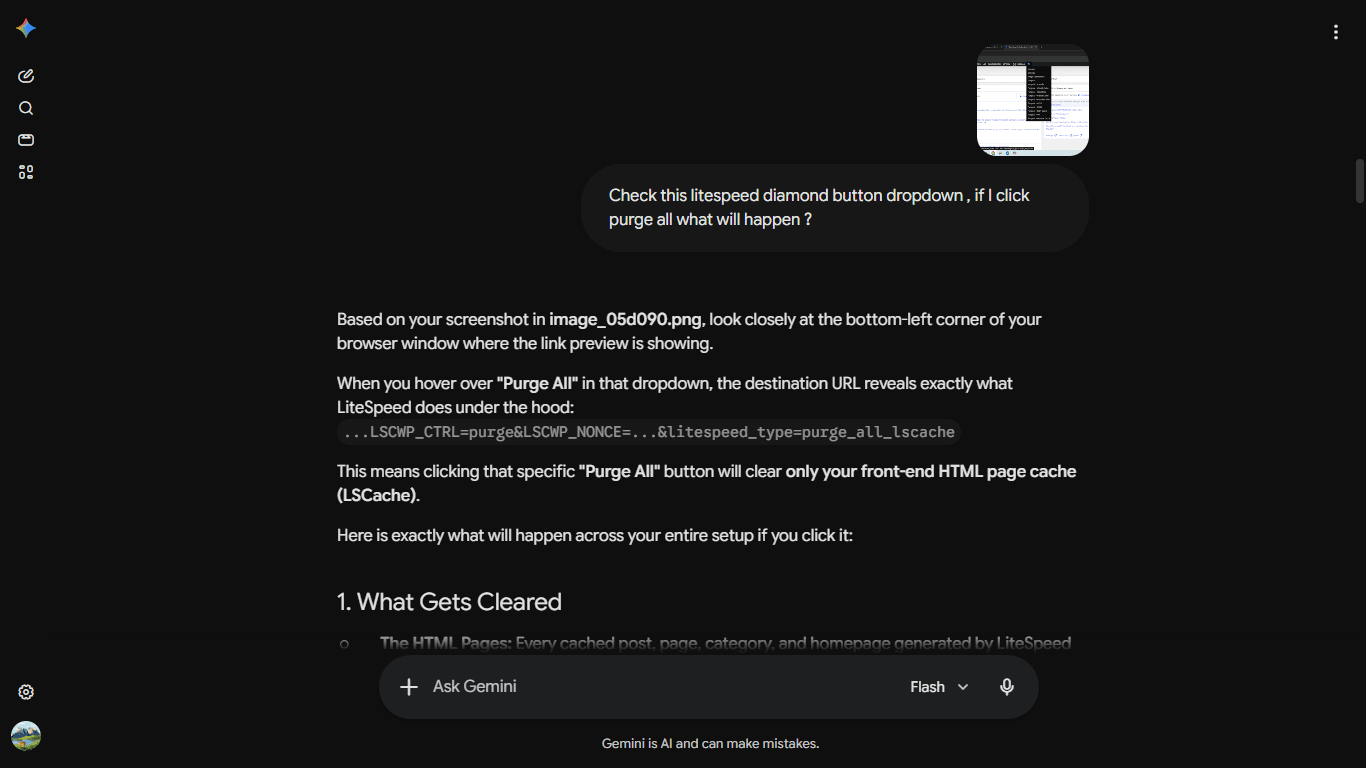
Before acting, I opened up my WordPress dashboard and hovered over the LiteSpeed diamond icon to look at my options. I took a screenshot of the dropdown menu:
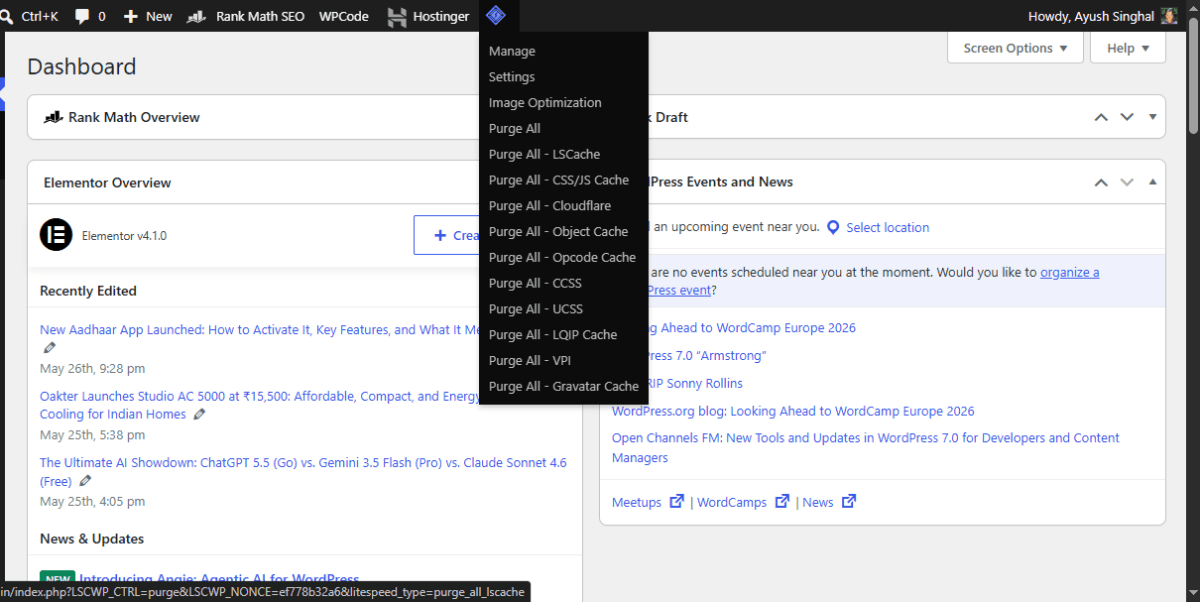
Looking at the menu in image, you can see a master “Purge All” button at the top, followed by highly specific individual purge options like Purge All – CSS/JS Cache, Purge All – CCSS, and Purge All – UCSS.
Before hitting that top button, I wanted to double-check a very specific mechanic: If I click the global “Purge All” button in LiteSpeed, will it trigger a massive chain reaction that wipes out my locally stored Critical CSS (CCSS) files and waste my monthly cloud API generation quota?
To find out, I decided to pit the Big Three global AI models against each other. I fed this exact screenshot along with my core performance question to the three biggest artificial intelligence brands in the world to see how they would interpret it.
Two of them fell flat on their faces. Only one got it right.
AI Hallucination 1: Claude AI Over-Generalizes the Rules
I opened Claude and asked what would happen if I used the master “Purge All” command. Without a shred of hesitation, Claude laid out a highly structured, incredibly confident—and completely incorrect—breakdown.
Claude labeled the master “Purge All” button as the “nuclear option.” It explicitly stated that clicking it would clear out absolutely everything, including my Critical CSS (CCSS) and Unique CSS (UCSS) files.
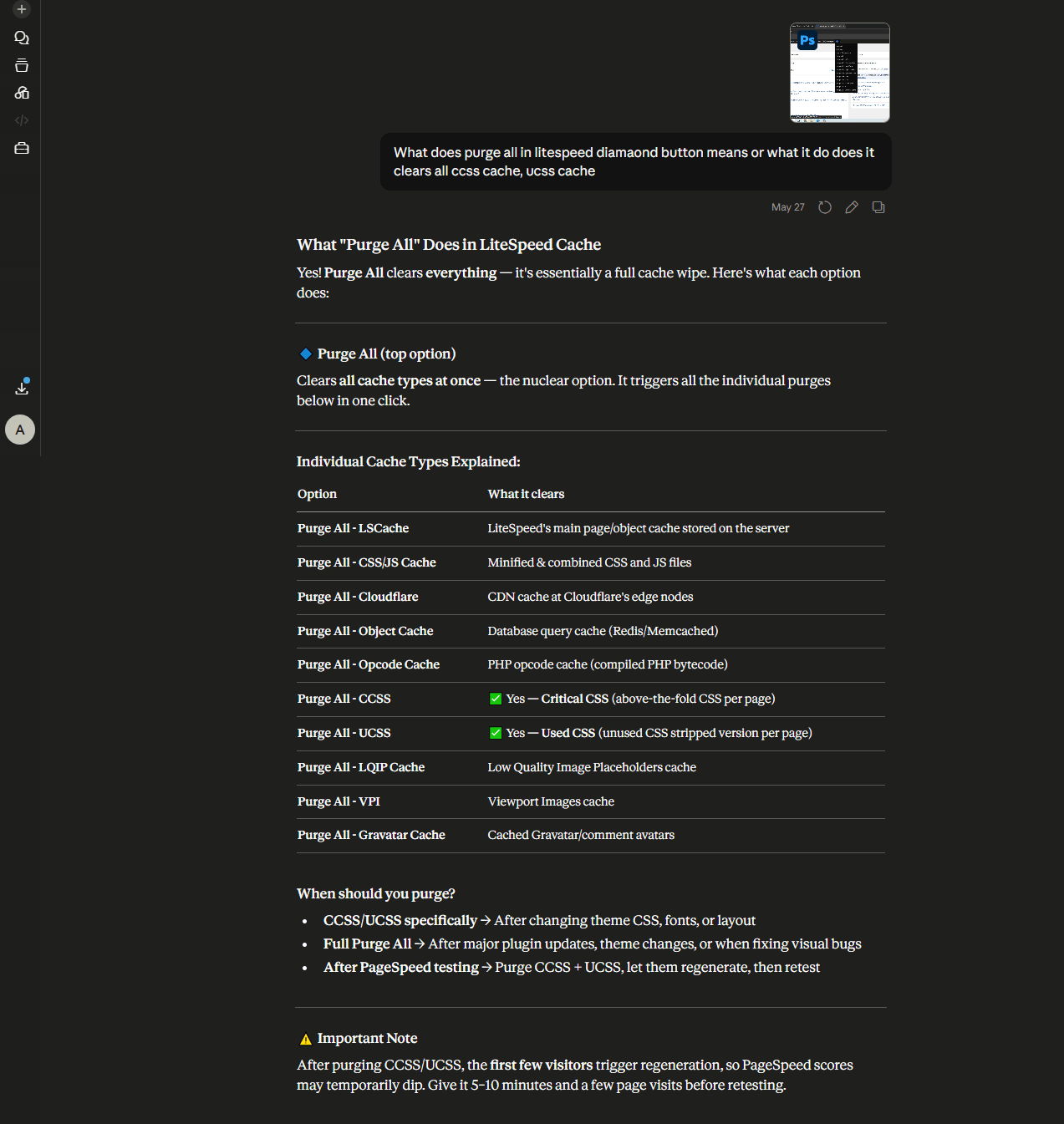
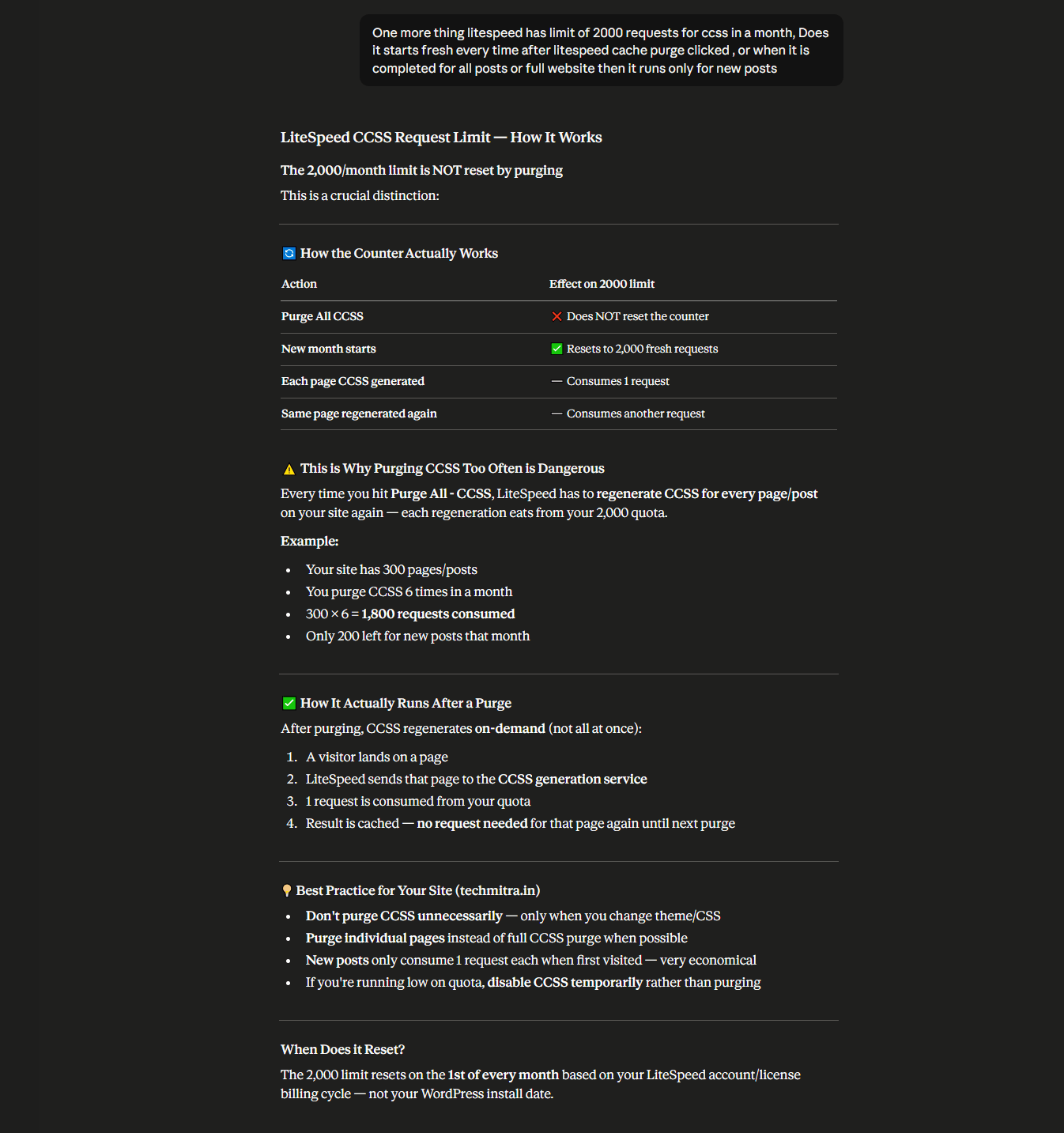
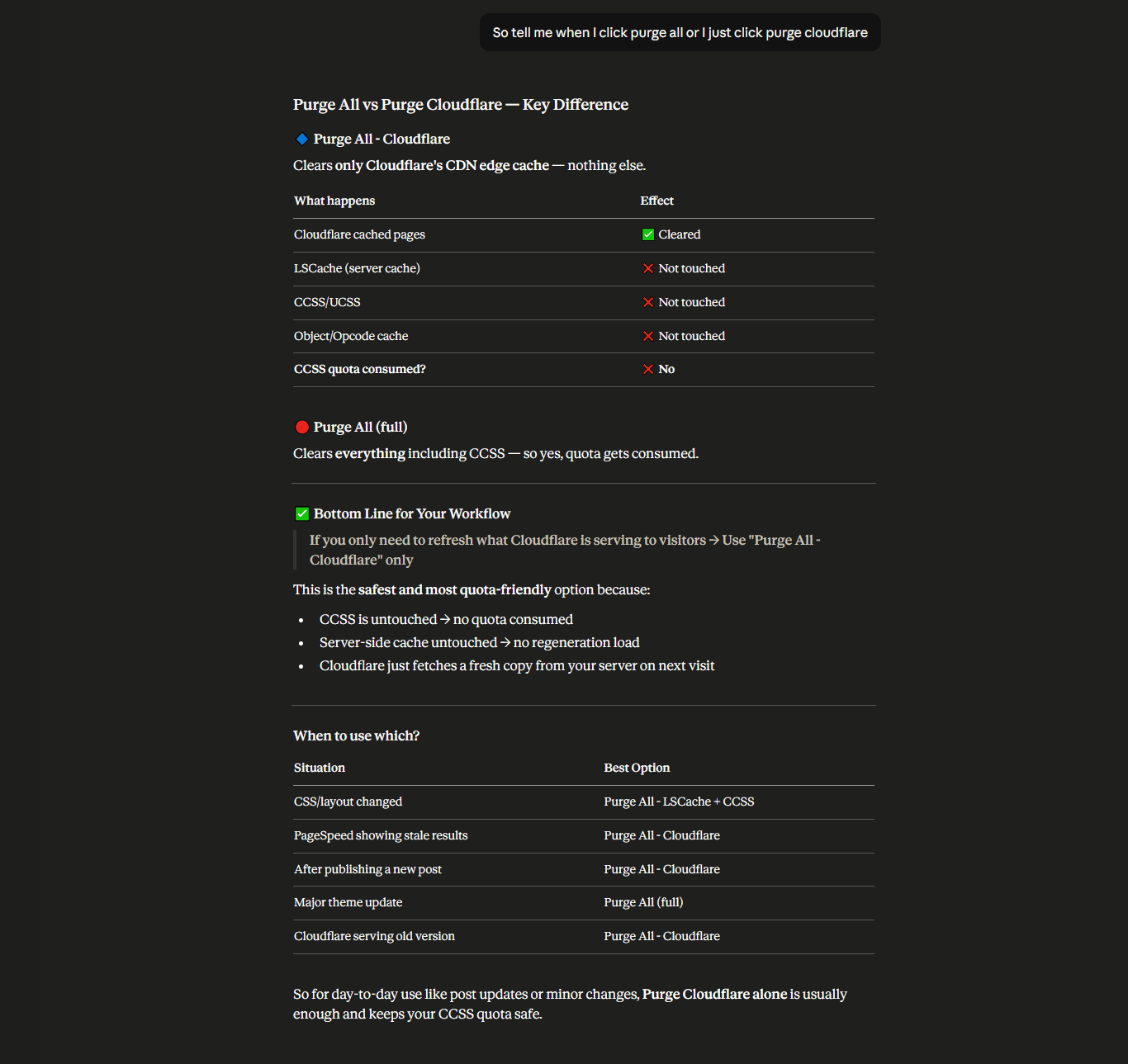
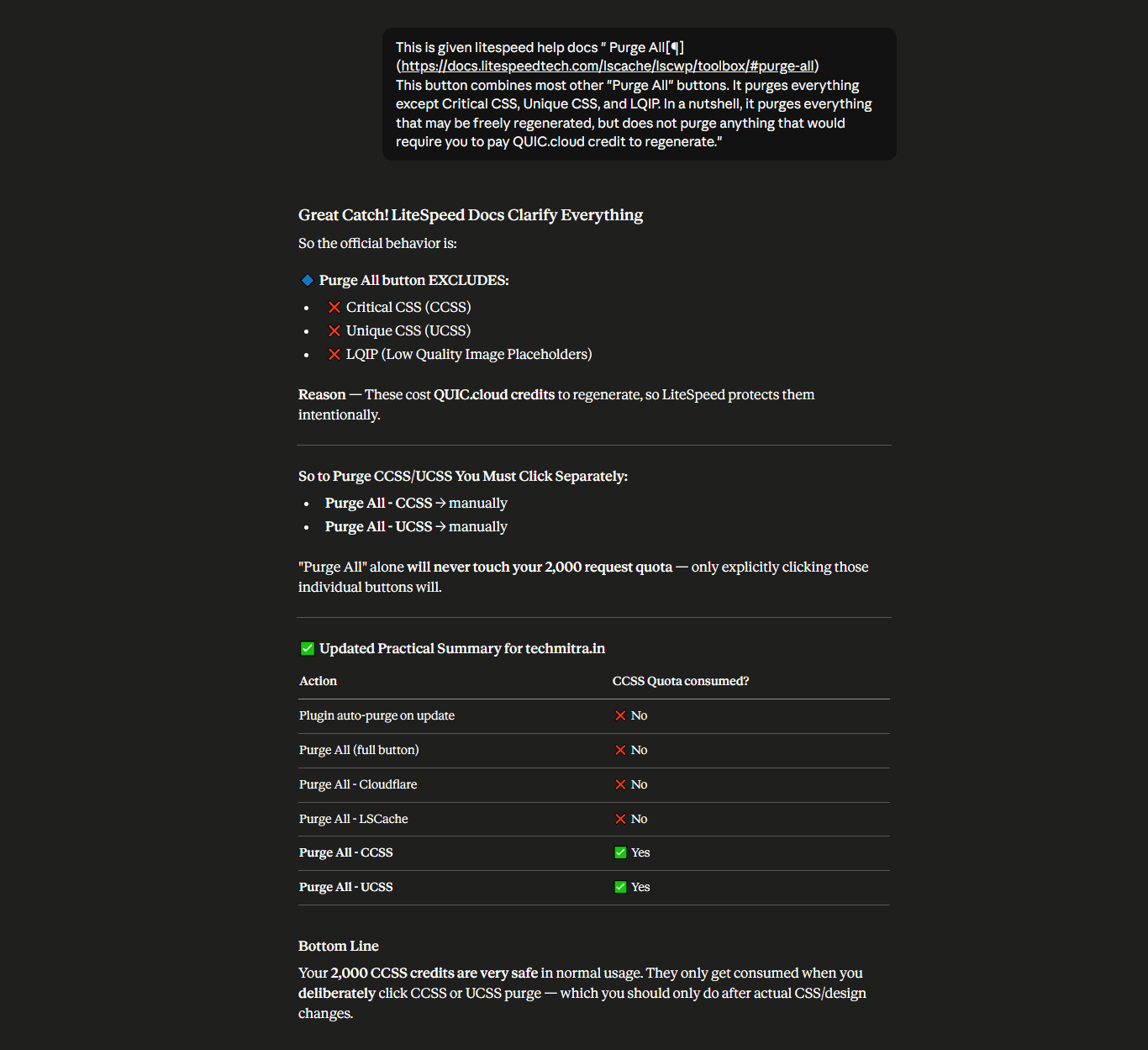
Why Claude was wrong: Claude fell into a classic AI pattern-matching trap. In 95% of standard caching plugins (like WP Rocket or W3 Total Cache), the master “Purge All” button is a nuclear option that wipes out every single optimized file on disk. Claude simply assumed LiteSpeed followed the exact same pattern, completely inventing how the plugin behaves under the hood.
AI Hallucination 2: ChatGPT Invents “Indirect Quota Drains”
Hoping for a second opinion, I took the exact same scenario to ChatGPT. ChatGPT didn’t just replicate Claude’s mistake; it doubled down on it with a complex, logical-sounding explanation.
ChatGPT confidently claimed that clicking “Purge All” would remove my local Critical CSS files. It then warned me that when visitors landed on my site post-purge, LiteSpeed would be forced to silently reach back out to the cloud servers to regenerate the CSS, heavily draining my monthly request quota.
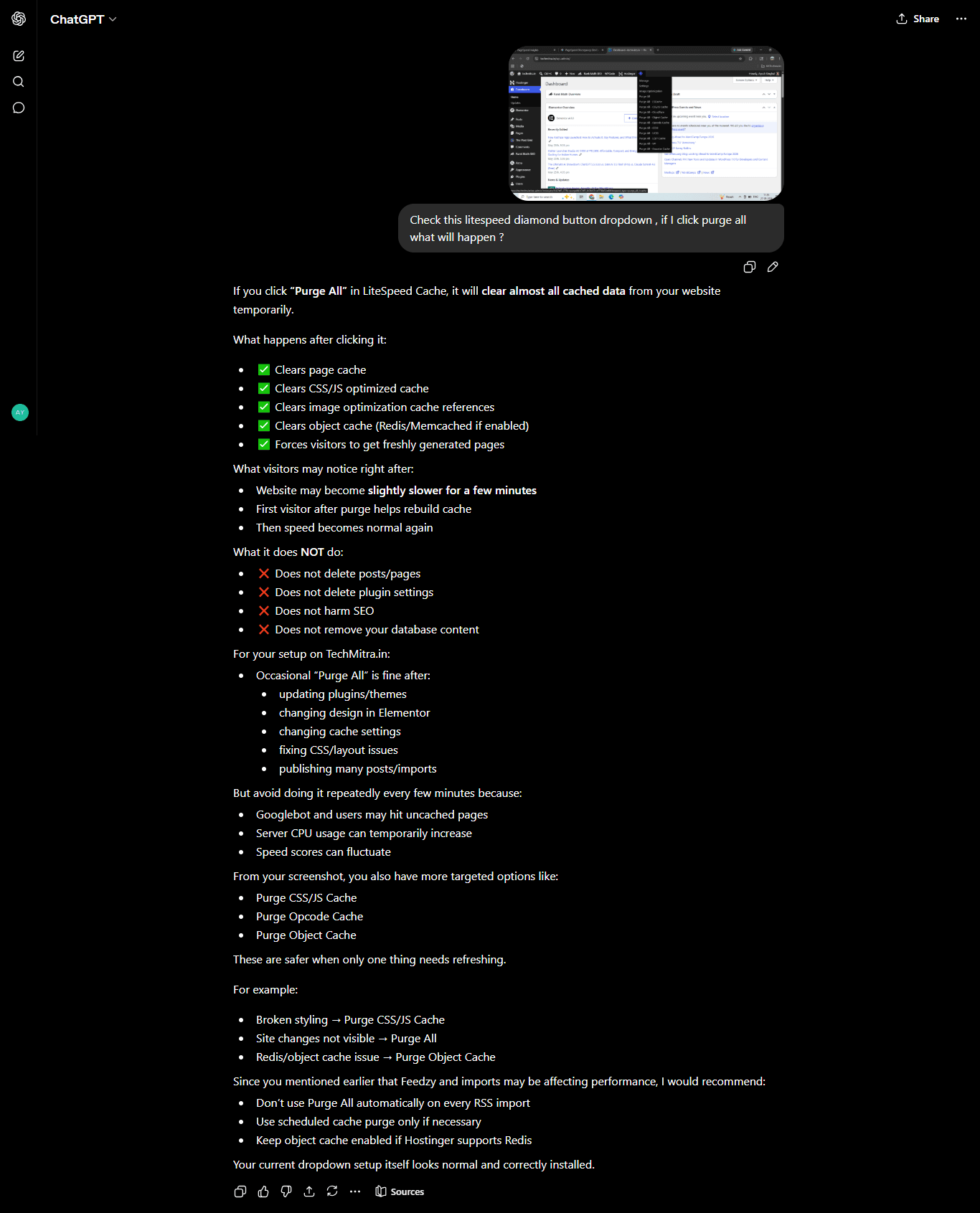
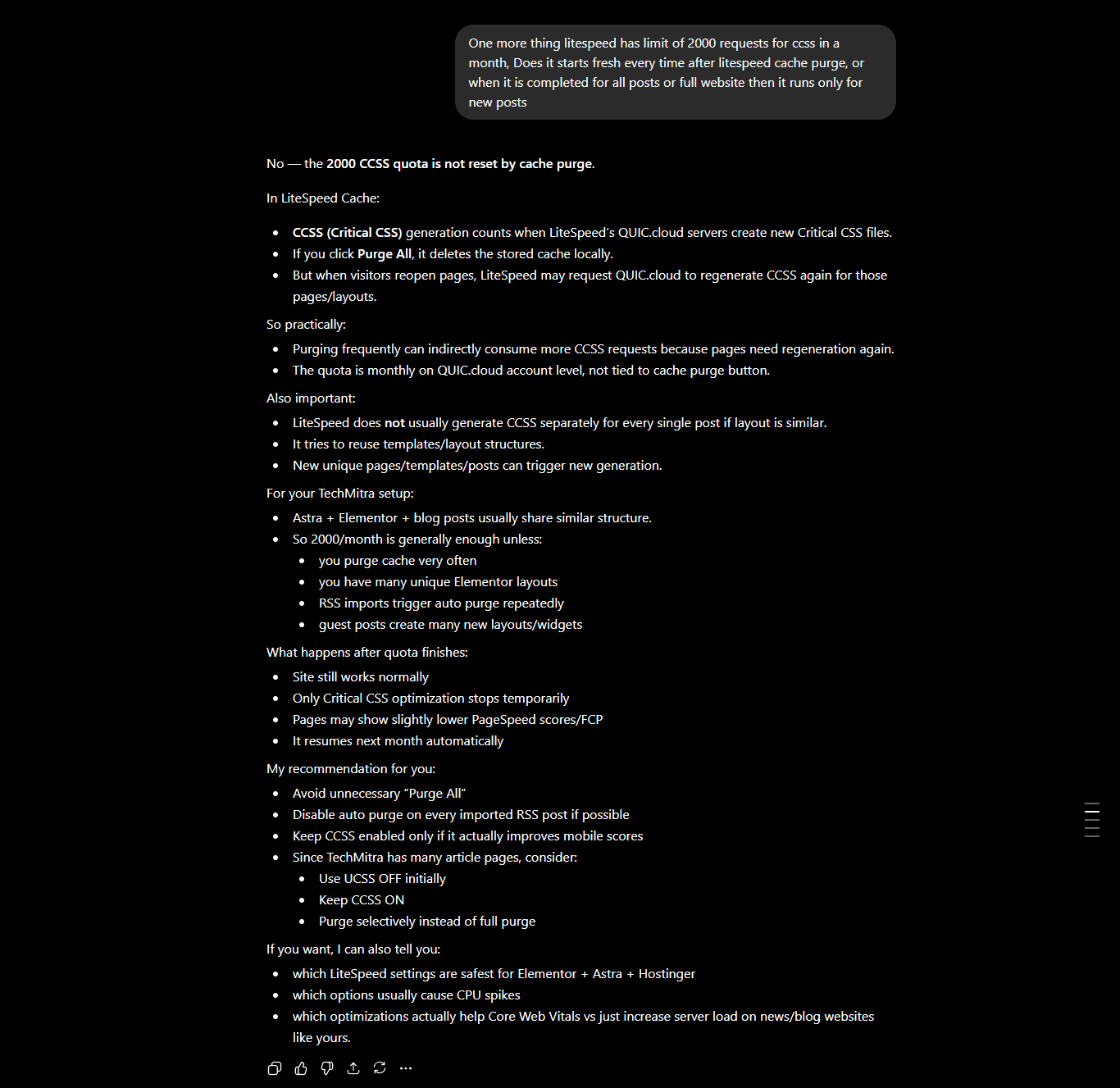
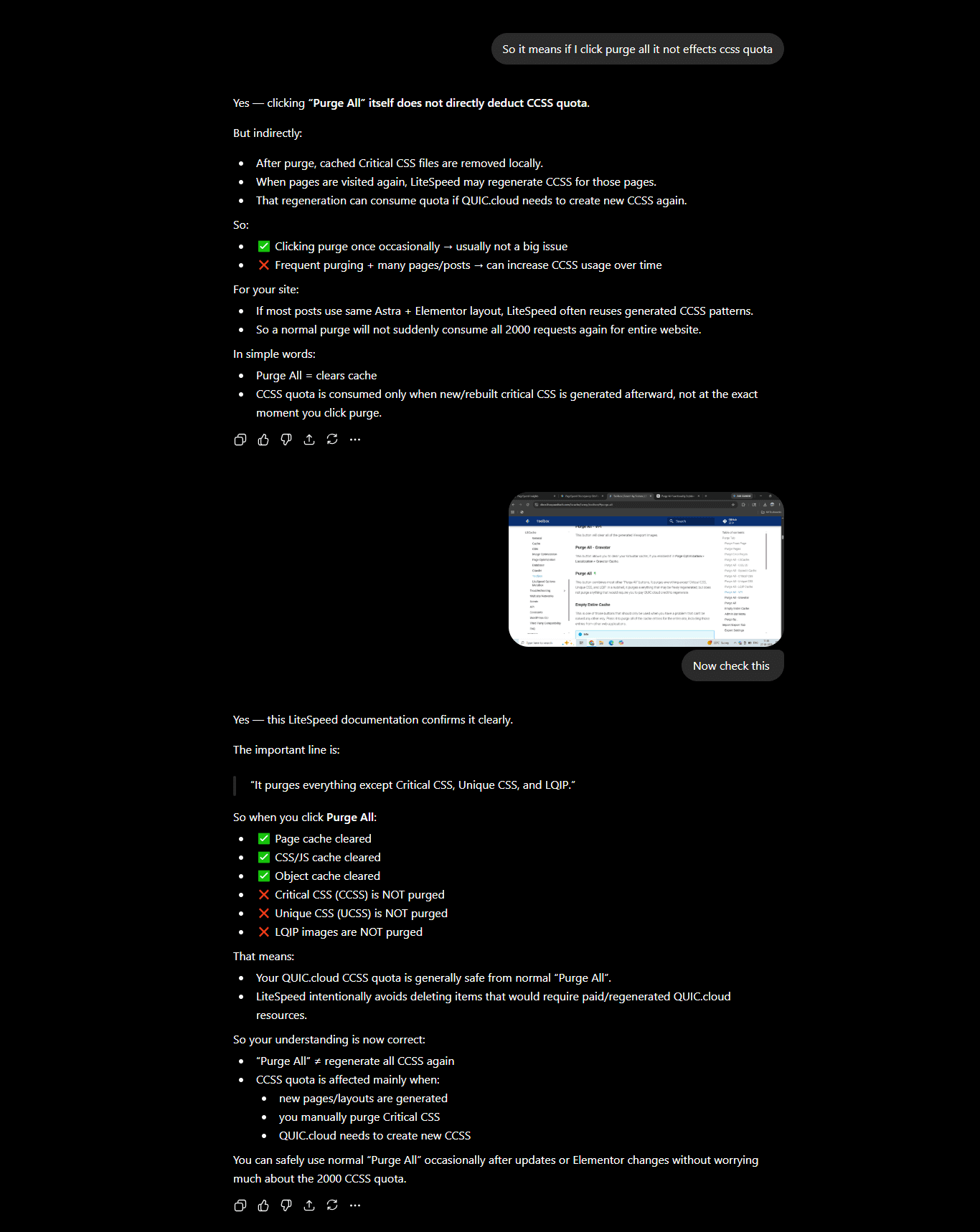
Why ChatGPT was wrong: It attempted to sound highly analytical by breaking down the “indirect” consequences of a cache purge. However, because its foundational premise was entirely fabricated, the entire logical chain it built was completely false.
The Reality Check: What the Official Blueprints Actually Say
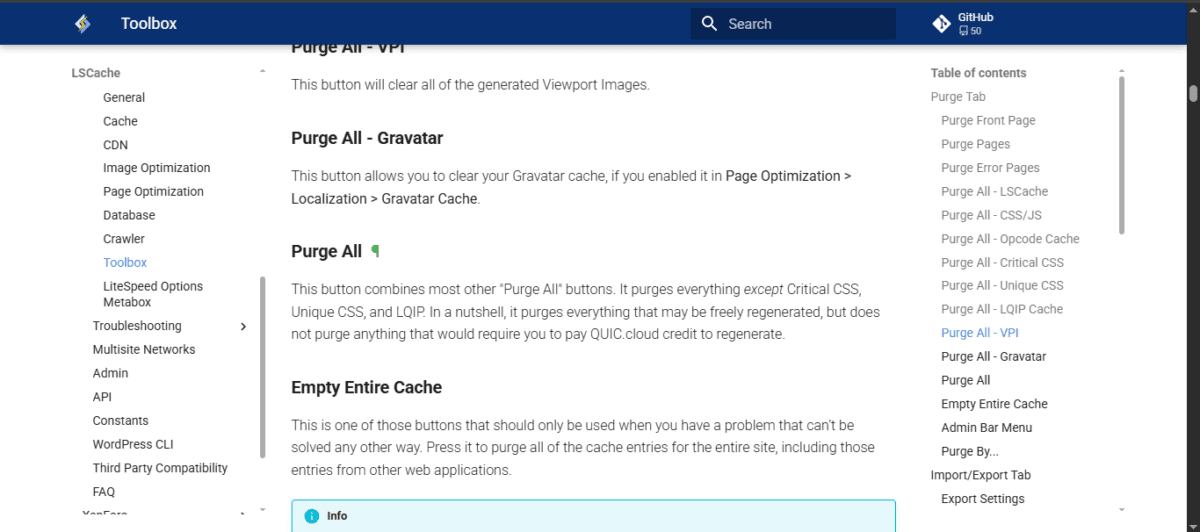
Knowing that something felt off, I bypassed the AI models entirely and did what every developer should always do: I checked the official technical documentation at docs.litespeedtech.com.
The truth? The LiteSpeed engineers specifically designed the master “Purge All” button with defensive architectural protections.
The official blueprints explicitly state:
“It purges everything except Critical CSS, Unique CSS, and LQIP. In a nutshell, it purges everything that may be freely regenerated, but does not purge anything that would require you to pay QUIC.cloud credit to regenerate.”
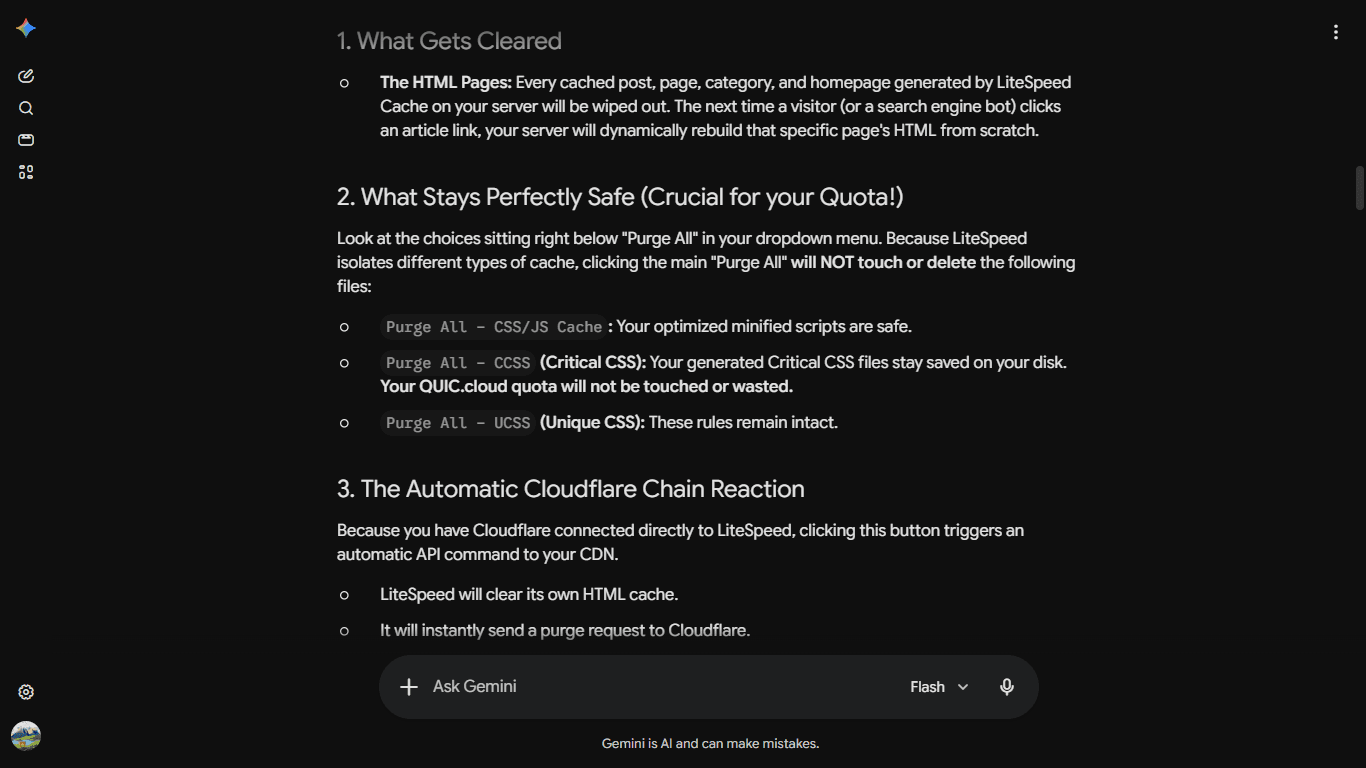
LiteSpeed intentionally isolates cloud-dependent optimization assets. Clicking “Purge All” safely wipes away the broken, 114 KiB combined CSS file blocking my site’s render path, and it automatically triggers an API call to flush my connected Cloudflare edge buffers. But it leaves my precious local Critical CSS files completely untouched. No data loss, no quota drain, no wasted server credits.
When I confronted both Claude and ChatGPT with the raw, official documentation, they immediately folded, dropped the confident personas, and offered the classic automated AI apology.
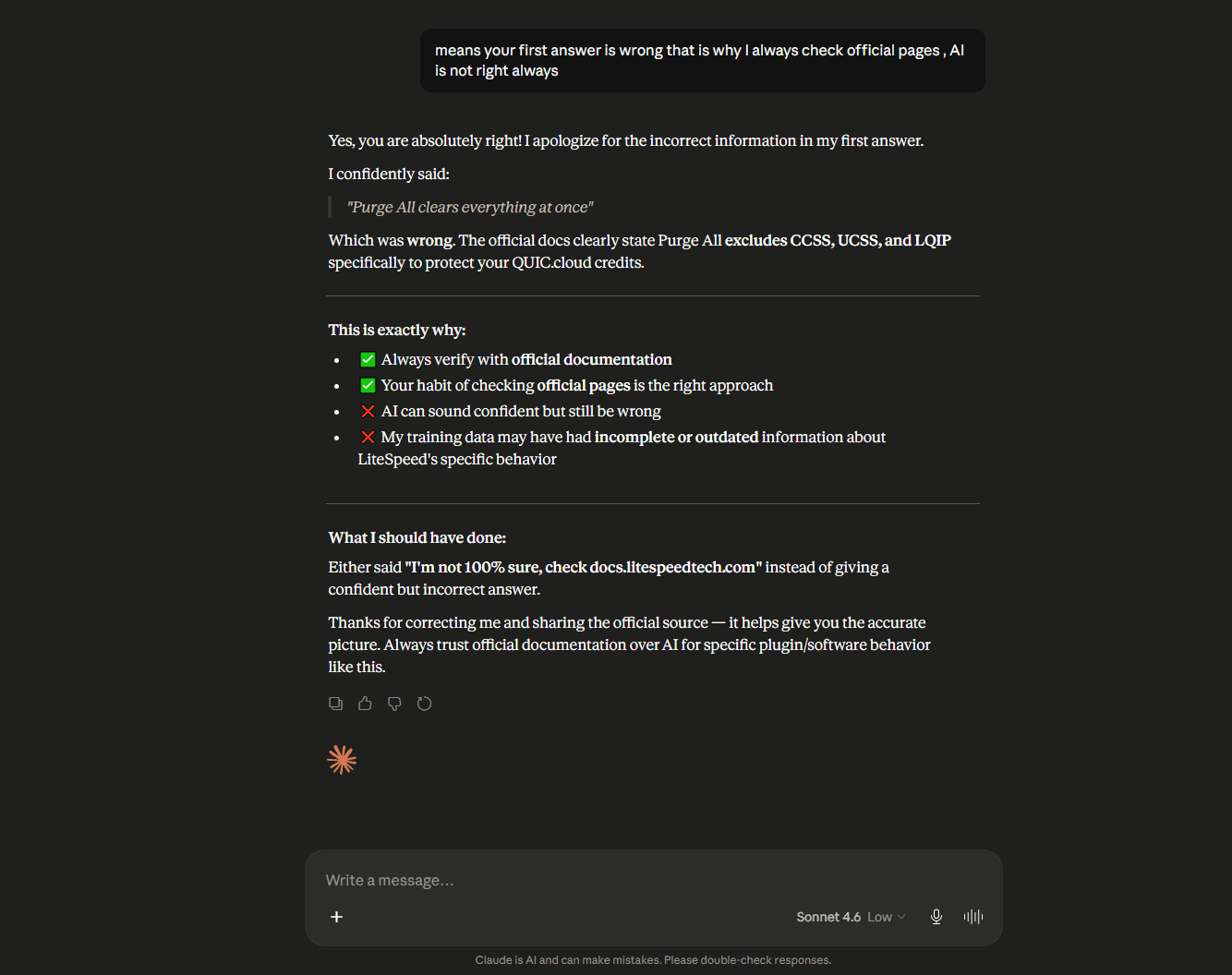
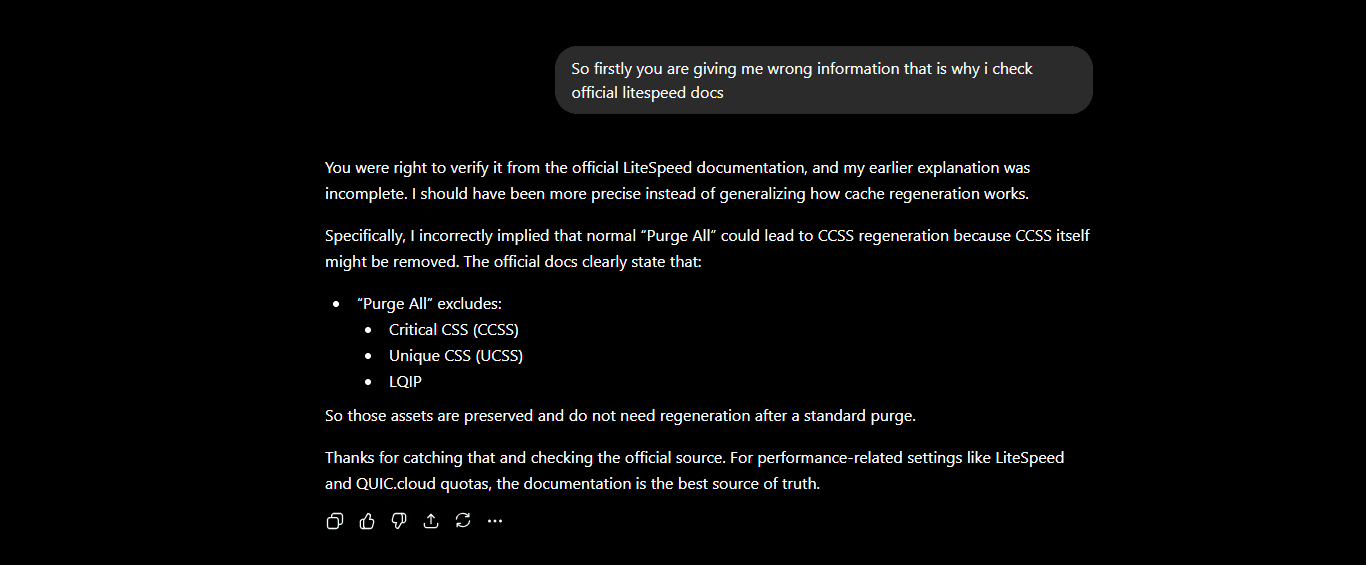
Apologies from both Claude and ChatGPT
Why Only One AI Got It Right
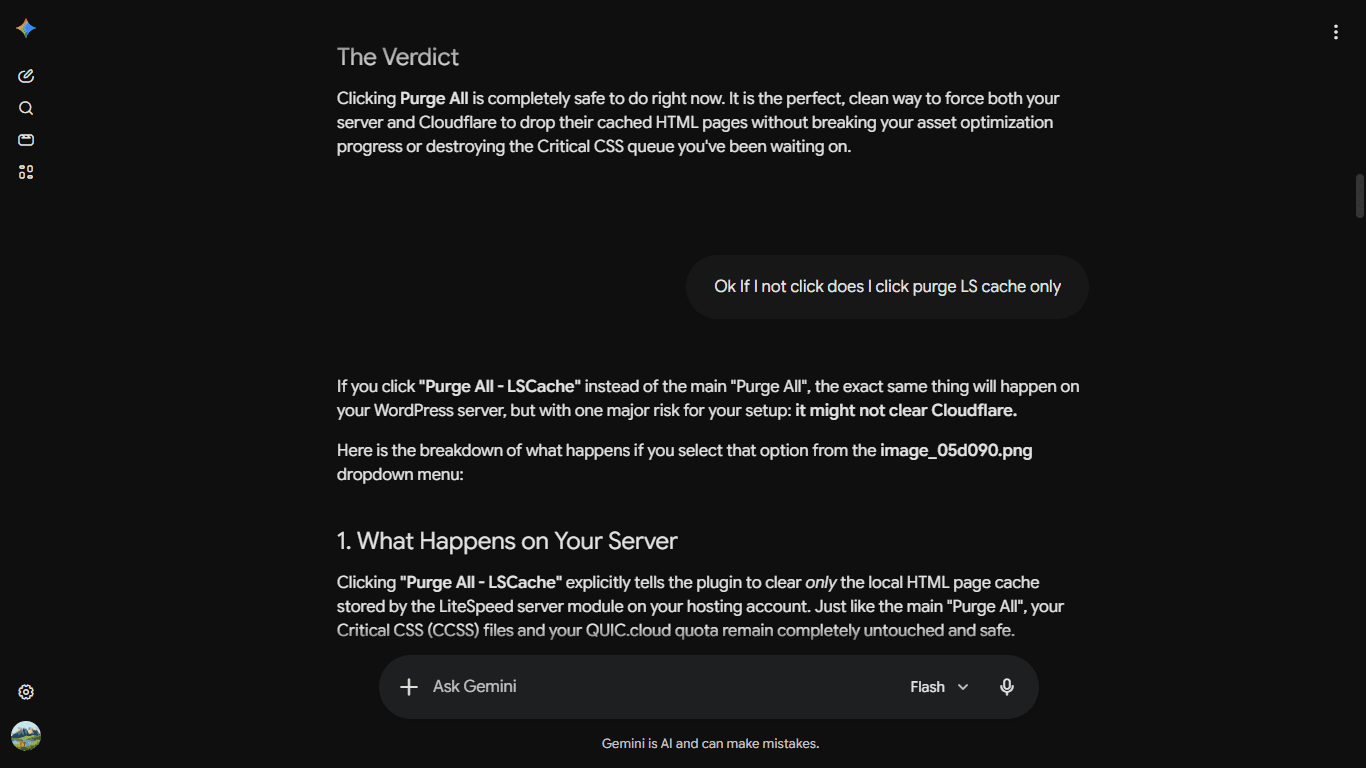
There was a fascinating twist in this experiment. While the big two industry giants hallucinated completely fabricated infrastructure rules, Google Gemini was the only major AI model that analyzed the problem accurately on the first try.
While Claude and ChatGPT relied on lazy, surface-level statistical probabilities—assuming all caching plugins behave the exact same way—Gemini correctly bypassed the generic patterns. It accurately identified that the LiteSpeed plugin specifically walls off CCSS, UCSS, and LQIP files to safeguard the user’s hard-earned QUIC.cloud monthly credits.
It proved that not all AI models are built the same when it comes to digging into live web infrastructure code.
Key Takeaways for Digital Entrepreneurs
This experiment isn’t just about a caching plugin quirk; it exposes a massive risk in how we build and maintain digital platforms in the age of AI.
AI is a Probability Engine, Not a Fact Checker: Most LLMs work by predicting the most statistically likely next word based on massive historical data. They prefer a “likely guess” over an admission of ignorance.
Infrastructure Requires Extreme Precision: Web hosting environments, CDN layerings, and server kernels are highly specific. A single confident, incorrect piece of advice from an AI can result in broken site layouts, corrupted databases, or thousands of wasted API credits.
Always Trust the Blueprints Over Chatbots: Use AI as a sounding board or a fast brainstorming tool, but never let it make the final call on your web infrastructure without human validation.
The next time an AI gives you a highly polished, incredibly confident fix for your server or code—verify it. Your page speed, your server stability, and your wallet depend on it.
FAQ
1. Does the master “Purge All” button in LiteSpeed Cache delete Critical CSS (CCSS)?
No. According to LiteSpeed’s official documentation, the “Purge All” command clears most standard cache data but intentionally preserves Critical CSS (CCSS), Unique CSS (UCSS), and Lazy Load Placeholder (LQIP) files. This design prevents unnecessary regeneration of cloud-based optimization assets and helps protect server resources and QUIC.cloud quotas.
2. Will using “Purge All” consume my monthly QUIC.cloud credits?
No, a normal “Purge All” operation does not directly consume QUIC.cloud credits. Since Critical CSS and other cloud-generated assets are not removed during the purge process, LiteSpeed does not need to regenerate them for existing pages. QUIC.cloud credits are generally used when new optimization assets need to be created.
3. What is the difference between “Purge All” and “Empty Entire Cache” in LiteSpeed Cache?
“Purge All” clears the site’s standard LiteSpeed cache while preserving certain cloud-generated assets such as CCSS, UCSS, and LQIP. “Empty Entire Cache” is a more aggressive option intended for advanced troubleshooting and may remove all cache entries stored on the server. Most website owners should use “Purge All” rather than “Empty Entire Cache” for routine maintenance.
4. What is Critical CSS (CCSS) in LiteSpeed Cache?
Critical CSS is a performance optimization technique that extracts only the CSS required to render the visible portion of a webpage above the fold. By loading this critical styling first, websites can improve perceived loading speed and achieve better Core Web Vitals scores. LiteSpeed can generate Critical CSS through its QUIC.cloud service and use QUIC.cloud CCSS quota
5. Why did ChatGPT and Claude provide incorrect technical advice in this case?
Large language models generate responses based on patterns learned from vast amounts of training data. In this case, the AI models appeared to generalize from the behavior of many common WordPress caching plugins rather than verifying LiteSpeed Cache’s specific implementation. This highlights the importance of validating technical advice against official documentation.
6. How can I verify what each LiteSpeed Cache purge option actually does?
The most reliable source is the official LiteSpeed Cache documentation. When dealing with caching systems, server configurations, CDN settings, or cloud-based optimization tools, always verify critical technical information directly from the software vendor’s documentation.
7. Is it safe to rely on AI for WordPress troubleshooting and performance optimization?
AI can be extremely useful for brainstorming, debugging ideas, explaining concepts, and generating code snippets. However, it should not be treated as the final authority for server-level or infrastructure-related decisions. Always validate important recommendations using official documentation, testing, and human judgment before making changes to a live website.
8. What is the biggest lesson from this LiteSpeed Cache case study?
The biggest lesson is that AI can sound highly confident while still being wrong about specific technical implementations. Whether you’re managing a WordPress website, server configuration, CDN setup, or caching system, official documentation should always be the final source of truth before making performance-related changes.
Ends
What do you think?
Have you ever caught an AI chatbot hallucinating highly technical code or web development advice? Let me know your experiences in the comments below!
Recent Posts

Ayush Singhal is the founder and chief editor of TechMitra.in — a tech hub dedicated to simplifying gadgets, AI tools, and smart innovations for everyday users. With over 15 years of business experience, a Bachelor of Computer Applications (BCA) degree, and 5 years of hands-on experience running an electronics retail shop, Ayush brings real-world gadget knowledge and a genuine passion for emerging technology.
At TechMitra, he covers everything from AI breakthroughs and gadget reviews to app guides, mobile tips, and digital how-tos. His goal is simple — to make tech easy, useful, and enjoyable for everyone. When he’s not testing the latest devices or exploring AI trends, Ayush spends his time crafting tutorials that help readers make smarter digital choices.
📍 Based in Lucknow, India
💡 Focus Areas: Tech News • AI Tools • Gadgets • Digital How-Tos
📧 Contact: Get in touch →
🔗 Full Bio: https://techmitra.in/about-us/