

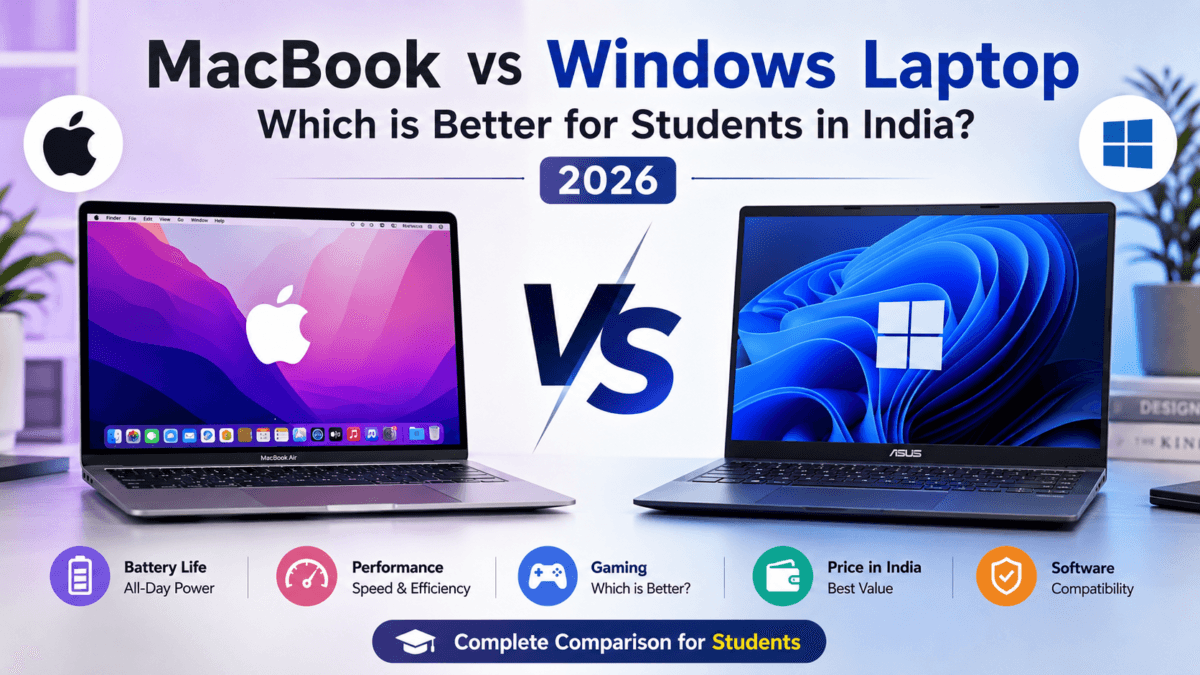
College is a massive milestone, and alongside your admission letter, a reliable laptop is arguably the most critical investment you will make. It is your lecture-note taker, your coding workstation, your video editing suite, and your late-night entertainment hub for the next four years.
But the ultimate dilemma remains unchanged: Should you go with an Apple MacBook or a flexible Windows laptop?
The landscape has shifted dramatically. Windows has fought back against Apple’s legendary battery life with ARM-powered Copilot+ PCs (featuring Snapdragon X processors) and highly efficient Intel Core Ultra and AMD Ryzen chips. Meanwhile, Apple Silicon (M2 and M3 chips) continues to offer unparalleled optimization, though the entry-level pricing and repair costs remain a hurdle for the average Indian household budget.
This comprehensive guide breaks down the performance, software compatibility, real-world student use cases, and budget realities in India to help you make the absolute right choice.
Table of Contents
First Day with a New Laptop: Essential Tasks You Must Do Immediately (AI Era Guide)
Quick Overview: MacBook vs Windows Laptop
| Feature | MacBook | Windows Laptop |
|---|---|---|
| Battery Life | Excellent | Very Good |
| Gaming Support | Limited | Excellent |
| Software Compatibility | Moderate | Excellent |
| Build Quality | Premium | Depends on Brand |
| Upgradeability | Limited | Better |
| AI Features | Apple Intelligence | Copilot+ AI PCs |
| Value for Money | Premium Pricing | More Options |
| Best For | Creators, Students, Professionals | Gamers, Engineers, Budget Users |
Performance, Efficiency, and Battery Life
For years, MacBooks dominated the battery life conversation. With the introduction of Apple Silicon, a MacBook Air could easily last 15 to 18 hours on a single charge. For an Indian student dealing with unpredictable power cuts in hostels or a lack of charging outlets in crowded lecture halls, this was a game-changer.
Apple Silicon Continuity
The MacBook Air (M2 and M3 models) continues to offer the gold standard in thermal efficiency. Because the architecture is so well-optimized, these laptops do not even require an internal fan. They run completely silently, never get uncomfortably hot on your lap, and maintain 100% of their performance whether plugged into the wall or running on battery power.
The Windows Counter-Attack
Windows laptops are no longer battery hogs that die within four hours.
- Copilot+ PCs (Snapdragon X Elite / Plus): These ARM-based Windows laptops rival Apple’s battery life, easily offering 14+ hours of real-world use while keeping the laptop cool and fast.
- Intel Core Ultra & AMD Ryzen AI Chips: If you prefer traditional x86 Windows laptops (essential for heavy gaming or niche engineering software), these newer processors use advanced power management to push battery life into the 8 to 11-hour range.
The Verdict on Performance: If you want a silent machine that lasts all day without a charger, the MacBook still holds a slight edge in refinement. However, if you need raw graphical power (GPU) for gaming or rendering on a budget, Windows laptops with dedicated NVIDIA RTX graphics cards win hands down.
Also Read : Best Processor for Mobile and PC (2023–2026): Which Chipset Is Actually Worth Buying?
MacBook vs Windows Laptop For Students: Software Compatibility and Course Requirements
Before buying a laptop based on looks or brand value, you must check your college curriculum. Certain academic fields strictly mandate one operating system over the other.
Computer Science & IT (Coding/Development)
Both operating systems are excellent for programming, but they cater to different styles:
- MacBook: Built on a Unix-based foundation, macOS is loved by web developers, data scientists, and mobile app developers. If you ever want to develop iOS applications, a MacBook is mandatory—you cannot compile iOS apps on Windows.
- Windows: Perfect for general software engineering, game development (Unity/Unreal Engine), and working with enterprise Microsoft tools (.NET framework, SQL Server). Windows also allows you to dual-boot into Linux easily if your college labs require a native Linux environment.
Engineering (Mechanical, Civil, Electrical)
If you are enrolled in a non-CS engineering branch, avoid MacBooks. Industry-standard software like AutoCAD, SolidWorks, MATLAB, ANSYS, and Revit are either completely unavailable on macOS or run poorly via emulation layers. Windows handles these heavy CAD tools natively, especially when paired with a dedicated graphics card.
Commerce, Management, and Humanities
For students pursuing B.Com, BBA, MBA, or mass media, both systems perform beautifully. However, there is a catch with advanced corporate finances:
- Microsoft Excel: While Excel exists for Mac, the Windows version is the undisputed industry standard. Advanced macros, specific data analysis plugins, and keyboard shortcuts used by investment bankers and financial analysts are built natively for Windows.
How to Safely & Securely Transfer Data When Moving from an Old Laptop to a New One
Real-World Scenarios For Students: Which Laptop Fits Your Needs?
Choosing between a MacBook and a Windows laptop becomes much easier when you think about how you will actually use the laptop during college. Different courses and workflows have very different requirements, especially in 2026 where AI tools, heavy multitasking, and portability matter more than ever.
Here are three common student scenarios that can help you decide.
1. Aarav — B.Tech Computer Science Student
Aarav spends most of his day:
- coding in VS Code,
- running multiple browser tabs,
- using Docker and development tools,
- attending online lectures,
- and working on programming assignments.
He needs:
- strong multitasking performance,
- long battery life,
- lightweight portability,
- and a reliable keyboard for long coding sessions.
Best Picks
Why?
MacBooks remain extremely popular among developers because macOS provides a Unix-based environment that works beautifully for coding and development workflows. The battery life and silent operation are also excellent for long college sessions.
However, premium Windows AI laptops have improved dramatically. Devices powered by Snapdragon X Elite, Intel Core Ultra, and Ryzen AI processors now offer:
- impressive battery backup,
- strong multitasking,
- and excellent software compatibility.
For engineering students who may occasionally need Windows-only applications, premium Windows ultrabooks can be the safer long-term choice.
2. Meera — Design & Media Student
Meera works with:
- Adobe Photoshop,
- Illustrator,
- Premiere Pro,
- Canva,
- and Figma.
She wants:
- a color-accurate display,
- smooth creative performance,
- lightweight portability,
- and excellent battery life for editing on the go.
Best Picks
Why?
MacBooks still deliver one of the best experiences for creative professionals thanks to:
- highly optimized apps,
- excellent color accuracy,
- smooth video rendering,
- and outstanding efficiency.
That said, premium Windows OLED ultrabooks are now serious competitors. Laptops like the ASUS Zenbook and HP OmniBook offer:
- vibrant OLED displays,
- AI-enhanced productivity tools,
- and premium lightweight designs.
Students who prefer Windows flexibility without sacrificing portability may find these laptops a better value.
3. Rohan — MBA / Business Student
Rohan mainly uses:
- Microsoft Excel,
- PowerPoint,
- Zoom,
- research tools,
- and productivity apps throughout the day.
He wants:
- strong battery life,
- a comfortable keyboard,
- a good webcam,
- and a premium lightweight design for travel and presentations.
Best Picks
- Microsoft Surface Laptop
- HP OmniBook 5 OLED
- Apple MacBook Air 13-inch M5
Why?
Modern AI ultrabooks are excellent for MBA and business students because they combine:
- portability,
- premium build quality,
- long battery life,
- and AI-powered productivity features.
The Microsoft Surface Laptop especially stands out for:
- excellent typing experience,
- lightweight design,
- and Copilot+ AI integration.
Meanwhile, the MacBook Air remains one of the best all-round premium laptops for students who value battery efficiency and ecosystem integration.
The New Frontier: On-Device AI and Next-Gen Security
The choice between macOS and Windows is no longer just about the user interface; it is about how each platform handles integrated artificial intelligence and data privacy.
Apple’s Approach: Apple Intelligence and Silicon Security
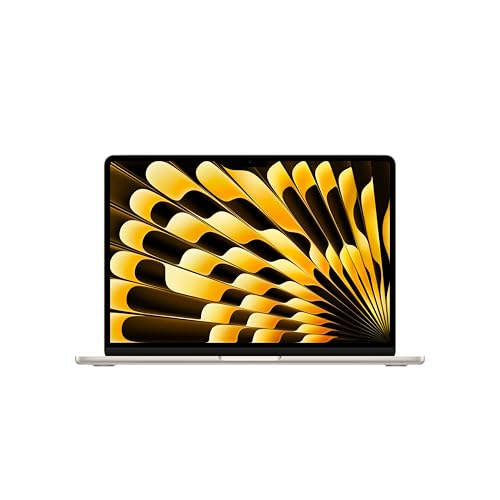
The 2026 MacBook Air lineup features the cutting-edge M5 chip, which pairs a blazing-fast CPU and unified memory with a highly advanced Neural Engine and next-generation GPU with Neural Accelerators. This hardware powers Apple Intelligence, an on-device personal intelligence system designed to help you summarize long academic papers, rewrite essays, and accelerate creative workflows seamlessly.
- Privacy First: Apple’s core selling point is its strict cryptographic architecture. Built-in virus protection, free security updates, and automated hardware-level privacy protections ensure your sensitive personal and academic data remains accessible to no one else—not even Apple.
- Biometric Convenience: The integration of Touch ID allows secure, instantaneous logins and password-free authentication for banking and student portals.
The Windows Approach: Copilot+ PCs and Hardware Safeguards
On the other side of the aisle, Windows has introduced the Copilot+ PC standard, utilizing powerful Neural Processing Units (NPUs) delivering up to 50 TOPS (Trillion Operations Per Second).
- AI-Powered Productivity: Features like Microsoft Recall allow you to search through your entire digital timeline using natural language, instantly finding a slide, website, or document you viewed weeks ago. Dedicated Copilot keys on modern keyboards give you immediate, one-touch access to an AI research sidekick.
- Enterprise Security: Windows laptops now feature robust hardware-level security through the Trusted Platform Module (Firmware TPM). For physical privacy, many premium models include dedicated physical mic-mute keys, mechanical camera privacy shutters, and advanced infrared (IR) cameras supporting Windows Hello facial recognition for instantaneous biometric login.
MacBook vs Windows Laptop Price, Upgradability, and the “Hidden Costs” in India
This is where the decision becomes real for Indian parents and students. The initial sticker price tells only half the story.
The Upgradability Trap
- Windows Laptops: Most mid-range to premium Windows laptops allow you to upgrade your storage (SSD) and memory (RAM) later. You can buy a cheaper 8GB RAM laptop today and spend ₹3,000 next year to upgrade it to 16GB when your workload increases.
- MacBooks: Apple configures Unified Memory and storage directly onto the main logic board. What you buy on day one is what you stay with forever. You cannot add more RAM or storage later. Because of this, buying a future-proof Mac forces you to pay heavy premiums upfront for higher-tier variants.
After-Sales Service and Out-of-Warranty Repairs
In India, infrastructure matters.
- Windows Support: Brands like Dell, HP, and Lenovo have service centers in almost every Tier-2 and Tier-3 city across India. Furthermore, third-party repairs are incredibly affordable. If a Windows keyboard breaks out of warranty, a local repair shop can fix it for less than ₹2,000.
- Apple Support: Apple Authorized Service Providers are mostly concentrated in Tier-1 cities. More importantly, out-of-warranty repairs are notoriously expensive. A cracked MacBook screen or a liquid-damaged logic board can easily cost between ₹30,000 to ₹50,000 to fix at an official service center—often prompting users to buy a completely new machine instead.
Pro-Tip for Mac Buyers: If you decide to purchase a MacBook, budget for AppleCare+. It protects you against accidental physical damage and can save you from catastrophic repair bills during your college years.
Also Read : Best Laptops Under 50000 in India (2026) – Top Picks for Students, Programming & Professionals
How to Get the Best Deals in India
Whichever side you choose, never pay full retail price. Use these strategies to maximize your savings:
- Apple Education Store: If buying a Mac, log into the Apple India Education Store website using your college email ID (
.edu.in) or student ID card. You can instantly save up to 10% on the retail price. Furthermore, during their annual Back to College summer campaigns, Apple frequently bundles free AirPods or an Apple Pencil with the purchase. - E-Commerce Festive Sales: Amazon’s Great Indian Festival and Flipkart’s Big Billion Days (typically around September/October) offer the steepest price cuts on base-model MacBooks and mid-range Windows gaming laptops. Combined with bank credit card discounts (HDFC, ICICI, SBI), you can often slash an additional ₹5,000 to ₹10,000 off the listed price.
- Brand Websites for Windows: Companies like Lenovo and HP offer custom student discount codes directly on their official websites, which often beat retail store pricing and include extended 3-year warranties for a nominal fee (highly recommended for students).
Best Windows Laptops Under ₹1 Lakh With MacBook-Like Battery Life
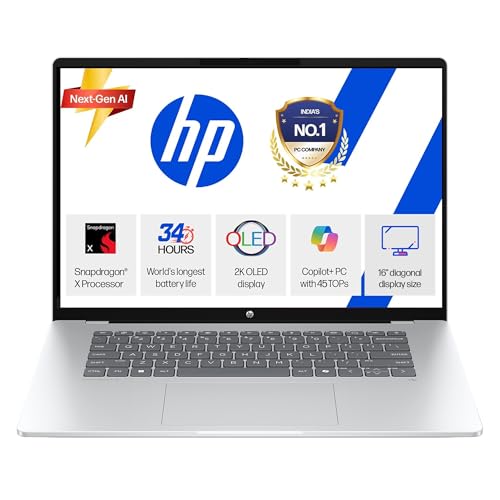
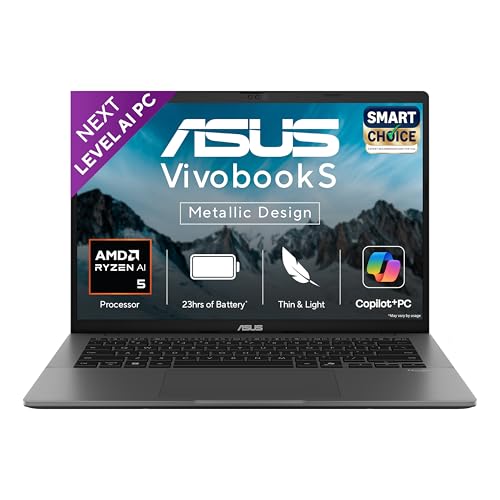
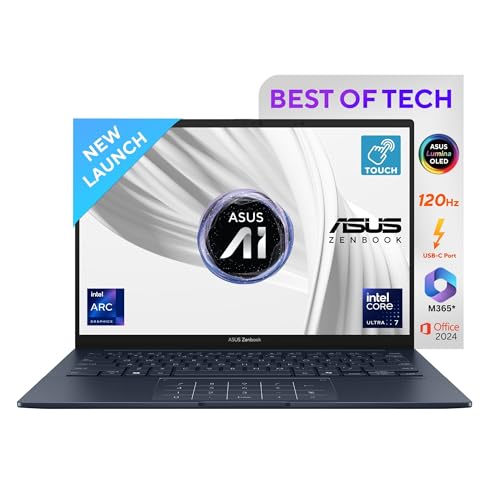
Most new MacBooks in India now cost above ₹1 lakh. However, several premium Windows AI ultrabooks now offer:
- comparable battery life,
- lightweight designs,
- and premium build quality.
Best Laptops in the ₹1 Lakh to ₹1.5 Lakhs Sweet Spot
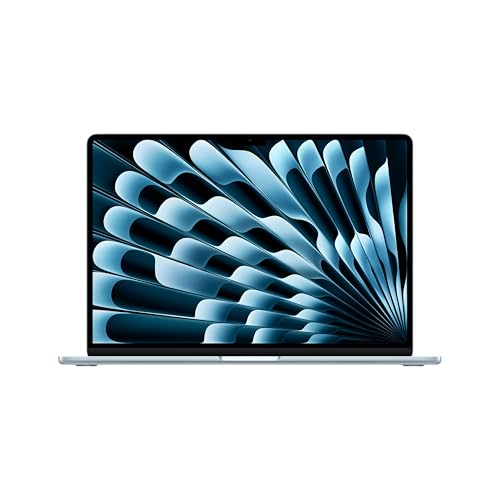
This price tier represents the ultimate battleground where Apple’s brand-new M5 MacBook Air lineup competes directly with premium ultra-thin Windows flagships.

Elite Class Laptops: Price Range ₹1.5 Lakhs to ₹2.0 Lakhs
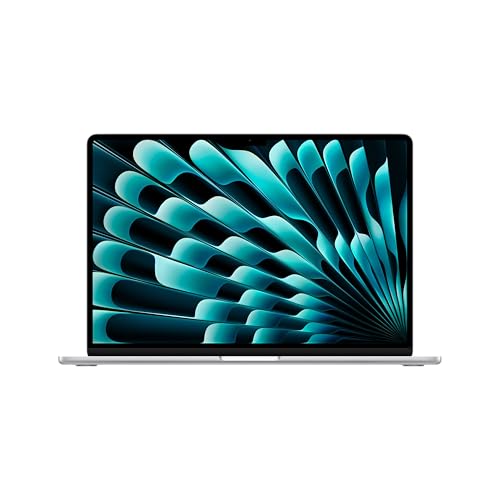
For researchers, creators, graduate students, and power users who require absolute maximum performance, uncompromising storage overheads, and pinnacle build refinement.
Which Laptop Should Students Buy?
Choose a MacBook If:
- you want maximum battery life,
- you use an iPhone,
- you prioritize portability,
- you work in creative fields,
- you prefer silent laptops.
Choose a Windows AI Laptop If:
- you need better software compatibility,
- you are an engineering student,
- gaming matters,
- you want more hardware flexibility,
- or you prefer better value for money.
Also Read : Best Affordable Laptops for Students (April 2026) – Top Picks Under ₹50,000 & ₹60,000
Final Verdict
In 2026, the gap between MacBooks and premium Windows laptops has become smaller than ever.
MacBooks still offer:
- unmatched optimization,
- incredible battery life,
- and the smoothest premium experience.
However, premium Windows AI laptops finally compete seriously in:
- portability,
- efficiency,
- AI features,
- and premium design.
For many Indian students, modern AI-powered Windows ultrabooks now provide a realistic MacBook alternative without sacrificing:
- compatibility,
- flexibility,
- or gaming support.
The best choice depends entirely on your:
- course,
- workflow,
- software requirements,
- and budget.
FAQs
Are Windows AI laptops finally comparable to MacBooks?
Yes. Premium AI ultrabooks powered by Snapdragon X Elite, Ryzen AI, and Intel Core Ultra chips now offer battery life and portability much closer to MacBooks.
Macbook vs Windows laptop for engineering students, Which Is Better ?
Windows laptops are usually better because many engineering applications are Windows-focused.
Are MacBooks good for coding?
Yes. MacBooks are excellent for coding, especially for web development, app development, and Unix-based workflows.
Is battery life still better on MacB
MacBooks still lead slightly overall, but premium Windows AI laptops have improved dramatically.
Are AI laptops worth buying in 2026?
Yes. AI features like Copilot+, Recall, and Apple Intelligence are becoming increasingly useful for productivity and multitasking.
Affiliate Disclaimer
This article contains affiliate links. If you purchase a product through these links, I may earn a small commission at no extra cost to you. This helps me continue sharing honest reviews, comparisons, and guides based on my real retail experience. I only recommend products from reliable brands that I believe will offer value and long-term satisfaction to customers.

Ayush Singhal is the founder and chief editor of TechMitra.in — a tech hub dedicated to simplifying gadgets, AI tools, and smart innovations for everyday users. With over 15 years of business experience, a Bachelor of Computer Applications (BCA) degree, and 5 years of hands-on experience running an electronics retail shop, Ayush brings real-world gadget knowledge and a genuine passion for emerging technology.
At TechMitra, he covers everything from AI breakthroughs and gadget reviews to app guides, mobile tips, and digital how-tos. His goal is simple — to make tech easy, useful, and enjoyable for everyone. When he’s not testing the latest devices or exploring AI trends, Ayush spends his time crafting tutorials that help readers make smarter digital choices.
📍 Based in Lucknow, India
💡 Focus Areas: Tech News • AI Tools • Gadgets • Digital How-Tos
📧 Contact: Get in touch →
🔗 Full Bio: https://techmitra.in/about-us/