
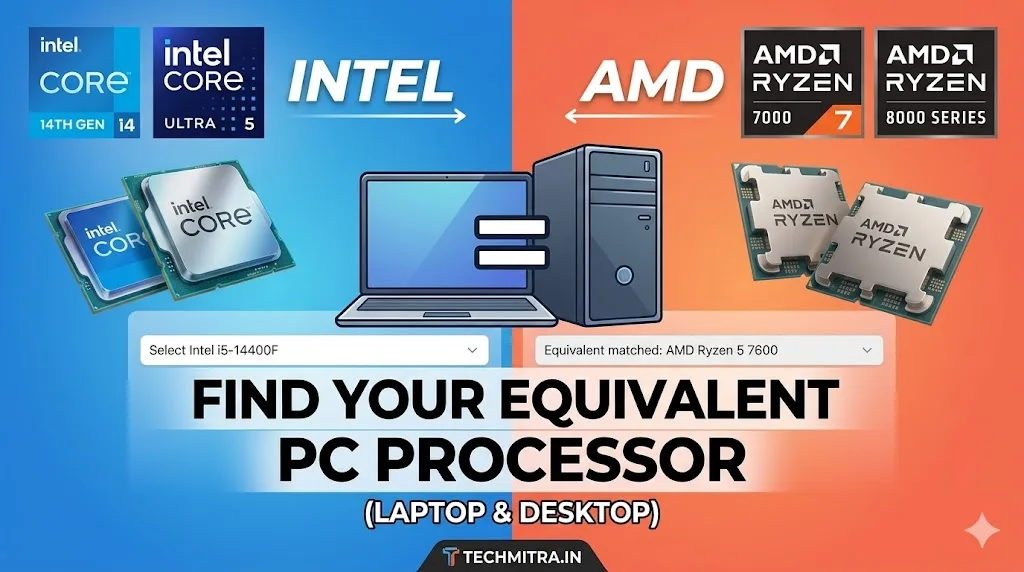
Image : Intel vs AMD Processor Finder – Free CPU comparison Tool
Updated – 14th’ September, 2026
Buying a new computer can be incredibly confusing, especially when you are trying to figure out the difference between Intel and AMD. If you find a laptop or desktop with an Intel Core i5 processor, how do you know which AMD Ryzen chip matches its performance?
You don’t have to guess or get lost in confusing benchmark numbers. You can easily compare Intel vs AMD processors for desktop and laptop below to instantly clear up the confusion. Our tool is designed to give you a clear, hassle-free AMD to Intel comparison so you can shop with confidence.
Use our Interactive Intel vs AMD Processor comparison tool for desktop and laptop below to instantly clear up the confusion.
💡 Shopping for a smartphone instead of a laptop? Check out our interactive Smartphone Processor Equivalence Tool Tool to instantly compare Snapdragon and MediaTek Dimensity chipsets side-by-side.
💡 How to use this Intel Vs AMD Processor Comparison tool:
If you want to compare cpu side by side, simply follow these quick steps:
- Filter your choice: Use the dropdown menus to narrow your search by brand, form factor (Laptop or Desktop), or performance segment.
- Select the CPU: Pick the specific processor model you are currently looking at.
- Get your match: The tool will instantly display the selected processor alongside its closest rival equivalent based on market segment, core configurations, and price tiers!
© 2026 TechMitra.in – All Rights Reserved.
This interactive processor comparison tool is proprietary property of TechMitra.
Unauthorized copying, modification, or distribution of this code is strictly prohibited.
Also Check My Guide On Best Affordable Laptops for Students in India (2026): Top Picks Under ₹50,000 & ₹60,000
Quick Guide: Understanding AMD vs Intel Processor Tiers
When shopping for a new laptop or desktop, matching the model numbers can feel overwhelming. Here is a quick breakdown of how our equivalence tool calculates these matches:
1. The Core Tier Rule
Both Intel and AMD use a structured naming system to signal performance tiers. As a general rule of thumb:
- Intel Core i3 / Ultra 3 matches with AMD Ryzen 3 (Entry-level productivity, student tasks, and basic web browsing).
- Intel Core i5 / Ultra 5 matches with AMD Ryzen 5 (Mainstream multi-tasking, office work, and budget gaming).
- Intel Core i7 / Ultra 7 matches with AMD Ryzen 7 (High-performance content creation, gaming, and heavy programming).
- Intel Core i9 / Ultra 9 matches with AMD Ryzen 9 (Flagship performance, extreme gaming, and professional 3D workloads).
2. Pay Attention to the Suffix (U vs H Series)
You can use the filter in our tool above to toggle between device forms. Always ensure you are comparing matching letters at the end of the processor name:
- U-Series (e.g., Core i5-1235U vs Ryzen 5 7530U): Designed for thin-and-light laptops. They draw very low power ($15W) to maximize battery life but are built for lighter workloads.
- H / HS / HX Series (e.g., Core i7-13620H vs Ryzen 7 7735HS): High-performance chips built for thick gaming laptops and creator workstations. They draw much more power (35W-45W) and require active cooling.
3. Desktop vs Laptop Processors
Never compare a laptop chip directly to a desktop chip. A desktop Core i5 or Ryzen 5 will almost always outperform its laptop counterpart because desktop processors have access to direct wall power, larger cooling fans, and operate at much higher thermal limits (65W to 125W).
Also read in detail in our Best Processor for Mobile and PC (2023–2026) Guide to get more information abuot available processors
More Information Needed for Intel click Here
More Information Needed for AMD click Here

Ayush Singhal is the founder and chief editor of TechMitra.in — a tech hub dedicated to simplifying gadgets, AI tools, and smart innovations for everyday users. With over 15 years of business experience, a Bachelor of Computer Applications (BCA) degree, and 5 years of hands-on experience running an electronics retail shop, Ayush brings real-world gadget knowledge and a genuine passion for emerging technology.
At TechMitra, he covers everything from AI breakthroughs and gadget reviews to app guides, mobile tips, and digital how-tos. His goal is simple — to make tech easy, useful, and enjoyable for everyone. When he’s not testing the latest devices or exploring AI trends, Ayush spends his time crafting tutorials that help readers make smarter digital choices.
📍 Based in Lucknow, India
💡 Focus Areas: Tech News • AI Tools • Gadgets • Digital How-Tos
📧 Contact: Get in touch →
🔗 Full Bio: https://techmitra.in/about-us/