

Image : Best Prompts for Studying with ChatGPT, Gemini, Claude+Free Generator
Most students type “give me notes on plants” into ChatGPT and get a generic answer that doesn’t match their book. A better prompt fixes that: one that names your board, class, subject and chapter, and says what format you want.
The problem with most prompt lists is the blanks. Templates full of [SUBJECT] and [CHAPTER] fail when a student leaves one empty, or fills it halfway (“Chapter- plants from SUBJECT-science”), and ChatGPT starts guessing.
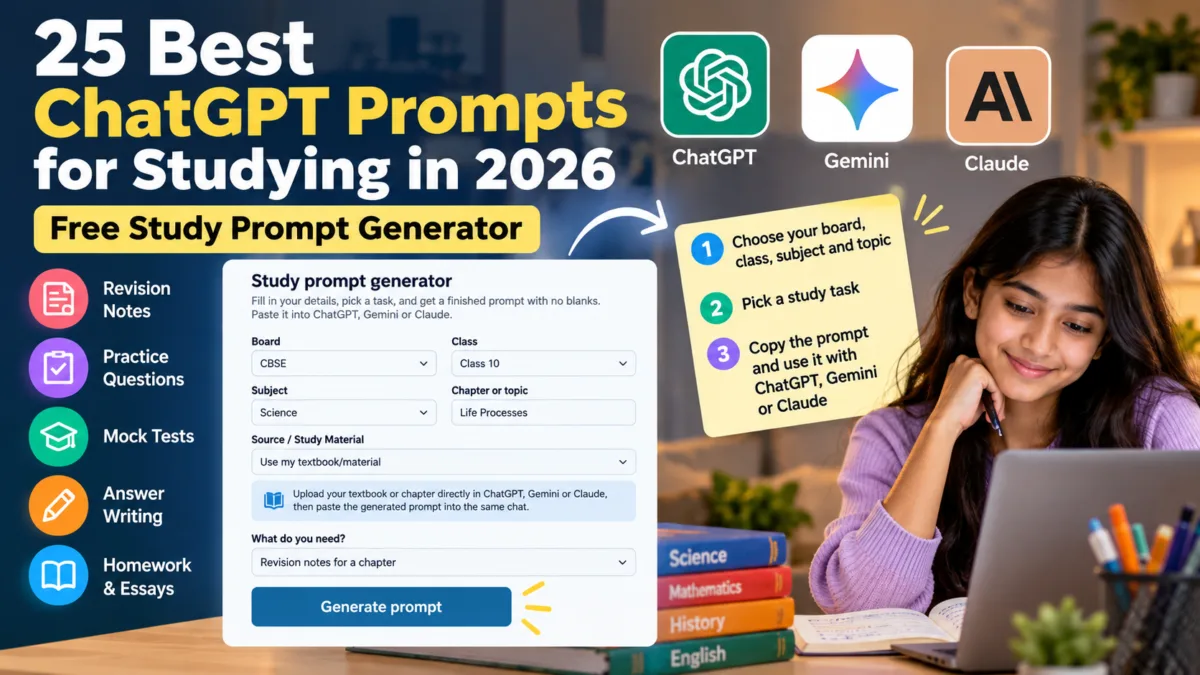
This page takes a different approach. The free generator below builds a finished prompt with no blanks for 25 study tasks. You choose your board, class, subject and chapter, pick a task, and copy the result into ChatGPT, Gemini or Claude. You can also set your level, your language (English, Hinglish or Hindi) and how detailed the answer should be. Below the generator, you’ll find all 25 prompts written out in full, so you can see exactly what each one does.
Table of Contents
Also Read: How to Use Gemini AI for Students & Parents (2026 Guide): The Interactive Quiz Secret
1. Free Study Prompt Generator
Study prompt generator
Fill in your details, pick a task, and get a finished prompt with no blanks. Paste it into ChatGPT, Gemini or Claude.
Runs in your browser; nothing is saved or sent. Always check facts against your textbook.
The generator runs in your browser. Nothing you type is saved or sent anywhere.
2. How to Use the Generator
- Choose your board and class. CBSE, ICSE, ISC, State Board, IB, IGCSE, or “Other” to type your own.
- Type your subject and chapter. Copy the chapter name as it appears in your textbook. For a whole-syllabus task, type “full syllabus.”
- Choose your source. “General knowledge” is the default. “Use my textbook/material” tells the AI to work from pages you upload (see the next section).
- Set your level, language and detail (optional). Pick Weak, Average or Strong; Simple English, English with Hindi words, Hinglish or Hindi; and Quick, Standard or Detailed.
- Pick what you need. There are 25 tasks. Some ask for an extra input, such as pasted text, a question, or the days left before your exam.
- Click Generate, then Copy. Paste the prompt into ChatGPT, Gemini or Claude.
- Follow up. If the answer is too long or too simple, reply with “shorter,” “add an example,” or “explain point 2 again.”
What the settings do:
| Setting | What it adds to your prompt |
|---|---|
| Level: Weak | “explain step by step in very simple words and give an easy example for each point” |
| Level: Average | “explain clearly, use the key terms and add a few examples” |
| Level: Strong | “skip the basics, go deeper and include harder, application-based questions” |
| Language | Simple English, English with the Hindi word in brackets for difficult terms, Hinglish, or Hindi (Devanagari) |
| Detail: Quick or Detailed | Overrides the length limits written into individual prompts |
3. Textbook Mode: Make the AI Use Your Own Book
If you choose “Use my textbook/material,” the prompt tells the AI to treat your uploaded pages as its main source instead of general knowledge.
- Upload your textbook or chapter pages to ChatGPT, Gemini or Claude. Photos of pages, screenshots and PDFs all work where the tool supports them.
- Paste the generated prompt into the same chat.
- The prompt instructs the AI to use the uploaded material as its primary source, keep your book’s terminology, and say so when the material doesn’t contain enough information.
This matters because different boards, and different schools within a board, use different textbooks. General-knowledge mode can’t know your exact book, and textbook mode fixes that.
25 Copy-Paste Prompts for Study Notes & Exam Preparation
4. AI Prompts for Study Notes (Prompts 1 to 8)
How to read the examples below: The examples use ICSE, Class 6, Science, and the chapter “Plants” for consistency. These are only examples—you can replace the board, class, subject, chapter/topic, and other details with your own choices.
The exact prompt generated by the tool can also change depending on your selected level, language style, detail level, and source. If you choose Use my textbook/material, the generated prompt includes instructions for the AI to use the study material you upload in the same chat.
To create a prompt for your own subject and chapter, use the generator above.
Prompt 1: Revision notes for a chapter
Best for building a clean set of notes for one chapter.
Act as an experienced ICSE Science teacher for Class 6.
Create revision notes for the chapter "Plants".
Begin with a 2-line overview, then one heading per sub-topic with 3 to 5 short bullets.
Put every definition in bold.
End with a "Must Remember" list (formulas, dates, labelled diagrams) and 3 common mistakes.
Keep it under 400 words.
Prompt 2: 10-minute revision summary
Best for the night before a test.
Summarize the chapter "Plants" from Science (ICSE, Class 6) so I can revise it in 10 minutes.
Use exactly this concise structure:
1. 5 Things You Must Know
2. Key Terms
3. 3 High-Priority Practice Questions
4. 3 Common Mistakes
5. 30-Second Final Recall
Keep the output concise, use short bullets, and do not present the practice questions as guaranteed exam questions.
Prompt 3: Notes from my textbook/material
Best when you want notes that match your book. This task asks you to paste the text; the sample below uses a short paragraph.
**Best when you want AI-generated notes based on your actual textbook rather than general knowledge.**

Before using this prompt, upload the relevant textbook pages, chapter photos, screenshots, or PDF to the same ChatGPT, Gemini, or Claude conversation. Then paste the prompt below.

```text
Act as a study-notes expert for Class 6 Science (ICSE).

Use the textbook, chapter pages, images, PDF, or other study material attached to this conversation as the primary factual source.

Create exam-ready revision notes for the chapter "Plants" based on the uploaded material.

Preserve important terminology, definitions, concepts and meaning from the source. Do not silently add outside information or replace the textbook's explanations with unrelated general knowledge.

Use:
- Short, clear headings
- Concise bullet points
- Key terms and definitions in bold
- Tables where they make comparisons easier
- Simple language appropriate for Class 6

If the uploaded material does not contain enough information to answer or explain something, clearly say that the information is not available in the supplied material instead of guessing.

End with 5 quick-revision questions based only on the uploaded material.

Keep the notes concise enough for exam revision.

Write in simple English.

Board and class are learning context only; do not pretend to know an exact textbook or exam pattern unless it has been supplied.
Stay within the selected board and class level. Do not invent textbook-specific facts, syllabus requirements, or exam patterns. If the required information is uncertain, clearly state the uncertainty instead of guessing.
Prompt 4: Cornell-style notes
Best for a question-and-answer layout that is easy to self-test.
Convert the chapter "Plants" from Science (ICSE, Class 6) into Cornell-style notes.
Make a two-column table: a "Cue" column with 6 to 8 key questions and a "Notes" column with each answer in 1 to 3 lines.
Add a 3-sentence summary below the table.
Use simple language suitable for Class 6.
Prompt 5: Key terms and definitions table
Best for learning vocabulary and definitions.
List all important terms, definitions and formulas from "Plants" in Science for Class 6 ICSE.
Present a table with three columns: Term, Simple Meaning (max 15 words), and Example or Use.
Follow the order in which they appear in the chapter.
After the table, mark the 5 terms most useful for practice.
Prompt 6: Flashcards
Best for quick daily revision.
Create 15 flashcards from the chapter "Plants" in Science (ICSE, Class 6).
Write each as "Q:" on one line and "A:" on the next, with answers under 20 words.
Mix definition, "why" and "how" questions and do not repeat an idea.
When you finish, ask if I want harder cards on topics I find difficult.
Prompt 7: Text-based mind map
Best for visual learners who redraw notes by hand.
Turn the chapter "Plants" from Science (Class 6, ICSE) into a text-based mind map.
Put the main topic at the top, then use indented bullets: main topic, sub-topic, key detail.
Use at most 4 branches and 3 levels, with each bullet under 12 words so I can redraw it by hand.
Add a one-line "Why it matters" under each branch.
Prompt 8: Memory tricks
Best for sequences, terms and other things that are hard to remember.
Act as a memory coach for a Class 6 student. For the chapter "Plants" in Science (ICSE), pick the 5 hardest things to remember (terms, sequences, formulas or dates).
For each, give 3 techniques: a mnemonic, a short rhyme or story, and a visual association.
Keep each under 3 lines, then say which works best and why.
5. ChatGPT Prompts for Exam Preparation (Prompts 9 to 15)
Prompt 9: Day-wise study plan
Asks for the number of days left. Sample: 10 days.
Act as an academic planner for a Class 6 ICSE student.
My Science exam is in 10 days and I need to cover: Plants.
Create a day-wise plan as a table (Day, Topics, Task, Time). Include revision days, short breaks and one rest day a week.
End with 3 tips to stick to the plan.
Prompt 10: Crash revision plan
For students who are behind. Sample: 5 days.
I have 5 days before my ICSE Class 6 Science exam and still need to revise: Plants.
Create a day-wise crash plan: unfinished topics first, then revision, then practice papers.
Mark each day's must-do and optional tasks.
If time is not enough, tell me honestly what to skip.
Prompt 11: Likely exam questions (practice questions)
The generator frames these as practice questions, not predictions. No AI knows what will actually come in your exam.
Create 10 high-priority practice questions based on the selected syllabus, chapter/topic, and commonly used question styles. These are practice questions, not predictions of the actual exam.
Subject: Science
Board and class context: ICSE, Class 6
Chapter/topic: Plants
Keep the questions mixed across short-answer, long-answer and application-based formats. Show the marks for each question.
Do not give answers yet. Ask me to attempt them first and offer to check my answers.
Prompt 12: Find my weak areas (test me)
ChatGPT tests you, scores you and ranks your weak sub-topics.
Act as a strict but encouraging Science teacher for ICSE Class 6.
Test me on "Plants". Ask 10 questions one at a time, waiting for my answer each time, starting easy and getting harder.
After each answer say Correct, Partly correct or Incorrect with a 2-line explanation.
After question 10, give my score, list my weak sub-topics from weakest to strongest, and suggest a 3-day plan to fix the top 3.
Begin with question 1.
Prompt 13: Last 7 days before the exam
My Science exam (ICSE, Class 6) is in 7 days. Topics to revise: Plants.
Create a day-by-day plan with revision, practice questions and one full timed mock test on day 6.
Keep day 7 for light revision and rest only.
Briefly explain why you ordered the topics this way.
Prompt 14: Exam-hall strategy
Asks for the paper duration and marks. Sample values: 1.5 hours, 50 marks (use your own paper’s details).
Act as an exam coach. My Science paper for ICSE Class 6 is: 1.5 hours, 50 marks. Syllabus focus: Plants.
Suggest how to split my time across sections, which questions to attempt first, and how to use the last 10 minutes.
List 3 common time-wasting mistakes in this kind of paper and how to avoid them.
Prompt 15: Teach me like a teacher would
Explain "Plants" from Science as a good Class 6 ICSE teacher would explain it just before the exam.
Structure: 1) the idea in 2 lines, 2) a simple example, 3) important points to practise, 4) one common mistake.
Use easy language, then ask me one question to check that I understood.
6. Practice Questions and Quiz Prompts (Prompts 16 to 19)
Prompt 16: Full mock test
Asks for total marks. Sample: 40. The prompt tells the AI to state its assumptions instead of presenting them as your board’s official pattern.
Create a realistic practice paper appropriate for this board and class. If an exact current exam pattern has not been provided, clearly state any assumptions rather than presenting them as official requirements.
Subject: Science
Board and class context: ICSE, Class 6
Coverage: "Plants"
Total marks: 40
Include mixed question types, including multiple-choice, short-answer and long-answer questions, with marks shown for each question.
Give the answer key and a marking guide in separate sections at the end.
Prompt 17: Interactive quiz, one question at a time
Quiz me on "Plants" from Science (ICSE, Class 6). Ask one multiple-choice question at a time and wait for my answer.
If I am right, confirm and explain briefly. If I am wrong, give a hint first, then the correct concept.
Never show later questions or answers early.
After 10 questions, show my score, list topics to revise and offer flashcards for them.
Prompt 18: 10 multiple-choice questions
Create 10 multiple-choice questions with 4 options each on "Plants" for Class 6 Science (ICSE).
Make the wrong options believable, not silly, and do not put the answer after each question.
At the end, give an answer key with a one-line explanation for each answer.
Prompt 19: 10 true/false statements
Write 10 true/false statements on "Plants" from Science for Class 6 (ICSE), with about half of them false in a tricky way.
Give the answers at the end.
For each false statement, write the corrected version and the common misunderstanding behind it.
For a form-based quiz builder, use our AI Quiz Generator Prompt Tool.
7. Answer Writing Prompts (Prompts 20 to 22)
Prompt 20: Model answer for a question
Asks you to paste the question and its marks.
Act as a teacher of Science for ICSE. Write a full-marks model answer for the question below, suitable for Class 6.
Use the expected structure: intro, key points with headings or numbering, and a short conclusion.
After the answer, list which points would earn marks so I can see how it is marked.
Chapter: Plants
Question: Why do leaves look green? (3 marks)
Prompt 21: Improve my answer
Asks you to paste the question and your own answer.
Act as a strict ICSE Science teacher for Class 6. Do not rewrite my answer yet.
First give feedback on content, structure and language, and list missing points.
Then estimate my marks with reasoning.
Finally show an improved version that keeps my ideas but fixes the problems.
Chapter: Plants
Question and my answer: Question: What is photosynthesis? (2 marks). My answer: Photosynthesis is when plants make food.
Prompt 22: Step-by-step solution to a problem
This task suits Maths and numerical problems, so the sample uses Mathematics, Class 6, chapter “Fractions” instead.
Solve this Mathematics problem from "Fractions" (ICSE, Class 6) in a clear step-by-step exam format.
Write the formula before using it, show every step of working, and put units in the final answer.
Then tell me where marks may be awarded in this kind of problem.
Problem: Add 2/3 and 3/4 and write the answer in its simplest form.
8. Homework and Essay Prompts (Prompts 23 to 25)
Prompt 23: Guide me, don’t give the answer
ChatGPT gives one step at a time so you do the thinking. Asks you to paste the problem.
Act as a patient Science tutor for a Class 6 ICSE student. I want to learn, not just get the answer.
Chapter: Plants. Problem: Why do plants need sunlight to make food?
1) Tell me which concept this tests, in one line. 2) Give only the first step and stop.
3) Wait for my attempt. If I am wrong, ask a guiding question instead of giving the answer.
4) At the end, summarize the method in 3 bullets and give me one similar problem to practise.
Prompt 24: Explain a concept at two levels
Explain "Plants" from Science in two ways.
First, as if I am 10 years old, using a real-life example from India.
Second, at the level needed for my Class 6 ICSE studies, with key terms in bold.
Then ask me 2 questions to check my understanding and keep the answers hidden until I reply.
Prompt 25: Essay planner
Sample uses English, Class 6, topic “Why we should protect trees.” The AI plans the essay with you but does not write it.
Act as a teacher of English helping a Class 6 ICSE student plan an essay on "Why we should protect trees".
Give 3 possible thesis statements and let me choose one. Then give an outline: introduction, 3 body paragraphs (each with a main point and one example), and conclusion.
Do not write the essay itself. Ask which thesis I prefer before going further.
9. Why Study Prompts Fail
| Common problem | What goes wrong | How the generator handles it |
|---|---|---|
| Blank left in a template | The AI guesses your subject or chapter | Board, class, subject and chapter are required |
| Half-filled brackets | The prompt reads oddly and the answer is generic | Your details go into complete sentences |
| No format requested | You get a wall of text | Each prompt states the format (bullets, table, quiz) |
| Answer doesn’t match your book | Different textbook, different terminology | Textbook mode tells the AI to use your uploaded pages |
| Same answer for every student | Too hard for some, too easy for others | Level and detail settings adjust the explanation |
| Wrong language for you | You want Hinglish or Hindi, not textbook English | Language setting adds the instruction |
| The AI invents facts | Wrong dates, formulas or definitions | Each prompt tells the AI to state uncertainty instead of guessing |
| The AI claims to predict the exam | Practice questions presented as “likely exam questions” | The prompts call them practice questions, not predictions |
The generator can’t fix everything. If you type a chapter name your book spells differently, the answer will drift, so copy the title exactly as printed.
10. Tips for Better Answers
- Use textbook mode for notes, and general-knowledge mode for explanations and practice.
- Do one job per chat. Generate notes first, then run the quiz on the same chapter.
- Refine, don’t restart. Say “shorter,” “add an example,” or “explain the second point again.”
- Practise with the interactive tasks (prompts 12, 17 and 23). Answering questions from memory is widely recommended by educators.
- Verify the important parts. Check formulas, dates and definitions against your textbook.
11. Use AI Responsibly
- Use AI to understand, revise and practise, not to cheat or hand in work that isn’t yours.
- Don’t share personal details such as your full name, address, phone number or school ID.
- Attempt questions yourself before asking for answers.
- Follow your school’s rules on AI use.
12. FAQs
Is the prompt generator free?
Yes. It’s free, needs no login or signup, and runs in your browser.
Which ChatGPT prompt is best for study notes?
Prompt 1 for a chapter, or Prompt 3 if you can paste the text from your book. Textbook mode gives notes closest to your own syllabus.
Can ChatGPT help with exam preparation?
Yes. It can build study plans, set practice questions and test you one question at a time (prompts 9 to 19). It works best alongside your textbook and teacher, and it can’t tell you what will actually be asked.
Do the prompts work in Gemini and Claude?
Yes. They’re plain instructions and work in any AI chat tool. Textbook mode also works in all three, wherever file or image upload is supported.
Can I get answers in Hindi or Hinglish?
Yes. Choose Hindi, Hinglish, or English with Hindi words in the language setting.
Do I need a paid ChatGPT plan?
For most school-level tasks the free version is usually enough . See our ChatGPT plans comparison for India .
What if my board isn’t in the list?
Choose “Other” and type it. The generator works with any board and any chapter.
Can I trust the answers?
Treat them as a study aid, not a source of truth. AI can make mistakes, so verify key facts in your textbook.

Ayush Singhal is the founder and chief editor of TechMitra.in — a tech hub dedicated to simplifying gadgets, AI tools, and smart innovations for everyday users. With over 15 years of business experience, a Bachelor of Computer Applications (BCA) degree, and 5 years of hands-on experience running an electronics retail shop, Ayush brings real-world gadget knowledge and a genuine passion for emerging technology.
At TechMitra, he covers everything from AI breakthroughs and gadget reviews to app guides, mobile tips, and digital how-tos. His goal is simple — to make tech easy, useful, and enjoyable for everyone. When he’s not testing the latest devices or exploring AI trends, Ayush spends his time crafting tutorials that help readers make smarter digital choices.
📍 Based in Lucknow, India
💡 Focus Areas: Tech News • AI Tools • Gadgets • Digital How-Tos
📧 Contact: Get in touch →
🔗 Full Bio: https://techmitra.in/about-us/