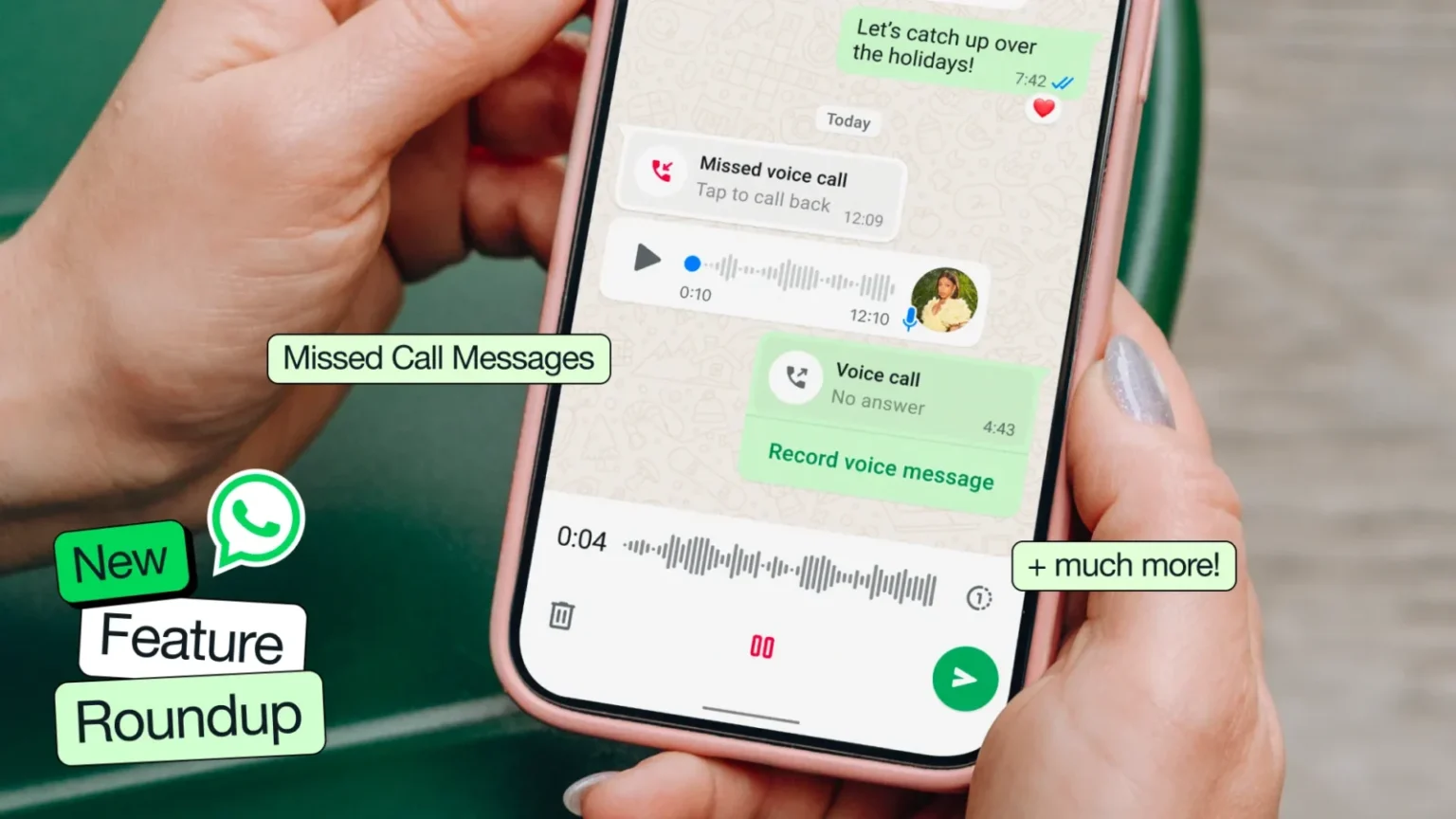
WhatsApp Latest update rolled out ahead of the holiday season, introducing Missed Call Messages as a modern voicemail replacement, new reactions in voice chats, smarter video call speaker prioritization, and upgraded Meta AI image generation. Users can now animate photos into short videos, enjoy improved link previews, explore new Status stickers, and use the new Questions feature on Channels. The update also adds a redesigned Media tab on desktop for easier file management.
As the holiday season approaches, WhatsApp has dropped a major update packed with fresh features—ranging from a modern take on voicemail to next-gen Meta AI image creation tools. The Meta-owned messaging giant clearly wants users to communicate more creatively, more instantly, and with a whole lot more fun.
Here’s a complete breakdown of everything whatsapp new features have, how they work, and why they matter.
The Biggest Highlight: Missed Call Messages (A Voicemail Replacement)
WhatsApp is officially stepping away from traditional voicemail with its new Missed Call Messages feature.
Now, if someone doesn’t pick up your call, you don’t have to call again or send long texts. Instead:
You can instantly record a voice or video note depending on the call type.
Send it with a single tap, right from the call screen.
No need for third-party voicemail services or long audio explanations later.
According to WhatsApp, this “new approach will make voicemail a thing of the past,” and honestly, they might be right. This is much more natural and personal.
New Real-Time Reactions in Voice Chats
Ever wanted to react during a voice chat without talking over someone? WhatsApp now lets you send fun reactions like “Cheers!” during voice conversations.
A small feature, but a surprisingly impactful one for casual communication.
Video Calls Get Smarter: Speaker Prioritization
In group video calls, WhatsApp will now automatically focus on the active speaker.
This means:
The person talking appears more prominently.
You’ll no longer struggle to follow conversations in large meetings or family calls.
It feels much closer to professional video conferencing platforms.
A welcome upgrade for both office users and families.
Meta AI Gets a Holiday Makeover: Better Image Generation
WhatsApp isn’t stopping at communication tools—it’s pushing deeper into AI.
Meta AI now uses enhanced image generation capabilities powered by new models such as Flux and Midjourney-level improvements (as claimed by WhatsApp). The result?
With everyone preparing to send holiday wishes, this update couldn’t have come at a better time.
Animate Any Photo into a Short Video
One of the flashiest additions is AI image animation.
You can now:
This opens up a whole new world of creative greetings, storytelling, and fun content creation—especially for social media lovers.
Expect this to become a viral trend soon.
New Media Tab on Desktop for Faster Navigation
In WhatsApp new update Desktop is also getting smarter.
A new Media tab now allows users to:
This reduces time spent scrolling endlessly, especially in busy personal or work groups.
Improved Link Previews
Link previews have been enhanced for more clarity and reliability.
Whether it’s YouTube, blogs, or product links—previews now load better visuals and data.
Great for creators and businesses who rely on WhatsApp for outreach.
New Stickers for Status: Lyrics, Interactive Elements & More
Status updates are getting more expressive:
WhatsApp is slowly bringing Instagram-style creativity to Status—good news for creators, influencers, and anyone who wants more engagement.
Questions Feature Arrives on WhatsApp Channels
Channels—WhatsApp’s broadcasting tool—now support Questions.
Admins can:
This is especially useful for creators, brands, and community leaders.
Final Thoughts On WhatsApp Latest Update
WhatsApp latest update is clearly designed to keep communication more personal, more expressive, and more AI-powered. From voicemail-killing Missed Call Messages to next-level image generation and animation, these features feel fresh and genuinely useful.
With the holiday season approaching, expect millions of users to try out these tools for greetings, memories, and celebrations—making WhatsApp even more central to our daily communication.
Disclaimer: The information in this article is based on details first reported by official sources and publicly available news, including Google News. We have adapted and rewritten the content for clarity, SEO optimization, and reader experience. All trademarks and images belong to their respective owners.