
If you are an Android user in India, you know the struggle. You use WhatsApp for everything because the default “Messages” app on your phone feels like it’s stuck in 2005. It’s only good for OTPs and spam from your bank.
Well, that is about to change forever.
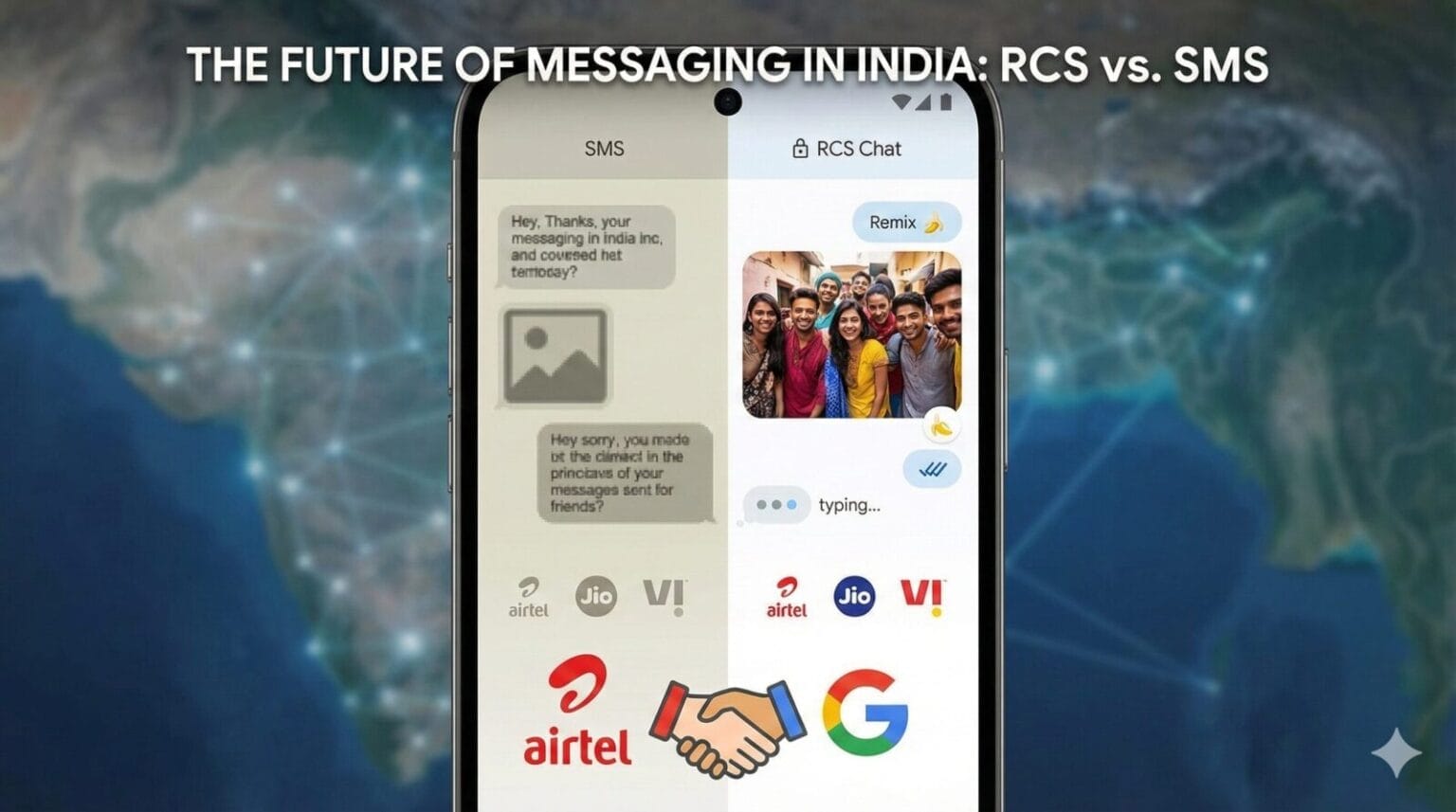
This week, a major shift happened in the Indian telecom space. Airtel has officially partnered with Google to roll out RCS (Rich Communication Services) messaging. With Reliance Jio and Vodafone Idea (Vi) already on board, this means next-generation messaging is now standard across nearly all smartphones in India.
Table of Contents
1. What Is RCS Messaging?
RCS (Rich Communication Services) is the modern upgrade to SMS, created by the GSMA and supported by Google, Samsung, and now Apple. Think of RCS as “SMS 2.0” — a messaging standard built into your phone’s default Messages app with internet-based features.
What RCS offers
High-quality photos & videos
Read receipts
Typing indicators
Group chats that work properly
Location sharing
Verified business messages
Encryption (for 1:1 chats on compatible clients)
In simple terms:
RCS turns your phone’s default SMS app into a WhatsApp-like messenger — without needing to install anything extra.
2. How RCS Works (Simple + Technical View)
Simple explanation
When two users have RCS enabled:
Messages travel over the internet (mobile data/Wi-Fi)
Not via telecom SMS channels
They behave like WhatsApp messages: quick, rich, synced
If either user doesn’t support RCS, the chat falls back to SMS/MMS.
Technical explanation
RCS uses the Universal Profile defined by GSMA.
Data path:
User A → RCS Client → RCS Messaging Server → User B
Messages are wrapped inside RCS protocol packets
If using Google Messages, encryption is provided by Google’s E2EE layer
For Apple, RCS is integrated within the standard iOS messaging framework
Latency is generally lower than typical SMS, especially in India where network switching between VoLTE and VoWiFi is common.
3. RCS vs SMS vs WhatsApp: The Breakdown
Why is this better than what we had before? Here is a quick comparison of how RCS stacks up against the old SMS and the king of Indian messaging, WhatsApp.
| Feature | Traditional SMS | RCS (Google Msgs) | |
|---|---|---|---|
| How it works | Cellular Signal | Internet (Data/Wi-Fi) | Internet (Data/Wi-Fi) |
| Typing Indicators | ❌ No | ✅ Yes | ✅ Yes |
| Read Receipts | Delivered Only | Blue Ticks | ✅ Read Status |
| Photo Quality | Blurry (MMS) | Good (Compressed) | ⭐ Excellent (HD) |
| Group Chats | Messy | Excellent | ✅ Great |
| Reactions | ❌ No | ✅ Yes | ✅ Yes (Tap & Hold) |
| Security | Not Encrypted | End-to-End | 🔒 End-to-End |
| Account Needed | No (Just SIM) | Phone Number | No (Just SIM) |
Final Verdict
RCS vs SMS: RCS is better in every way.
RCS vs WhatsApp: WhatsApp still wins in groups, backups, and ecosystem features, but RCS is catching up fast — and it’s baked into your phone by default.
6 Features That Make RCS Awesome
Once you start using RCS, it’s hard to go back to regular SMS. Here is what you will notice immediately:
No More Blurry Photos: You can finally send high-quality photos and videos directly through your phone app. No more asking your aunt to “send it on WhatsApp” because the MMS version looks like a potato.
The “Typing…” Dots: Just like instant messengers, you can see those three little dots bouncing when the other person is writing a reply.
Read Receipts: You’ll see a small “Delivered” and then “Read” status under your messages. No more guessing if they saw your text.
Reactions: Someone sent a funny text? You don’t have to type “Haha.” Just long-press the message and drop a laughing emoji reaction on it.
Smarter Business Messaging: Instead of boring text OTPs, businesses can send “Rich Cards” with pictures, interactive buttons to track delivery, or quick-reply options.
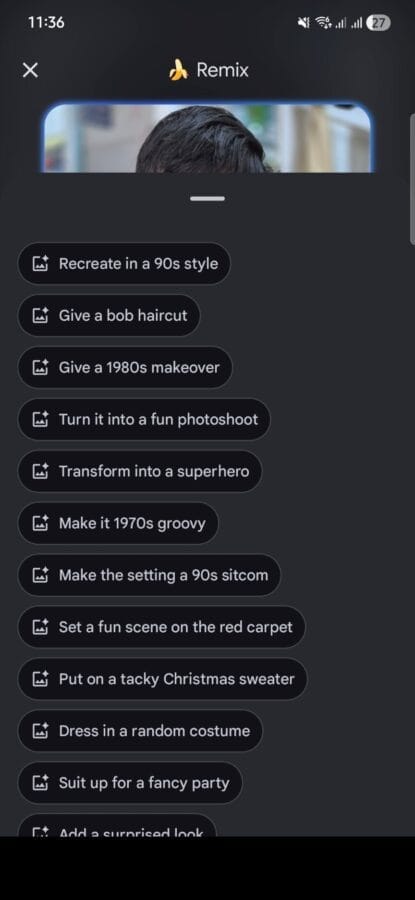
The AI “Remix” Button (Nano Banana Icon): This is a fun, brand-new feature. When you select an image to send, you’ll see a “Remix” option with a banana icon. Tapping it opens a menu of one-tap AI edits, allowing you to give the subject a 90s style, a new haircut, a superhero costume, or place them in a fun scene like a sitcom or red carpet.
Will This “Kill” WhatsApp in India?
The short answer is: No, probably not.
WhatsApp is deeply embedded in Indian culture. Everyone from your grandmother to your local kirana store owner uses it. Its cross-platform ability (iPhone to Android) is seamless.
Currently, RCS is largely an Android-to-Android feature. While Apple has started supporting RCS on iPhones, the experience between Android and iOS is still not perfectly smooth yet.
However, RCS will absolutely kill traditional SMS. It will also likely become the preferred way for businesses to communicate with you, making those annoying promotional texts actually useful and interactive.
Cost Comparison: RCS vs. Regular SMS
| Feature | Normal SMS (Text Message) | RCS (Google Message) |
|---|---|---|
| Cost Type | Deducted from SMS Pack or Main Balance | Deducted from Internet Data (4G/5G/Wi-Fi) |
| Daily Limit | 100 SMS/day (Only on plans above ₹199 or 28-day unlimited packs) | Unlimited (Depends on data plan) |
| Roaming | Extra charges apply (₹1.50 - ₹5/SMS) | Free over Wi-Fi (even internationally) |
| Media (Photos) | Costly (MMS) or impossible to send | Uses approx. 1-2 MB data per photo |
| No Internet | Message sends automatically | Fails (or switches to SMS if "Fallback" is on) |
*Note: On cheaper prepaid plans (below ₹199), you often get a fixed total (e.g., 300 SMS) for the whole month, not a daily limit.
4. RCS on iPhone: The Latest Update (2025)
This is the biggest shift in messaging in over a decade.
Apple’s RCS rollout includes:
Full support for RCS Universal Profile
Read receipts
Typing indicators
Improved group messaging
High-quality media
End-to-end encryption for 1:1 chats via Apple’s implementation
What changes for Indian users?
Android ↔ iPhone chats no longer downgrade to blurry MMS
Delivery becomes faster
No more green-bubble low-quality photos
Business messaging improves for OTPs and offers
However, iMessage remains separate — Apple did NOT replace it.
RCS simply replaces outdated SMS/MMS in mixed-device conversations.
5. How to Enable RCS Messaging (Android Step-by-Step)
Step 1: Open Google Messages
This is the default SMS app on most Android phones.
Step 2: Go to Settings → RCS Chats
If you don’t see this option, update the app.
Step 3: Turn ON “RCS Chats”
Your number will verify — takes 5–30 seconds.
Step 4: Ensure internet access
RCS needs mobile data or Wi-Fi.
Step 5: Look for confirmation
You should see: “Connected”
How to confirm it’s working
Start a chat → If you see:
Read receipts
“Typing…”
Send high-quality images
…then RCS is active.
6. RCS Business Messaging (RBM) in India
Brands in India have started adopting RCS for promotions, payments, and customer support.
What makes RCS business messaging powerful?
Verified business profiles
Logos, color branding
Carousels
Smart reply buttons
Product catalogs
Location cards
Payment integrations
This is why many Indian brands (Zomato, Airtel, banks, and e-commerce firms) are already testing RCS Business Messaging.
Why businesses love it
Higher engagement than SMS
Less spammy (verified sender ID)
Works on default Android phones without installing apps
7. Privacy & Security: Is RCS Safe?
End-to-end encryption
Google Messages: E2EE enabled for 1:1 RCS chats
Groups: Partial E2EE rollout in progress
Apple’s implementation: E2EE for person-to-person RCS
RCS vs WhatsApp in security
WhatsApp = fully end-to-end encrypted
RCS = partially encrypted depending on client & format
Still, RCS is significantly safer than SMS.
8. Supported Devices, Apps & Carriers (India)
Device compatibility
All modern Android phones (Samsung, Xiaomi, Realme, Oppo, Vivo, Nothing, Google Pixel)
iPhones (iOS 18+)
App compatibility
Google Messages
Samsung Messages (limited regions)
iPhone Messages app
Carrier compatibility in India
All major Indian carriers support RCS:
Jio
Airtel
Vi
BSNL (partial)
9. Pros & Cons of RCS Messaging
Pros
Built-in modern messaging
High-quality media
No need for a separate app
Typing indicators, read receipts
Better group chats
Verified business messaging
Cross-platform support (Android ↔ iPhone)
Cons
Still not as feature-rich as WhatsApp
Encryption not universal
Requires internet
Businesses may use it for more promotional content
10. The Future of RCS in India (2025–2030)
The adoption curve is accelerating due to:
Apple’s support
Google’s E2EE improvements
India’s massive Android base
Brand adoption through RBM
Government & banks shifting crucial messages away from SMS
Prediction
By 2027, RCS may replace SMS as India’s default telecom messaging layer.
11. FAQs
1. Is RCS free?
Yes. RCS uses mobile data/Wi-Fi like WhatsApp but doesn’t charge per message.
2. Will RCS replace SMS?
Yes — eventually. Many countries already treat SMS as legacy.
3. Does RCS work without data?
No. It requires internet. Without internet, the message sends as SMS.
4. Does RCS work with iPhones?
Yes. Apple has rolled out RCS support globally.
5. Why are some messages still yellow (SMS)?
Because the receiver doesn’t have RCS enabled or is offline.
6. Is RCS better than WhatsApp?
RCS is more integrated and open, but WhatsApp is still ahead in features.
RCS is improving fast, though.
7. What is RCS Message Full Form ?
Ful form of RCS is Rich Communication Services
Trending

Ayush Singhal is the founder and chief editor of TechMitra.in — a tech hub dedicated to simplifying gadgets, AI tools, and smart innovations for everyday users. With over 15 years of business experience, a Bachelor of Computer Applications (BCA) degree, and 5 years of hands-on experience running an electronics retail shop, Ayush brings real-world gadget knowledge and a genuine passion for emerging technology.
At TechMitra, he covers everything from AI breakthroughs and gadget reviews to app guides, mobile tips, and digital how-tos. His goal is simple — to make tech easy, useful, and enjoyable for everyone. When he’s not testing the latest devices or exploring AI trends, Ayush spends his time crafting tutorials that help readers make smarter digital choices.
📍 Based in Lucknow, India
💡 Focus Areas: Tech News • AI Tools • Gadgets • Digital How-Tos
📧 Email: contact@techmitra.in
🔗 Full Bio: https://techmitra.in/about-us/