

Updated On: 28-07-2026
The Indian education system is undergoing a massive digital transformation under the “One Nation, One Student ID” initiative. The APAAR ID (Automated Permanent Academic Account Registry) is at the heart of this change.
If you haven’t registered yet — or you registered a while back and just want to know what’s changed — here’s the complete, updated 2026 guide, including the recent Supreme Court ruling on consent, the current status for NEET and CBSE exams, and step-by-step instructions to create and download your ID.
Table of Contents
Also read : New Aadhaar App Launched: How to Activate It, Key Features, and What It Means for Users
What is APAAR ID Means ?
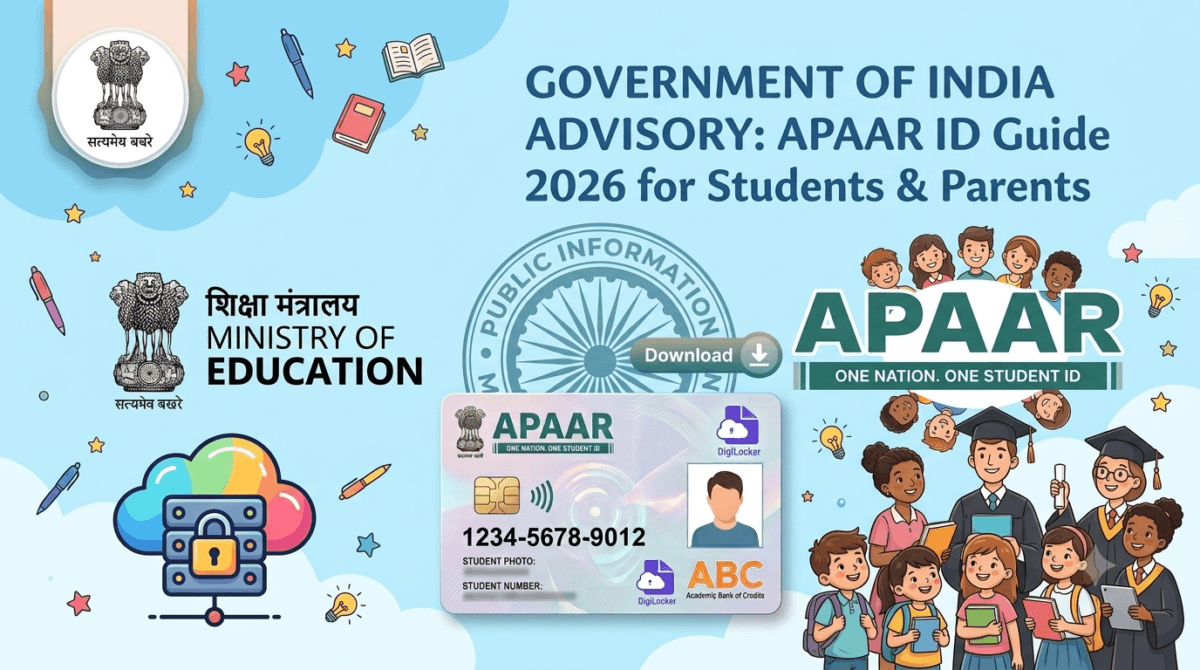
The APAAR ID is a unique 12-digit identification number issued under the Ministry of Education’s Academic Bank of Credits (ABC) system, part of the National Education Policy (NEP) 2020.
Think of it as a “Digital Identity Card” for a student’s entire academic journey. It’s lifelong — the same ID follows a student from nursery school through a PhD — and it’s digitally linked to DigiLocker, where degrees, diplomas, certificates, marksheets, and even co-curricular achievements are stored securely.
What’s New in 2026? (Latest Updates)
Since its initial rollout, APAAR has evolved from an optional pilot to a widely-used — and now legally contested — system. Here’s where things stand as of late July 2026:
- Supreme Court steps in on consent (July 2026): This is the biggest development this year. Hearing a petition that challenges APAAR’s Aadhaar linkage on privacy grounds, the Supreme Court directed CBSE to implement the Orissa High Court’s December 2025 ruling nationwide. That means: APAAR generation must remain strictly voluntary, and parents must be given a genuine choice to decline enrollment before their child’s data is collected — not just a way to withdraw consent afterward. See the dedicated section below for the full story.
- CBSE Class 9–12 registration: APAAR is now being pushed as a requirement for CBSE board exam List of Candidates (LOC) preparation from the 2026 session, though — per the Supreme Court’s direction above — schools must still allow a genuine opt-out.
- NEET UG & JEE Main 2026: Contrary to earlier expectations, NTA has added an APAAR field to both NEET UG and JEE Main 2026 forms as optional but recommended, not mandatory. It’s used to auto-verify academic details and reduce manual entry errors. Since exam-specific rules can change through the admission cycle, check the relevant information bulletin before assuming either way.
- Adoption numbers: Per the Ministry of Education’s official PIB factsheet (July 2, 2026), 26.35 crore verified APAAR IDs have been created and mapped across schools, universities, and skill institutions — one of the largest digital education registries in the world.
The Supreme Court Ruling: What It Means for You
In July 2026, the Supreme Court — hearing a petition filed by Abhisek Baxi challenging the APAAR framework — directed CBSE to roll out the Orissa High Court’s consent-form directions across the entire country, not just in Odisha.
Background: In December 2025, the Orissa High Court had ruled that if APAAR is genuinely voluntary, parents must be given a real opportunity to refuse enrollment before their child’s data is collected — not merely the option to withdraw consent after the fact. The court also held that education cannot be made conditional on obtaining Aadhaar.
What the Supreme Court said: A bench led by Chief Justice Surya Kant acknowledged that APAAR serves a legitimate purpose — helping the government maintain accurate student records and improve educational planning. But it also made clear the scheme can’t operate outside India’s data protection law. It directed CBSE to:
- Examine parental consent and data protection concerns raised in the petition
- Ensure APAAR ID generation remains strictly voluntary nationwide
- Bring the consent process in line with the Digital Personal Data Protection (DPDP) Act, 2023
What this doesn’t mean: The Supreme Court has not suspended or struck down APAAR. Schools and boards can continue the rollout — but the consent process itself is under a legal microscope, and you can expect revised, clearer consent forms in the coming months.
What this means for parents: If your child’s school hasn’t offered a genuine opt-out option before requesting your consent, you’re within your rights to ask for one. You can also request written clarity on how the data will be used and how to withdraw consent later.
Why Every Student Needs an APAAR ID
- Seamless Transfers: If a student moves from one state or school to another, their academic history transfers digitally — no more chasing old schools for physical transfer certificates.
- Digital Vault: Marksheets, scholarship records, and sports certificates are stored in a tamper-proof digital format.
- Easy College Admissions: Universities can verify a student’s academic record in one click, cutting down on attested photocopies.
- Tracking Dropouts: The government uses aggregated data to identify students who’ve left the education system and target support toward bringing them back.
How to Create APAAR ID in 2026
There are two ways to get an APAAR ID, depending on whether you’re in school or in higher education.
For School Students (Class 1–12)
This process is handled by the school, not by parents or students directly:
- The school requests parental consent — and per the Supreme Court’s July 2026 direction, this must include a genuine option to decline before any data is collected, not only afterward.
- The school verifies the student’s details against the UDISE+ database — the name, date of birth, and gender on record must match the student’s Aadhaar exactly.
- The student’s UDISE+ PEN (Permanent Education Number) is entered into the system alongside Aadhaar details.
- Once verified, the system automatically generates the APAAR ID and pushes it into the student’s (or parent’s) DigiLocker account under “Issued Documents.”
Parents should coordinate directly with the school administration for this process — the status can also be checked in bulk by the school through the UDISE+ portal’s APAAR module.
For College & University Students (Self-Registration)
Higher education students can self-register through either DigiLocker or the ABC portal.
Method 1 — Via DigiLocker:
- Visit digilocker.gov.in or open the app.
- Log in or register using your Aadhaar-linked mobile number.
- Go to “Search Documents” and search for “Academic Bank of Credits.”
- Select the APAAR/ABC ID Card option.
- Fill in your institution name, course, and admission year, tick the consent box, and click “Get Document.”
- Complete Aadhaar OTP verification — your 12-digit APAAR ID is generated instantly and appears under “Issued Documents.”
Method 2 — Via the ABC Portal:
- Visit abc.gov.in.
- Click “My Account” → select “Student” → “Sign Up.”
- Enter your mobile number and Aadhaar details to link your DigiLocker account.
- Log in, and when prompted, select “I Agree” to authorize sharing your Aadhaar details with ABC for verification.
- Enter your academic details (institution, class/course).
- Submit — your APAAR ID card is generated and linked to your DigiLocker account.
What you’ll need either way: a valid Aadhaar card with an active, linked mobile number (to receive the OTP), and your current institution’s name and admission details.
How to Download APAAR ID Card
Once generated — whether through your school or self-registration — your APAAR ID lives in DigiLocker.
- Open the DigiLocker app or visit digilocker.gov.in and log in.
- Go to the “Issued Documents” section. Your APAAR/ABC ID card should already be listed here if it’s been generated.
- Tap the three-dot menu (⋮) next to the card and select “View PDF” or “Download.”
It’s also available from the Academic Bank of Credits (ABC) portal under your account dashboard, if you’d rather download it from there.
If you’re new to DigiLocker itself, check our full walkthrough on how to set it up from scratch.
Important: The Aadhaar-Mismatch Hurdle
The single most common reason APAAR ID generation fails is a data mismatch between Aadhaar and school records — and this isn’t just theory. My wife works as a school coordinator and handles exactly these cases during registration, so here’s what actually trips up most students in practice:
- Student’s name or date of birth doesn’t match exactly between Aadhaar and the school’s records/birth certificate — even a small spelling difference is enough to cause a rejection.
- Parent’s name mismatch — this is one of the most common and easy-to-miss issues. A father’s name might read “Rakesh Kumar” on Aadhaar but “Rakesh Kumar Varma” on the birth certificate or school documents (or vice versa) — the surname or middle name is simply recorded differently across the two documents. The system treats this as a mismatch even though everyone knows it’s the same person.
- Mother’s name mismatches follow the same pattern — different spelling, a missing or added surname, etc.
In every case, the fix isn’t on the school’s side — it’s the Aadhaar record or the birth certificate/school document that needs to be corrected and made consistent before the ID will generate. Schools can flag the mismatch, but they can’t override it.
Pro tip: Before attempting registration, check that the student’s name, DOB, and both parents’ full names match exactly — word for word, including middle names and surnames — across Aadhaar, the birth certificate, and school records. Parent-name mismatches are easy to overlook since parents usually focus on checking the child’s own details first.
Is My Data Safe?
APAAR data is shared only with recognized educational institutions and authorized government agencies, and document sharing is meant to be consent-based — students and parents can, in principle, control who accesses their academic records.
That said, this is exactly the area the Supreme Court has flagged for closer scrutiny (see above). If you have specific privacy concerns, it’s worth reading the actual consent form your school provides rather than assuming standard assurances apply, since the consent process itself is being revised nationwide as a result of the ongoing case.
Frequently Asked Questions (FAQs)
Is APAAR ID mandatory for 10th and 12th board exams?
CBSE has pushed for it as part of board exam LOC preparation from the 2026 session. However, following the Supreme Court’s July 2026 direction, it must remain voluntary — students and parents should have a genuine option to opt out before enrollment.
Does APAAR ID replace Aadhaar?
No. Aadhaar is a general identity proof; APAAR is specifically for a student’s academic and credit records, though it’s verified using Aadhaar.
Can I have more than one APAAR ID?
No — it’s a unique, one-time ID linked to your Aadhaar number.
What happens if I lose my APAAR card?
Nothing is really “lost” — it’s stored digitally. Just log into DigiLocker or the ABC portal and download it again from “Issued Documents” (see the download steps above).
Is APAAR mandatory for NEET or JEE Main 2026?
As of the 2026 cycle, both NTA forms list it as optional but recommended — not compulsory. Confirm with the specific exam’s information bulletin, since this can be updated during the admission cycle.
What documents do I need to create an APAAR ID?
A valid Aadhaar card with an active, Aadhaar-linked mobile number to receive the OTP, plus your current institution/school name and admission details.
Disclaimer: The image above is a conceptual graphic illustration created for informational and educational purposes only. It is not an official graphic issued by the Ministry of Education or the Government of India. The APAAR ID layout shown is a artistic representation and may differ from the actual digital card issued via DigiLocker or the Academic Bank of Credits (ABC) portal.

Ayush Singhal is the founder and chief editor of TechMitra.in — a tech hub dedicated to simplifying gadgets, AI tools, and smart innovations for everyday users. With over 15 years of business experience, a Bachelor of Computer Applications (BCA) degree, and 5 years of hands-on experience running an electronics retail shop, Ayush brings real-world gadget knowledge and a genuine passion for emerging technology.
At TechMitra, he covers everything from AI breakthroughs and gadget reviews to app guides, mobile tips, and digital how-tos. His goal is simple — to make tech easy, useful, and enjoyable for everyone. When he’s not testing the latest devices or exploring AI trends, Ayush spends his time crafting tutorials that help readers make smarter digital choices.
📍 Based in Lucknow, India
💡 Focus Areas: Tech News • AI Tools • Gadgets • Digital How-Tos
📧 Contact: Get in touch →
🔗 Full Bio: https://techmitra.in/about-us/