

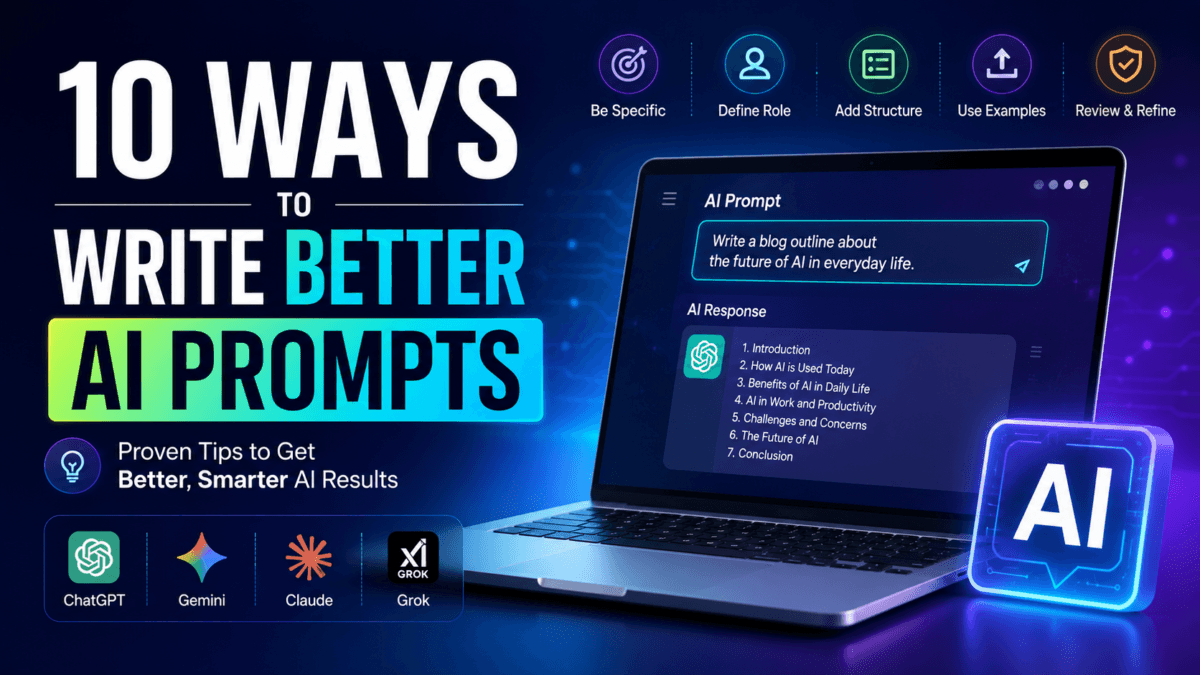
How to Write Best AI Prompts in 2026: ChatGPT, Gemini & Claude Guide
Artificial Intelligence tools have become part of everyday work in 2026. From writing blog posts and generating images to coding, research, SEO, and video scripting, tools like OpenAI ChatGPT, Google Gemini, and Anthropic Claude are now being used by students, bloggers, businesses, and professionals across India.
But many people still use AI the wrong way.
They type short commands like:
- “Write article”
- “Best phone suggest”
- “Make Instagram caption”
…and then complain that the AI output feels generic or inaccurate.
The reality is simple:
AI tools perform much better when you give them clear and structured instructions.
This is where prompt engineering becomes important.
In this guide, we will explain how to write best AI prompts in 2026 using practical examples that actually work.
Table of Contents
Also Read : Best AI Prompts for Resume Writing in 2026: Land Your Dream Job with ChatGPT, Gemini, & Claude
What Are Prompts In AI ?
An AI prompt is the instruction you give to an AI model.
It can be:
- a question
- a command
- a paragraph
- an uploaded image
- a PDF file
- or even a combination of text and media
The quality of your prompt directly affects the quality of the AI response.
Think of AI as a highly skilled assistant that follows instructions literally. If your instructions are vague, the output will usually be weak or confusing.
Why Good Prompting Matters in 2026
Modern AI models are far more advanced than earlier versions. They can:
- understand long conversations
- analyze documents
- generate code
- summarize PDFs
- create images
- reason step-by-step
- work with screenshots and files
However, they still depend heavily on user guidance.
A good prompt can:
- save hours of manual work
- improve accuracy
- reduce editing time
- generate better SEO content
- improve coding results
- create more human-like writing
Also Read : 30 Viral Nano Banana AI Prompts for Boys, Girls & Couples (Summer 2026 Edition)
1. Be Specific Instead of Generic
The biggest mistake people make is using unclear prompts.
Weak Prompt
Write about smartphonesBetter Prompt
Write a 1200-word article about the best budget smartphones under ₹20,000 in India.
Use conversational tone.
Include pros, cons, and comparison table.
The second prompt works better because it clearly defines:
- topic
- budget
- region
- article length
- format
- tone
The more useful details you provide, the better the AI output becomes.
2. Give AI a Role
AI performs better when you assign it a specific role or persona.
Examples:
- SEO expert
- Tech journalist
- Coding tutor
- Marketing strategist
- WordPress developer
Example Prompt
Act as a professional tech blogger.
Write a beginner-friendly guide about Wi-Fi 7 routers in India.
Keep the tone conversational and easy to understand.
This helps the AI understand:
- writing style
- technical depth
- audience expectations
3. Define the Output Format
If you do not specify structure, AI may generate unorganized content.
Always tell the AI how you want the response formatted.
Example
Explain electric vehicles in:
- bullet points
- short paragraphs
- simple English
- with FAQ section
You can also request:
- tables
- step-by-step guides
- numbered lists
- HTML format
- Markdown format
- JSON output
This is especially useful for bloggers, developers, and SEO professionals.
Also Read : 40 Pro AI Prompts for Stock Trading: Excel, PDF Analysis & Live Market Data (2026 Guide)
4. Use Step-by-Step Prompting
Instead of asking one massive question, break the task into smaller parts.
This technique is often called sequential prompting or chain-of-thought prompting.
Example Workflow
Step 1
Explain what OLED display technology is.Step 2
Now compare OLED vs IPS displays in table format.Step 3
Rewrite the comparison for non-technical readers.This approach usually produces:
- more accurate answers
- cleaner structure
- less hallucination
- better reasoning
5. Use Examples in Your Prompt
AI models learn patterns very effectively.
If you want a specific style, show an example.
Example
Write a product review in the style below:

"This laptop feels surprisingly premium for the price. Battery life is solid, and the performance is more than enough for students and office users."
This helps AI mimic:
- tone
- sentence style
- writing flow
- vocabulary
This technique is extremely useful for:
- bloggers
- YouTubers
- copywriters
- businesses
6. Use AI With Images, PDFs, and Screenshots
Modern AI tools now support multimodal prompting.
That means you can upload:
- screenshots
- PDFs
- photos
- charts
- documents
…and ask AI to analyze them.
Practical Examples
WordPress Error Fixing
Analyze this screenshot and explain why this plugin error is happening.Resume Improvement
Review this resume PDF and suggest improvements for software engineering jobs.Data Summarization
Summarize the important insights from this 20-page report.This makes AI much more useful than simple text chat.
7. Tell AI Who the Audience Is
Context matters a lot.
The same topic can be explained differently for:
- students
- professionals
- beginners
- senior citizens
- developers
Example Prompt
Explain cloud gaming in simple English for Indian parents who are not familiar with gaming technology.This improves clarity and relevance significantly.
8. Ask AI to Improve Its Own Answer
One of the best 2026 prompting tricks is self-review prompting.
After AI gives an answer, ask it to refine the response.
Example
Review your previous answer.
Remove repetitive lines.
Improve readability.
Add more technical depth.
This often improves:
- clarity
- structure
- professionalism
- factual consistency
Also Read : How to Make Faceless YouTube Videos with ChatGPT and Invideo AI: A Step-by-Step Guide
9. Always Verify Important Information
AI tools can still generate incorrect information.
This is commonly called AI hallucination.
Always verify:
- statistics
- prices
- product specifications
- legal information
- medical advice
- dates
Good prompting reduces mistakes, but fact-checking is still important.
10. Use Direct Commands
Many users write prompts like normal human conversation.
While that is okay, direct instructions often work better.
Instead of:
Can you kindly maybe explain this?Use:
Explain this concept in simple English.Direct action verbs usually produce cleaner outputs.
Examples:
- Write
- Analyze
- Compare
- Summarize
- Rewrite
- Generate
- Translate
- Optimize
Best AI Prompt Templates for 2026
SEO Blog Writing Prompt
Act as an SEO content writer.

Write a 1500-word article about best gaming laptops under ₹70,000 in India.

Use conversational tone.
Add headings, FAQs, and comparison table.
Optimize for featured snippets.
YouTube Script Prompt
Write a 5-minute YouTube script about AI tools for students.

Use engaging hook.
Keep language simple.
Add intro, main points, and conclusion.
Instagram Caption Prompt
Generate 5 Instagram captions for a smartphone launch post.

Use modern tone.
Add hashtags.
Keep captions short and engaging.
Coding Prompt
Act as a Kotlin Android developer.

Create a simple login screen with email validation and clean UI.
Explain the code step-by-step.
Resume Writing Prompt
Act as a professional HR recruiter.

Improve my resume for a digital marketing job.
Highlight measurable achievements and ATS-friendly keywords.
Common AI Prompting Mistakes
1. Asking Very Broad Questions
Generic prompts create generic results.
2. Giving No Context
AI needs audience, purpose, and format information.
3. Expecting Perfect Accuracy
AI should assist your work, not replace verification.
4. Writing Extremely Long Confusing Prompts
Clear structure works better than large messy instructions.
5. Ignoring Follow-Up Prompts
Good prompting is often iterative.
Final Thoughts
AI tools in 2026 are incredibly powerful, but the real difference comes from how you communicate with them.
A well-written prompt can help you:
- write better articles
- generate better code
- create stronger marketing content
- improve productivity
- save significant time
Whether you are using ChatGPT, Gemini, Claude, or other AI tools, learning prompt engineering is becoming an essential digital skill.
Start with simple structured prompts, experiment with different techniques, and gradually refine your workflow.
The better your instructions become, the better your AI results will be.

Ayush Singhal is the founder and chief editor of TechMitra.in — a tech hub dedicated to simplifying gadgets, AI tools, and smart innovations for everyday users. With over 15 years of business experience, a Bachelor of Computer Applications (BCA) degree, and 5 years of hands-on experience running an electronics retail shop, Ayush brings real-world gadget knowledge and a genuine passion for emerging technology.
At TechMitra, he covers everything from AI breakthroughs and gadget reviews to app guides, mobile tips, and digital how-tos. His goal is simple — to make tech easy, useful, and enjoyable for everyone. When he’s not testing the latest devices or exploring AI trends, Ayush spends his time crafting tutorials that help readers make smarter digital choices.
📍 Based in Lucknow, India
💡 Focus Areas: Tech News • AI Tools • Gadgets • Digital How-Tos
📧 Contact: Get in touch →
🔗 Full Bio: https://techmitra.in/about-us/