

Android 16 QPR2 update brings smarter AI features, cleaner UI, better controls, and major performance boosts.
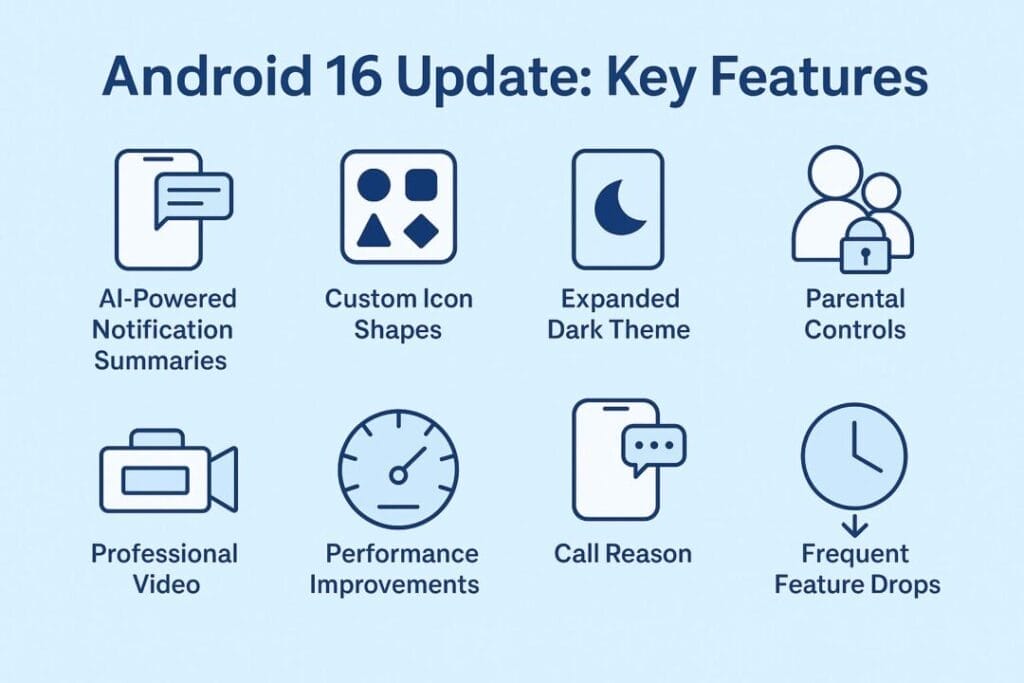
Google has officially released the Android 16 stable update, and it’s already trending across the tech world. Unlike older Android versions that pushed one big update every year, Android 16 begins a new era of frequent feature releases — meaning users will receive improvements, AI features, and UI updates much faster.
The December rollout also includes the QPR2 patch, adding even more refinements. Whether you’re a casual user, a parent, a creator, or a power user, Android 16 brings meaningful upgrades across the board.
Here’s the complete breakdown in simple, friendly language.
Table of Contents
1. AI Steps In: Smarter, Cleaner Notifications
One of the biggest problems Android users face is notification overload. Android 16 takes a major step forward with AI-driven tools.
AI-Powered Notification Summaries
Long WhatsApp messages or group chats are auto-summarized into short, easy-to-read snippets. You get the full context without scrolling through 50+ messages.
Notification Organizer
Low-priority alerts such as promotions, random app offers, and social media pings are automatically grouped and silenced.
Result: A cleaner notification bar + less distraction throughout the day.
2. Deep Personalization: Custom Icons, Cohesive Themes & Expanded Dark Mode
Android 16 focuses heavily on personalization and visual consistency.
Custom Icon Shapes
Choose from multiple icon shapes and give your home screen a unique design.
Auto-Themed Icons
Apps automatically follow your phone’s theme, offering a clean, minimalistic UI.
Expanded Dark Theme
Apps that didn’t support dark mode earlier will now auto-darken with system settings.
Good for battery, great for night-time use, and easier on your eyes.
This update makes Android feel more polished and visually unified.
3. Built-In Parental Controls (On Device) — No Extra App Needed
Parents no longer need to rely only on Google Family Link. Android 16 brings built-in parental controls directly inside Settings, protected by a simple PIN.
You can now:
Set daily screen-time limits
Restrict or block individual apps
Schedule “downtime” (auto-lock at night)
Give extra time when your child’s limit is over
Quickly set up Google Family Link for deeper controls
This is one of the most family-friendly Android updates so far.
4. Major Camera & Video Upgrades — Big Win for Creators
If you love photography or create content for YouTube, Instagram, or Reels, Android 16 brings important improvements.
Advanced Professional Video (APV) Codec
A powerful new codec that helps shoot high-quality videos and allows better post-editing.
Improved Auto-Exposure & Night Scenes
More accurate lighting and better night shots, especially on Pixel devices.
Motion Photos Support
Apps that support the new API can capture dynamic, animated images.
Enhanced Photo Picker
Pick photos not only from your gallery but also directly from cloud storage apps like Google Photos.
This makes the camera experience smoother and more creator-friendly.
5. Performance Boost, Battery Optimizations & Under-the-Hood Improvements
Android 16 also focuses on stability and system speed.
- Faster app launch speeds
- Better RAM management
- Improved background app control
- Battery usage optimization (especially with Dark Mode)
- Stronger security patches
- Improved system animations
Foldable phones and tablets also see better multi-tasking and external display support — good news for large-screen users.
6. Accessibility Upgrades & Better Hearing Aid Support
One of the quiet but meaningful improvements:
Advanced Bluetooth LE Audio support
Better pairing for hearing aids
Enhanced accessibility shortcuts
Improved magnification, caption styles, and text scaling
This ensures Android remains inclusive for all types of users.
7. “Call Reason” – Know Why Someone Is Calling Before You Pick Up
Android 16 is also testing a clever feature called Call Reason.
When someone calls, the caller can provide a short text reason — e.g.:
“Delivery outside your house”
“Forgot my keys”
“Work meeting update”
This helps you decide whether to answer or decline the call.
8. More Frequent Updates — The Biggest Long-Term Change
This might be the most important part of Android 16.
Google has officially shifted Android into a faster-update model.
Instead of:
One major update per year
Android 16 introduces:
- Frequent Feature Drops
- Faster patches
- Faster UI improvements
- Faster AI updates
Meaning users don’t need to wait 12 months for improvements.
9. Which Phones Are Getting Android 16 First?
Immediately available for Pixel:
Pixel 6, 6 Pro, 6a
Pixel 7, 7 Pro, 7a
Pixel 8, 8 Pro
Pixel 8a
Fold and Tablet models (updated gradually)
OEM Rollout (Coming Weeks/Months):
Samsung, OnePlus, Oppo, Vivo, Xiaomi, Motorola and Nothing OS will push updates based on their testing and UI versions.
Most flagship devices from 2023–2025 are expected to receive Android 16.
10. How to Check If the Update Is Available on Your Phone
Go to:
Settings → System → Software Update → Check for update
If it shows “Android 16 available,” download and install.
Make sure your battery is above 50% before updating.
Why Android 16 Matters for Indian Users
AI summaries make WhatsApp and Telegram easier to manage
Dark Mode battery savings matter for heavy daily use
Parental controls are very useful for teens with smartphones
Performance upgrades help with gaming and multitasking
Faster future updates mean fewer bugs and quicker fixes
This update focuses on real-life problems faced by Indian smartphone users.
FAQs
1. Does Android 16 QPR2 Update improve battery life?
Yes, especially with enhanced Dark Mode and background-task optimization.
2. Will all apps support the new dark theme?
Even if an app doesn’t have dark mode, Android 16 automatically darkens it.
3. Is Android 16 QPR 2 safe for kids?
Yes, the new parental controls allow families to manage screen time and apps easily.
4. What if my phone hasn’t gotten the update?
OEMs roll out in phases. You may receive it in upcoming weeks.
5. Does Android 16 help performance?
Yes — faster app launches, smoother animations, and better RAM usage.
Final Thoughts
Android 16 QPR2 new features Update is a meaningful upgrade — not a small patch.
It makes Android:
Smarter
More consistent
Easier to control
More family-friendly
More creator-friendly
And future-ready with faster update cycles
For most users, the update will make the phone feel cleaner, faster and more personal.
Disclaimer: The information in this article is based on details first reported by official sources and publicly available news, including Google News. We have adapted and rewritten the content for clarity, SEO optimization, and reader experience. All trademarks and images belong to their respective owners.
Trending

Ayush Singhal is the founder and chief editor of TechMitra.in — a tech hub dedicated to simplifying gadgets, AI tools, and smart innovations for everyday users. With over 15 years of business experience, a Bachelor of Computer Applications (BCA) degree, and 5 years of hands-on experience running an electronics retail shop, Ayush brings real-world gadget knowledge and a genuine passion for emerging technology.
At TechMitra, he covers everything from AI breakthroughs and gadget reviews to app guides, mobile tips, and digital how-tos. His goal is simple — to make tech easy, useful, and enjoyable for everyone. When he’s not testing the latest devices or exploring AI trends, Ayush spends his time crafting tutorials that help readers make smarter digital choices.
📍 Based in Lucknow, India
💡 Focus Areas: Tech News • AI Tools • Gadgets • Digital How-Tos
📧 Contact: Get in touch →
🔗 Full Bio: https://techmitra.in/about-us/