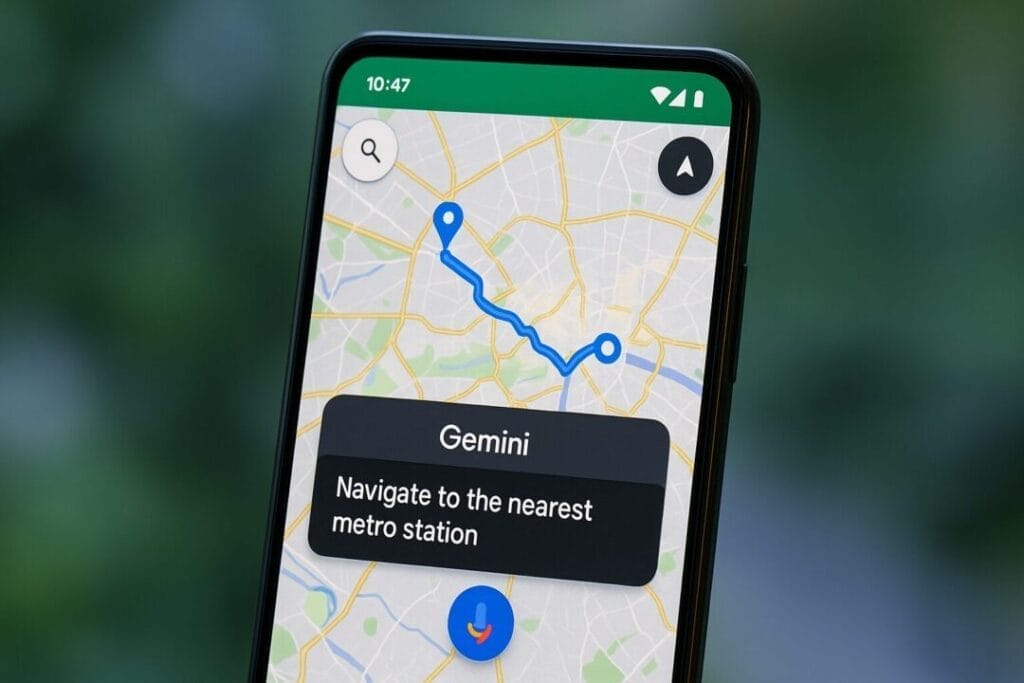
Google has begun rolling out Gemini in Google Maps, replacing Google Assistant for navigation tasks. Users can now start routes, find places along the way, share ETAs, translate messages, and even activate Gemini Live using simple, natural voice commands across all navigation modes. This update aims to make navigation more conversational, smarter, and completely hands-free.
Google has officially begun rolling out one of its biggest AI upgrades inside Google Maps — Gemini is now taking over as the primary AI assistant, slowly replacing Google Assistant for navigation tasks. The transition was announced earlier this month, and now the rollout has finally started appearing for select users.
With Gemini inside Maps, Google wants to make navigation smarter, more conversational, and truly hands-free — without forcing users to remember robotic commands.
Gemini Arrives in Google Maps Navigation
According to reports from 9to5Google , the integration is now live for some users on Android devices. While availability is still limited — one device, one account in their case — Google has quietly updated its support pages confirming that the feature is officially rolling out.
The biggest highlight?
Gemini is no longer limited to driving mode. It now works across all navigation modes, including:
This means anyone using Maps as their travel companion can tap into Gemini’s conversational power during navigation.
What Can Gemini Do Inside Google Maps?
Google wants Gemini to feel like a true smart co-driver — someone who can understand natural language, respond intelligently, and help without distractions.
Here’s what Gemini can now handle through simple voice commands:
1. Start Navigation to a Destination
Just say the location naturally — no need for exact phrasing like before.
Example:
“Hey Google, take me to the nearest metro station.”
2. Find Places Along Your Route
Gemini can understand complex location-related queries.
Example:
“Show me good coffee shops on my way.”
“Are there petrol pumps ahead?”
3. Share Your ETA
You can share your arrival time with contacts without touching your phone.
Example:
“Send my ETA to Mom.”
4. Translate Messages While Navigating
If you receive a text in another language while traveling, Gemini can translate it instantly.
5. Activate Gemini Live
You can even switch to a conversational Gemini interface without tapping any button — ideal when your hands are busy.
How to Use Gemini in Google Maps
Getting started is simple:
Open Google Maps on your Android phone or tablet.
Begin navigation in any mode.
Use either:
Ask Gemini anything.
Google Maps will follow the language and voice preferences already set for your Gemini assistant. If needed, you can change the language from the assistant settings.
Why This Matters: A More Natural, Hands-Free Experience
Google claims that Gemini in Maps significantly improves the hands-free navigation experience by eliminating the need for rigid voice commands. Instead of remembering exact phrases, you can now talk to Gemini like a human — and it will figure out what to do.
For example:
You no longer need to say “Find gas stations along my route.”
You can simply ask, “Do we have a fuel station nearby?”
You don’t need the phrase “Share ETA.”
You can say, “Let them know when I’ll reach.”
This natural, conversational style is exactly where AI assistants are headed — and Google Maps is becoming one of the early platforms to integrate it deeply.
What’s Not Clear Yet?
Although the rollout has begun, availability differs across regions and accounts. Some users may not see Gemini in Maps yet, and others may find it limited to certain devices.
Google is expected to expand availability gradually, so it may take a few days or weeks before it appears for all users.
Final Thoughts
The arrival of Gemini inside Google Maps marks a major shift in Google’s AI strategy — moving away from Google Assistant and leaning toward a more advanced, generative AI-powered experience. Whether you’re driving, walking, or riding, Gemini aims to make navigation more intuitive, helpful, and genuinely hands-free.
As the rollout expands, we can expect even deeper integration and smarter capabilities in the coming months.
If you rely on Google Maps regularly, keep an eye out — your navigation app is about to get a lot smarter.
Disclaimer: The information in this article is based on details first reported by official sources and publicly available news, including Google News. We have adapted and rewritten the content for clarity, SEO optimization, and reader experience. All trademarks and images belong to their respective owners.