
Email has remained largely unchanged for years. While features like spam filtering, labels, and smart replies improved the experience, the core workflow of reading, replying, and managing emails stayed manual. That is now changing.
Gmail is officially entering the Gemini era, marking one of the biggest transformations in its history. With Gemini AI deeply integrated into Gmail, email is no longer just a communication tool—it’s becoming an intelligent assistant that understands context, summarizes conversations, and helps you respond faster and smarter.
In this article, I’ll explain what the Gmail AI features really means, how the new AI Overview features work, and how you can use them effectively. You can also easily add your own screenshots of the Gmail AI overview in the relevant sections to visually support the experience.
Table of Contents
What Is the “Gemini Era” in Gmail?
Gemini is Google’s next-generation AI model, designed to understand language, context, intent, and multi-step tasks more naturally than previous systems.
When Gmail enters the Gemini era, it means:
AI is no longer an optional add-on
Gmail actively assists while you read and write emails
Information inside your inbox becomes actionable insights
Instead of just showing messages, Gmail now interprets them.
This shift moves Gmail from being reactive to proactive.
Why Gmail AI Upgrade Needed ?
Modern inboxes are overwhelmed:
Dozens of long email threads
Repetitive follow-ups
Meeting confirmations buried in conversations
Important action points lost in replies
Earlier tools like Smart Reply and Smart Compose helped, but they were surface-level features. Gemini goes deeper by understanding entire conversations, not just individual lines.
Gmail New AI Overview: Emails Explained Instantly
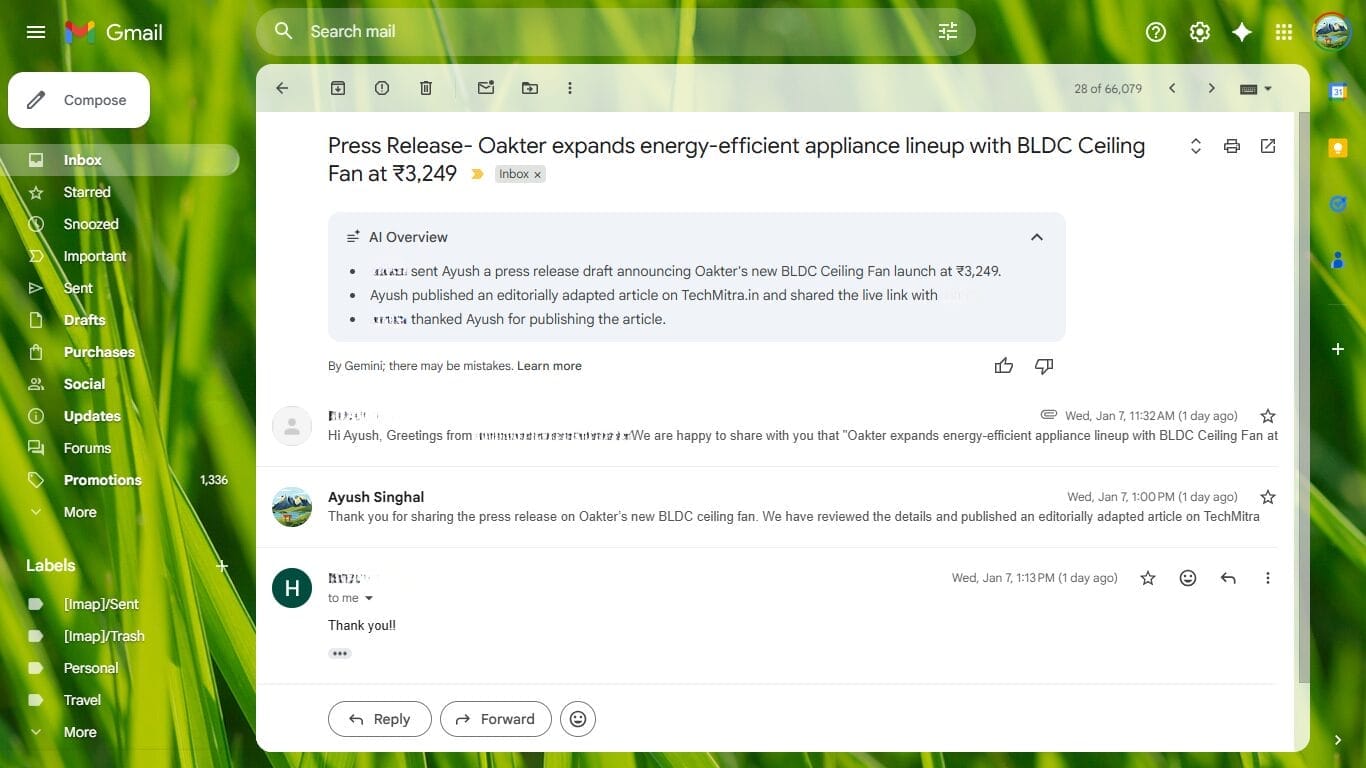
One of the most visible signs that Gmail is entering the Gemini era is the introduction of the AI Overview inside email threads.
In long or multi-reply conversations, Gmail now displays an AI-generated summary at the top of the email. This overview is created by Gemini and highlights the key points of the entire conversation, saving users from scrolling through multiple replies.
In my case, Gmail automatically summarized a press release conversation by clearly explaining:
Who sent the original email
What the email was about
What action was taken afterward
How the conversation concluded
Instead of reading the entire thread, the AI Overview delivered the full context in just a few bullet points.
Google also adds a small disclaimer below the summary stating that the overview is generated by Gemini and may contain mistakes. This transparency is important—it reminds users that AI is assisting, not replacing human judgment.
This feature is especially useful for professionals, journalists, and business owners who deal with multiple email threads every day. The AI Overview turns Gmail into more than just an inbox—it becomes a tool that understands conversations, not just messages.
Writing Emails with Gemini: From Draft to Polished Response
Gemini doesn’t just summarize emails — it actively helps you write them inside Gmail.
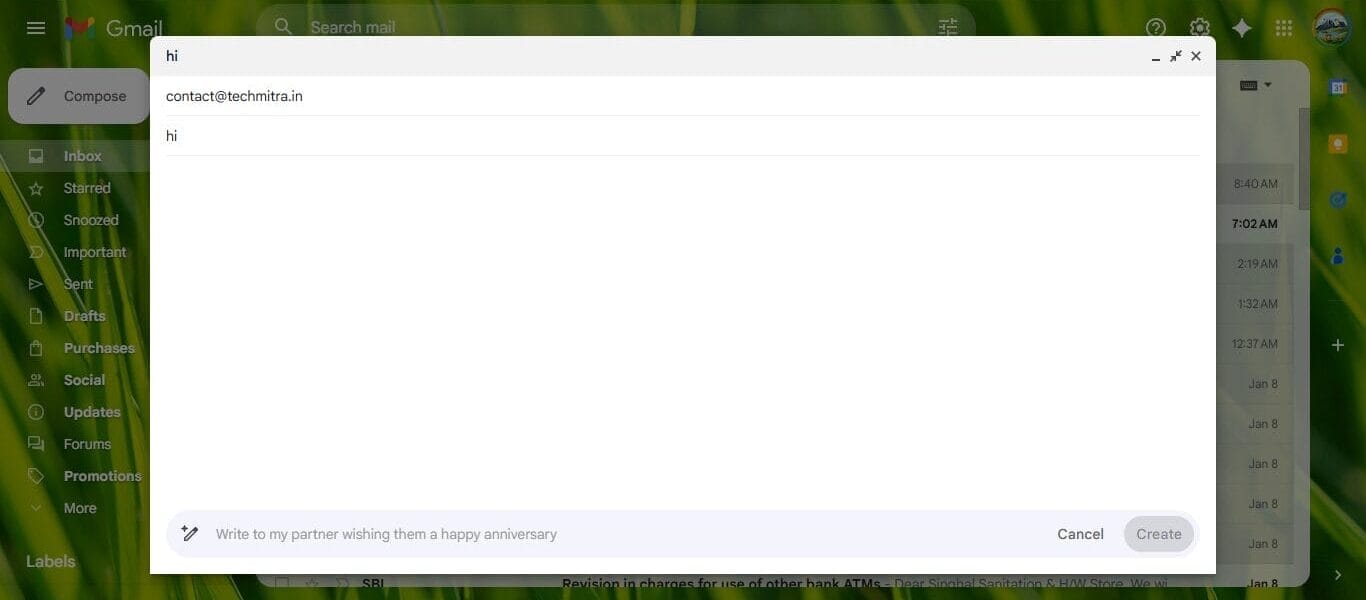
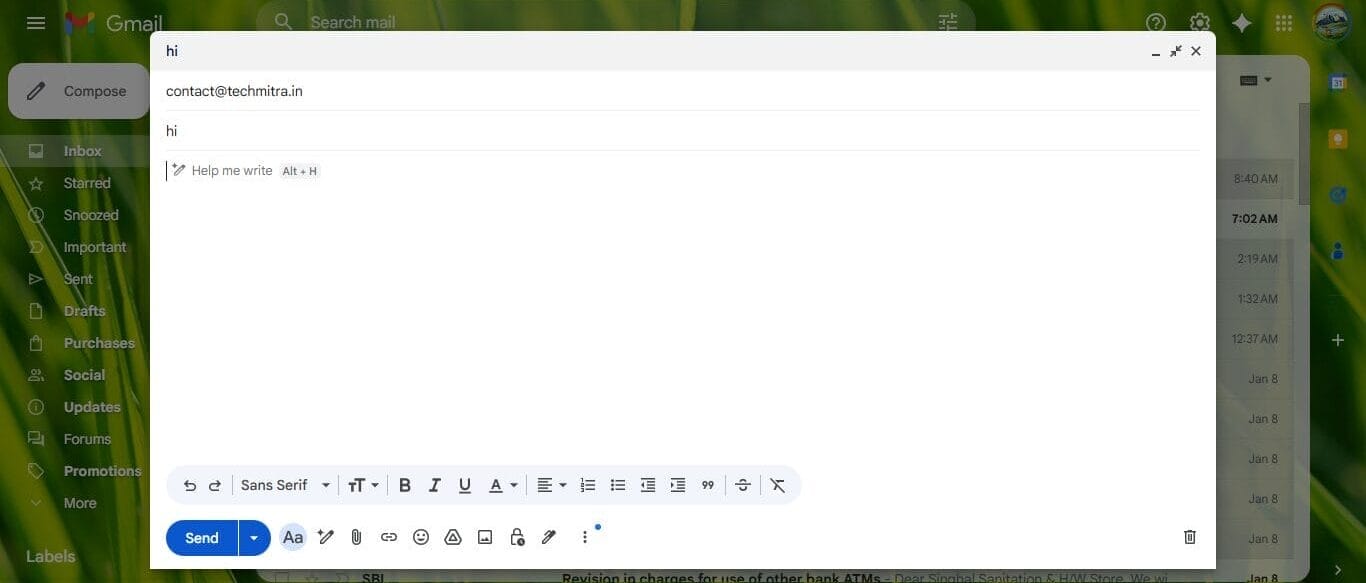
While composing a new message, Gmail now shows a “Help me write” option directly in the editor. With a single click, Gemini asks what you want to write and generates a complete draft based on your input.
Key writing capabilities powered by Gemini include:
Drafting full emails from short prompts
Rewriting messages in different tones such as formal, friendly, or professional
Expanding short replies or shortening long emails
Improving clarity, structure, and grammar automatically
Instead of starting from a blank email, users get a ready-to-edit draft that matches the context and intent of the message.
This feature is especially useful for:
Business and professional emails
Customer responses and support replies
Follow-up messages
Formal confirmations and acknowledgments
Smart Context Awareness (Biggest Upgrade)
Earlier AI features worked line by line. Gemini works conversation by conversation.
It understands:
Ongoing threads
Previous commitments
Attached documents (contextually)
Repeated questions or unresolved issues
For example:
If someone asks, “Did you send the file?”
Gemini knows which file, from which email, and when
This contextual intelligence makes Gmail feel less like software and more like a digital assistant.
How Gemini Changes Email Productivity
Read entire email threads
Manually identify tasks
Rewrite similar replies repeatedly
Waste time searching inbox
After Gemini:
Read summaries instead of threads
Get instant action suggestions
Generate replies in seconds
Reduce inbox fatigue
For professionals, this can easily save 30–40% email time daily.
Gmail AI Features vs Old Gmail Smart Features
| Feature | Old Gmail | Gemini Era Gmail |
|---|---|---|
| Smart Reply | Short generic replies | Context-aware responses |
| Smart Compose | Sentence completion | Full email drafting |
| Thread Understanding | Limited | Deep contextual summaries |
| Task Identification | Manual | AI-powered |
| Productivity | Moderate | High |
This is not a small upgrade—it’s a fundamental redesign of how Gmail works.
Privacy & Control: Is Gemini Reading Your Emails?
This is a common concern—and a valid one.
Gemini works within your Gmail environment, following Google’s privacy and security standards. Users also retain control:
AI features can be managed in settings
Suggestions are optional
You always review before sending
Your emails aren’t being publicly shared or exposed—Gemini processes them to assist you, not to replace you.
Who Benefits the Most from Gemini in Gmail?
Gemini-powered Gmail is especially useful for:
Professionals managing multiple clients
Business owners
Journalists and bloggers
Students handling academic emails
Customer support teams
Anyone overwhelmed by email volume
If your inbox feels like work, Gemini turns it into assistance.
Gmail Is Becoming More Than Email
With Gemini integration, Gmail is evolving into:
A task manager
A communication assistant
A productivity hub
And this is just the beginning.
As Gemini expands across Google Workspace, Gmail will connect smarter with:
Calendar
Docs
Meet
Tasks
This means emails won’t stay isolated—they’ll trigger actions automatically.
Final Thoughts: Gmail’s Biggest Shift in a Decade
Gmail entering the Gemini era is not about flashy AI—it’s about practical intelligence.
For the first time:
Email understands you
Conversations summarize themselves
Replies write faster than you can type
This shift sets the foundation for how AI-powered productivity tools will work in the coming years.
Gmail is no longer just where messages arrive.
It’s becoming where work gets done.
Disclaimer: The information in this article is based on details first reported by official sources and publicly available news, including Google News. We have adapted and rewritten the content for clarity, SEO optimization, and reader experience. All trademarks and images belong to their respective owners.
Trending

Ayush Singhal is the founder and chief editor of TechMitra.in — a tech hub dedicated to simplifying gadgets, AI tools, and smart innovations for everyday users. With over 15 years of business experience, a Bachelor of Computer Applications (BCA) degree, and 5 years of hands-on experience running an electronics retail shop, Ayush brings real-world gadget knowledge and a genuine passion for emerging technology.
At TechMitra, he covers everything from AI breakthroughs and gadget reviews to app guides, mobile tips, and digital how-tos. His goal is simple — to make tech easy, useful, and enjoyable for everyone. When he’s not testing the latest devices or exploring AI trends, Ayush spends his time crafting tutorials that help readers make smarter digital choices.
📍 Based in Lucknow, India
💡 Focus Areas: Tech News • AI Tools • Gadgets • Digital How-Tos
📧 Email: contact@techmitra.in
🔗 Full Bio: https://techmitra.in/about-us/