
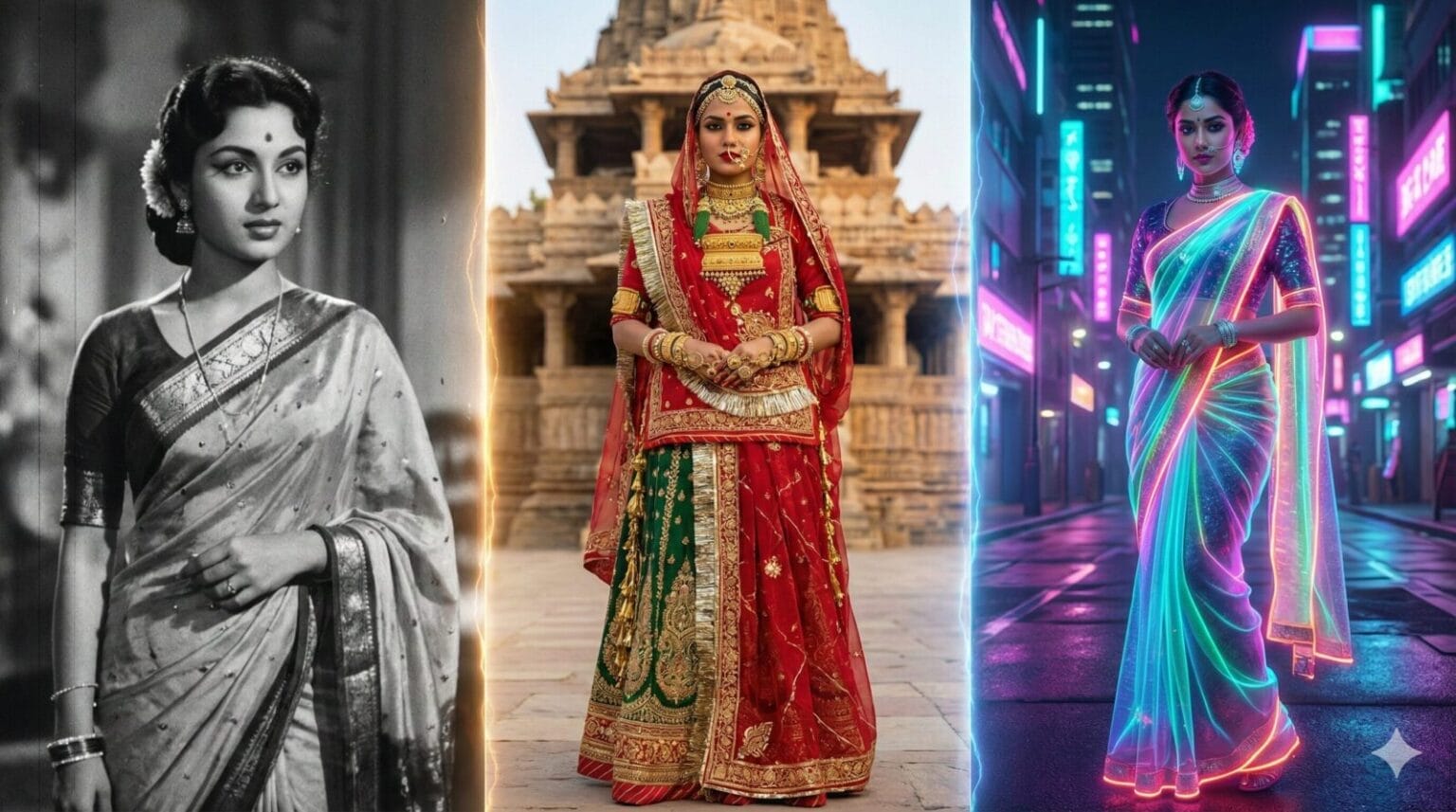
30 Best Gemini AI Saree Prompts: Viral Nano Banana Look (2026 Edition)
Updated On: January 30, 2026 – The Nano Banana AI Saree trend continues to dominate Indian social media, evolving into one of the most sophisticated AI fashion movements of 2026. What started as a viral experiment has now turned into a professional tool for creating hyper-realistic, 8K cinematic, and Pinterest-worthy saree portraits.
Gone are the days of simple AI filters; creators are now using Google Gemini to blend traditional elegance with modern aesthetics—from vintage 90s Bollywood chiffon looks to high-fashion urban fusion styles. Whether you are looking for that perfect retro grain or a sharp, regal portrait for your profile, these prompts are optimized for the latest Gemini image generation model.
In this refreshed 2026 collection, we bring you 30 detailed prompt for gemini AI Saree look, featuring the most viral Nano Banana saree styles, royal heritage looks, and brand-new minimalist aesthetic prompts for the summer season.
Table of Contents
How to Create Your Viral AI Saree Look (Step-by-Step)
Transforming your regular photos into a cinematic saree portrait is easier than ever with Gemini’s new Nano Banana model. Follow these simple steps to get the perfect 2026 viral look.
Step 1: Access Gemini Nano Banana
Open the Google Gemini app on your smartphone or visit gemini.google.com on your desktop.
Look for the Banana icon (the “Nano Banana” tool) in the prompt bar or select the “Try Image Editing” option.
Tip: In 2026, you can also do this directly inside Google Photos by tapping “Help me edit” on any portrait.
Step 2: Upload Your Base Photo
Click the “+” or Gallery icon to upload the photo you want to edit.
Best Results: Use a clear, well-lit, front-facing portrait or half-body shot.
Pro Tip: Avoid photos with busy backgrounds or hands covering your face for the most realistic fabric blending.
Step 3: Enter the “Saree Command”
Once your photo is uploaded, don’t just ask to “change clothes.” You need to give Gemini a specific instruction to maintain your facial features.
Use this Master Formula:
“Keep the person’s face, features, and background exactly the same. Change only the outfit to a [Type of Saree] in [Color]. Ensure realistic fabric drapes, 8K resolution, and cinematic lighting.”
Step 4: Refine with Local Edits
If the saree looks great but you want to change a specific detail (like adding a flower to your hair or changing the blouse style):
Tap the “Edit” button on the generated image.
Use your finger to brush over the specific area you want to change.
Type a short instruction like “Add a white jasmine flower behind the ear” or “Change blouse to sleeveless black velvet.”
Step 5: Save and Export
Once you are happy with the result, hit the Download icon.
For Instagram/Pinterest: Choose the “High Fidelity” or “4K” export option to ensure the textures of the silk or chiffon look professional and sharp.
Quick Troubleshooting Tips for 2026:
Face doesn’t look like you? Use the prompt: “Maintain 100% character consistency from the original uploaded image.”
Blurry edges? Ask Gemini to “Sharpen the subject and add a slight bokeh (blur) to the background” for that professional DSLR look.
Part 1: The Viral Classics (Upgraded for 2026)
These prompts are refreshed versions of your most popular looks, optimized for hyper-realism.
1. The “Golden Hour” Silk Classic
“Based on the uploaded image, keep the facial features 100% identical. The subject is draped in a rich mustard-yellow silk saree with a thin zari border. Hair is styled in soft waves with a fresh jasmine garland. Lighting: Cinematic Golden Hour sunlight hitting the face directly (Tyndall effect). Background: A blurred terrace railing with a warm sunset glow. Quality: 8K resolution, hyper-realistic skin texture, dreamy retro aesthetic.”
2. Vintage Noir (Black & White)
“Transform the photo into a timeless 1950s Bollywood portrait. Keep the face unchanged. The subject wears a translucent white chiffon saree with Chikankari embroidery. Style: Black and white photography with authentic 35mm film grain. Background: A textured concrete wall with dramatic noir shadows (Venetian blind effect). Vibe: Melancholic, elegant, and classic.”
3. The Monsoon Romance (Rain Aesthetic)
“Create a cinematic rain-drenched portrait while keeping the user’s face exactly the same. The subject wears a deep maroon georgette saree that clings slightly due to rain. Hair is damp and messy in an artistic way. Background: A busy city street at night viewed through a rainy window, with neon lights (bokeh) reflecting on the wet pavement. Mood: Romantic, moody, 8K realistic.”
4. Soft Pastel Pinterest Look
“Generate a soft, airy Pinterest-aesthetic portrait. Maintain exact facial identity. Outfit is a peach-pink organza saree with floral motifs. Lighting: Soft-focus morning light (diffused). Background: A rustic wooden window frame with white curtains blowing in the wind. Style: Dreamy, high-key photography, pastel color palette.”
5. The Bold Minimalist
“A sharp, high-fashion studio portrait. Keep facial features intact. The subject wears a solid black cotton saree with a striking red border. Minimal jewelry. Background: A solid beige or cream studio backdrop. Lighting: Rembrandt lighting (one side of face lit, one in shadow) for drama. Quality: Ultra-sharp focus, magazine editorial style.”
6. 90s Bollywood Chiffon
“Recreate the iconic 90s Bollywood heroine look. Keep the face unchanged. The subject wears a flowing sky-blue chiffon saree. Hair is voluminous (blow-dry look). Background: A misty mountain landscape or lush green garden with a soft haze filter. Vibe: Nostalgic, fan-blown hair effect, cinematic wide shot.”
7. Royal Banarasi Heritage
“A regal, royal portrait. Keep the user’s face identical. The subject is dressed in a heavy red and gold Banarasi silk saree with heavy Kundan jewelry. Background: An ancient palace archway or intricately carved stone pillar. Lighting: Warm ambient light from oil lamps (diyas). Quality: 8K, detailed fabric texture, royal heritage aesthetic.”
8. Cyberpunk Neon Saree
“A futuristic fusion look. Keep the face unchanged. The subject wears a metallic navy-blue saree that reflects light. Background: A cyberpunk city street at night with pink and purple neon signs. Style: High contrast, glossy skin finish, modern night photography.”
9. The “Window Seat” Reflection
“A moody travel aesthetic. Keep facial features intact. The subject leans her head against a glass window, wearing a simple cotton saree. Effect: Raindrops on the glass in the foreground, blurring the face slightly for artistic effect (but keeping it recognizable). Background: Blue hour (twilight) city view. Vibe: Lo-fi, pensive, emotional.”
10. The Sunlight & Shadows (Shadow Play)
“Artistic shadow photography. Keep the face unchanged. The subject wears a lightweight linen saree. Key Element: The shadow of a palm leaf or window grille falls across her face and the wall behind her. Lighting: Harsh, direct afternoon sun creating sharp contrast. Style: Indie film aesthetic, raw and authentic.”
11. The “Glow” Close-Up
“An extreme close-up beauty portrait. Keep the face 100% identical. The subject has a shimmering gold saree draped over the head (ghoonghat style but open). Lighting: A warm halo light behind the head (backlighting) making hair strands glow. Focus: Sharp focus on eyes, blurred background. Quality: Macro photography details.”
12. Rustic Village Core
“Earthy, rural aesthetic. Keep the face unchanged. The subject sits on old stone steps wearing a handloom green saree with a thick border. Background: A blurred village mud house or heritage wall. Color Grading: Desaturated greens and browns, matte finish. Vibe: Traditional, grounded, serene.”
13. The Midnight Velvet
“Luxurious night portrait. Keep the face identical. The subject wears a deep midnight-blue velvet saree. Lighting: Moonlight simulation (cool blue tones) with a single warm lantern light source nearby. Background: A starry night sky or dark garden. Texture: Highlight the softness of the velvet fabric.”
14. Floral Fantasy
“A spring-themed portrait. Keep the face unchanged. The subject wears a white saree with large painted floral prints. Background: A wall completely covered in green ivy and blooming flowers. Style: Bright, vibrant colors, nature-inspired, daylight photography.”
15. The “Red Carpet” Glamour
“A celebrity-style paparazzi shot. Keep the face unchanged. The subject wears a sequined red party saree. Background: Blurred crowd or red carpet event with camera flashes going off. Style: High gloss, glamorous makeup, confident pose, flash photography aesthetic.”
10 Modern Fusion Prompt For Gemini AI Girl In Saree (Using Uploaded Image)
Use these prompts after uploading your base photo to Gemini to create chic, Indo-western looks while keeping your face exactly the same.
16. The Denim & Sneakers Casual
“Based on the uploaded image, keep the subject’s facial features and hairstyle completely intact. Change the outfit to a flowing pastel chiffon saree draped casually over a white t-shirt, paired with a blue denim jacket and chunky white sneakers. The setting is a bright, urban street with blurred graffiti art in the background. Natural daylight.”
17. The “Boss Lady” Blazer Drape
“Referencing the source photo for exact facial identity, transform the attire into a structured linen saree in charcoal grey, paired with a sharp, tailored black blazer and ankle boots. The background is a modern minimalist office lobby with large glass windows. Confident pose, professional lighting.”
18. The Rooftop Party (Crop Top Fusion)
“Using the provided image, ensure 100% facial consistency. Dress the subject in a pre-draped metallic satin saree paired with a stylish, embellished crop top instead of a traditional blouse. Add a sleek belt at the waist. The setting is a city rooftop at dusk with the skyline bokeh in the background. High-fashion editorial vibe.”
19. The Boho-Chic Wanderer
“Maintain absolute facial consistency from the uploaded image. The outfit is an indigo block-print cotton saree worn with a suede fringed vest and layers of oxidized silver jewelry. The background is an outdoor bohemian market stall with warm, golden hour sunlight filtering through.”
20. The Edgy Leather Jacket Look
“Based on the input image, keep the features identical. The subject is wearing a dark, sequined party saree with a black leather biker jacket draped over the shoulders. Background is a blurry city street at night with neon signs reflecting. High-contrast, edgy night photography.”
21. The Winter Fusion (Turtleneck Style)
“Use the uploaded photo as a strict reference for the face. Change the clothing to a heavy silk saree draped neatly over a fitted black turtleneck sweater. Add a smart cross-body bag. Standing on a tree-lined street with autumn leaves. Cozy, sophisticated daylight.”
22. The Urban Cool (Shirt Blouse)
“Referencing the source photo, keep the subject’s exact likeness. Replace the outfit with a crisp white collared shirt tucked into a modern handloom saree, with sleeves rolled up casually. Add round sunglasses. The setting is outside a chic minimalist cafe. Bright, airy aesthetic.”
23. The Sporty Saree Vibe
“Using the uploaded photo, ensure facial identity remains the same. The outfit is a lightweight, bright georgette saree paired with a sporty bralette top and a baseball cap. The setting is a modern concrete park or stadium walkway. Vibrant, energetic daylight photo.”
24. The Pant-Saree Drape
“Based on the provided image, keep the facial features intact. Transform the look into a modern ‘pant-saree’ drape in a solid jewel tone, paired with a contrasting halter-neck top and high heels. Minimalist architectural background with clean lines. Sculptural fashion photography style.”
25. The Grunge Fusion
“Maintain the identity from the uploaded photo perfectly. The look is a distressed cotton saree draped over a band t-shirt, paired with combat boots and a choker necklace. Background is an exposed brick wall in an industrial loft space. Moody, desaturated cinematic lighting.”
26. The “Vintage Car” Aesthetic (Travel Influencer Vibe)
“Based on the uploaded photo, keep the facial features completely identical. The subject is sitting casually on the bonnet of a vintage convertible car. She is wearing a polka-dot retro saree with cat-eye sunglasses. Background: A scenic coastal road with palm trees. Vibe: Wes Anderson style, pastel colors, cinematic travel photography.”
27. The “Library” Dark Academia
“Maintain exact facial identity. The subject is browsing books in an old, wooden library, wearing a rust-colored linen saree paired with a beige cardigan. Background: Rows of antique books and warm lamp lighting. Lighting: Moody, soft shadows. Style: Intellectual, cozy, autumn aesthetic.”
28. The “Mirror Selfie” Simulation (Gen-Z Trend)
“Keep the face 100% same. Create a realistic ‘mirror selfie’ look. The subject is holding a smartphone (partially visible), wearing a chic sequin party saree. Background: A well-lit aesthetic bedroom or hotel mirror with soft LED strip lights. Style: Candid, social media influencer style, high-quality phone camera aesthetic.”
29. The “Garden Picnic” (Cottagecore)
“Use the uploaded image as a strict reference. The subject is sitting on a picnic blanket in a sunlit garden, wearing a white cotton saree with small floral prints. A straw hat is placed next to her. Background: Green grass, sandwiches, and sunlight filtering through trees. Vibe: Soft, airy, cottagecore aesthetic.”
30. The “Professional Headshot” (LinkedIn Style)
“Transform the photo into a high-end corporate headshot. Keep the face unchanged. The subject wears a solid navy blue or charcoal grey formal saree with a high-neck blouse. Minimal jewelry. Background: A blurred modern office glass window or a solid neutral grey studio backdrop. Lighting: Professional studio softbox lighting. Style: Confident, sharp, business profile ready.”
Tips to Tweak Prompts for Better Results
Be specific: Mention saree type, color, and accessories.
Preserve likeness: Always include “preserve facial likeness, skin tone, and hair features.”
Set the mood: Add background details (temple, palace, runway, garden).
Output format: Ask for PNG (transparent) for product-like looks, or 1920×1080 for banners.
Try variations: Request 2–3 outputs to choose the best one.
Privacy & Legal Note
Only upload images you own or have permission to use.
Do not upload photos of minors or others without consent.
Nano Banana outputs are stylized figurines, not exact replicas.
Final Thoughts
The Google Gemini Nano Banana AI Saree trend proves how beautifully India blends culture with technology. Sarees, already timeless in Indian fashion, are now being reimagined through AI to create cinematic, retro, and festival-inspired portraits.
With these 25 detailed prompts—including 5 Durga Puja specials— you can create visuals that look like they belong on Pinterest boards, in festive advertisements, or even classic Bollywood posters.
This season, try these Gemini AI prompt copy paste and celebrate both AI creativity and Durga Puja traditions in style.
FAQ: Common Questions About Gemini Saree Edits
Q1: How do I upload my photo for a Google Gemini Nano Banana AI saree prompt? A1: Simply use a clear, well-lit photo (preferably a front-facing portrait or half-body shot) and paste one of the realistic prompts from our list into the Gemini Nano Banana tool. The AI will edit your clothes while keeping your face and background consistent.
Q2: Will the result look exactly like me? A2: Yes! Unlike 3D avatars, the Nano Banana mode is designed for photorealism. By using instructions like “Keep facial features 100% identical” in your prompt, the AI ensures your likeness, skin tone, and expression remain exactly the same—only the saree changes.
Q3: Can I choose the saree color and style? A3: Absolutely! You can customize any prompt in our list. For example, change “Red Banarasi Saree” to “Pastel Green Chiffon Saree” or add specific details like “sleeveless blouse” or “oxidized silver jewelry” to match your taste.
Q4: Can I get the image without a background? A4: While Gemini generates a full scene by default, you can add “solid white background” or “studio backdrop” to your prompt. This makes it easy to remove the background later using any free background remover tool if you need a transparent cutout.
Q5: Is it safe to upload personal photos? A5: Always use your own photos or images you have consent to use. Google Gemini processes images to generate your request, but it is recommended to avoid uploading sensitive, private, or confidential images for any AI editing.
Q6: Can I use these AI saree images for Instagram or commercial use? A6: Yes, these images are perfect for Instagram, Pinterest, and social media trends. For commercial use (like ads or brand posts), check Google’s latest GenAI terms of service, but generally, content you generate is yours to use for personal branding and content creation.
Q7: What is the best modern saree prompt for creating fusion looks in Gemini AI?
A7: To create a trendy, Indo-western look, use a modern saree prompt that combines traditional drapes with contemporary fashion elements. A highly effective formula is: “Generate a hyper-realistic image of a woman wearing a pre-draped satin saree paired with a denim jacket and sneakers. Keep the background urban and edgy (like a city street or rooftop cafe) with cinematic lighting.” This type of prompt triggers the AI to blend heritage wear with Gen-Z aesthetics, perfect for viral social media content.
Q8: What is the best Google Gemini AI Saree photo prompt to get realistic results?
A8: The most effective Prompt for Gemini AI Saree look combines specific fabric details with lighting instructions to ensure hyper-realism. A viral example for 2026 is: “Transform this photo into a cinematic 8K portrait. Keep the face 100% identical. The subject is wearing a vintage red chiffon saree with golden hour lighting and a blurry bokeh background.” Using this structure ensures the AI maintains your identity while applying the trending “Nano Banana” aesthetic.
Trending

Ayush Singhal is the founder and chief editor of TechMitra.in — a tech hub dedicated to simplifying gadgets, AI tools, and smart innovations for everyday users. With over 15 years of business experience, a Bachelor of Computer Applications (BCA) degree, and 5 years of hands-on experience running an electronics retail shop, Ayush brings real-world gadget knowledge and a genuine passion for emerging technology.
At TechMitra, he covers everything from AI breakthroughs and gadget reviews to app guides, mobile tips, and digital how-tos. His goal is simple — to make tech easy, useful, and enjoyable for everyone. When he’s not testing the latest devices or exploring AI trends, Ayush spends his time crafting tutorials that help readers make smarter digital choices.
📍 Based in Lucknow, India
💡 Focus Areas: Tech News • AI Tools • Gadgets • Digital How-Tos
📧 Email: contact@techmitra.in
🔗 Full Bio: https://techmitra.in/about-us/
I have saree prompt
What’s Going down i am new to this, I stumbled upon this I have found
It positively helpful and it has aided me out loads.
I’m hoping to give a contribution & help different customers
like its helped me. Great job.