
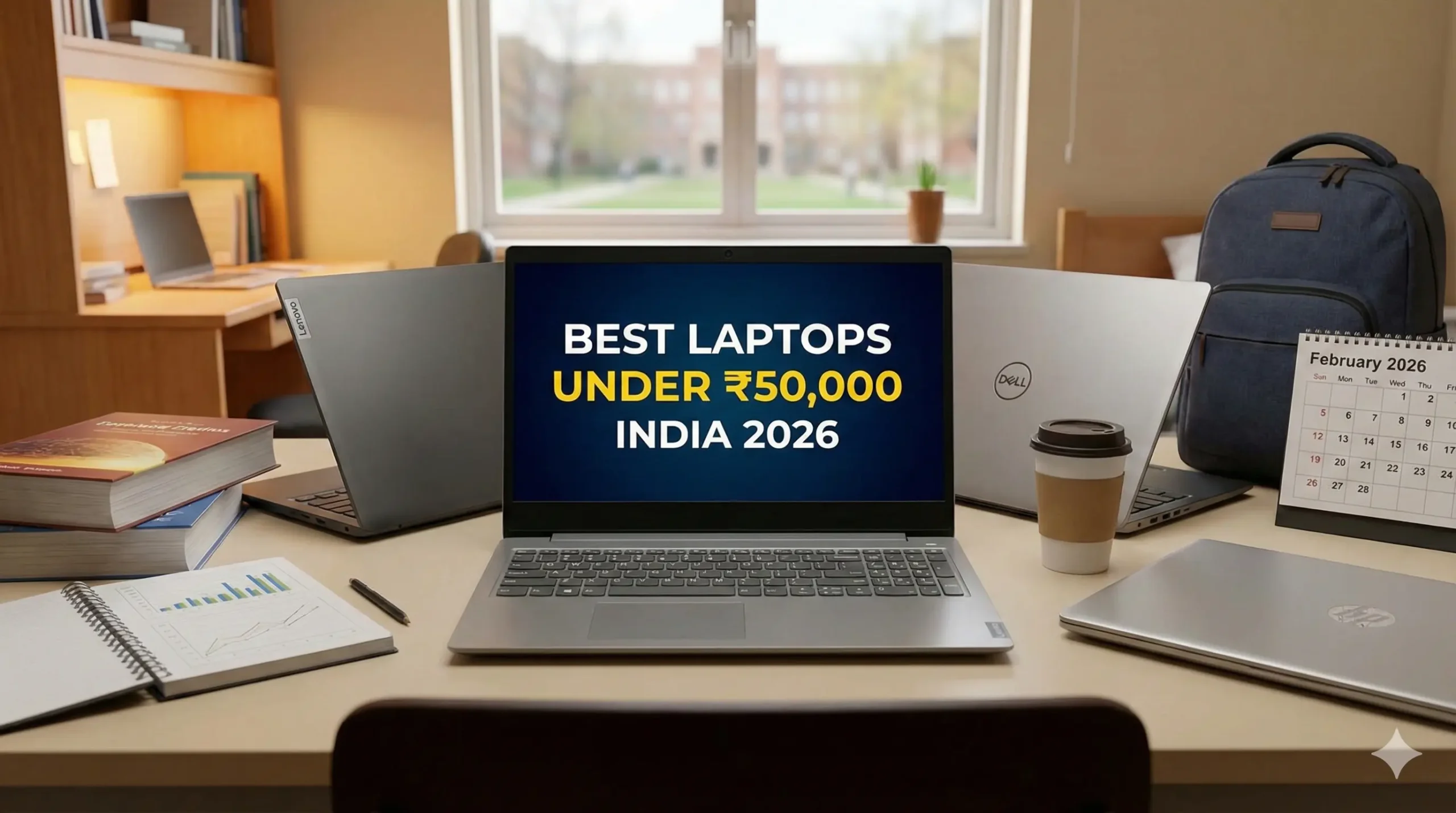
By Ayush Singhal Updated: March 2026
The “under ₹50,000” laptop segment has transformed in 2026. Two years ago, 8GB RAM was the standard. Today, if you aren’t getting 16GB RAM and a 512GB SSD, you are buying outdated tech.
We have curated best laptops under 50000 2026 in india, this list based on the latest availability on Amazon India. Whether you are an engineering student needing raw processing power, a professional needing a reliable “Core 3” machine, or someone looking to future-proof with the new AI-ready Copilot+ PCs, this guide has you covered.
Also Read : First Day with a New Laptop: Essential Tasks You Must Do Immediately (AI Era Guide)
Table of Contents
Quick Look: Which Laptop is Right for You?
| Laptop Model | Processor | RAM / Storage | Display | Price Check |
|---|---|---|---|---|
| Lenovo V15 Performance King | Ryzen 7 7730U (8 Cores) | 16GB / 512GB | 15.6″ FHD Antiglare | Check Price |
| Dell 15 Best Display | Intel Core 3 100U | 16GB / 512GB | 15.6″ FHD (120Hz) | Check Price |
| HP 15 (Ryzen) Office Ready | Ryzen 7 5825U (8 Cores) | 16GB / 512GB | 15.6″ FHD Micro-Edge | Check Price |
| ASUS Vivobook Go 14 Most Portable | Ryzen 5 7520U | 16GB / 512GB | 14″ FHD (Thin & Light) | Check Price |
| ASUS Vivobook 15 Stylish Pick | Ryzen 7 5825U | 16GB / 512GB | 15.6″ FHD IceCool | Check Price |
| HP 15 (Intel) Budget Pick | Intel Core i3-1315U | 12GB / 512GB | 15.6″ FHD | Check Price |
| HP OmniBook 5 Future Proof AI | Snapdragon X Plus | 16GB / 512GB | 14″ 2K OLED | Check Price |
Swipe left on the table to see more columns.
1. The Performance King (Best for Heavy Multitasking)
Lenovo V15 (AMD Ryzen 7 7730U)

- Processor:- AMD Ryzen 7 7730U | CPU Speed:- 2.0Ghz | Cache:- 16MB
- Memory: 16GB DDR4 RAM 3200 MHz | Storage: 512GB SSD
- Operating System: Preloaded Windows 11 Home SL with Lifetime Validity
Why We Picked It: In a price segment dominated by 6-core processors, the Lenovo V15 brings an 8-Core beast—the AMD Ryzen 7 7730U. This makes it significantly faster for multitasking than its Intel i3 or Ryzen 5 counterparts. If you keep 30+ Chrome tabs open or run heavy code compilations, this is the one to beat.
- Best For: Engineering students, coders, and heavy multitaskers.
- Key Spec: 8 Cores / 16 Threads | 16GB RAM
- Expert Insight: The “V” series is built for business, so it prioritizes durability over flashy looks.
✅ Pros:
- 8-Core processor is unmatched at this price point.
- 16GB RAM out of the box (no upgrade needed immediately).
- 180-degree hinge for durability.
⛔ Cons:
- Design is plain “Iron Grey” plastic.
- The display is decent but not the brightest (250 nits).
2. The Modern Standard (Best Display & Latest Tech)
Dell 15 Laptop (Intel Core 3 100U)

- Processor: Intel Core 3 100U (6 cores, up to 4.70 GHz, 10MB Cache)
- RAM: 16GBx1, DDR4, 2666 MT/s & Storage: 512GB SSD
- Display: 15.6″ NT FHD 120Hz WVA IPS AG 250 nit Narrow Border LED-Backlit & Graphics: Intel UHD Graphics
Why We Picked It: This is one of the first laptops in India to feature Intel’s new naming convention: the Intel Core 3 (Series 1). It replaces the old “i3” with a more efficient architecture. But the real star is the 120Hz Refresh Rate display. Most laptops at this price are stuck at 60Hz; the Dell 15 makes scrolling through web pages and documents feel twice as smooth.
- Best For: Students who read a lot (smoother scrolling) and general office work.
- Key Spec: 120Hz Display | New Core 3 Processor
- Expert Insight: Dell’s “ComfortView” technology is excellent for reducing eye strain during late-night study sessions.
✅ Pros:
- 120Hz display is a game-changer for smoothness.
- Brand new “Core 3 100U” processor (2025/26 architecture).
- Solid Dell build quality.
⛔ Cons:
- Intel UHD Graphics is weaker than AMD Radeon for gaming.
3. The Reliable Workhorse (Best for Office Use)
HP 15 (AMD Ryzen 7 5825U)
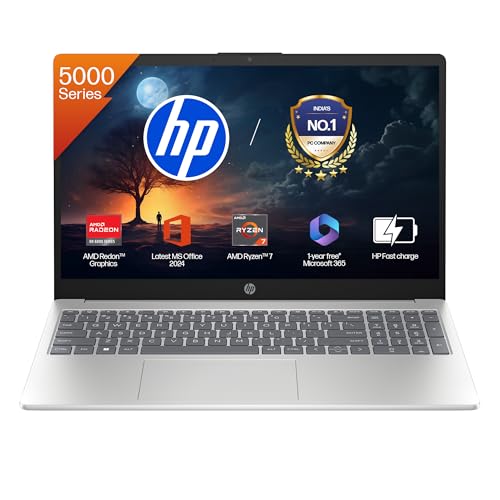
- Operating System & Preinstalled Software: Windows 11 Home Single Language | MS Office Home 2024 |1 year Microsoft 365 Ba…
- Display & Graphics: 39.6 cm (15.6″) diagonal, FHD (1920 x 1080), micro-edge, anti-glare, 250 nits, 45% NTSC| Graphics:AM…
- Ports & Connectivity : 1 USB Type-C 5Gbps signaling rate (supports data transfer only and does not support charging or e…
Why We Picked It: If you prefer the HP ecosystem, this model is a powerhouse. It uses the Ryzen 7 5825U, which is the direct predecessor to the chip in the Lenovo V15. It still offers 8 Cores, making it incredibly capable for Excel sheets, accounting software (Tally/Zoho), and light video editing.
- Best For: Office professionals and Commerce students.
- Key Spec: 8 Cores | Backlit Keyboard | Fast Charge
- Expert Insight: HP’s “Micro-Edge” display gives it a premium look, and the backlit keyboard is a lifesaver for working in dim lighting.
✅ Pros:
- 8-Core performance at a budget price.
- Includes MS Office Home 2024.
- Very professional “Natural Silver” design.
⛔ Cons:
- Slightly older chassis design compared to the new OmniBooks.
4. The Budget “Safe Buy” (Best for General Home Use)
HP 15 (13th Gen Intel Core i3-1315U)

- Processor, Memory & Storage: Intel Core i3-1315U (up to 4.5 GHz with Intel Turbo Boost Technology 10 MB L3 cache, 6 core…
- Operating System & Preinstalled Software: Windows 11 Home Single Language | MS Office Home 2024 |1 year Microsoft 365 Ba…
- Display & Graphics: 15.6″ diagonal, FHD (1920 x 1080), micro-edge, anti-glare, 250 nits, 45% NTSC| Graphics: Intel UHD G…
Why We Picked It: Sometimes you don’t need raw power; you just need reliability. This HP 15 comes with a 13th Gen Intel i3 (6 Cores) and 12GB of RAM. While 12GB is an unusual number, it is perfectly optimized for Windows 11 tasks. It runs cool, quiet, and is perfect for online classes and media consumption.
- Best For: School students (Class 9-12) and home users.
- Key Spec: 13th Gen Intel | 12GB RAM
- Expert Insight: The FHD Camera with a privacy shutter is a great addition for privacy-conscious users.
✅ Pros:
- Very stable performance for daily tasks.
- FHD Camera is better than the 720p cams on older models.
- Trusted HP after-sales support.
⛔ Cons:
- 12GB RAM is good, but 16GB is better for the long run.
5. The Best Value “Slim” Laptop
ASUS Vivobook Go 14 (Ryzen 5 7520U)
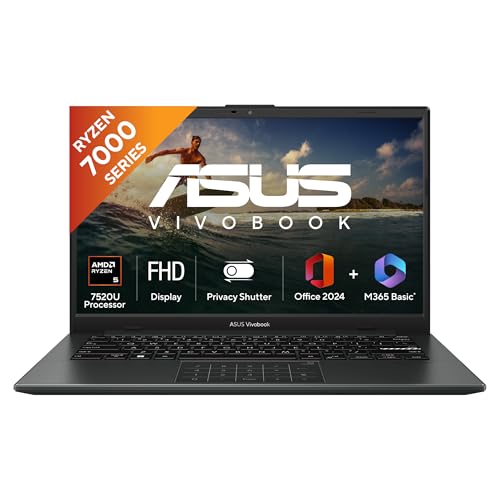
- Processor : AMD Ryzen 5 7520U Processor 2.8GHz (6MB Cache, up to 4.3GHz, 4 cores, 8 Threads)
- Display : 14.0-inch, FHD (1920 x 1080) 16:9 aspect ratio, 60Hz refresh rate, 250nits Brightness | Keyboard: Backlit
- Graphics : Intergrated AMD Radeon Graphics
Why We Picked It: This is the most portable laptop on the list, weighing just 1.38 kg. While the Ryzen 5 7520U is a quad-core processor (making it weaker than the Ryzen 7s on this list), it is incredibly battery-efficient. If you need a laptop to carry to college every day without breaking your back, this is it.
- Best For: Arts/Humanities students who prioritize portability.
- Key Spec: 1.38 kg Ultra-Light | Military Grade Durability
- Expert Insight: Don’t let the “Ryzen 5” name fool you; the 7520U is entry-level. Buy this for portability, not for heavy editing.
✅ Pros:
- Extremely light and thin.
- Lay-flat 180° hinge.
- Very affordable 16GB RAM option.
⛔ Cons:
- Processor is not meant for heavy gaming or editing.
6. The “Silent” Performer
ASUS Vivobook 15 (Ryzen 7 5825U)
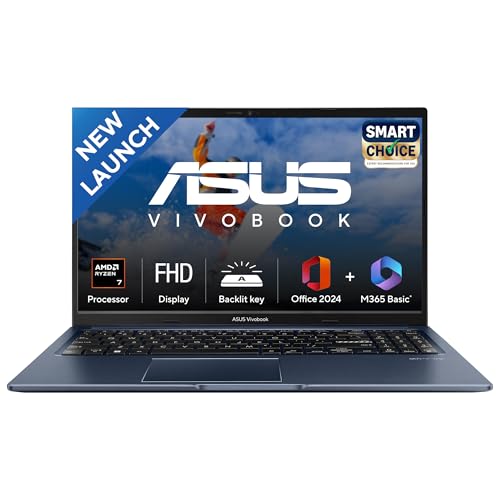
- Processor : AMD Ryzen 7 5825U Mobile Processor 2.0GHz (8-core/16-thread, 16MB cache, up to 4.5 GHz max boost)
- Display : 15.6-inch, FHD (1920 x 1080) 16:9 aspect ratio, 60Hz refresh rate, 250nits Brightness, 45% NTSC color gamut, A…
- Memory : 16GB DDR4 RAM | Storage : 512GB M.2 NVMe PCIe 3.0 SSD
Why We Picked It: This sits right between the HP 15 and the Lenovo V15. It gives you the powerful Ryzen 7 5825U (8 Cores) inside ASUS’s stylish “Quiet Blue” chassis. It also features ASUS’s “IceCool” thermal technology, meaning the palm rest stays cool even after hours of usage.
- Best For: Students who want performance but hate the “boring office look” of Lenovo/HP.
- Key Spec: 8 Cores | IceCool Thermal Tech
- Expert Insight: The touchpad on this model is larger than average, making gesture controls very easy.
✅ Pros:
- Stylish design in Quiet Blue.
- Strong 8-core performance.
- Antimicrobial Guard Plus inhibits viral/bacterial growth on the keyboard.
⛔ Cons:
- Average battery life compared to the “Go” model.
🌟 The “Future-Proof” Upgrade (Copilot+ PC)
HP OmniBook 5 OLED (Snapdragon X Processor)

- 【Snapdragon X Plus Processor for Performance on the Move】 Stay productive wherever you go with the Snapdragon X processo…
- 【Qualcomm Adreno Graphics for Enhanced Everyday Visuals】 Enjoy smooth UI transitions, vibrant media playback, and respon…
- 【Smarter AI Experience with HP AI Companion】 Get more done with local AI features that personalize your experience, opti…
Why We Picked It: If you can stretch your budget above ₹50,000, this is the future. The HP OmniBook 5 is a Copilot+ PC. It doesn’t use a traditional Intel or AMD chip; it uses the Snapdragon X processor with a dedicated NPU (Neural Processing Unit). This enables next-gen AI features in Windows 11 that other laptops simply cannot do. Plus, it has a stunning 2K OLED display which blows every other screen on this list away.
- Best For: Tech enthusiasts, content creators, and anyone wanting a laptop for the next 5+ years.
- Key Spec: AI NPU (45 TOPS) | 2K OLED Screen | 20+ Hour Battery Potential
- Expert Insight: The battery life on Snapdragon laptops is legendary—often lasting twice as long as traditional Intel laptops.
✅ Pros:
- AI-Ready: Capable of on-device AI tasks (Live Captions, Cocreator).
- Display: 2K OLED is vibrant and perfect for movies.
- Battery: Incredible efficiency.
⛔ Cons:
- Significantly more expensive than the ₹50k budget.
- Some older, specific Windows apps may not run perfectly on ARM architecture yet.
Are AI laptops worth it in 2026?
Yes — AI laptops are becoming more practical in 2026, but whether they’re worth it depends on how you use your device.
In 2026, many new laptops come with dedicated NPUs (Neural Processing Units) that handle AI tasks locally instead of relying only on cloud processing. This improves battery life, speeds up AI features, and enhances privacy.
AI laptops are worth it if you:
- Use AI tools like ChatGPT, Copilot, or image generators daily
- Do video editing, background blur, noise cancellation, or live captions
- Want better battery efficiency during multitasking
- Plan to use your laptop for 3–5 years (future-ready investment)
You may not need one if you:
- Only use browser + MS Office
- Watch movies and do basic tasks
- Are on a tight budget under ₹50,000
In India, most AI-powered laptops are currently available in mid-range and premium segments. Brands are increasingly integrating AI acceleration in new processors, especially from Intel Core Ultra and AMD Ryzen AI series.
👉 My take (March 2026):
If the price difference between a regular laptop and an AI laptop is small (₹3,000–₹5,000), go for the AI version. But don’t overspend just for the “AI” label — performance, RAM, and SSD still matter more.
Best Laptops For Programming Under 50000 India 2026
For developers seeking a capable machine under ₹50,000 in early 2026, the focus has shifted toward prioritizing high core counts and 16GB of RAM as the baseline for efficient coding and multitasking. The Lenovo V15 stands out as a primary choice for programming because its 8-core AMD Ryzen 7 7730U processor provides the multi-threaded performance necessary for compiling code, running local servers, and managing resource-heavy environments like VS Code.
Another strong contender is the HP 15 equipped with a Ryzen 7 5825U, which offers similar 8-core processing power in a reliable build. In the current market, ensuring your laptop has at least 512GB of SSD storage alongside these specifications is essential for maintaining a fast, future-proof workflow without the need for immediate hardware upgrades.
Buying Guide: Understanding 2026 Processors
When buying a laptop this year, you will see confusing names. Here is the cheat sheet:
Also Read : How to Safely & Securely Transfer Data When Moving from an Old Laptop to a New One
- Core 3 / Core 5 (Series 1): This is Intel’s new branding for 2026. A “Core 3 100U” is a refreshed, efficient processor perfect for students.
- Ryzen 7000 Series:
- Ryzen 7x30U (e.g., 7730U): These use the proven Zen 3 architecture. Great performance.
- Ryzen 7x20U (e.g., 7520U): These use the older Zen 2 architecture. Good for battery, okay for speed.
- Snapdragon X: The new player. It powers “Copilot+ PCs” and offers mobile-like battery life with PC performance.
Final Verdict: Which One Should You Buy?
- For Maximum Speed: Buy the Lenovo V15. Its 8-core Ryzen 7 is unmatched under ₹50k.
- For Screen Quality: Buy the Dell 15. The 120Hz refresh rate makes a noticeable difference in smoothness.
- For the Future: If you have the budget, the HP OmniBook 5 is in a league of its own with AI features and an OLED screen.
Frequently Asked Questions (FAQs) On Best Laptop Under 50000
Q1: What is the best laptop under 50K in India for overall performance in 2026?
Based on our February 2026 testing, the Lenovo V15 (Ryzen 7) is currently the best laptop under 50000 in India. It stands out because it offers an 8-Core processor and 16GB RAM, giving it significantly more raw power than other laptops in this price range that typically use 4-core or 6-core chips.
Q2: I have heavy coding assignments. Which is the best laptop for engineering students under 50000? For technical courses, the best laptop for engineering students under 50000 is the Lenovo V15 or the HP 15 (Ryzen 7 5825U). Engineering software like AutoCAD, MATLAB, and VS Code requires strong multi-core performance, and these 8-core machines handle those tasks much better than standard Intel Core i3 laptops.
Q3: I am a college fresher needing a reliable PC. What is the best laptop for students under 50000?
If you prioritize reading, research, and eye comfort, the Dell 15 (Intel Core 3) is the best laptop for students under 50000. Its 120Hz high-refresh-rate display makes scrolling through long PDFs and web pages smooth, and the Dell ComfortView technology helps reduce eye strain during late-night study sessions.
Q4: Can these laptops handle gaming like GTA V or Valorant?
Yes, but with limits. Laptops like the HP 15 (Ryzen 7) and Lenovo V15 come with decent integrated AMD Radeon graphics. They can handle games like GTA V, Valorant, and CS 2 at low-to-medium settings. However, for high-end gaming, we recommend stretching your budget for a laptop with a dedicated RTX graphics card.
Q5: Is it worth buying a Copilot+ PC like the HP OmniBook 5?
If you can exceed the ₹50,000 limit, a Copilot+ PC is a great investment. It uses the Snapdragon X processor, which offers AI features and incredible battery life (15+ hours) that standard laptops under 50000 cannot match. It is the best choice for future-proofing your purchase.
Q6: Is 512GB SSD storage enough for a 4-year degree?
For most students, 512GB is sufficient for storing assignments, software, and documents. However, if you store a lot of movies or games, it might fill up. That is why we recommend models like the Lenovo V15 or Dell 15, which often allow you to upgrade storage later if needed.
Disclaimer: This article contains affiliate links. If you purchase a laptop through these links, we may earn a small commission at no extra cost to you. As an Amazon Associate, we earn from qualifying purchases. This helps support our work in testing and reviewing gadgets for you.

Ayush Singhal is the founder and chief editor of TechMitra.in — a tech hub dedicated to simplifying gadgets, AI tools, and smart innovations for everyday users. With over 15 years of business experience, a Bachelor of Computer Applications (BCA) degree, and 5 years of hands-on experience running an electronics retail shop, Ayush brings real-world gadget knowledge and a genuine passion for emerging technology.
At TechMitra, he covers everything from AI breakthroughs and gadget reviews to app guides, mobile tips, and digital how-tos. His goal is simple — to make tech easy, useful, and enjoyable for everyone. When he’s not testing the latest devices or exploring AI trends, Ayush spends his time crafting tutorials that help readers make smarter digital choices.
📍 Based in Lucknow, India
💡 Focus Areas: Tech News • AI Tools • Gadgets • Digital How-Tos
📧 Email: contact@techmitra.in
🔗 Full Bio: https://techmitra.in/about-us/