
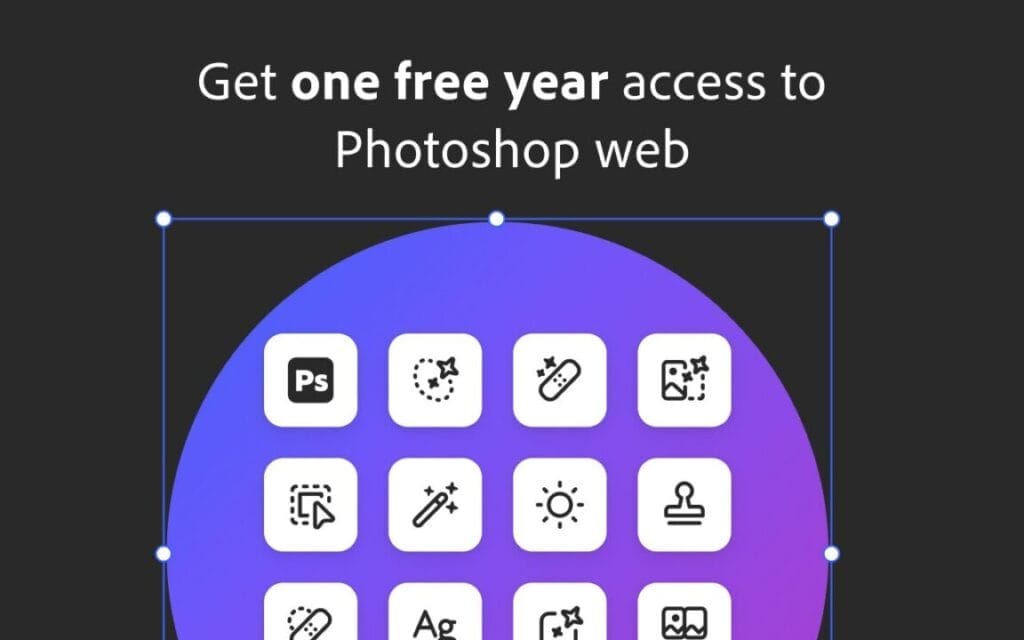
Adobe Photoshop Chrome Extension launched with background removal, color fixes, social crop presets, and 12 months free Photoshop Web access.
Adobe has officially expanded its browser-based creative suite with a brand new Photoshop extension for Google Chrome, giving users the power to edit images directly from their browser—no heavy software, no downloads, and no high-end device required.
This move reflects Adobe’s long-term push to make lightweight, accessible, and fast editing tools available to everyone, especially those who work primarily on the web. As more creators, marketers, designers, and everyday users rely on browsers for quick workflows, Adobe aims to bridge the gap between professional editing and casual convenience.
And there’s more good news:
Anyone who installs the extension before December 8th gets 12 months of Photoshop Web access for free.
A Simpler Way to Edit: Photoshop Extension for Chrome
The new Photoshop extension integrates directly into the Chrome ecosystem, allowing users to quickly send images to Photoshop Web with just a right-click or by tapping the Photoshop icon whenever it appears on the page.
This makes everyday tasks—like editing social media graphics, retouching photos, or preparing quick marketing visuals—significantly easier and faster.
Key functions supported at launch include:
Background removal powered by Photoshop’s smart selection tools
Color and exposure adjustments for fine-tuning images
Cropping with preset aspect ratios, including:
Instagram posts & reels
Facebook banners
YouTube thumbnails
Direct download of edited files back to your device
The company also confirmed that this is just the beginning. Adobe plans to roll out more features, refinements, and AI-powered tools over time to make the extension even more capable.
Why This Matters: A Big Shift for Browser-Based Creativity
Traditionally, Photoshop has been known as a powerful desktop app that requires decent hardware and storage. But the industry is shifting to cloud-first workflows, and Adobe is positioning itself for that future.
Here’s what the Chrome extension changes:
1. Editing becomes instant and device-independent
Whether you’re using a Windows laptop, a MacBook, a school Chromebook, or even a budget device, you can now perform essential edits without worrying about performance.
2. No need to open the full Photoshop desktop app
Perfect for:
Students
Social media managers
Bloggers
Marketers
Creators working remotely
Anyone needing quick image fixes
3. It speeds up workflow for web-heavy professionals
Copying assets, downloading files, opening desktop software—these small steps add up.
The new extension removes friction and streamlines the editing process.
A Boost From Adobe MAX 2025: AI Takes Center Stage
The Chrome extension launch follows major announcements made at Adobe MAX 2025, where the company showcased a wave of new AI-driven innovations across its creative tools.
Here are the highlights:
Firefly Image Model 5
Higher-resolution image generation
Ultra photorealistic rendering
Multi-layer prompt-based editing
Better handling of lighting, textures, and complex scenes
Agentic AI Assistants
Adobe introduced new smart assistants for:
Photoshop
Express
Firefly
These assistants can perform multi-step tasks, understand natural language, and help automate complex edits.
Expanded Model Catalog
New AI models from:
ElevenLabs (audio & voice capabilities)
Topaz (image enhancement)
Adobe also opened custom Firefly model training to individual users for the first time—something creators had been requesting for years.
AI Tools for Audio & Video Also Got Major Upgrades
AI isn’t stopping at images. Adobe showcased new generation tools aimed at content creators and video editors:
Generate Soundtrack (Beta)
Creates music that syncs automatically to video timing.
Generate Speech (Beta)
Produces natural, studio-style voiceovers directly from text.
Firefly Video Editor
A new AI-first editing interface that can:
Create clips
Rearrange footage
Generate visual elements
Launched with a waitlist due to high demand.
Project Moonlight (Preview)
An initiative designed to let Adobe’s AI agents work collaboratively across different apps—almost like having a creative assistant that follows you across Photoshop, Premiere, Express, and more.
Adobe’s Strategy: Meet Users Where They Already Are
The Photoshop Chrome extension shows exactly how Adobe is thinking about the future:
Many users spend most of their day in the browser.
Not everyone needs complex desktop-level editing.
AI tools are becoming essential for day-to-day creative work.
Web-based apps provide speed, accessibility, and flexibility.
By integrating Photoshop into Chrome—and giving away a full year of Photoshop Web—Adobe is clearly pushing to onboard more users into its cloud ecosystem.
What Users Can Expect Next
Adobe confirmed that the extension will continue to evolve. Future updates may include:
More AI-powered one-click effects
Smarter object selection
Template-based editing
Advanced retouching features
Deeper integration with Creative Cloud libraries
Faster performance through incremental optimizations
If Adobe continues at this pace, the browser may soon become a fully capable creative workspace.
Final Thoughts
The new Photoshop extension for Chrome represents a major shift toward web-first creativity. With background removal, color correction, social crop presets, and seamless Photoshop Web integration, Adobe is giving creators powerful tools without the need for expensive hardware or software installations.
Paired with Adobe’s rapidly expanding AI ecosystem—Firefly 5, agentic assistants, audio/video tools—this launch shows how seriously the company is embracing the next generation of creative workflows.
And the 12 months of free access?
A perfect incentive for millions of users to try Photoshop Web and experience the future of editing directly in their browser.
If you’re someone who edits frequently online, this extension may quickly become one of your favorite new tools.
Trending

Ayush Singhal is the founder and chief editor of TechMitra.in — a tech hub dedicated to simplifying gadgets, AI tools, and smart innovations for everyday users. With over 15 years of business experience, a Bachelor of Computer Applications (BCA) degree, and 5 years of hands-on experience running an electronics retail shop, Ayush brings real-world gadget knowledge and a genuine passion for emerging technology.
At TechMitra, he covers everything from AI breakthroughs and gadget reviews to app guides, mobile tips, and digital how-tos. His goal is simple — to make tech easy, useful, and enjoyable for everyone. When he’s not testing the latest devices or exploring AI trends, Ayush spends his time crafting tutorials that help readers make smarter digital choices.
📍 Based in Lucknow, India
💡 Focus Areas: Tech News • AI Tools • Gadgets • Digital How-Tos
📧 Email: contact@techmitra.in
🔗 Full Bio: https://techmitra.in/about-us/