

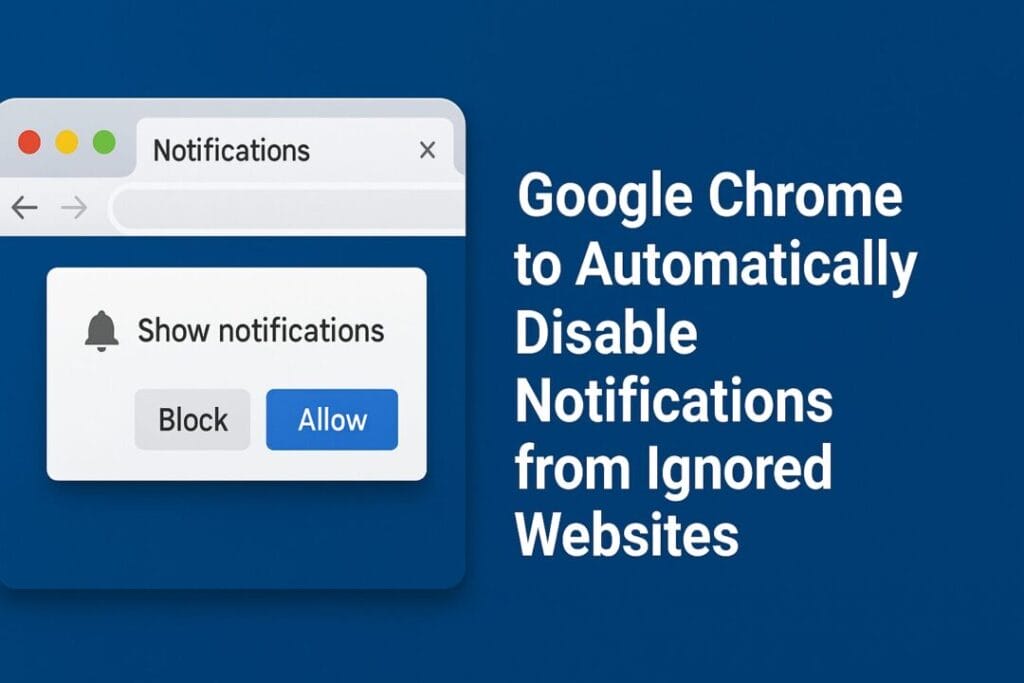
Ignored Chrome Notifications To be Auto Disables In New Update
Google is introducing a new Chrome feature update for Android and desktop that automatically turns off notifications from websites users frequently ignore. The update, integrated into Chrome’s Safety Check tool, is designed to combat “notification fatigue” and deliver a cleaner, more focused browsing experience.
Table of Contents
A Smarter Chrome Experience
According to recent reports, Google is rolling out this feature gradually across Chrome browsers on both Android and desktop. The goal is simple: to automatically revoke notification permissions for websites that spam users with alerts but rarely receive clicks or engagement.
Currently, Chrome’s Safety Check allows users to manage sensitive permissions — such as camera access, microphone, and location tracking. With this new enhancement, Google is expanding Safety Check’s role to include smarter control over notification permissions.
How the Auto-Disable Feature Works
The new feature functions similarly to an existing Android tool that lets users unsubscribe from website notifications with a single tap. However, this Chrome version takes it a step further by doing it automatically for websites that send too many alerts and get little response from users.
Importantly, this feature does not affect web apps that are installed on the device. Notifications from Progressive Web Apps (PWAs) will continue to work as usual.
Google’s internal data highlights why this update is necessary — reportedly, less than 1% of all web notifications receive any user interaction. That means the vast majority of pop-ups are simply ignored, cluttering users’ screens and creating unnecessary distractions.
Google’s Findings: “Significant Reduction in Notification Overload”
In its official announcement, Google revealed that early testing has produced encouraging results.
“We are already testing this feature. Our test results show a significant reduction in notification overload with little change in total notification clicks,” Google said.
“Interestingly, websites that send fewer notifications are actually seeing an increase in user engagement.”
This means that not only are users less annoyed by unnecessary notifications, but websites that use notifications more responsibly could benefit from improved interaction rates.
Keeping Users in Control
Despite the automation, Google emphasizes that users remain in full control of their browser notifications. Chrome users can:
Disable the auto-revocation feature entirely.
Re-enable notifications from specific websites by visiting them again.
Manually manage permissions through Chrome’s Safety Check or settings menu.
These controls ensure that users who prefer certain notifications — like from email clients, news portals, or social platforms — can keep receiving them without interruption.
Why It Matters
This move is part of Google’s broader effort to enhance user privacy, control, and overall browsing comfort. By intelligently managing permissions, Chrome aims to reduce unnecessary digital noise while maintaining user autonomy.
Notification fatigue has become a widespread issue, especially with many websites aggressively prompting users to enable alerts. Over time, these constant pop-ups can diminish the browsing experience, slow down performance, and distract users from their main tasks.
By leveraging AI and behavioral insights, Google is essentially teaching Chrome to “declutter itself” — learning which sites users actually care about and muting the rest automatically.
Rollout and Availability
While Google has not provided an exact release date, the feature is expected to be included in an upcoming Chrome update in the next few weeks. Android users will likely see it first, followed by desktop versions across Windows, macOS, and Linux.
Once rolled out, users can check their browser’s Safety Check panel to see if the feature is active. From there, they can customize how Chrome manages permissions and notifications going forward.
Final Thoughts
With this update, Google Chrome continues to evolve as a smarter and more user-friendly browser, prioritizing user experience and mental focus. The ability to automatically silence ignored notifications is a small but meaningful step toward a cleaner web.
As the lines between mobile and desktop browsing blur, Google’s strategy seems clear — give users fewer distractions, more control, and a safer, faster web environment.
Quick Summary
| Feature | Details |
|---|---|
| Name | Chrome Auto-Disable for Ignored Notifications |
| Applies to | Android & Desktop Chrome |
| Integrated Tool | Chrome Safety Check |
| Function | Automatically revokes notification permissions from low-engagement websites |
| Impact | Reduces notification fatigue; improves user experience |
| User Control | Can disable feature or re-enable notifications manually |
| Rollout | Coming in an upcoming Chrome update |
Key Takeaway
Google’s new Chrome feature represents a thoughtful balance between automation and control — cleaning up unwanted digital clutter while keeping the final decision in the user’s hands.
Expected Release
Upcoming Chrome update (expected late 2025) — Android rollout first, followed by desktop versions.
According to a report by 9to5Google, Chrome’s new Safety Check enhancement will automatically disable notifications from ignored websites.
Disclaimer: The information in this article is based on details first reported by official sources and publicly available news, including Google News. We have adapted and rewritten the content for clarity, SEO optimization, and reader experience. All trademarks and images belong to their respective owners.
Trending

Ayush Singhal is the founder and chief editor of TechMitra.in — a tech hub dedicated to simplifying gadgets, AI tools, and smart innovations for everyday users. With over 15 years of business experience, a Bachelor of Computer Applications (BCA) degree, and 5 years of hands-on experience running an electronics retail shop, Ayush brings real-world gadget knowledge and a genuine passion for emerging technology.
At TechMitra, he covers everything from AI breakthroughs and gadget reviews to app guides, mobile tips, and digital how-tos. His goal is simple — to make tech easy, useful, and enjoyable for everyone. When he’s not testing the latest devices or exploring AI trends, Ayush spends his time crafting tutorials that help readers make smarter digital choices.
📍 Based in Lucknow, India
💡 Focus Areas: Tech News • AI Tools • Gadgets • Digital How-Tos
📧 Contact: Get in touch →
🔗 Full Bio: https://techmitra.in/about-us/