Switched from a Xiaomi phone to the Samsung S24 FE? Here are 10 unique Samsung features—including Samsung Wallet with DigiLocker, AI editing, Galaxy AI tools, custom lock screens, and more—that make the S24 FE stand out. A practical, real-user experience review.
If you’ve never used a Samsung phone before—just like me—and you suddenly switch to the Samsung Galaxy S24 FE after years on a Xiaomi Mi 10i, the experience feels surprisingly fresh.
Some features are not just “Samsung-exclusive”; they genuinely make life easier in day-to-day usage.
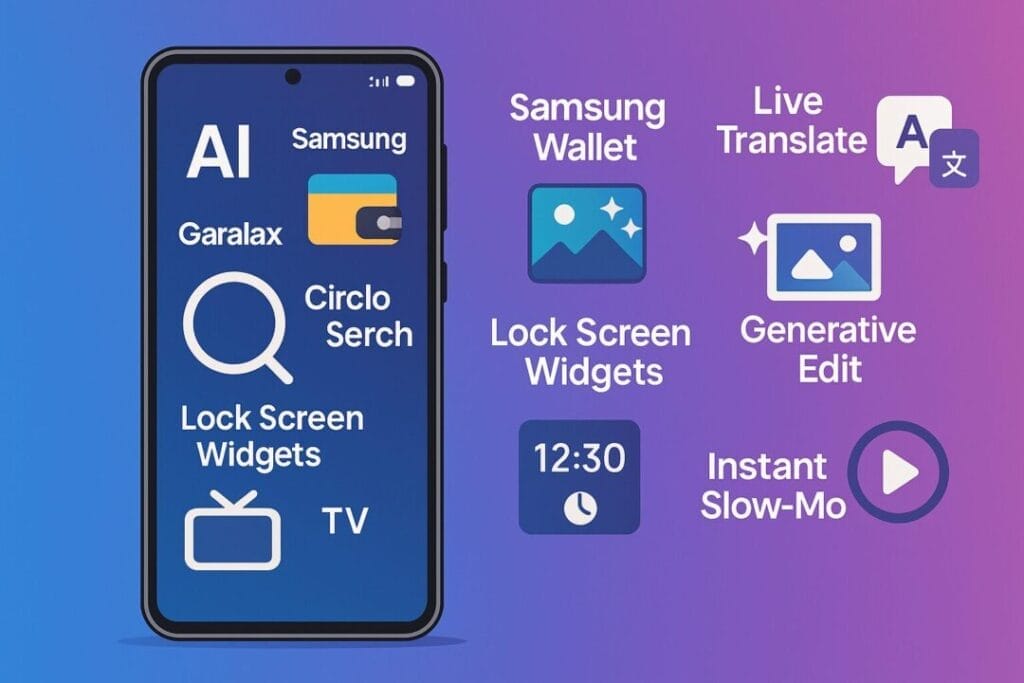
After using the S24 FE for 20 days, here are the 10 Unique Samsung Smartphone features 2025 that genuinely stood out.
The first five are the ones I personally use every day, and the last five are Samsung’s new Galaxy AI features that make the S24 series feel next-gen.
10 Unique Samsung Smartphone features 2025
1. Samsung Wallet + India DigiLocker Integration (Super Quick Access)
This is honestly the first feature that made me go — “Wow, why doesn’t every phone do this?”
Samsung Wallet on the S24 FE directly connects with the DigiLocker app by the Government of India. This means you can safely store and access:
What I loved:
It opens instantly without requiring a password
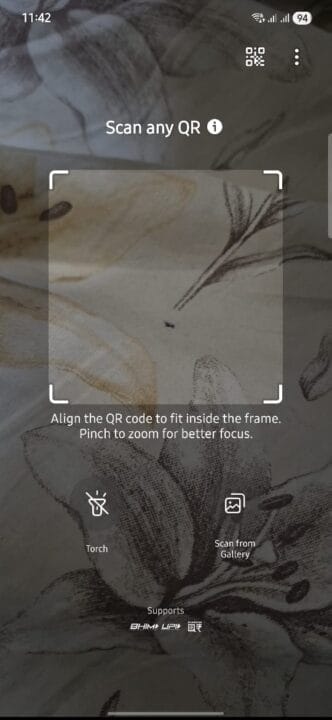
The home screen shortcut launches directly into QR scan mode
Works as a UPI app — payment becomes as simple as → open → scan → enter UPI PIN → done
No clutter, no ads, no confusion
It combines documents + payments in one clean interface
This alone made the S24 FE feel more polished than my previous MI 10i experience.
2. Samsung AI Photo Editing (Remove or Add Objects in Seconds)
Samsung’s AI editing on the S24 FE is shockingly good.
You can:
Remove any unwanted person/object
Re-draw empty areas using AI fill
Add new objects by simply sketching them
Fix shadows and reflections
Expand photos naturally
My real experience:
Removing a random person from the background works so cleanly that most people won’t recognize the image was edited.
Even the “add object by drawing” feature works impressively well for quick edits.
If you post on Instagram, run a blog, or love mobile photography, this is a goldmine.
3. AI Wallpaper Generator (Custom Wallpapers With Text Prompts)
I didn’t expect to use this much, but it turned out to be fun and quite useful.
You can:
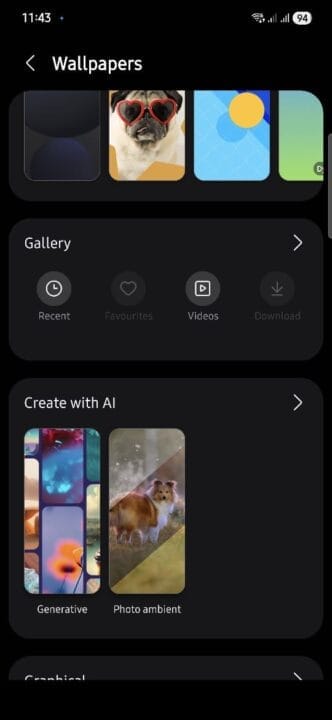
Generate new AI wallpapers with preset styles
Add custom elements by writing a text prompt
Create unique lock screen and home screen combinations
Make minimal, abstract, neon, or scenic wallpapers instantly
For someone who keeps changing wallpapers frequently, this became an addictive feature.
4. Lock Screen Editing (Widgets, Clock Customization & More)
Samsung gives MUCH better lock-screen customization compared to most Android phones.
What you can do:
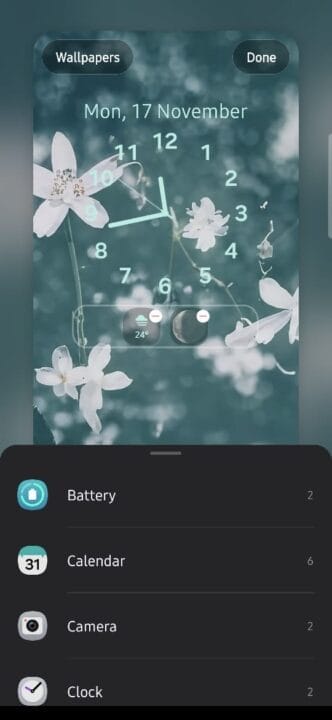
Resize the lock screen clock widget in any size
Add multiple widgets:
Moon phase widget
Battery status
Weather
Step count
Calendar events
Change fonts, colors, and layout
Set different lock-screen shortcuts
The Moon Phase widget is unexpectedly cool—it updates daily and looks great.
The Battery widget is genuinely useful for checking buds, Watch, and phone status.
This level of customization was missing on my old Xiaomi device.
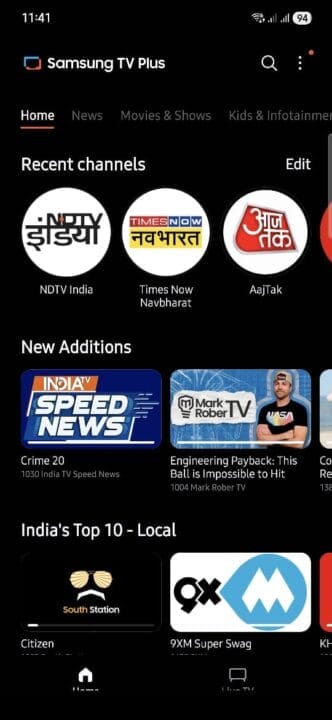
5. Samsung TV Plus App (Free Live Channels in India)
This one surprised me.
The Samsung TV Plus app (Samsung TV Plus) offers free-to-air live TV channels without needing DTH or cable subscription.
You can watch:
News channels
Entertainment channels
Kids channels
Regional channels
Lifestyle content
Documentaries
The app works smoothly on the S24 FE and can be a quick backup whenever your TV or set-top box isn’t available.
BONUS: 5 Galaxy AI Features That Make the S24 FE Feel Next-Gen
Apart from the features I personally use daily, Samsung’s Galaxy AI is another level.
These features are shared across the S24 series, including the S24 FE.
6. Circle to Search (Google + Samsung Magic)
This is easily the most mind-blowing AI feature.
Just long-press the home button → circle anything on screen → instantly get results.
You can circle:
A product
A location
A celebrity
A text
A plant or object
An outfit
…anything.
No need to take screenshots, switch apps, or copy/paste.
It’s fast and extremely accurate.
7. Live Translate (Real-Time Call Translation)
You can talk to anyone who speaks another language, and the phone will translate BOTH sides in real-time during calls.
Supports Hindi + multiple Indian languages + global languages.
Very useful for:
Works in normal calls and Samsung’s messaging apps.
8. Generative Edit (AI Photoshop on Your Phone)
This is an enhanced version of the editing feature:
Move any object in a photo
Resize it
Remove large elements
Replace sky, background, lighting
Expand the frame like Magic Editor
Auto-reconstruct missing parts
Feels like using Photoshop + Google’s Magic Editor in one place.
9. Instant Slow-Mo (Turn Any Video into Slow Motion Automatically)
You can convert ANY video into slow motion—even if it wasn’t shot in slow-motion mode.
The AI predicts extra frames and makes slow motion look natural and smooth.
Great for:
Sports clips
Dancing
Pets
Kids
Travel videos
A very useful trick when you forgot to shoot in 120fps or 240fps.
10. Note Assist (Summarizes, Formats & Translates Notes)
This is for productivity lovers.
Samsung Notes can:
If you are a student, blogger, content creator, or office worker, this is extremely valuable.
Final Thoughts
Switching to the Samsung S24 FE after years on Xiaomi genuinely felt refreshing.
The combination of Samsung Wallet + DigiLocker integration, AI editing, AI wallpapers, lock-screen customization, and Samsung TV makes the phone feel more modern and user-friendly.
Add Galaxy AI to the mix, and the S24 FE becomes a fantastic smartphone for both everyday users and tech lovers.
If you’re thinking of switching to Samsung for the first time — these features alone make it worth it.
Disclaimer
This article is based on my personal experience using Samsung smartphones. Feature availability may vary depending on the model, One UI version, and region. This post is not sponsored by Samsung, and all opinions expressed here are my own. Readers are advised to verify feature availability on their specific device or through Samsung’s official documentation.