


Generic selectors
Exact matches only
Search in title
Search in content
Post Type Selectors

Data Loss – A Common Indian Smartphone Problem

what is cloud storage

Table of Contents

Introduction: Data Loss – A Common Indian Smartphone Problem

In India, smartphones are more than just communication devices β€” they are a digital diary. We use them to:

  • Take precious family photosΒ 

  • Store important documents like Aadhaar and PAN cardsΒ 

  • Save contacts and WhatsApp chatsΒ 

  • Manage banking apps and passwordsΒ 

But what happens if the phone isΒ lost or damaged?

All data is gone.Β Unless you’ve backed it up.

That’s whereΒ cloud storageΒ comes to the rescue.


What is Cloud Storage ?

Cloud storage is a digital locker where you can safely store your files, photos, contacts, and documentsΒ onlineΒ instead of just on your phone.

Think of it as aΒ secure hard drive on the internetΒ that you can access anytime, from any device β€” especially useful if your phone is lost or changed.

Key Benefit:

When you buy a new phone, your cloud-stored data is just a login away β€” everything gets restored in minutes.


Why Cloud Storage is a Must in India

Here’s why every Indian smartphone user should consider using cloud storage:

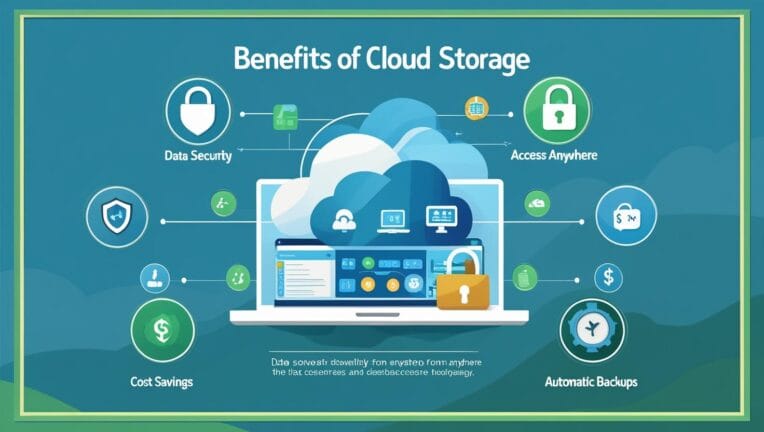
  • Prevents Data Loss:Β Keeps your photos, files, and contacts safe even if the phone is lost or stolen.

  • Auto Backup:Β Automatically backs up new photos, chats, and documents.

  • Easy Transfer:Β Switching phones becomes stress-free.

  • Saves Space:Β Frees up phone memory by storing files online.

  • Anywhere Access:Β Access your data from your PC, tablet, or any other phone.

jio cloud storage

Popular Cloud Storage Options in India

Two top options in India are:

Google Cloud Storage

  • Comes with every Android phone via Google account.

  • 15 GB Free StorageΒ (shared with Gmail, Drive, Photos)

  • Paid Plans Available:

    • β‚Ή130/month for 100 GB

    • β‚Ή650/month for 2 TB (Google One)

Jio CloudΒ Storage

  • Offered by Reliance Jio for Indian users.

  • 50 GB Free Storage

  • No Paid PlansΒ β€” Everything is free (for now).

  • Requires Jio Cloud app download.

  • Especially useful for Jio SIM users.


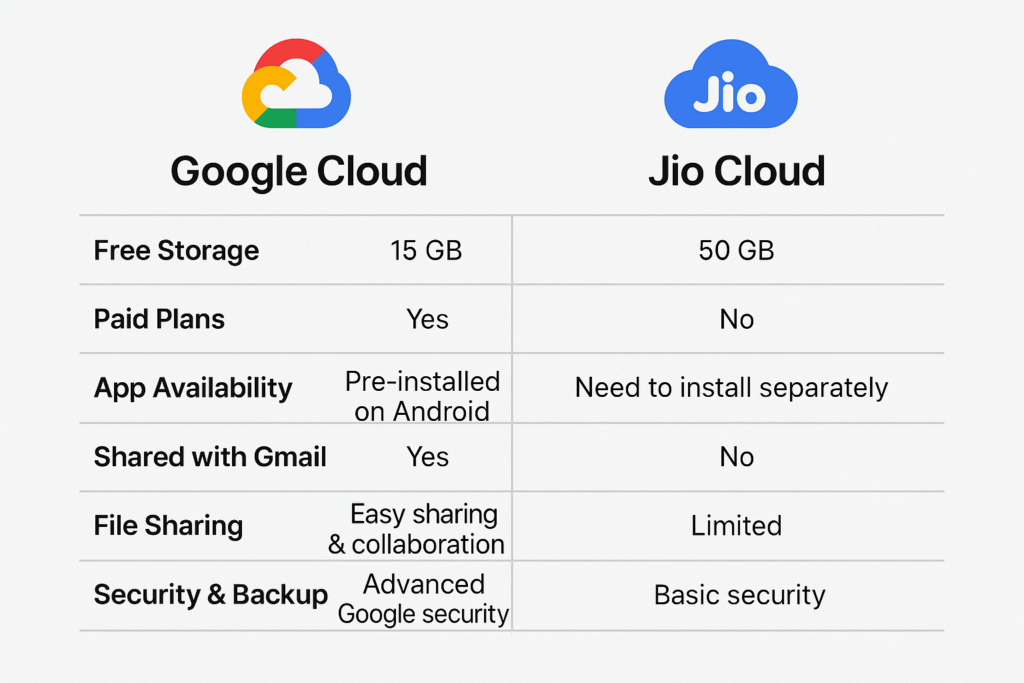
Google Cloud vs Jio Cloud: Feature Comparison

FeatureGoogle Cloud StorageJio Cloud
Free Storage15 GB50 GB
Shared with GmailYesNo
Paid PlansYes (from β‚Ή130/month)No (only free plan)
App AvailabilityPre-installed on AndroidNeed to install separately
Ease of AccessSyncs with all Google appsJio app only
File SharingEasy sharing & collaborationLimited
Security & BackupAdvanced Google securityBasic security

Extended Comparison: Google Cloud Storage vs Jio Cloud

Feature/AspectGoogle Cloud StorageJio Cloud
User BaseGlobal users (used worldwide)Primarily Indian users
Integration with AppsDeep integration with Gmail, Google Drive, Photos, Docs, CalendarLimited to Jio apps and basic phone data
Cross-Platform SupportAndroid, iOS, Windows, macOS, WebAndroid, iOS, Web
Data Sharing & CollaborationStrong sharing options via Drive with permissionsLimited file sharing, no real-time collaboration
Backup TypesContacts, Photos, Videos, Files, WhatsApp (if enabled), App DataContacts, SMS, Call Logs, Documents, Photos, Videos
Photo ManagementAI-powered features in Google Photos (face recognition, albums, search)Basic photo viewing and album features
Security StandardsIndustry-leading encryption, 2FA, activity alertsBasic encryption, Jio login-based security
Offline AccessYes (via Google Drive or Photos sync)No built-in offline access
Third-Party AccessCan integrate with thousands of third-party appsNo third-party integrations
Paid UpgradesFlexible Google One plans up to 30 TBNo upgrade path – fixed at 50 GB
Ad-Free ExperiencePaid users get a clean, ad-free interfaceFree users may see promotions or app suggestions
Account RequirementGoogle Account (universal)Jio account or mobile number required
Desktop Sync AppGoogle Drive for Desktop (Windows/macOS)No official desktop sync client
Customer Support24/7 support for Google One subscribersBasic support via Jio customer care or in-app help
Speed of UploadsFast, especially on high-speed connectionsSlower on non-Jio networks
Storage Management ToolsDetailed dashboard, file suggestions for cleanupLimited tools for storage analysis

Benefits of Using Cloud Storage

  1. Peace of Mind:Β Your memories and documents are always safe.

  2. Smartphone Independence:Β You can change your phone without fear of data loss.

  3. No Need for Memory Cards:Β Reduce hardware dependency.

  4. Automatic Sync:Β No manual backup needed.

  5. Remote Access:Β Access your files anytime, anywhere.


Final Thoughts

In a country like India where mobile phones play a central role in daily life,Β cloud storage is no longer a luxury β€” it’s a necessity.Β Whether it’s Google Cloud or Jio Cloud, having your data backed up means you’ll never lose your photos, contacts, or important documents again.

If you wantΒ global access and better security, go forΒ Google Cloud.
If you wantΒ more free storageΒ and don’t want to pay later,Β Jio CloudΒ is a smart choice.

google cloud storage

Thanks For reading, Share valuable feedback

Leave a Comment

Scroll to Top