
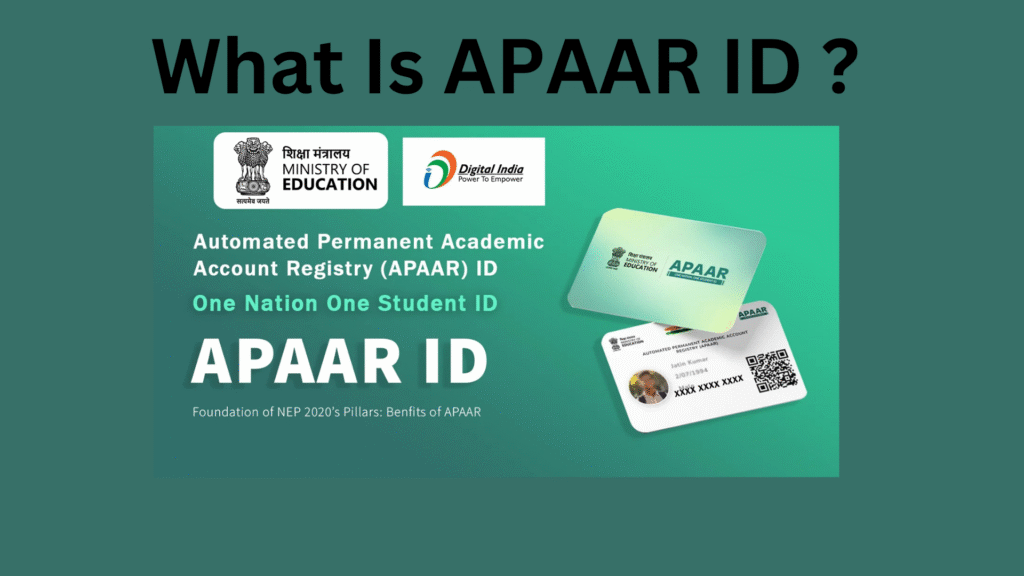
Updated On 13-02-2026 : The Indian education system is undergoing a massive digital transformation under the “One Nation, One Student ID” initiative. The APAAR ID (Automated Permanent Academic Account Registry) is at the heart of this change.
If you haven’t updated your records or registered yet, here is the complete, updated guide for 2026, including new mandates for entrance exams and travel benefits.
Table of Contents
Also Read : The Alarming Rise of AI-Driven Deepfakes and Fraud in the Digital Age
What is APAAR ID ?
The APAAR ID is a unique 12-digit identification number issued by the Ministry of Education to every student in India, from pre-primary to higher education.
Think of it as a “Digital Identity Card” for a student’s entire academic journey. It is lifelong, meaning the same ID follows a student from nursery school through a PhD. It is digitally linked to the Academic Bank of Credits (ABC), where all degrees, diplomas, certificates, and even co-curricular achievements are stored securely.
What’s New in 2026? (Latest Updates)
Since its initial rollout, the APAAR ID has evolved from an optional pilot program to a critical requirement in several sectors:
- NEET UG 2026 & Entrance Exams: The National Testing Agency (NTA) has now integrated APAAR ID into the registration process. For the 2026 cycle, candidates are encouraged to use their APAAR ID to auto-fill academic details, reducing errors and speeding up identity verification at exam centers.
- Board Exam Integration: CBSE and various state boards (like Maharashtra and UP) have started linking APAAR IDs to the List of Candidates (LOC). While schools still allow students to sit for exams without it if parental consent is withheld, having the ID ensures that digital marksheets are instantly pushed to DigiLocker.
- Student Travel Discounts: In a major move for 2026, airlines like Air India have begun accepting APAAR ID for student fare verification. Students can now verify their status online via their 12-digit ID to get discounted tickets and extra baggage allowances without carrying physical identity cards.
- Massive Adoption: As of February 2026, over 33 crore students across India have been registered, making it one of the largest digital education registries in the world.
Why Every Student Needs an APAAR ID
The benefits extend far beyond just having a number:
- Seamless Transfers: If a student moves from one state to another or changes schools, their entire academic history transfers digitally. No more chasing old schools for physical transfer certificates.
- Digital Vault: All marksheets, scholarship records, and sports certificates are stored in a tamper-proof digital format.
- Easy College Admissions: Universities can now verify a student’s entire high school record with a single click, eliminating the need for attested photocopies.
- Tracking Dropouts: The government uses this data to identify students who leave the education system, helping them provide targeted support to bring them back.
How to Generate Your APAAR ID in 2026
There are two primary ways to get your ID:
1. Through Schools/Colleges (Recommended)
Most schools now handle this process during the admission or data update cycle.
- The school will ask for parental consent.
- The school verifies the student’s Aadhaar details against the UDISE+ database.
- Once verified, the school generates the ID and provides a physical or digital card.
2. Self-Registration (For College Students)
If you are in higher education, you can generate it yourself:
- Visit the Academic Bank of Credits (ABC) official portal or use the DigiLocker app.
- Log in using your Aadhaar-linked mobile number.
- Navigate to “Issued Documents” and search for “APAAR/ABC ID Card.”
- Enter your institution’s name (University/College) and your admission year.
- Perform the Aadhaar OTP authentication. Your 12-digit ID will be generated instantly.
Important: The Aadhaar-Mismatch Hurdle
The most common reason for registration failure is a data mismatch. If the name or date of birth on your Aadhaar card does not exactly match your school records (marksheet), the APAAR ID will not be generated.
Pro-Tip: Ensure your Aadhaar is updated with your correct name spelling and DOB as per your 10th-grade certificate before attempting to register.
Is My Data Safe?
The APAAR ID is built on a secure framework. It requires explicit parental consent for minors, and the data is shared only with recognized educational institutions and government bodies. Students and parents have the right to withdraw consent at any time, though this may stop the automatic updating of digital records.
Frequently Asked Questions (FAQs)
Q: Is APAAR ID mandatory for 10th and 12th Board exams? A: While it is highly recommended and being pushed by boards like CBSE, students can currently opt-out if they have valid reasons, though it may delay the digital issuance of their results.
Q: Does APAAR ID replace Aadhaar? A: No. Aadhaar is a general identity proof, while APAAR is specifically for your academic and “student-life” records.
Q: Can I have more than one APAAR ID? A: No. It is a unique, one-time ID linked to your Aadhaar.
Q: What happens if I lose my APAAR card? A: You can download it anytime from your DigiLocker account or the ABC portal.
Q: How to create APAAR ID for a school-going student (Class 1-12)?
A: Generally, parents or students do not need to create the ID themselves for school-aged children. The process is initiated by the school.
- The school will request parental consent.
- The school admin verifies the student’s data against their Aadhaar and UDISE+ records.
- Once verified, the system automatically generates the ID. Parents should coordinate with the school administration for this process.
Q: I am a college student. How can I create my own APAAR ID?
A: College and university students can self-register easily using their Aadhaar-linked mobile number.
- Download the DigiLocker app or visit the Academic Bank of Credits (ABC) portal.
- Sign up or log in using your mobile number.
- Search for “APAAR” or “ABC ID” in the documents section.
- Select your institution name and verify via Aadhaar OTP. The ID will be generated instantly.
Q: What documents are required to create an APAAR ID?
A: The primary requirement is a valid Aadhaar Card. Crucially, the mobile number linked to the Aadhaar card must be active to receive the verification OTP.
Q: Why am I unable to create my APAAR ID? (Data Mismatch Error)
A: The most common reason for failure is a demographic mismatch. If the student’s Name, Date of Birth, or Gender on the Aadhaar card does not exactly match school records or marksheets, the system will reject the creation request. You must update your Aadhaar details to match your educational records before retrying.
Q: Where can I download my APAAR ID card?
A: Once generated, your APAAR ID is stored digitally. The most reliable place to download it is the DigiLocker app or website. It is also available on the Academic Bank of Credits (ABC) portal.
Q: How do I APAAR ID download from DigiLocker?
A: Follow these steps:
- Open the DigiLocker app and log in.
- Go to the “Issued Documents” tab. Your APAAR/ABC ID card should appear there automatically if it has been generated.
- Tap the three dots next to the card and select “View PDF” or “Download” to save a digital copy to your phone.
Q: I have lost my physical APAAR card. How can I get a new one?
A: You do not need to apply for a “new” card. The APAAR ID is permanent. You can simply login to DigiLocker at any time and download a fresh digital copy of your original card. This digital copy is valid for all official purposes, including entrance exams and travel discounts.
This guide is updated for the 2025-26 academic session. For more tech guides and education updates, stay tuned to TechMitra.

Ayush Singhal is the founder and chief editor of TechMitra.in — a tech hub dedicated to simplifying gadgets, AI tools, and smart innovations for everyday users. With over 15 years of business experience, a Bachelor of Computer Applications (BCA) degree, and 5 years of hands-on experience running an electronics retail shop, Ayush brings real-world gadget knowledge and a genuine passion for emerging technology.
At TechMitra, he covers everything from AI breakthroughs and gadget reviews to app guides, mobile tips, and digital how-tos. His goal is simple — to make tech easy, useful, and enjoyable for everyone. When he’s not testing the latest devices or exploring AI trends, Ayush spends his time crafting tutorials that help readers make smarter digital choices.
📍 Based in Lucknow, India
💡 Focus Areas: Tech News • AI Tools • Gadgets • Digital How-Tos
📧 Email: contact@techmitra.in
🔗 Full Bio: https://techmitra.in/about-us/