
OpenAI has taken another bold step toward the future of AI-driven productivity. On Tuesday, the San Francisco-based AI giant announced its first artificial intelligence powered web browser ChatGPT Atlas. This new browser marks OpenAI’s third consumer product, following the success of ChatGPT and Sora.
Currently available exclusively for macOS, ChatGPT Atlas promises to redefine how users browse, research, and interact with the web. It comes fully integrated with OpenAI’s latest GPT-5 model, blending traditional web browsing with powerful AI assistance and automation capabilities.
Also Read : The Ultimate Travel Guide: 20 ChatGPT Prompts to Discover [Your City]
Table of Contents
Introduction: The Rise of AI-Powered Browsers
In recent months, the AI browser race has heated up, with startups like Perplexity (Comet Browser) and The Browser Company (Arc and Dia) introducing innovative browsing assistants. Now, OpenAI — the creator of ChatGPT — has entered the arena with ChatGPT Atlas, aiming to make browsing not just faster, but intelligent.
Rather than being just another web browser, Atlas combines AI conversation, search, and automation in a single tool. This makes it more than a browser — it’s your personal AI agent for the internet.
Also Read : Top 25 ChatGPT Prompts for Shares Trading & Business Finance
What is ChatGPT Atlas Browser?
ChatGPT Atlas is a GPT-5-powered AI browser designed to merge the capabilities of ChatGPT with real-time web exploration.
At first glance, it looks like a standard browser — complete with a clean interface and tabs. But once you start using it, you’ll notice that every element is infused with intelligence.
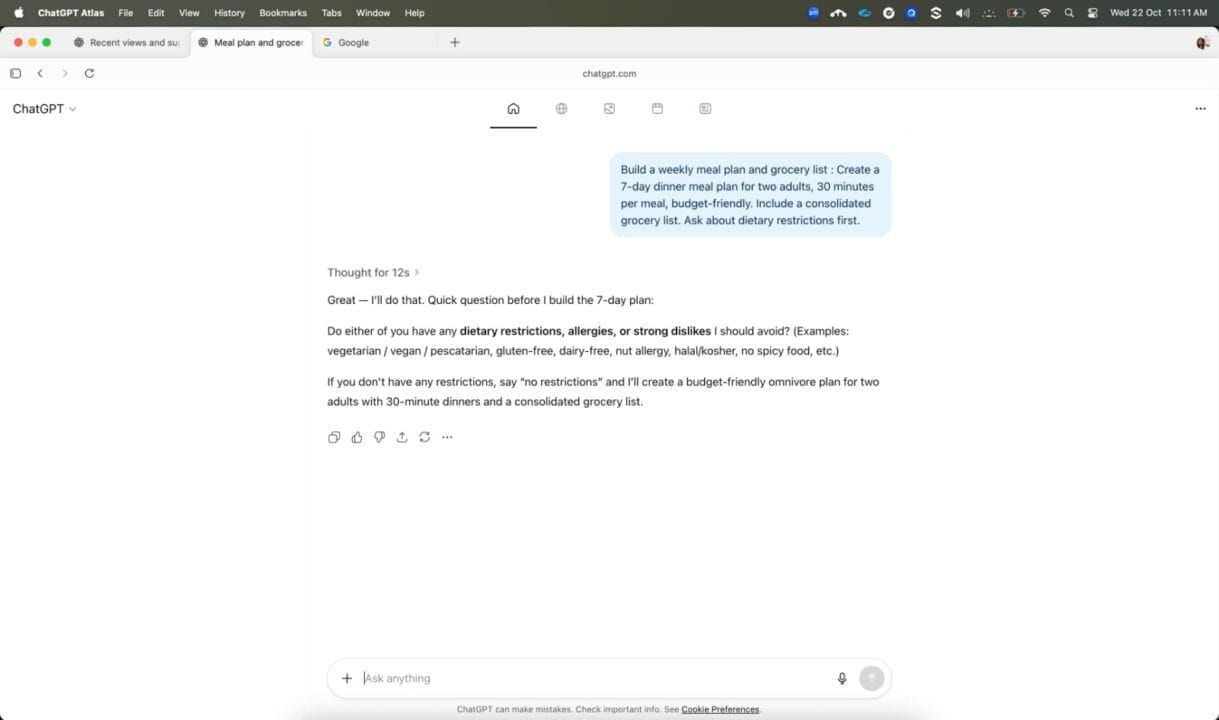
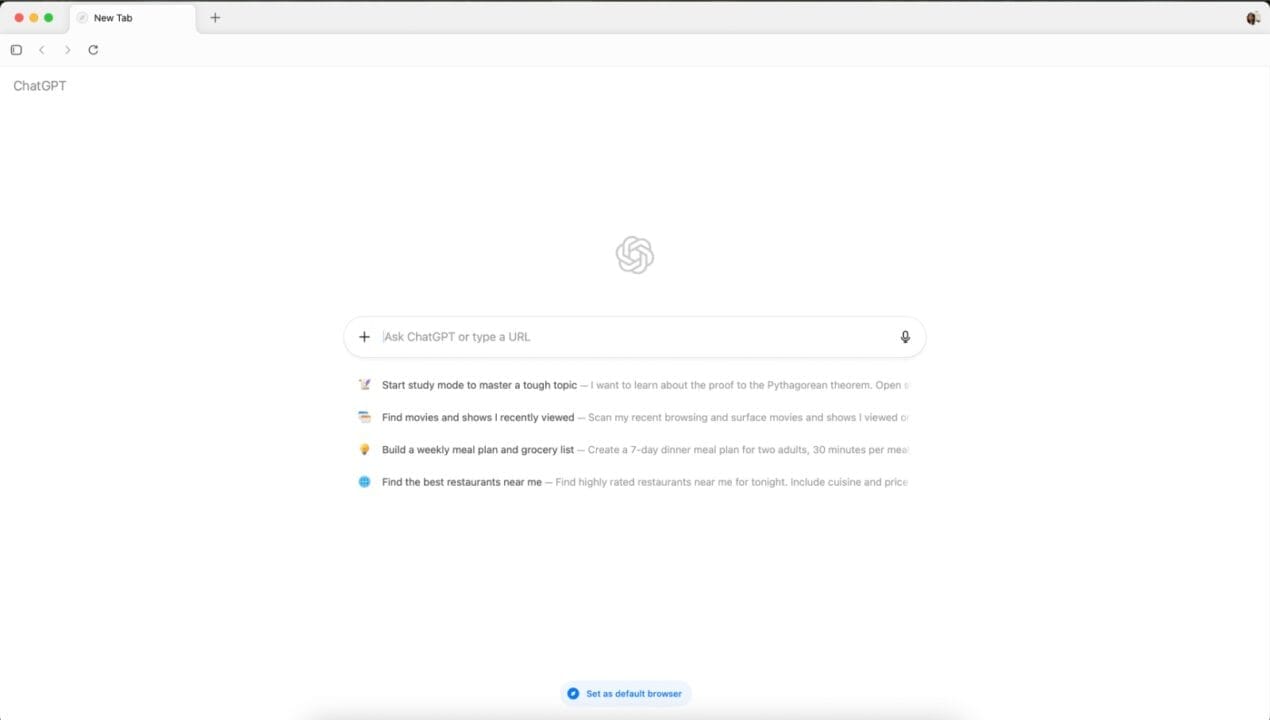
The default homepage resembles the ChatGPT dashboard, featuring a side panel with recent chats. The main input bar doubles as both a search field and a URL bar, meaning you can either search directly using natural language or type in a website address.
How ChatGPT Atlas Works
ChatGPT Atlas operates on top of OpenAI’s GPT-5 architecture, integrating real-time browsing with conversational AI.
The AI sidebar remains active across all tabs, allowing continuous assistance.
It can summarize webpages, analyze articles, compare product data, and even cross-reference multiple sources.
Users can also paste URLs or queries directly into the prompt area to receive instant AI insights.
Essentially, the browser transforms your browsing session into a collaborative experience with an intelligent assistant.
Core Features and Innovations
1. AI Assistant Sidebar
The right-hand sidebar hosts the ChatGPT assistant, always ready to help. It can:
Summarize any web page you’re viewing
Compare different websites or products
Generate quick notes or citations
Answer questions contextually based on the tabs you’ve opened
2. Context Awareness Across Tabs
Atlas can understand the context of multiple open tabs simultaneously, enabling it to pull relevant data or perform cross-tab analysis.
3. Browser Memory
Perhaps one of the most intriguing features, Browser Memory allows ChatGPT Atlas to remember your preferences, past searches, and previous sessions.
OpenAI has emphasized that users have full control — you can delete or manage what Atlas remembers at any time.
4. Unified Search and Chat Interface
Instead of juggling between search engines and AI chatbots, Atlas combines them. You can type a natural query like “Show me the best laptops under ₹60,000”, and it will return results with summaries, comparisons, and even buying recommendations.
5. Enhanced Privacy and Customization
OpenAI assures that user data is protected, with transparent memory settings and private browsing modes for sensitive searches.
Agent Mode: The Future of Autonomous Web Browsing
One of the standout innovations of ChatGPT Atlas is the Agent Mode.
This feature allows the browser to act on behalf of the user, automating complex online tasks. For instance:
Conducting multi-site research
Planning trips and comparing itineraries
Making online purchases or bookings
Gathering market data from multiple sources
Essentially, your AI assistant doesn’t just fetch information — it takes action.
Currently, this mode is in preview and available to ChatGPT Plus, Pro, and Business users.
⚔️ Comparison with Other AI Browsers
| Feature | ChatGPT Atlas (OpenAI) | Comet (Perplexity) | Dia (The Browser Company) |
|---|---|---|---|
| AI Model | GPT-5 | Perplexity AI | Proprietary |
| Agentic Capabilities | ✅ Yes (Agent Mode) | ❌ No | ⚙️ Limited |
| Context Across Tabs | ✅ Supported | ⚙️ Partial | ✅ Supported |
| Browser Memory | ✅ Available | ❌ Not Available | ✅ Yes |
| Availability | macOS (Windows, iOS, Android coming soon) | Web, iOS | macOS, Windows |
| Subscription Benefits | Agents for Plus, Pro, and Business users | Free + Pro tiers | Invite-only beta |
OpenAI’s advantage lies in its tight integration with GPT-5, giving it deeper reasoning, memory, and multi-step automation abilities that other browsers currently lack.
Availability and Platform Support
As of now, ChatGPT Atlas is available exclusively for macOS, but OpenAI has confirmed that Windows, iOS, and Android versions are coming soon.
The browser is free for all users, but Agent Mode and advanced memory features are restricted to Plus, Pro, and Business subscribers.
What This Means for the AI Landscape
With ChatGPT Atlas, OpenAI has effectively entered the AI browser race, positioning itself against competitors like Google (Gemini), Microsoft (Copilot in Edge), and Perplexity.
However, Atlas stands out because it doesn’t just integrate AI into the browser — it is the browser.
This move cements OpenAI’s vision to make AI an invisible yet active co-pilot in every digital interaction.
FAQs
Q1. What is ChatGPT Atlas?
ChatGPT Atlas is OpenAI’s new AI-powered web browser built around the GPT-5 model. It merges web browsing with conversational AI to perform searches, research, and automation tasks.
Q2. Is ChatGPT Atlas free to use?
Yes, the browser itself is free, but advanced features like Agent Mode and browser memory are available only for ChatGPT Plus, Pro, and Business users.
Q3. What is Agent Mode?
Agent Mode allows the AI browser to act on your behalf — visiting multiple websites, conducting research, and even making purchases automatically.
Q4. Which platforms support ChatGPT Atlas?
Currently, it’s available for macOS, with upcoming releases planned for Windows, iOS, and Android.
Q5. How is ChatGPT Atlas different from other browsers?
Unlike traditional browsers, Atlas combines browsing, search, and AI chat into a single intelligent interface — effectively making it your personal AI browsing companion.
Final Thoughts
OpenAI’s Chat GPT Atlas represents a revolutionary step in how humans interact with the web. By combining the power of GPT-5 with seamless browsing, it turns everyday internet tasks into smart, personalized experiences.
With Agent Mode, browser memory, and cross-tab awareness, Atlas could very well become the blueprint for the next generation of web browsers — where AI doesn’t just assist you, it works with you.
Disclaimer: The information in this article is based on details first reported by official sources and publicly available news, including Google News. We have adapted and rewritten the content for clarity, SEO optimization, and reader experience. All trademarks and images belong to their respective owners.
Trending

Ayush Singhal is the founder and chief editor of TechMitra.in — a tech hub dedicated to simplifying gadgets, AI tools, and smart innovations for everyday users. With over 15 years of business experience, a Bachelor of Computer Applications (BCA) degree, and 5 years of hands-on experience running an electronics retail shop, Ayush brings real-world gadget knowledge and a genuine passion for emerging technology.
At TechMitra, he covers everything from AI breakthroughs and gadget reviews to app guides, mobile tips, and digital how-tos. His goal is simple — to make tech easy, useful, and enjoyable for everyone. When he’s not testing the latest devices or exploring AI trends, Ayush spends his time crafting tutorials that help readers make smarter digital choices.
📍 Based in Lucknow, India
💡 Focus Areas: Tech News • AI Tools • Gadgets • Digital How-Tos
📧 Email: contact@techmitra.in
🔗 Full Bio: https://techmitra.in/about-us/